
DEWBU DB-0322
DEWBU Mini Portable Charger (Model DB-0322) Instruction Manual
Model: DB-0322 | Brand: DEWBU
Introduction
This manual provides comprehensive instructions for the safe and efficient use of your DEWBU Mini Portable Charger (Model DB-0322). This 4000mAh ultra-slim power bank is designed for convenient on-the-go charging of various electronic devices, including smartphones, tablets, and heated apparel.
What's Included
- DEWBU 5V/2A 4000mAh Power Bank (x1)
- USB Charging Cable (x1)
- Instruction Booklet (x1)
Product Overview
The DEWBU Mini Portable Charger is designed for portability and ease of use. Its compact size allows it to fit easily into pockets or handbags.

Figure 1: The DEWBU Mini Portable Charger, demonstrating its compact size comparable to a credit card.
Key Features:
- Ultra-Compact & Slim Design: Measuring 3.0*2.0*0.56 inches, it is smaller than a credit card, making it highly portable.
- Battery Level Indicator: Four blue LED lights indicate the remaining power and charging status.
- USB-C Port: Functions as both input for charging the power bank and output for charging devices.
- DC Output: An additional DC output port (5V/2A) is available for specific devices like heated gloves.

Figure 2: Detailed view of the power bank's ports and indicators, including USB Type-C and DC output.
Setup
Charging the Power Bank:
- Connect the provided USB Charging Cable to the power bank's USB-C input port.
- Plug the other end of the USB Charging Cable into a compatible USB power adapter (not included) or a computer's USB port.
- The blue LED indicators will illuminate and flash to show the charging progress. All four LEDs will be solid blue when fully charged.
- Charging time is approximately 3.5 hours for a full charge.
Operating Instructions
Charging Your Device:
- Ensure the power bank is sufficiently charged. Check the battery level indicators by briefly pressing the power button.
- Connect your device's charging cable to the appropriate output port on the power bank (USB-C or DC output).
- Connect the other end of your device's charging cable to your device.
- The power bank will automatically begin charging your device. If not, briefly press the power button to initiate charging.
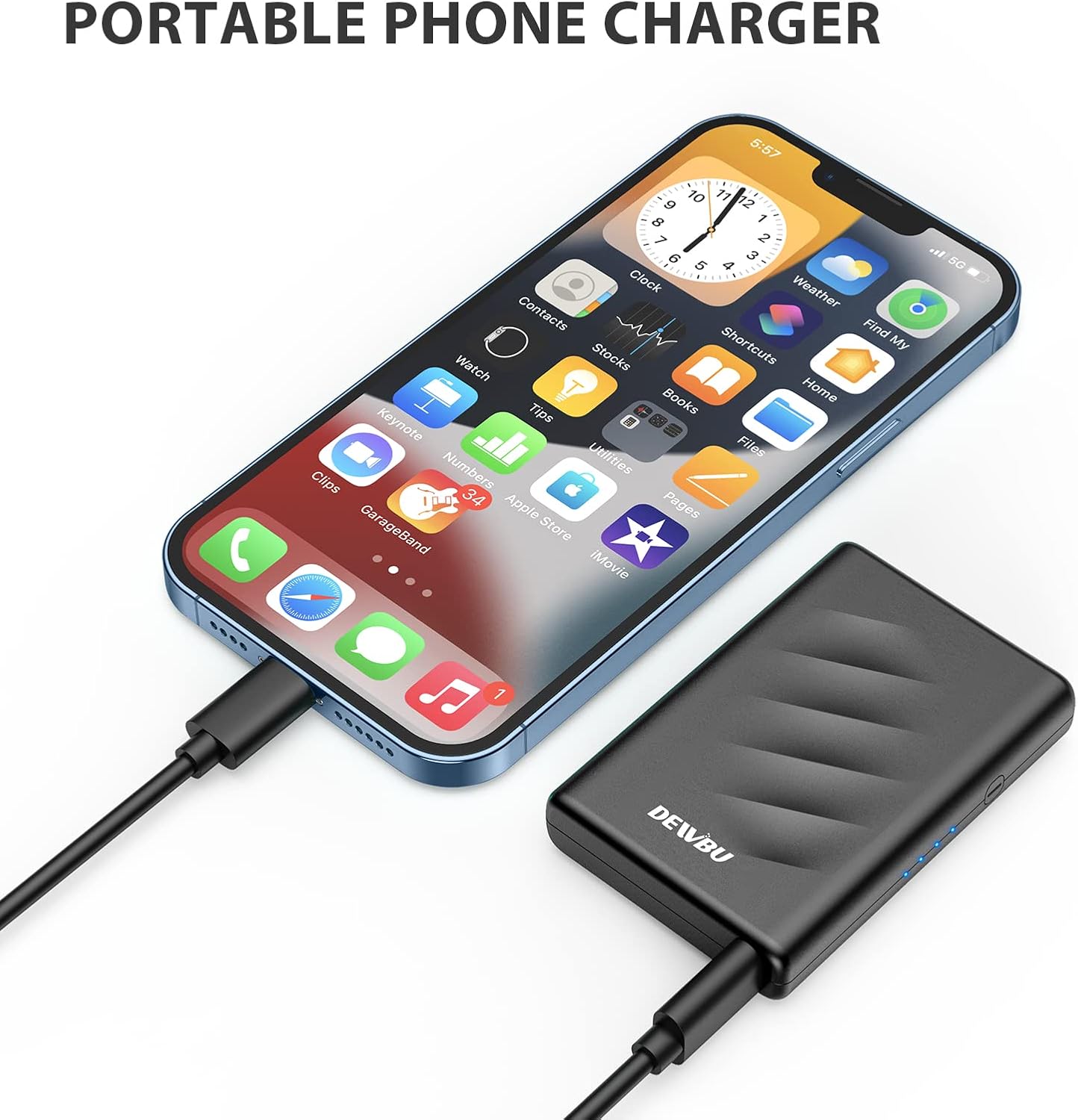
Figure 3: The power bank in use, charging a smartphone.
Battery Level Indicator:
The power bank features four blue LED lights to indicate its charge level:
- 1 LED: 0-25% charge remaining
- 2 LEDs: 25-50% charge remaining
- 3 LEDs: 50-75% charge remaining
- 4 LEDs: 75-100% charge remaining (fully charged)
Compatibility
The DEWBU Mini Portable Charger offers wide compatibility with various devices, including but not limited to:
- iPhones, iPads, MacBooks (via USB-C)
- Samsung Galaxy, Huawei, Android smartphones and tablets
- Nintendo Switch
- DEWBU heated gloves and other compatible heated apparel (via DC output)

Figure 4: The power bank fitting into a heated glove pocket, highlighting its versatility.
Safety Information
Your DEWBU power bank is designed with multiple safety features and is certified to meet international standards:
- UL2056, FCC, CE, and ROHS certified.
- Built-in multi-protection system safeguards against over-current, short circuits, over-charging, and over-discharging.
Important Safety Precautions:
- Do not attempt to open, disassemble, or modify the device.
- Avoid exposing the power bank to extreme temperatures (hot or cold), direct sunlight, or humid environments.
- Keep out of reach of children.
- Do not drop or subject the power bank to strong impacts.
- If the device or battery swells or becomes deformed, discontinue use immediately.
Specifications
| Feature | Detail |
|---|---|
| Model Number | DB-0322 |
| Battery Capacity | 4000 Milliamp Hours (mAh) |
| Input (Micro USB) | 5V/1A |
| Output (USB Type-C) | 5V/2A Max |
| Output (DC) | 5V/2A |
| Dimensions | 3.0 x 2.0 x 0.56 inches (approx. 7.83 x 4.17 x 1.26 inches package dimensions) |
| Item Weight | 7 ounces |
| Charging Time | Approx. 3.5 hours |
| Certifications | UL2056, FCC, CE, ROHS |
Troubleshooting
- Device not charging:
- Ensure the power bank is charged (check LED indicators).
- Verify the charging cable is securely connected to both the power bank and your device.
- Press the power button on the power bank to activate charging.
- Try a different charging cable or device to rule out compatibility issues.
- Power bank not charging:
- Ensure the USB charging cable is properly connected to the power bank's input port and a working power source.
- Try a different USB power adapter or wall outlet.
- Slow charging:
- Ensure you are using a 5V/2A power adapter for optimal charging speed of the power bank.
- Check if your device supports fast charging and if the cable used is compatible.
Maintenance
- Clean the power bank with a soft, dry cloth. Do not use harsh chemicals or abrasive materials.
- Store the power bank in a cool, dry place away from direct sunlight and extreme temperatures.
- If not used for extended periods, charge the power bank at least once every three months to maintain battery health.
Warranty & Support
For warranty information or technical support, please refer to the contact details provided in your product packaging or visit the official DEWBU website. Keep your purchase receipt for warranty claims.