
Qinux QNIX SMARTWATCH
QNIX Smartwatch User Manual
Model: QNIX SMARTWATCH
Brand: Qinux
1. Introduction
Welcome to the QNIX Smartwatch user manual. This document provides essential information for setting up, operating, and maintaining your new smartwatch. Please read these instructions carefully to ensure proper use and to maximize the device's features.
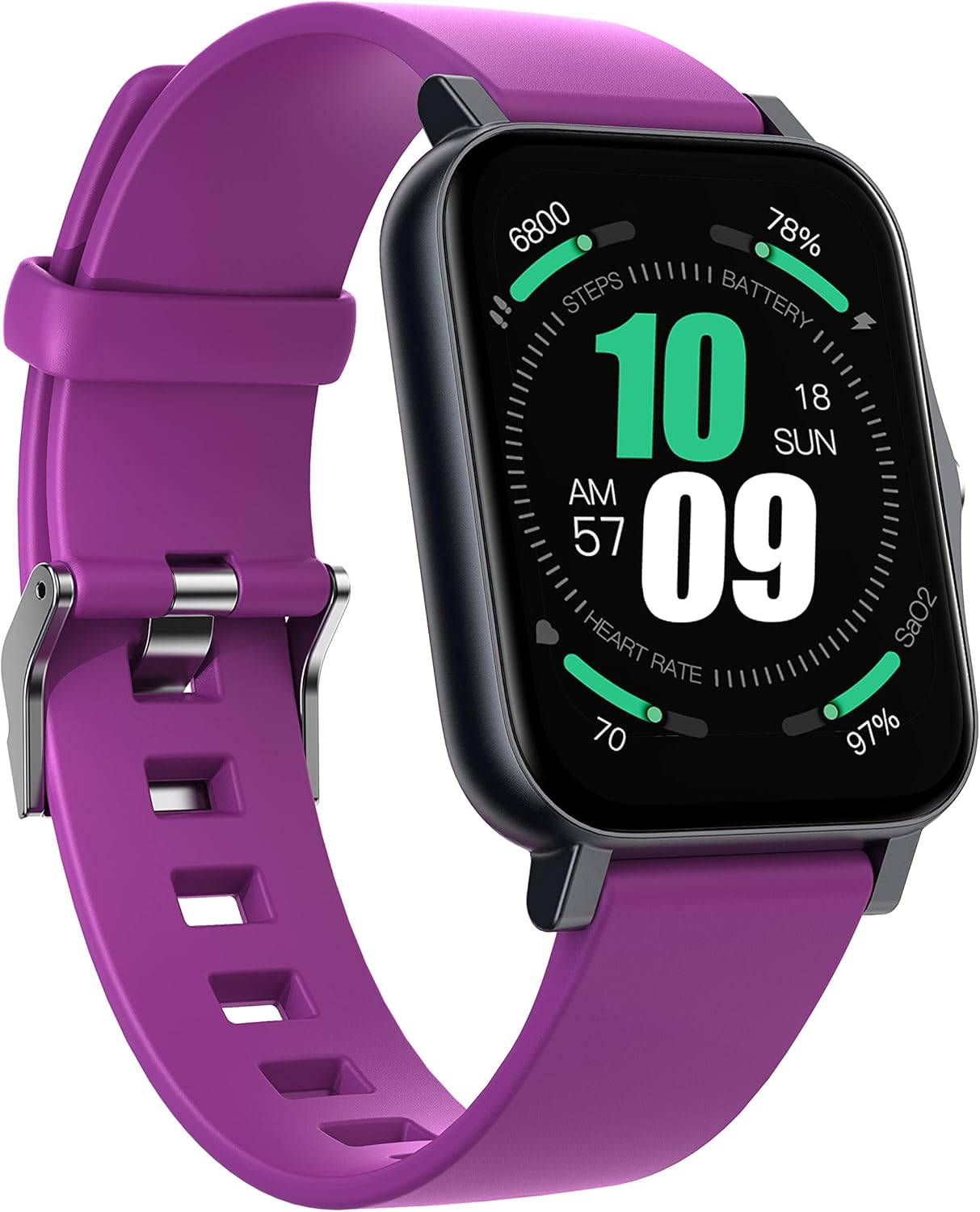
Image 1.1: Front view of the QNIX Smartwatch, displaying various health and activity metrics.
2. Setup
2.1 Charging the Smartwatch
Before initial use, fully charge your QNIX Smartwatch. Connect the charging cable to the charging contacts on the back of the watch and to a USB power source. A full charge typically takes approximately 2.5 hours. Once fully charged, the battery can last between 7 to 14 days depending on usage, with a standby time of about 45 days.

Image 2.1: Rear view of the smartwatch, highlighting the charging contacts and health sensors.
2.2 Pairing with Your Mobile Device
- Ensure your mobile device's Bluetooth is enabled.
- Download and install the official QNIX companion application from your device's app store (e.g., Google Play Store for Android, Apple App Store for iOS).
- Open the QNIX application and follow the on-screen instructions to search for and pair with your smartwatch. The smartwatch is compatible with Android 5.0/iOS 9.0 or higher and Bluetooth 4.0/5.0.
- Confirm the pairing request on both your mobile device and the smartwatch.
3. Operating the Smartwatch
3.1 Navigating the Touchscreen
The QNIX Smartwatch features a 1.7-inch HD TFT-LCD touchscreen with a resolution of 240 x 280 pixels. Swipe left, right, up, or down to navigate through menus and features. Tap to select options.
You can customize the watch face and application layout through the companion app. Adjust brightness and color settings directly on the watch or via the app.
3.2 Activity Tracking
The smartwatch monitors various routine activities, including steps taken, distance traveled, calories burned, and active time. It includes 16 dedicated sports modes for tracking specific exercises. To start a sports mode, navigate to the sports section on your watch and select your desired activity.
3.3 Health Monitoring
The QNIX Smartwatch provides real-time health monitoring features:
- Heart Rate Monitoring: Continuously tracks your heart rate.
- Blood Pressure Monitoring: Measures your blood pressure.
- Blood Oxygen (SpO2) Monitoring: Monitors your blood oxygen saturation levels.
- Sleep Tracking: Analyzes your sleep time and quality, providing insights into your sleep patterns.
Access these features by swiping to the respective health monitoring screens on your watch or by viewing detailed data in the QNIX companion app.
3.4 Mobile Synchronization and Notifications
Once paired with your mobile device, the QNIX Smartwatch can receive and display various notifications:
- SMS/SNS Messages: Receive and read messages from platforms like Facebook, Twitter, WhatsApp, WeChat, LinkedIn, and Instagram. The watch will alert you with vibrations on your wrist.
- Incoming Calls: View incoming call alerts on your watch.
- Calendar and Reminders: Consult and manage calendar events, notes, reminders, and other alerts directly from your smartwatch.
4. Maintenance
4.1 Cleaning Your Smartwatch
The QNIX Smartwatch is IP68 water and dust resistant, meaning it can withstand immersion in water up to 1.5 meters for 30 minutes. To clean the watch, gently wipe the screen and strap with a soft, damp cloth. Avoid using harsh chemicals or abrasive materials. Ensure the charging contacts are dry before charging.
4.2 Strap Replacement
The silicone strap of your QNIX Smartwatch can be easily replaced. Refer to the specific instructions provided with your replacement strap for details on how to detach and attach new straps.

Image 4.1: Side view of the smartwatch, illustrating the replaceable silicone strap.
5. Troubleshooting
If you encounter issues with your QNIX Smartwatch, try the following common solutions:
- Watch not turning on: Ensure the watch is fully charged. Connect it to the charger for at least 30 minutes.
- Unable to pair with phone:
- Ensure Bluetooth is enabled on your phone.
- Make sure the QNIX app is installed and running.
- Restart both your phone and the smartwatch.
- Ensure the smartwatch is within Bluetooth range of your phone.
- Notifications not appearing:
- Check notification permissions for the QNIX app on your phone.
- Ensure the watch is properly connected via Bluetooth.
- Verify that notifications are enabled within the QNIX app settings.
- Inaccurate health data: Ensure the watch is worn snugly on your wrist, with the sensors making good contact with your skin. Avoid wearing it too loosely or too tightly.
6. Specifications
| Feature | Detail |
|---|---|
| Brand | Qinux |
| Model Name | QNIX SMARTWATCH |
| Color | Violet |
| Operating System | Proprietary OS |
| Screen Size | 1.7 Inches |
| Screen Resolution | 240 x 280 pixels |
| Connectivity Technology | Bluetooth 4.0/5.0 |
| Compatible Devices | Smartphone, tablet, PC, laptop |
| OS Compatibility | Android 5.0+ / iOS 9.0+ |
| Special Features | Heart Rate Monitor, Blood Pressure, Blood Oxygen, Sleep Tracker, 16 Sports Modes |
| Water & Dust Resistance | IP68 |
| Battery Life (Active) | 7-14 days |
| Battery Life (Standby) | Approx. 45 days |
| Charging Time | Approx. 2.5 hours |
7. Warranty Information
Warranty details for your QNIX Smartwatch are typically provided with your purchase documentation. Please refer to the packaging or the retailer's website for specific terms and conditions regarding your product's warranty.
8. Customer Support
For further assistance, technical support, or inquiries regarding your QNIX Smartwatch, please visit the official Qinux website or contact their customer service department. Contact information can usually be found on the product packaging or the manufacturer's official website.
Related Documents - QNIX SMARTWATCH
 |
Qinux Titan PG Smartwatch User Manual and Guide Comprehensive user manual for the Qinux Titan PG Smartwatch, covering introduction, box contents, watch face selection, shortcut gestures, pairing, app configuration, device settings, safety tips, and troubleshooting. |
 |
Bedienungsanleitung Qinux Titan PG Smartwatch für Männer Umfassende Bedienungsanleitung für die Qinux Titan PG Smartwatch für Männer, die Einrichtung, Funktionen, Fehlerbehebung und Sicherheitstipps abdeckt. |
 |
Manual del Reloj Inteligente Qinux Titan PG para Hombres Manual detallado para el Reloj Inteligente Qinux Titan PG para Hombres, cubriendo introducción, contenido de la caja, selección de esferas, gestos, emparejamiento con el teléfono, configuración de la aplicación PGfit, configuración del dispositivo, consejos de uso seguro y solución de problemas. |
 |
Qinux TitanPG Smartwatch: Cumplimiento GDPR y Gestión de Datos Informe detallado sobre cómo el Qinux TitanPG Smartwatch y la aplicación PGFit cumplen con el Reglamento General de Protección de Datos (GDPR), cubriendo la naturaleza, volumen, almacenamiento, acceso y eliminación de datos. |
 |
AKUMAKA Smartwatch FAQ and Warranty Guide Comprehensive FAQ and warranty information for AKUMAKA smartwatches, covering troubleshooting for notifications, device compatibility, water resistance, Bluetooth, skin irritation, step accuracy, and heart rate measurement. Features include answering calls, SpO2, sleep monitoring, and 110+ sports modes. |
 |
ASWEE Smart Watch Instruction Manual: Setup, Features & Operation Guide Learn how to set up and use your ASWEE Smart Watch. This guide covers connecting to your phone, using health monitoring features, sports modes, and troubleshooting. |