
Introduction
This manual provides detailed instructions for the installation, operation, and maintenance of your FLEXISPOT SS007LB Under Desk Drawer. Designed to enhance your workspace organization, this steel drawer offers a convenient storage solution that mounts discreetly under your desk. Please read this manual thoroughly before installation and use to ensure proper function and longevity of the product.
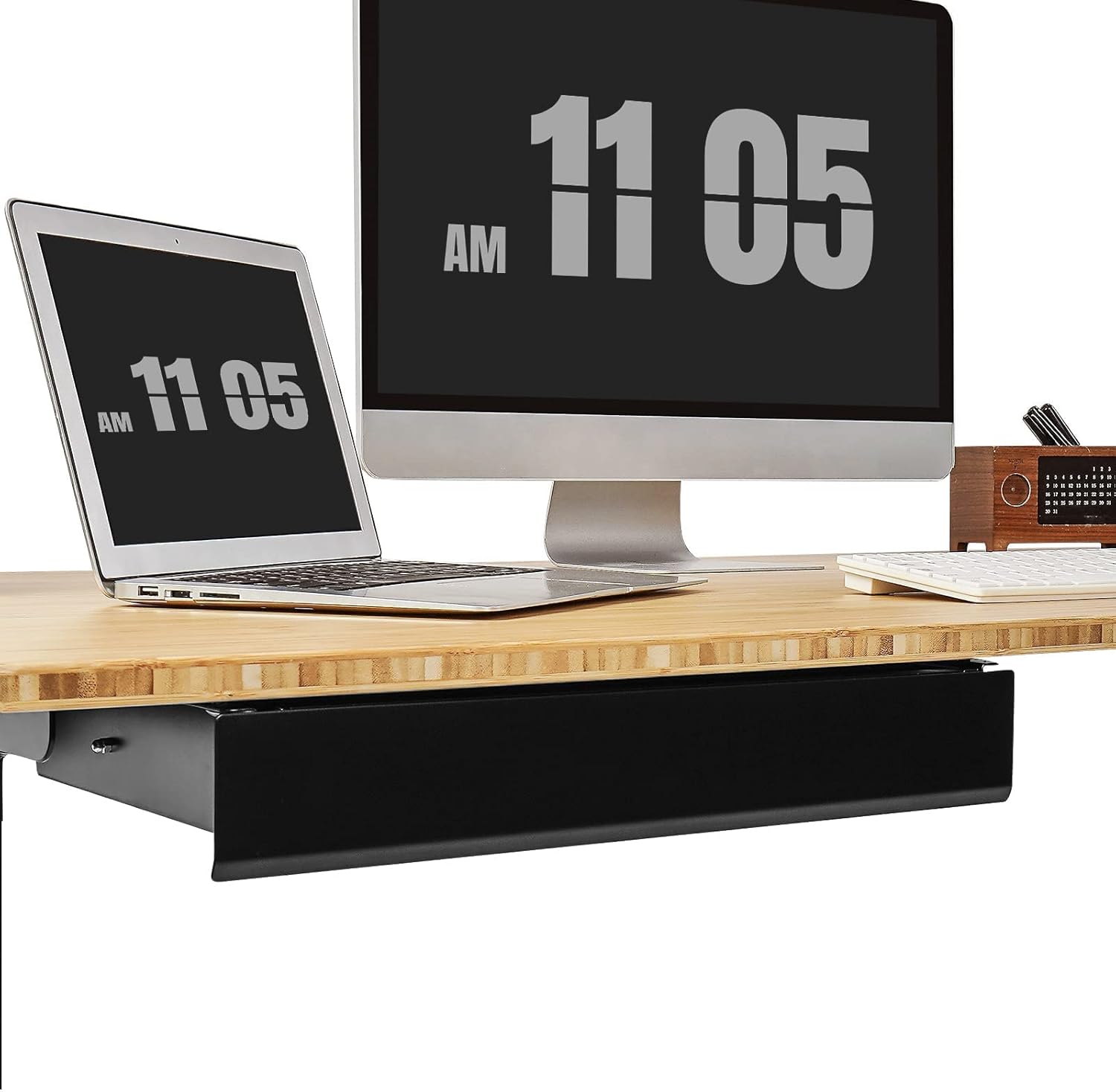
Image: The FLEXISPOT SS007LB Under Desk Drawer seamlessly integrated beneath a modern desk setup.
Safety Information
Please observe the following safety guidelines during installation and use:
- Ensure the desk surface is stable and capable of supporting the drawer's weight plus its contents (up to 11 lbs).
- Use appropriate tools for installation. A drill may be required for pilot holes (not included).
- Avoid overtightening screws to prevent damage to the desk or drawer.
- Keep fingers clear of moving parts during drawer operation.
- Do not overload the drawer beyond its maximum weight capacity of 11 lbs.
- Periodically check all screws and connections to ensure they remain secure.
Package Contents
Verify that all components are present before beginning installation:
- 1 x FLEXISPOT SS007LB Under Desk Drawer (fully assembled)
- 6 x Mounting Screws
Note: A drill may be required for pilot holes, but it is not included in the package.
Setup and Installation
The FLEXISPOT SS007LB Under Desk Drawer is designed for easy installation. Follow these steps to securely attach it to your desk.
1. Check Compatibility and Placement
Ensure your desk is compatible. The drawer fits most FlexiSpot desks, excluding 24" width desktops. For other fixed desks, the desktop must be at least 9.4" deep. The drawer is designed to be installed off to the far left or right-hand side of your desk to avoid interference with desk frames or crossbeams.

Image: Visual guide for desk compatibility, indicating that drawers can be installed directly on some desks, but requiring confirmation of crossbeam length for others (must be greater than or equal to 9.4 inches).

Image: Installation requirements showing the necessary desk dimensions (17.7" width, 9.4" depth) for proper drawer placement.
2. Prepare for Mounting
The drawer ships fully assembled. Identify the four mounting holes on the side runners of the drawer.

Image: Detail of the drawer's robust metal slide mechanism and pre-drilled mounting holes on the side runners.
3. Position and Mark
Hold the drawer in the desired position under your desk. Use a pencil to mark the locations for the pilot holes through the four mounting holes on the drawer's runners.
4. Drill Pilot Holes (if necessary)
If your desk does not have pre-drilled holes, use a drill to create small pilot holes at the marked locations. This will prevent wood splitting and ensure a secure attachment.
Video: This video demonstrates the installation process of the FlexiSpot under-desk drawer, including drilling pilot holes and securing the drawer to the desk. It highlights the solid metal construction and smooth runners.
5. Secure the Drawer
Align the drawer with the pilot holes (or existing holes) and use the provided 6 screws to firmly attach the drawer to the underside of your desk. Ensure the drawer is level and securely fastened.

Image: The FLEXISPOT SS007LB Under Desk Drawer with its external dimensions (17.7" W x 9.4" D x 2.8" H) and internal dimensions (15" D x 8.7" W x 2" H) clearly labeled.
Operating Instructions
The FLEXISPOT SS007LB Under Desk Drawer operates with a smooth slide mechanism.
- Opening: Gently pull the front panel of the drawer towards you. The ball-bearing slides will allow for smooth extension.
- Closing: Push the front panel of the drawer back into the desk. You may need to apply a slight push for the final centimeter to ensure it fully closes and latches.
- Storage: Utilize the internal space (8.7" W x 15" D x 2" H) for organizing office accessories such as pens, notebooks, keys, and small electronics.

Image: The drawer open, showcasing its capacity to hold various office supplies, helping to keep the desktop clear.

Image: A visual comparison demonstrating how the under-desk drawer transforms a cluttered desk into an organized and spacious workstation.
Maintenance
To maintain the appearance and functionality of your drawer:
- Cleaning: Wipe the drawer surfaces with a damp cloth. Avoid abrasive cleaners or harsh chemicals that could damage the finish.
- Lubrication: The ball-bearing slides are designed for long-term smooth operation. If you notice any stiffness, a small amount of silicone-based lubricant can be applied to the slides.
- Inspection: Periodically check the mounting screws for tightness and re-tighten if necessary.
Troubleshooting
If you encounter any issues with your FLEXISPOT SS007LB Under Desk Drawer, refer to the following common solutions:
| Problem | Possible Cause | Solution |
|---|---|---|
| Drawer does not slide smoothly. | Accumulation of dust/debris in slides; lack of lubrication. | Clean the slides with a damp cloth. Apply a small amount of silicone lubricant if needed. |
| Drawer does not close completely. | Obstruction; slides not fully engaged. | Check for any items blocking the drawer. Ensure the slides are clean and push firmly to engage the final closing mechanism. |
| Drawer feels loose or wobbly. | Mounting screws are loose. | Re-tighten all mounting screws securely. |
| Drawer is difficult to open/close. | Overloaded drawer; damaged slides. | Reduce the weight of items in the drawer. Inspect slides for damage; contact customer support if damaged. |
Specifications
| Feature | Detail |
|---|---|
| Brand | FLEXISPOT |
| Model Number | SS007LB |
| Product Dimensions (External) | 17.7"D x 9.4"W x 2.8"H |
| Internal Dimensions | 8.7" W x 15" D x 2" H |
| Color | Black |
| Material | Metal |
| Finish Type | Powder Coated |
| Mounting Type | Under Desk |
| Maximum Weight Recommendation | 11 Pounds |
| Required Assembly | No (ships fully assembled, only mounting required) |

Image: Comprehensive dimensional drawing of the FLEXISPOT Under Desk Drawer, showing all key measurements for planning installation.

Image: The FLEXISPOT Under Desk Drawer is available in multiple sizes and colors to match various desk aesthetics.
Warranty Information
The FLEXISPOT SS007LB Under Desk Drawer comes with a limited warranty. For specific details regarding warranty coverage, terms, and conditions, please refer to the official FLEXISPOT website or contact customer support. Keep your purchase receipt as proof of purchase.
Customer Support
If you have any questions, require assistance with installation, or need to report a problem, please contact FLEXISPOT customer support through their official website or the retailer where the product was purchased.
Website: www.flexispot.com
