
Introduction
This manual provides essential information for the proper use, care, and maintenance of your CIGA Design C Series Skeleton Automatic Mechanical Watch. This timepiece features a customized SEAGULL AAA-Class automatic mechanical movement, a skeletonized dial, and a durable 316L surgical steel case with sapphire crystal. Please read these instructions carefully to ensure optimal performance and longevity of your watch.

Image: Front view of the CIGA Design C Series Skeleton Automatic Mechanical Watch, showcasing its intricate internal mechanism through the transparent dial.
Setup
1. Unboxing and Initial Inspection
Carefully remove the watch and its accessories from the packaging. Verify that all components, including the watch and interchangeable straps (Milanese and leather), are present and undamaged.

Image: The watch and its two interchangeable straps (Milanese and leather) presented within the minimalist packaging.
2. Attaching/Changing Straps
Your watch comes with two interchangeable straps. To attach or change a strap, locate the quick-release spring bar on the underside of the strap. Slide the small lever on the spring bar inwards to compress it, align the spring bar with the lug holes on the watch case, and release the lever to secure the strap. Ensure the strap is firmly attached before wearing.

Image: Detail of the Milanese strap, highlighting the quick-locked spring bar mechanism for easy attachment and removal.
3. Initial Winding
As an automatic mechanical watch, it requires initial winding if it has stopped. To manually wind the watch, rotate the crown clockwise approximately 30-40 times while it is in its normal, pushed-in position. This builds up the power reserve to start the movement.
4. Setting the Time
- Pull the crown out to the outermost position.
- Rotate the crown clockwise or counter-clockwise to set the hour and minute hands to the correct time.
- Once the time is set, push the crown back into its normal position to engage the movement.

Image: A detailed view of the watch dial, showing the hour, minute, and second hands, and the crown on the side of the case.
Operating Instructions
Automatic Movement
Your CIGA Design watch is powered by an automatic mechanical movement. This means it is self-winding and does not require a battery. The movement is powered by the natural motion of your wrist. When worn regularly (approximately 8-10 hours a day), the watch will remain wound. If the watch is not worn for an extended period, it may stop. In this case, manually wind it as described in the "Initial Winding" section before wearing.
The watch has a power reserve of up to 40 hours when fully wound. This means it can continue to operate for approximately 40 hours after being removed from the wrist, provided it was fully wound.
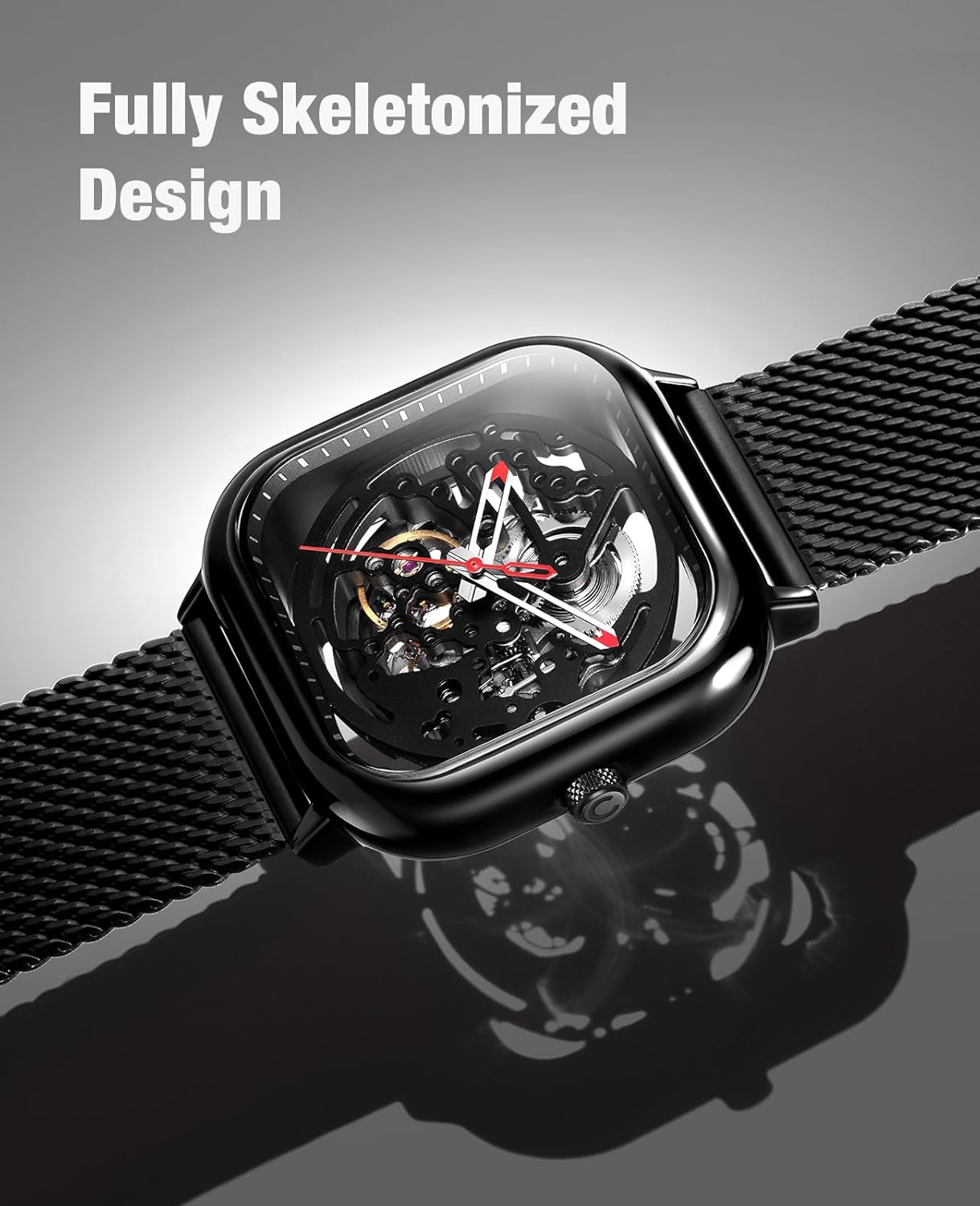
Image: A magnified view of the watch's intricate skeletonized mechanical movement, revealing gears and springs.
Video: An official CIGA Design video showcasing the automatic mechanical movement and design of the C Series watch.
Maintenance
Cleaning
To clean your watch, gently wipe the case and crystal with a soft, dry, lint-free cloth. For the Milanese strap, a soft brush can be used to remove dust or debris. Avoid using harsh chemicals or abrasive materials, as these can damage the watch's finish or crystal.
Water Resistance
This watch is Not Water Resistant. Avoid all contact with water, including showering, swimming, or exposure to rain. Water exposure can cause severe damage to the mechanical movement and is not covered under warranty.
Magnetic Fields
Keep your watch away from strong magnetic fields, such as those produced by speakers, refrigerators, or certain electronic devices. Strong magnetic fields can affect the accuracy of the mechanical movement.
Shock Resistance
The watch features an innovative interior structure with flexible supports to enhance shock resistance. While designed to withstand everyday impacts, avoid severe shocks or drops to prevent potential damage to the delicate mechanical components.

Image: A diagram showing the internal structure of the watch case with flexible supports designed to absorb shocks and protect the movement.
Regular Servicing
Like any precision mechanical instrument, your watch benefits from periodic professional servicing to ensure its long-term accuracy and performance. Consult a qualified watchmaker for recommended service intervals.
Troubleshooting
- Watch Not Running: If the watch has stopped, it may need to be manually wound. Rotate the crown clockwise 30-40 times in its normal position. Ensure you are wearing the watch regularly to keep the automatic movement powered.
- Time Inaccuracy: Slight variations in timekeeping are normal for mechanical watches. If the watch is consistently running too fast or too slow, it might be magnetized or require adjustment. Keep it away from strong magnetic fields. If the issue persists, professional servicing may be needed.
- Crown Not Operating: Ensure the crown is not stuck or damaged. If it cannot be pulled out or rotated, do not force it. Contact customer support for assistance.
Specifications
| Model Number | Z011 |
| Movement Type | Customized SEAGULL AAA-Class Automatic Mechanical |
| Frequency | 21,600 times/hour |
| Jewels | 19 |
| Power Reserve | Up to 40 hours |
| Case Material | 316L Surgical Steel |
| Crystal | Sapphire Crystal |
| Case Diameter | 40 millimeters |
| Case Thickness | 11.5 millimeters |
| Band Width | 22 millimeters |
| Band Length | 21 centimeters |
| Water Resistance Level | Not Water Resistant |
| Included Components | Watch, Milanese strap, Leather strap |
Warranty and Support
Warranty Information
Your CIGA Design C Series watch comes with a 2-year warranty from the date of purchase. This warranty covers manufacturing defects under normal use. It does not cover damage resulting from improper use, accidents, unauthorized repairs, or water damage (as the watch is not water resistant).
Customer Support
For any questions, concerns, or warranty claims, please contact CIGA Design customer support. You can typically find contact information on the official CIGA Design website or through your point of purchase. Please have your model number (Z011) and proof of purchase ready when contacting support.