
CYBERBOT cyberbot MINI
Cyberbot MINI Foldable Electric Scooter User Manual
Model: cyberbot MINI | Brand: CYBERBOT
Introduction
This manual provides essential information for the safe operation, maintenance, and troubleshooting of your Cyberbot MINI Foldable Electric Scooter. Designed for commuting, short-distance travel, and recreational activities, this scooter features dual 500W motors, an 18AH battery, and 8.5-inch tires, offering a blend of power and portability. Please read this manual thoroughly before your first ride to ensure proper usage and to maximize the lifespan of your scooter.
Safety Information
Your safety is paramount. Always adhere to the following guidelines:
- Wear Protective Gear: Always wear a helmet, knee pads, and elbow pads when riding.
- Local Regulations: Familiarize yourself with and obey all local traffic laws and regulations regarding electric scooters.
- Weight Limit: Do not exceed the maximum weight limit of 330 pounds (150 kg).
- Pre-Ride Check: Before each ride, inspect the scooter for loose bolts, proper tire pressure, and functional brakes. Ensure all quick-release mechanisms are securely fastened.
- Environmental Conditions: Avoid riding in heavy rain, snow, or on icy surfaces. The scooter is not designed for deep water immersion.
- Charging Safety: Use only the provided charger. Do not overcharge the battery. Charge in a well-ventilated area away from flammable materials.
- Age Restriction: This scooter is intended for adult use.
- Awareness: Be aware of your surroundings, pedestrians, and other vehicles. Avoid distractions while riding.
Components Overview
Familiarize yourself with the main parts of your Cyberbot MINI scooter:
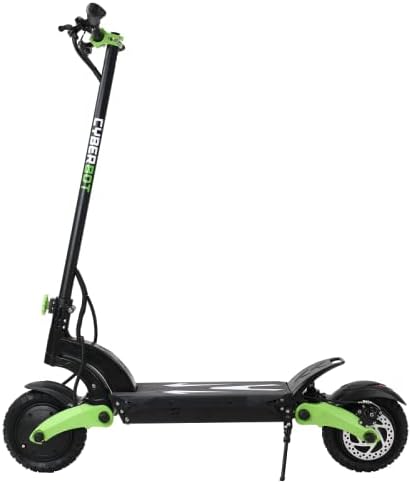
Figure 1: Side view of the Cyberbot MINI Electric Scooter, showcasing its overall design and proportions.

Figure 2: Front view of the Cyberbot MINI Electric Scooter, highlighting the handlebars, headlight, and front wheel assembly.
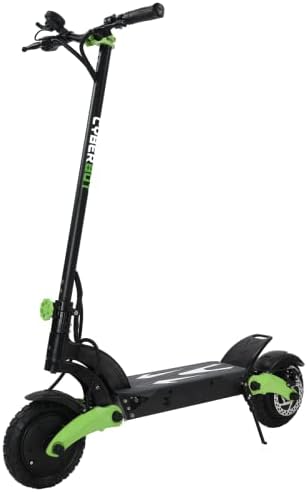
Figure 3: Three-quarter front view of the Cyberbot MINI Electric Scooter, showing the deck, wheels, and suspension.
- Handlebars: Equipped with grips, brake levers, throttle, and display.
- Stem: The vertical column connecting the handlebars to the deck, featuring the folding mechanism.
- Deck: The platform where the rider stands, housing the battery.
- Wheels: 8.5-inch pneumatic tires for improved ride comfort and traction.
- Motors: Dual 500W motors, one in the front wheel and one in the rear wheel.
- Suspension: Dual suspension system for absorbing shocks.
- Brakes: Front and rear disc brakes, complemented by regenerative braking.
- Lights: LED headlight and taillight for visibility.
- Kickstand: For convenient parking.
Setup
1. Unfolding the Scooter
- Place the scooter on a flat surface.
- Locate the folding latch mechanism near the base of the stem.
- Release the latch and carefully lift the stem until it locks into the upright position. Ensure the locking mechanism is fully engaged.
- Adjust the handlebar height if applicable and secure it.

Figure 4: The Cyberbot MINI Electric Scooter in its folded configuration, demonstrating its compact storage capability.
2. Initial Charging
Before first use, fully charge the scooter's battery. The charging time is approximately 8 hours.
- Ensure the scooter is turned off.
- Locate the charging port, usually covered by a rubber flap, on the scooter's deck.
- Connect the charger to the scooter, then plug the charger into a power outlet.
- The indicator light on the charger will change (e.g., red to green) when charging is complete.
- Disconnect the charger and securely close the charging port cover.
3. Tire Pressure Check
Verify that the 8.5-inch pneumatic tires are inflated to the recommended pressure. Proper inflation ensures optimal performance and ride comfort. Use a small valve extender if needed for easier access to the tire valves.
Operating Instructions
1. Powering On/Off
- To power on, press and hold the power button on the display.
- To power off, press and hold the power button again until the display turns off.
2. Riding Modes and Controls
- Throttle: Use the thumb throttle to accelerate. Apply gently to avoid sudden starts.
- Brakes: The scooter is equipped with front and rear disc brakes. Use the brake levers on the handlebars to slow down or stop. Regenerative braking also assists in slowing the scooter.
- Display: The LED display shows speed, battery level, and riding mode.
- Single/Dual Motor Mode: A button allows switching between single motor (for efficiency and smoother acceleration) and dual motor (for maximum power, especially on inclines or off-road) operation.
- Gear Settings: The scooter may have multiple gear settings (e.g., P1, P2, P3) to adjust maximum speed and acceleration profile. Refer to the display for current settings.

Figure 5: The Cyberbot MINI Electric Scooter being ridden in an urban setting, suitable for city commuting.

Figure 6: The Cyberbot MINI Electric Scooter positioned on a dirt path, demonstrating its capability for off-road use.
3. Folding the Scooter for Storage
To fold the scooter for transport or storage:
- Ensure the scooter is powered off.
- Release the stem locking mechanism.
- Carefully fold the stem downwards until it clicks into the folded position.
- The folded dimensions are approximately 50 x 115 x 58 cm (L x H x W).
Maintenance
Regular maintenance ensures the longevity and safe operation of your scooter.
- Tires: Regularly check tire pressure and inspect for wear or damage. Replace worn tires promptly.
- Brakes: Periodically check brake pad wear and adjust brake tension as needed to ensure effective stopping power.
- Bolts and Fasteners: Inspect all bolts and fasteners for tightness, especially those on the stem, handlebars, and wheels. Tighten any loose components.
- Cleaning: Clean the scooter with a damp cloth. Avoid using high-pressure water jets or harsh chemicals, which can damage electronic components.
- Battery Care:
- Charge the battery regularly, even if not in use, to maintain its health.
- Store the scooter in a cool, dry place.
- Avoid completely draining the battery before recharging.
- Suspension: Check the dual suspension system for proper function and signs of wear.
Troubleshooting
Here are solutions to common issues you might encounter:
| Problem | Possible Cause | Solution |
|---|---|---|
| Scooter does not power on | Low battery; loose connections | Charge the battery fully. Check all visible cable connections. |
| Loss of power during ride | Low battery; motor/controller issue | Recharge battery. If issue persists, contact support. (Note: Some users reported controller issues after battery drain; avoid full discharge.) |
| Flat tire | Puncture; low pressure | Inspect tire for punctures. Repair or replace inner tube. Inflate to recommended pressure. |
| Wobble in stem/handlebars | Loose bolts; improper assembly | Check and tighten all bolts securing the stem and handlebars. Ensure folding mechanism is fully locked. |
| Brakes not effective | Worn pads; cable tension | Inspect brake pads for wear and replace if necessary. Adjust brake cable tension. |
Specifications
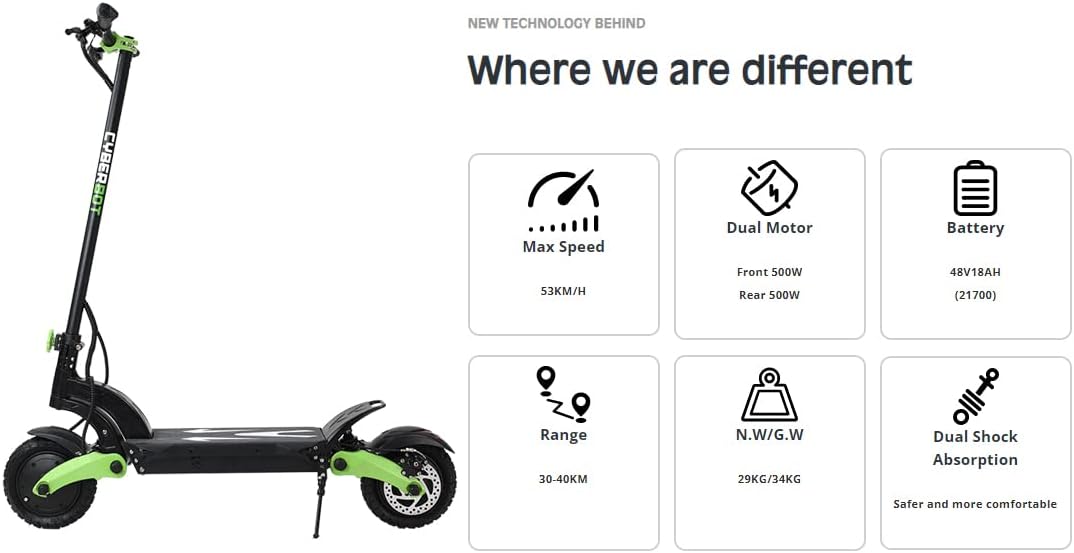
Figure 7: Visual representation of the Cyberbot MINI Electric Scooter highlighting its maximum speed, dual motor configuration, battery capacity, range, weight, and dual shock absorption.
| Feature | Detail |
|---|---|
| Brand | CYBERBOT |
| Model Name | cyberbot MINI |
| Motor Power | Dual 500W (Front 500W, Rear 500W) |
| Battery | 48V 18AH |
| Max Speed | 33 mph (onload) |
| Max Range | 18-25 miles |
| Tire Size | 8.5 inches |
| Weight Limit | 330 Pounds (150 kg) |
| Item Weight | 63 Pounds (28.5 kg) |
| Frame Material | Alloy Steel |
| Wheel Material | Alloy Steel |
| Suspension Type | Dual Suspension |
| Brake Style | Regenerative Braking, Disc Brakes |
| Charging Time | 8 Hours |
| Foldable | Yes |
| Dimensions (LxWxH) | 46 x 19.7 x 72 inches (unfolded) |
Warranty and Support
The Cyberbot MINI Electric Scooter comes with a limited warranty. For specific terms and conditions, please refer to the warranty card included with your product or visit the official CYBERBOT website.
For technical support, parts, or any inquiries not covered in this manual, please contact CYBERBOT customer service. Provide your model number and purchase date when seeking assistance.
Note: Unauthorized modifications or repairs may void your warranty.
Ask a question about this manual
Ask about setup, troubleshooting, compatibility, parts, safety, or missing instructions. Manuals+ will review the question and use this page’s manual context to help answer it.