
1. Introduction
The IQUNIX F97 Hitchhiker is a 96% layout mechanical keyboard designed for versatility and performance. It features 100 keys, PBT keycaps, an aerospace-grade aluminum case, and supports multiple connection modes including 2.4G wireless, Bluetooth 5.1, and USB Type-C wired. This manual provides instructions for setup, operation, and maintenance of your keyboard.

Image: The IQUNIX F97 Hitchhiker Gaming Keyboard, showcasing its full layout and design.
2. Package Contents
Please check the package contents upon unboxing to ensure all items are present.
- IQUNIX F97 Hitchhiker Mechanical Keyboard
- USB Type-C Cable
- User Manual (this document)
- Keycap Puller (may be included)
- Switch Puller (may be included)

Image: The included USB Type-C cable, used for wired connection and charging.
3. Product Overview
3.1 Keyboard Layout
The F97 Hitchhiker features a 96% layout with 100 keys, providing a compact design while retaining a full numeric keypad and essential function keys.

Image: A visual comparison illustrating the compact 96% layout of the F97 keyboard.
3.2 Key Features
- 96% Layout (100-key): Full-size functionality in a compact form factor.
- Aerospace-grade Aluminum Case: Ensures durability and a premium feel.
- PBT Keycaps: Durable and resistant to shine, providing a comfortable typing experience.
- Hot-Swappable PCB: Allows for easy replacement of mechanical switches without soldering.
- Cherry MX / TTC Switches: Long lifespan and responsive performance.
- Tri-Mode Connectivity: Supports 2.4G wireless, Bluetooth 5.1, and USB Type-C wired connections.
- N-Key Rollover: Ensures every keypress is registered accurately, preventing ghosting and jamming.
- 4000mAh Battery: Provides extended wireless usage.
- macOS Compatible: Includes adapter functions for Mac users.

Image: Close-up view of the keyboard's aluminum case construction.

Image: Detail of the durable PBT keycaps, highlighting their texture and legends.
4. Setup
4.1 Wired Connection (USB Type-C)
- Connect the provided USB Type-C cable to the keyboard's Type-C port.
- Connect the other end of the USB cable to an available USB port on your computer.
- The keyboard will automatically be detected and ready for use.
4.2 2.4G Wireless Connection
- Locate the 2.4G USB receiver (dongle) typically found in a compartment on the keyboard or in the packaging.
- Plug the 2.4G USB receiver into an available USB port on your computer.
- Turn on the keyboard using the power switch (usually located on the back or side).
- The keyboard should automatically connect to the receiver. If not, refer to the operating instructions for pairing mode.

Image: Illustration of the 2.4G wireless connection setup.
4.3 Bluetooth 5.1 Connection
The F97 supports connecting to up to three Bluetooth devices.
- Ensure the keyboard is powered on and in Bluetooth mode (refer to operating instructions for mode switching).
- On your device (computer, laptop, smartphone, tablet), enable Bluetooth and search for new devices.
- Select "IQUNIX F97" (or similar name) from the list of available devices.
- If prompted, enter the pairing code displayed on your screen.
- The keyboard will connect, and the indicator light will confirm successful pairing.
- To switch between paired Bluetooth devices, use the designated function keys (e.g., Fn + 1/2/3).

Image: Diagram showing Bluetooth connectivity with multiple devices.
5. Operating Instructions
5.1 System Switching (Windows/macOS)
To switch between Windows and macOS operating system modes:
- Hold Fn + TAB for 5 seconds. The keyboard will adjust its key mappings for the selected operating system.

Image: Display of macOS compatible keycaps (OPT and CMD) for Mac users.
5.2 Multimedia and Function Keys
The F97 keyboard includes various function key combinations for multimedia control and system shortcuts. Refer to the keycap legends for specific functions, typically accessed by holding the Fn key and pressing the corresponding F-row key or other designated keys.
- Fn + F1-F12: Multimedia controls (e.g., volume, play/pause, track skip).
- Fn + Number keys (1, 2, 3): Switch between Bluetooth devices.
- Fn + 4: Switch to 2.4G wireless mode.
- Fn + 5: Switch to wired mode.
- Fn + Other keys: Specific shortcuts as indicated on keycaps.
6. Hot-Swappable Switches
The IQUNIX F97 features a hot-swappable PCB design, allowing you to easily change mechanical switches without soldering.
6.1 Replacing Switches
- Power off the keyboard and disconnect it from your computer.
- Use a keycap puller to carefully remove the desired keycap.
- Use a switch puller to gently grasp the switch and pull it straight up to remove it from the PCB.
- Align the pins of the new switch with the holes on the PCB. Ensure the pins are straight to avoid bending.
- Press the new switch firmly into place until it clicks.
- Replace the keycap.

Image: Close-up view of the hot-swappable switch sockets on the keyboard's circuit board.
7. Battery and Charging
The F97 keyboard is equipped with a 4000mAh rechargeable battery.
- Charging: Connect the keyboard to a USB power source using the provided USB Type-C cable. The indicator light will show charging status.
- Battery Life: The battery can last up to 260 days via Bluetooth connection with the backlight off (based on 8 hours of daily use). Actual battery life may vary depending on usage and backlight settings.
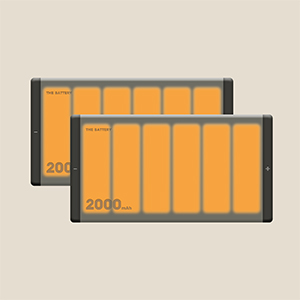
Image: An illustration representing the keyboard's long-lasting battery performance.
8. Maintenance
- Cleaning Keycaps: Use a soft, damp cloth to wipe keycaps. For deeper cleaning, remove keycaps with a keycap puller and wash them with mild soap and water. Ensure they are completely dry before reattaching.
- Cleaning the Case: Wipe the aluminum case with a soft, dry cloth. Avoid abrasive cleaners or solvents.
- Dust Removal: Use compressed air to remove dust and debris from between keycaps and switches.
- Storage: When not in use for extended periods, store the keyboard in a dry, cool place.
9. Troubleshooting
| Problem | Solution |
|---|---|
| Keyboard not responding (Wired) |
|
| Keyboard not connecting (2.4G Wireless) |
|
| Keyboard not connecting (Bluetooth) |
|
| Keys not registering or double-typing |
|
| Backlight not working |
|
10. Specifications
Video: An overview of the IQUNIX F97 Hitchhiker keyboard, demonstrating its features and design.
| Feature | Detail |
|---|---|
| Model | F97 |
| Type | Mechanical Keyboard |
| Layout | 96% (100 Keys) |
| Materials | PBT Keycaps + Aluminum Case |
| Switches | Cherry MX / TTC Switches |
| Lifespan | 50 Million Keystrokes |
| Backlight | Single Color |
| Interface | USB Type-C |
| Connection Modes | Bluetooth 5.1, 2.4G Wireless, USB Type-C Wired |
| Battery Capacity | 4000mAh (5V*1A) |
| Response Time | 1ms (Wired & 2.4G), 8ms (Bluetooth) |
| Polling Rate | 1000Hz (Wired & 2.4G), 125Hz (Bluetooth) |
| Cable Length | 150cm |
| Weight | 1.2kg |
| Dimensions | 372 x 123.5 x 42 mm |
| Operating Systems | Windows, macOS, iOS, Android (Windows 7 or previous versions ONLY support 2.4GHz connection) |

Image: A visual representation of the keyboard's technical specifications and compatibility.
11. Warranty and Support
For warranty information and technical support, please refer to the official IQUNIX website or contact their customer service directly. Keep your purchase receipt as proof of purchase for warranty claims.
Official Website: https://iqunix.store/


