
Introduction
Thank you for choosing the Femii 2K Outdoor Security Camera. This manual provides detailed instructions for setting up, operating, and maintaining your security camera system. Please read this manual thoroughly before use to ensure proper installation and functionality.
The Femii 2K Security Camera offers advanced features for comprehensive home surveillance, including 2K ultra-clear image quality, 360° pan and 120° tilt view, full-color night vision, motion detection with siren, IP66 waterproofing, and two-way audio communication. It is designed for reliable 24/7 recording and monitoring.
Package Contents
Upon opening the package, please verify that all the following items are included:
- 1 x Femii 2K Outdoor Security Camera
- 1 x Power Adapter
- 1 x Reset Needle
- 1 x Screw Pack (for mounting)
- 1 x Drilling Positioning Sticker
- 1 x User Manual
Product Overview
The Femii 2K Outdoor Security Camera is a robust surveillance device designed for outdoor use. It features a durable, weather-resistant casing and advanced imaging capabilities.

Figure 1: Femii 2K Outdoor Security Camera with live view on a smartphone.
Key features include:
- 2K Ultra-Clear Image: 2304*1296P resolution for sharp, detailed video.
- Pan & Tilt Functionality: 355° horizontal and 120° vertical rotation for wide coverage.
- IP66 Waterproof: Designed to withstand extreme weather conditions.
- Three Night Vision Modes: Infrared, Full-Color, and Sound & Light (spotlight) night vision.
- Motion Detection & Siren: Automatic tracking, spotlight activation, and alarm siren upon motion detection.
- Two-Way Audio: Built-in microphone and speaker for real-time communication.
- 24/7 Recording: Continuous recording support with local SD card storage (up to 128GB FAT32, not included).
- 2.4GHz Wi-Fi Connectivity: Wireless connection for remote access and control.
Setup Guide
1. Power Connection
The camera requires continuous power to operate. Connect the provided power adapter to the camera and plug it into a standard electrical outlet. The power cable is approximately 10 feet long.
2. Wi-Fi Connection
The camera supports 2.4 GHz Wi-Fi only. Ensure your Wi-Fi network is operating on the 2.4 GHz band during setup. Refer to the specific instructions in the accompanying quick start guide for pairing the camera with your mobile application.
3. SD Card Installation (Optional)
For 24/7 continuous recording and local storage, install a microSD card (up to 128GB, FAT32 format, not included) into the designated slot on the camera. The slot is typically located under a protective cover or near the reset button.

Figure 2: Location of the SD card slot for 24/7 recording.
4. Mounting the Camera
Use the provided drilling positioning sticker and screw pack to securely mount the camera in your desired outdoor location. Ensure the mounting surface is stable and provides a clear field of view. The IP66 waterproof rating ensures durability in various weather conditions.

Figure 3: The camera's IP66 waterproof design allows it to function reliably in various weather conditions.
Operating Instructions
1. Live View and Pan/Tilt Control
Access the live feed through the dedicated mobile application. From the app, you can remotely control the camera's pan (355° horizontal) and tilt (120° vertical) movements to adjust the viewing angle and cover a wider area.

Figure 4: Pan and Tilt functionality provides extensive coverage, reducing blind spots.
2. Night Vision Modes
The camera offers three distinct night vision modes, configurable via the mobile app:
- Infrared Night Vision: Standard black and white night vision using infrared LEDs.
- Full-Color Night Vision: Activates built-in spotlights to provide color images even in low light conditions.
- Sound & Light Night Vision: Combines infrared with motion-activated spotlights and an audible siren for enhanced security.
3. Motion Detection and Alarm
When motion is detected, the camera can automatically track the moving object, record the event, and trigger a spotlight and siren alarm. These features are customizable within the mobile application settings.

Figure 5: Motion-activated spotlight and alarm deter intruders and provide immediate alerts.
4. Two-Way Audio
Utilize the built-in microphone and speaker to communicate with visitors or deter unwanted guests directly through the camera from your mobile device.
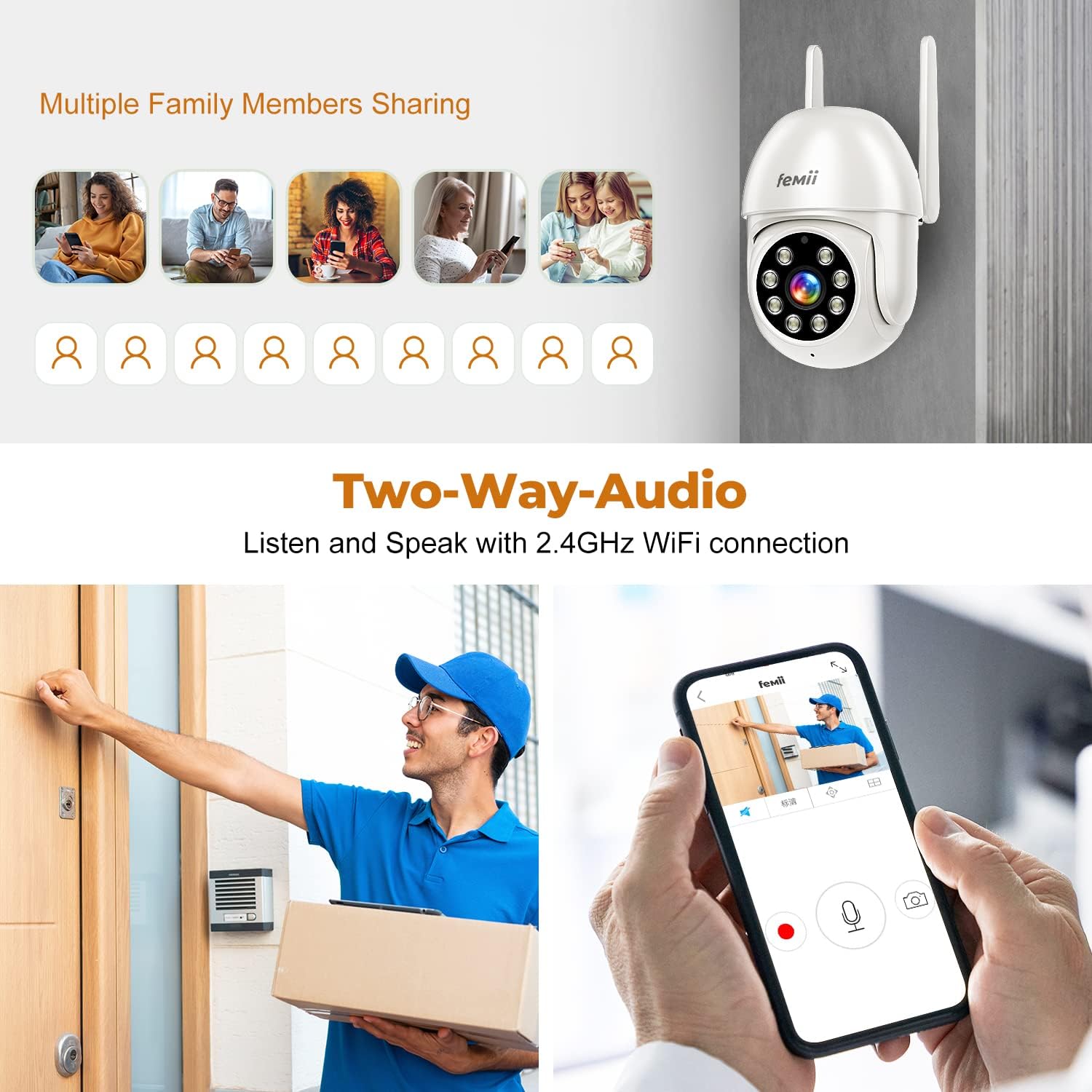
Figure 6: Two-way audio allows for direct communication through the camera.
5. 24/7 Recording and Playback
With an installed microSD card, the camera continuously records footage. You can access and review recorded events at any time through the mobile application's playback feature.

Figure 7: The 2K resolution provides significantly clearer and more detailed images compared to 1080P.
6. Multi-User Sharing
The camera supports sharing access with multiple family members or trusted individuals through the mobile application, allowing them to view the live feed and receive alerts.
Maintenance
The Femii 2K Outdoor Security Camera is designed for minimal maintenance due to its IP66 waterproof rating and durable construction. However, regular checks can ensure optimal performance:
- Lens Cleaning: Periodically wipe the camera lens with a soft, damp cloth to remove dust, dirt, or water spots that may obscure the view.
- Firmware Updates: Check the mobile application regularly for available firmware updates to ensure your camera has the latest features and security enhancements.
- Power Connection: Ensure the power cable remains securely connected and free from damage.
- Mounting Stability: Occasionally check that the camera is still securely mounted and has not become loose.
Troubleshooting
| Problem | Possible Cause | Solution |
|---|---|---|
| Camera not connecting to Wi-Fi | Incorrect Wi-Fi band; weak signal; incorrect password. | Ensure your router is broadcasting a 2.4 GHz Wi-Fi signal. Move the camera closer to the router. Double-check the Wi-Fi password. Reset the camera using the reset needle and try pairing again. |
| No 24/7 recording | No SD card installed; incompatible SD card; SD card full or corrupted. | Install a compatible microSD card (up to 128GB, FAT32 format). Format the SD card through the camera's app settings. Replace the SD card if it's corrupted. |
| Camera is offline | No power; Wi-Fi disconnected; camera malfunction. | Check power connection. Verify Wi-Fi network status. Restart the camera by unplugging and replugging the power. If issues persist, reset the camera. |
| Poor image quality | Dirty lens; low bandwidth; incorrect resolution setting. | Clean the camera lens. Ensure stable internet connection. Check app settings for resolution options. |
| Motion detection not working | Motion detection disabled; sensitivity too low; incorrect detection zone. | Enable motion detection in the app. Adjust sensitivity settings. Configure detection zones correctly. |
Specifications
| Feature | Detail |
|---|---|
| Model | Femii Triton 2K |
| Video Resolution | 2K (2304 x 1296P), 3 MP Effective |
| Pan/Tilt Range | Horizontal 355°, Vertical 120° |
| Connectivity | Wireless (2.4 GHz Wi-Fi only) |
| Night Vision | Infrared, Full-Color, Sound & Light |
| Audio | Two-Way Audio (Built-in Mic & Speaker) |
| Storage | MicroSD Card (up to 128GB, FAT32 format, not included) |
| Weather Resistance | IP66 Waterproof |
| Power Source | Wired Electric (Power Adapter included) |
| Material | Plastic |
| Dimensions | 19.2 x 12.6 x 9.3 cm; 472 g (Package Dimensions) |
| Recommended Use | Outdoor Security |
Warranty and Support
For warranty information and technical support, please refer to the contact details provided on the product packaging or the official website of the brand JIEEDRAP. Keep your purchase receipt as proof of purchase for warranty claims.


