
NORTH EDGE APACHE
NORTH EDGE Apache Tactical Watch
User Manual
1. Introduction
The NORTH EDGE Apache is a robust digital tactical watch designed for outdoor sports and military use. It features a durable construction and a wide range of functions including a compass, altimeter, barometer, pedometer, stopwatch, and dual time display. This manual provides detailed instructions to help you set up, operate, and maintain your watch for optimal performance.

Figure 1: Front view of the NORTH EDGE Apache Tactical Watch.
2. Setup
2.1. Battery Installation/Replacement
The NORTH EDGE Apache watch uses a CR2032 coin cell battery. When the battery is low, the watch may display a low power indicator. To replace the battery:
- Carefully remove the four screws on the back cover of the watch using a small Phillips head screwdriver.
- Gently lift the back cover to expose the battery compartment.
- Remove the old CR2032 battery and insert a new one, ensuring the positive (+) side faces upwards.
- Replace the back cover, aligning it properly, and secure it with the four screws. Ensure the gasket is correctly seated to maintain water resistance.

Figure 2: Rear view of the watch, indicating the battery compartment location.
2.2. Initial Time and Date Setting
Upon first use or after battery replacement, you will need to set the current time and date. Refer to the "Operating" section for detailed instructions on navigating the watch's settings menu.
2.3. Compass Calibration
For accurate compass readings, it is essential to calibrate the compass periodically, especially after significant changes in location or magnetic interference. The watch features a digital compass that requires calibration to ensure precision. Follow the on-screen prompts or refer to the "Operating" section for the specific steps to calibrate your compass.
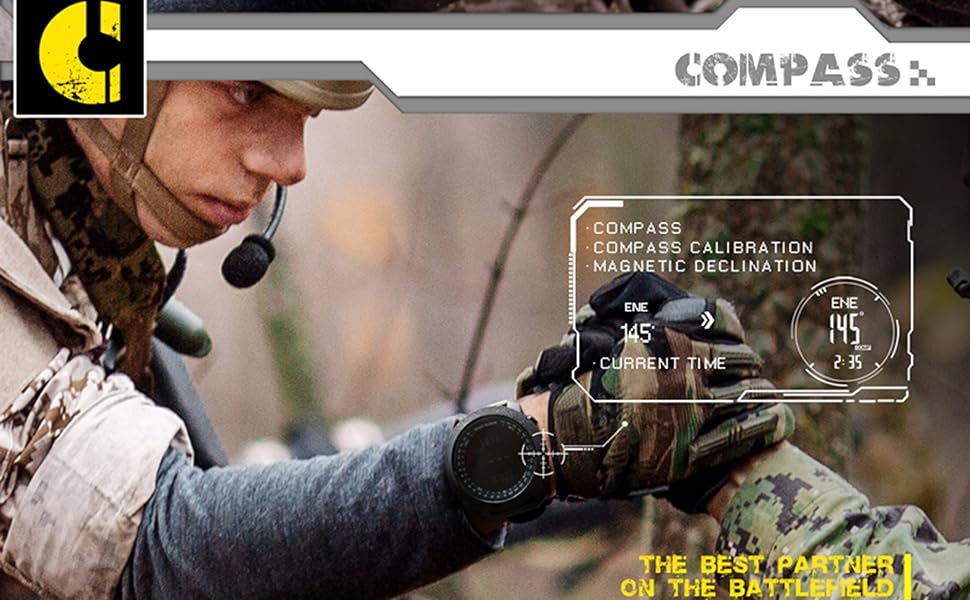
Figure 3: Compass calibration interface on the watch display.
3. Operating Instructions
The NORTH EDGE Apache watch features multiple modes and functions accessible via its side buttons. Familiarize yourself with the button layout and their primary functions.
3.1. Button Functions
- MODE Button: Cycles through different modes (Time, Altimeter, Barometer, Compass, Pedometer, Stopwatch, Countdown Timer, Alarm).
- SET Button: Enters setting mode for the current function.
- ADJUST/LIGHT Button: Adjusts values in setting mode; activates backlight.
- START/STOP Button: Starts/stops functions like stopwatch or countdown timer.
3.2. Time Mode
Displays current time, date, and day of the week. Supports dual time zone display and 12/24-hour format switching.
- To switch between 12/24-hour format: In Time Mode, press and hold the SET button until the hour flashes. Press the ADJUST button to toggle.
- To set time/date: In Time Mode, press and hold SET. Use MODE to select the item to set (hour, minute, year, month, day). Use ADJUST to change values. Press SET to confirm and exit.
3.3. Altimeter Mode
Measures current altitude and displays altitude trend. Also shows current temperature.
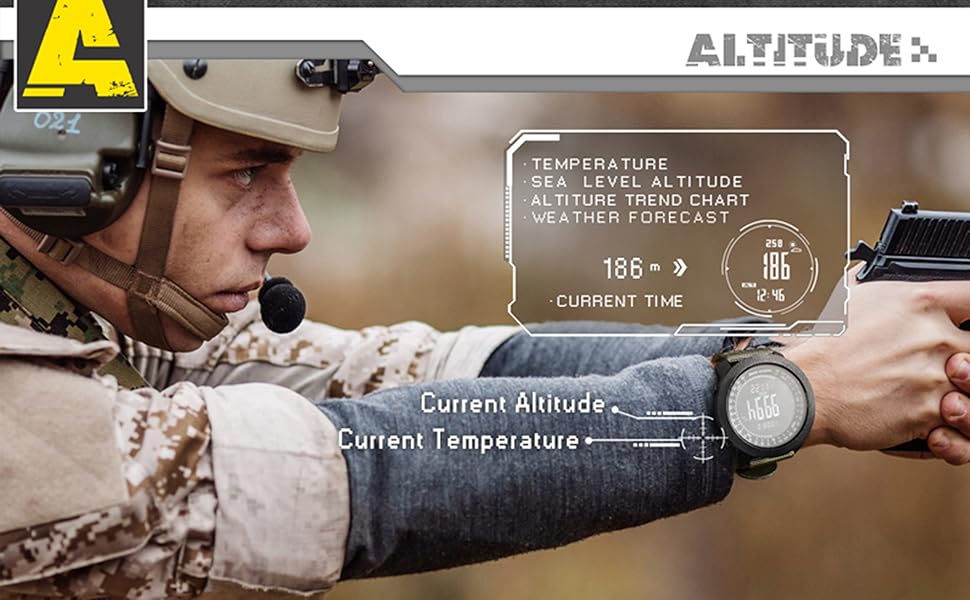
Figure 4: Altimeter display showing current altitude and temperature.
3.4. Barometer Mode
Measures atmospheric pressure and provides a pressure trend chart, which can be used for weather forecasting.

Figure 5: Barometer display showing atmospheric pressure and trend graph.
3.5. Compass Mode
Displays current direction (N, NE, E, SE, S, SW, W, NW) and degree reading. Requires calibration for accuracy (see Section 2.3).
3.6. Pedometer Mode
Tracks steps taken and calculates calories burned. Ensure your personal data (stride length, weight) is set correctly for accurate readings.
3.7. Stopwatch
A 1/100 second stopwatch for timing activities. Press START/STOP to begin and end timing. Press MODE to reset.
3.8. Countdown Timer
Set a countdown from a maximum of 23 hours, 59 minutes, and 59 seconds. An alarm will sound when the timer reaches zero.
3.9. Alarm Functions
The watch supports multiple alarms, including daily alarms and an hourly chime. Set alarm times in the Alarm Mode using the SET and ADJUST buttons.
3.10. Backlight
Press the ADJUST/LIGHT button to activate the backlight for improved visibility in low-light conditions. The backlight duration can be adjusted in settings.

Figure 6: Watch display illuminated by the backlight in a dark environment.
4. Maintenance
4.1. Water Resistance
The NORTH EDGE Apache watch is water resistant up to 50 meters (5 ATM). This makes it suitable for general swimming in shallow water. However, to maintain its water resistance, please observe the following:
- Do not press any buttons while the watch is submerged in water.
- Avoid exposure to hot water or steam (e.g., hot showers, saunas, hot tubs), as this can compromise the seals.
- The watch is not suitable for long-duration underwater activities such as diving or snorkeling.
- After exposure to saltwater, rinse the watch with fresh water and dry it thoroughly.
4.2. Cleaning
Clean the watch case and strap regularly with a soft, damp cloth. For stubborn dirt, a mild soap solution can be used. Avoid harsh chemicals or abrasive materials that could damage the watch's finish or strap.
4.3. Strap Care
The durable nylon strap can be cleaned with mild soap and water. Allow it to air dry completely before wearing. Avoid prolonged exposure to direct sunlight or extreme temperatures, which can degrade the material.
5. Troubleshooting
| Problem | Possible Cause | Solution |
|---|---|---|
| Display is dim or blank. | Low battery; extreme temperature; display settings. | Replace battery (CR2032). Move to moderate temperature. Check backlight settings. |
| Compass readings are inaccurate. | Needs calibration; magnetic interference. | Perform compass calibration (see Section 2.3). Move away from strong magnetic fields (e.g., large metal objects, electronics). |
| Altimeter/Barometer readings are incorrect. | Needs calibration; rapid weather changes. | Calibrate the altimeter/barometer if possible (refer to watch settings). Readings are sensitive to weather changes. |
| Watch not responding to button presses. | Temporary software glitch; low battery. | Try a soft reset (if applicable, refer to manufacturer's website) or remove and reinsert the battery. Replace battery if low. |
If the problem persists after attempting these solutions, please contact NORTH EDGE customer support for further assistance.
6. Specifications
| Feature | Detail |
|---|---|
| Brand | NORTH EDGE |
| Model Name | APACHE |
| Display Type | Digital |
| Screen Size | 1.96 Inches |
| Case Diameter | 50 mm |
| Strap Material | Durable Nylon |
| Wrist Size Compatibility | 18 cm to 24 cm (7.08 in to 9.45 in) |
| Water Resistance | 50 Meters (5 ATM) |
| Battery Type | CR2032 (Included) |
| Special Features | Compass, Altimeter, Barometer, Pedometer, Calories, Dual Time, 12/24H Format, Automatic Calendar, Alarm Clock, Hourly Chime, Stopwatch, Countdown Timer, Backlight, Temperature Measurement. |

Figure 7: Watch dimensions and wrist size compatibility diagram.
7. Warranty and Support
The NORTH EDGE Apache Tactical Watch comes with a standard manufacturer's warranty. For specific warranty terms and conditions, please refer to the documentation included with your purchase or visit the official NORTH EDGE website. For technical support, troubleshooting assistance, or warranty claims, please contact NORTH EDGE customer service directly.
Contact information for support is typically found on the product packaging or the manufacturer's official website.
Ask a question about this manual
Ask about setup, troubleshooting, compatibility, parts, safety, or missing instructions. Manuals+ will review the question and use this page’s manual context to help answer it.