
1. Introduction
Thank you for choosing the KFC WB-JS2101 Smart 8L Top Fill Cool Mist Humidifier. This ultrasonic humidifier is designed to provide optimal humidity levels for large rooms, bedrooms, nurseries, and plant environments. It features an 8-liter capacity, smart control options, an essential oil diffuser, and a 360° rotatable nozzle for enhanced comfort and convenience. Please read this manual thoroughly before use to ensure safe and efficient operation.
2. Product Features
- Large Capacity: 8-liter water tank provides over 30 hours of continuous operation.
- Wide Coverage: Effectively humidifies areas up to 430 square feet.
- Smart Control: Operate via control panel, KFC Smart App, or voice assistants like Alexa and Google.
- Ultrasonic Technology: Produces a fine, cool mist quietly (less than 35dB).
- Smart Humidity Sensor: Automatically maintains desired humidity levels (40% to 90%).
- Convenient Top Fill Design: Easy water refilling and cleaning.
- 360° Rotatable Nozzle: Customize mist direction.
- Essential Oil Diffuser: Integrated box for aromatherapy.
- Safety Features: Includes water lack protection.
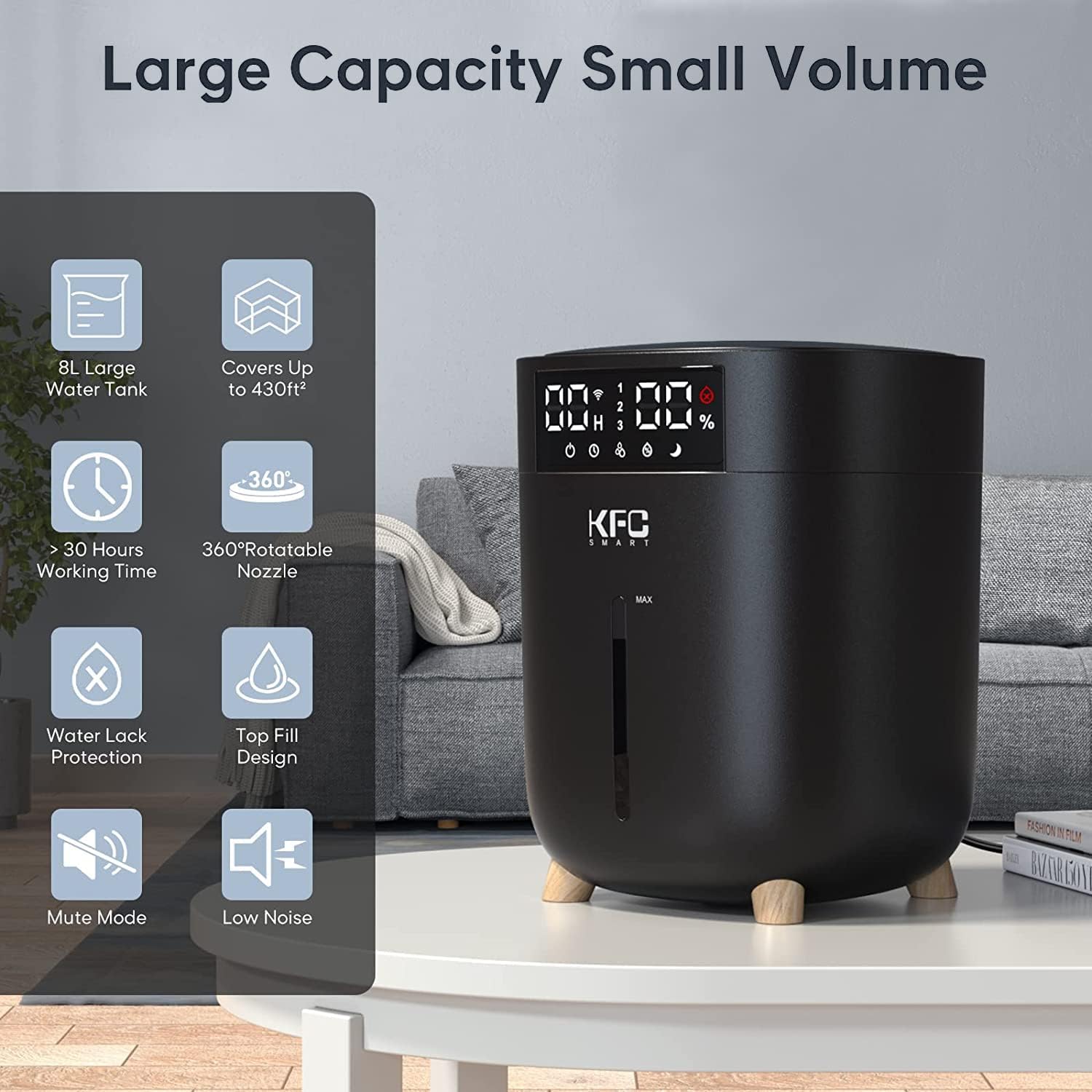
Image 1: Overview of KFC WB-JS2101 Humidifier highlighting key features such as its large capacity, wide coverage, and quiet operation.
3. Package Contents
Upon unpacking, please ensure all items listed below are present and in good condition:
- 1 x KFC WB-JS2101 Ultrasonic Cool Mist Humidifier
- 1 x Cleaning Brush
- 1 x User Manual (this document)
- 1 x Quick Guide
4. Important Safety Instructions
To reduce the risk of fire, electric shock, or injury, please observe the following safety precautions:
- Always place the humidifier on a flat, stable, and elevated surface.
- Do not exceed the maximum water level when filling the tank to prevent water leakage.
- When the humidifier is not in use, empty the water tank to prevent unpleasant odors.
- Never pour water directly into the base unit; always fill the water tank.
- Regularly clean the humidifier, at least once a week, to maintain performance and extend product life.
- It is recommended to use purified water to prevent mineral buildup and ensure optimal mist output.
- When used in a baby's room, monitor humidification time to avoid excessive humidity.
- Keep out of reach of children and pets.
- Unplug the unit before cleaning or refilling.
5. Setup Guide
- Unpack: Carefully remove all components from the packaging.
- Placement: Place the humidifier on a firm, flat, and water-resistant surface, away from walls and furniture. Ensure it is elevated to allow for proper mist dispersion.
- Fill Water Tank: Remove the top cover. Fill the 8-liter water tank with clean, purified water. Do not exceed the 'MAX' water level indicator.
- Add Essential Oils (Optional): Locate the essential oil box on top of the humidifier. Add a few drops of your preferred essential oil to the pad inside the box.
- Replace Cover: Securely place the top cover back onto the humidifier.
- Connect Power: Plug the power cord into a standard electrical outlet (AC100-240V).
6. Operating Instructions
6.1 Basic Operation
- Power On/Off: Press the power button on the control panel to turn the unit on or off.
- Adjust Mist Level: Use the mist level button to cycle through three mist output levels: Low (120mL/H), Medium (180mL/H), and High (260mL/H).
- Rotate Nozzle: Manually adjust the 360° rotatable nozzle to direct the mist as desired.

Image 2: Demonstrates the essential oil box and the three adjustable mist levels of the humidifier.
6.2 Smart Features
- KFC Smart App Control: Download the KFC Smart App from your device's app store. Follow the in-app instructions to connect your humidifier for remote control and advanced settings.
- Voice Control: Once connected to the KFC Smart App, link your humidifier to Alexa or Google Assistant for hands-free operation. For example, say "Alexa, set humidifier to level 2."

Image 3: Illustrates the convenience of controlling the humidifier remotely using voice commands.
6.3 Smart Humidity Sensor & Constant Mode
- Set Desired Humidity: Use the control panel or app to set your target humidity level between 40% and 90%.
- Automatic Adjustment: The humidifier will automatically stop misting when the ambient humidity reaches your preset value (±5%) and resume when it drops below the target.

Image 4: Shows how to set and maintain a desired humidity level using the smart sensor.
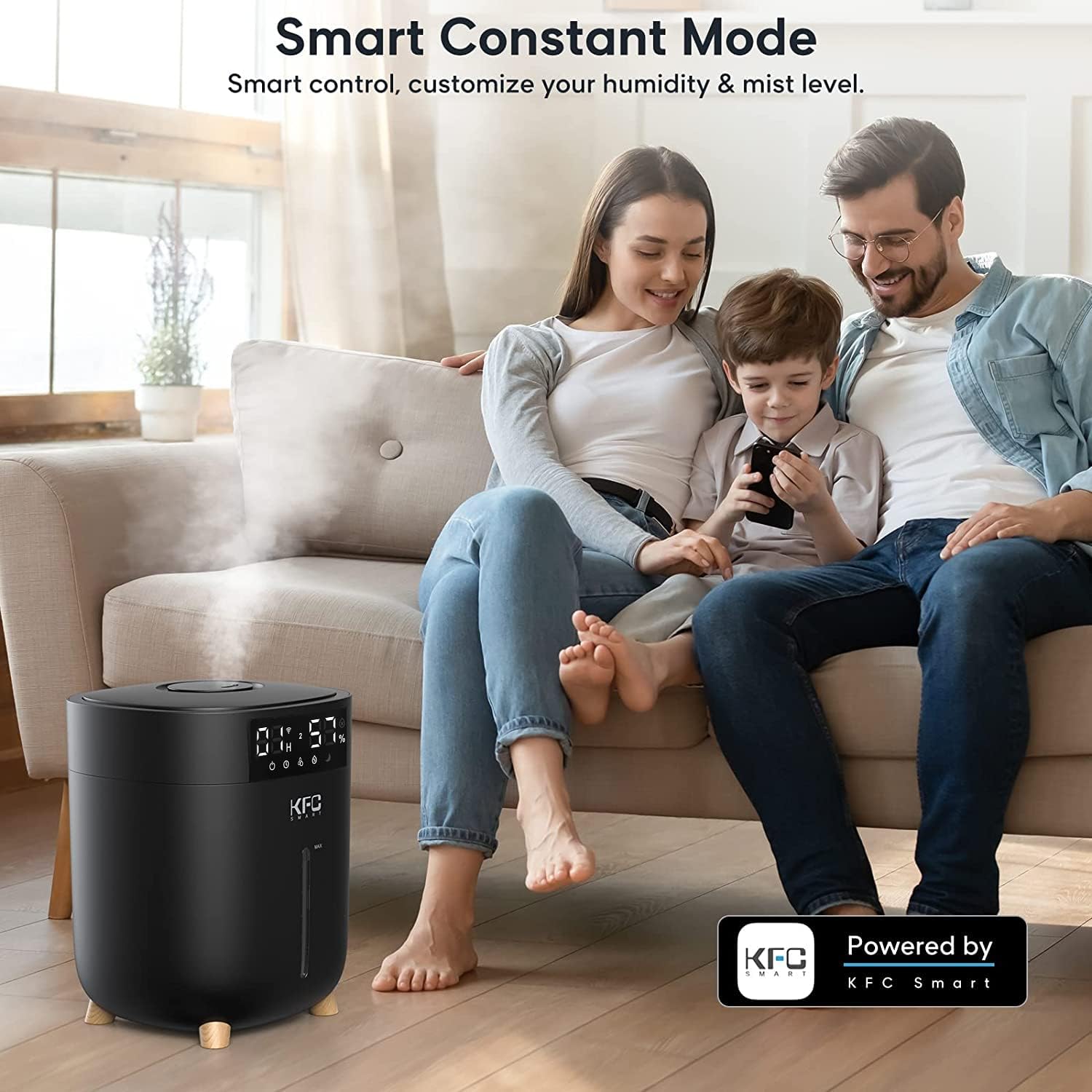
Image 5: Illustrates the humidifier operating in Smart Constant Mode, controlled by the KFC Smart App.
6.4 Sleep Mode
- Activate Sleep Mode: Press the sleep mode button on the control panel or via the app.
- Features: In sleep mode, the display light will turn off, and the humidifier will operate at a low noise level. It may also feature timed operation (e.g., 12H timing) and intermittent misting cycles to maintain comfortable humidity without disturbance.

Image 6: Depicts the humidifier's Sleep Mode, designed for quiet and comfortable nighttime operation.
7. Maintenance
Regular cleaning is crucial for the longevity and efficient operation of your humidifier.
7.1 Daily Maintenance
- Empty and rinse the water tank daily if used continuously.
- Wipe down the exterior with a soft, damp cloth.
7.2 Weekly Cleaning
- Unplug: Always unplug the humidifier before cleaning.
- Empty Water: Remove the water tank and empty any remaining water.
- Clean Tank: Use the provided cleaning brush and a mild detergent to clean the inside of the water tank. Rinse thoroughly to remove all soap residue.
- Clean Base: Gently wipe the inside of the base unit, especially around the ultrasonic transducer (mist outlet), with a soft cloth. Do not immerse the base in water.
- Descaling: If mineral deposits accumulate, fill the tank with a mixture of equal parts white vinegar and water. Let it sit for 30 minutes, then scrub with the brush and rinse thoroughly.
- Dry: Allow all parts to air dry completely before reassembling.
7.3 Storage
- Before storing, ensure the humidifier is completely clean and dry.
- Store in a cool, dry place, away from direct sunlight.
8. Troubleshooting
If you encounter issues with your humidifier, please refer to the following common problems and solutions:
| Problem | Possible Cause | Solution |
|---|---|---|
| No mist or very little mist | Lack of water in tank Mineral buildup on transducer Water poured into base Unit not properly assembled | Refill water tank to appropriate level Clean the ultrasonic transducer as per maintenance instructions Ensure water is only added to the tank, not the base Check that all parts are securely in place |
| Unpleasant odor from mist | Stagnant water Dirty water tank or base | Empty and clean the water tank regularly, especially when not in use Perform a thorough weekly cleaning |
| Water leakage | Overfilling the water tank Tank not seated correctly Damaged tank | Do not fill water beyond the 'MAX' line Ensure the water tank is properly aligned and seated on the base Inspect tank for cracks; contact support if damaged |
| Top lid stuck | Mineral buildup or residue | Gently try to twist and lift. Clean the rim of the tank and the inside of the lid regularly to prevent buildup. |
| Humidifier stopped working after some time | Power issue Internal malfunction Water level sensor error | Check power connection. Unplug and replug. Ensure water tank is full. If problem persists, contact customer support. |
9. Specifications
| Model | WB-JS2101 |
| Voltage | AC100-240V |
| Wattage | 25W |
| Water Tank Capacity | 8 Liters |
| Max Mist Output | 260 mL/H (Level 3) |
| Mist Output Levels | Level 1: 120mL/H, Level 2: 180mL/H, Level 3: 260mL/H |
| Max Atomization Time | Over 30 Hours |
| Coverage Area | Up to 430 sq ft |
| Noise Level | <35dB |
| Material | Plastic |
| Control Method | Control Panel, KFC Smart App, Voice Control (Alexa, Google) |
10. Warranty and Support
For warranty information and customer support, please refer to the specific warranty card or contact details provided with your product packaging. Typically, warranty details and contact information for technical assistance are included in the physical user manual or quick guide that came with your KFC WB-JS2101 Humidifier.
If you require further assistance, please visit the official KFC product support website or contact their customer service department directly.