
1. Introduction
The RaeSung DSE7320 MKII is an advanced Auto Mains Failure (AMF) genset control module designed for a wide range of single, diesel, or gas generator-set applications. This module offers sophisticated features and functions, providing comprehensive control and monitoring capabilities for generator systems.
Equipped with a Dual Core main processor and extended memory, the DSE7320 MKII delivers enhanced processing power for faster operational responses and increased functionality, including data logging. It continuously monitors numerous engine parameters, displaying warnings, shutdown information, and engine status on its back-lit LCD screen, illuminated LEDs, and via remote PC or SMS text alerts (with an external communication device).
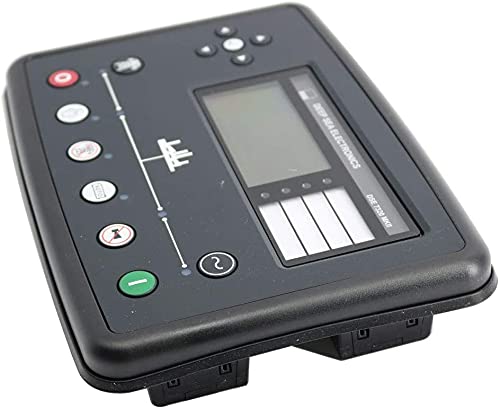
Figure 1.1: Front angled view of the RaeSung DSE7320 MKII Genset Controller, showing the display and control buttons.
2. Setup and Installation
2.1 Unpacking and Inspection
Upon receiving your DSE7320 MKII controller, carefully unpack the unit and inspect it for any signs of damage that may have occurred during transit. Ensure all components are present according to the packing list.
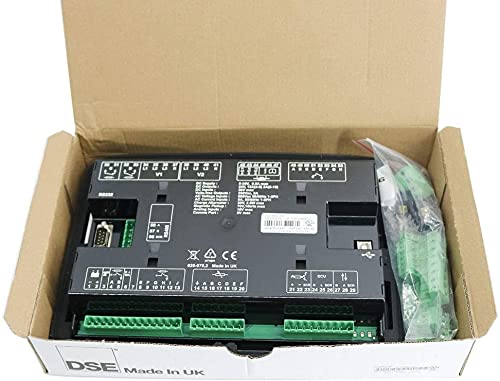
Figure 2.1: The DSE7320 MKII controller shown within its original packaging, alongside connection terminals and other accessories.
2.2 Physical Installation
The DSE7320 MKII is designed for panel mounting. Accurate panel cutout dimensions are crucial for proper fit and sealing.
- Overall Size: 245 mm x 184 mm x 51 mm (9.6" x 7.2" x 2.0")
- Panel Cutout Size: 220 mm x 160 mm (8.7" x 6.3")
- Maximum Panel Thickness: 8.0 mm (0.3")
Ensure the mounting location is free from excessive vibration, moisture, and extreme temperatures. Secure the module firmly into the panel cutout using the provided mounting hardware.
2.3 Electrical Connections
All electrical connections should be performed by qualified personnel in accordance with local and national electrical codes. The DSE7320 MKII features multiple configurable inputs and outputs to integrate with various generator systems.
- Configurable Inputs: 8
- Configurable Outputs: 8
- Configurable Analogue/Digital Inputs: 6
Refer to the wiring diagrams provided with the product for detailed connection instructions. Proper grounding is essential for safe and reliable operation.
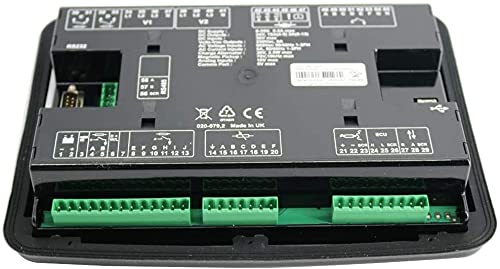
Figure 2.2: Rear view of the DSE7320 MKII controller, illustrating the various connection terminals for inputs, outputs, and communication ports.
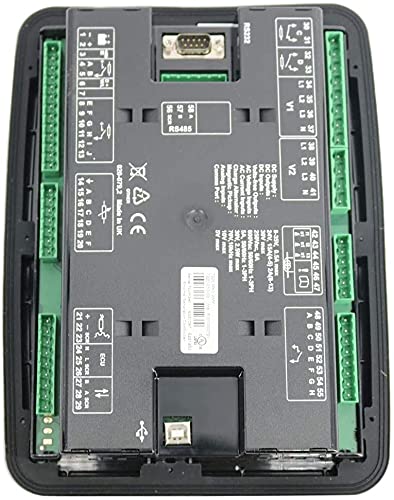
Figure 2.3: A closer rear view of the DSE7320 MKII, highlighting specific connection points and their labels for electrical wiring.
3. Operating Instructions
3.1 Control Panel Overview
The front panel of the DSE7320 MKII features a back-lit LCD display, navigation buttons, and dedicated function buttons for intuitive operation.
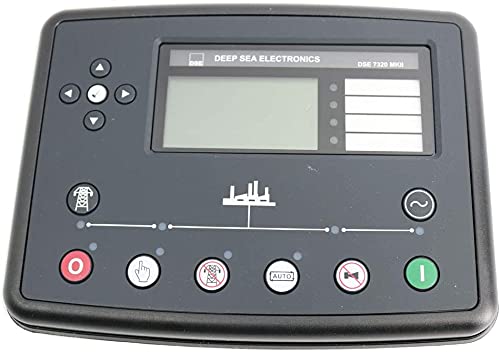
Figure 3.1: Front view of the DSE7320 MKII controller, displaying the LCD screen, navigation buttons, and primary control buttons.
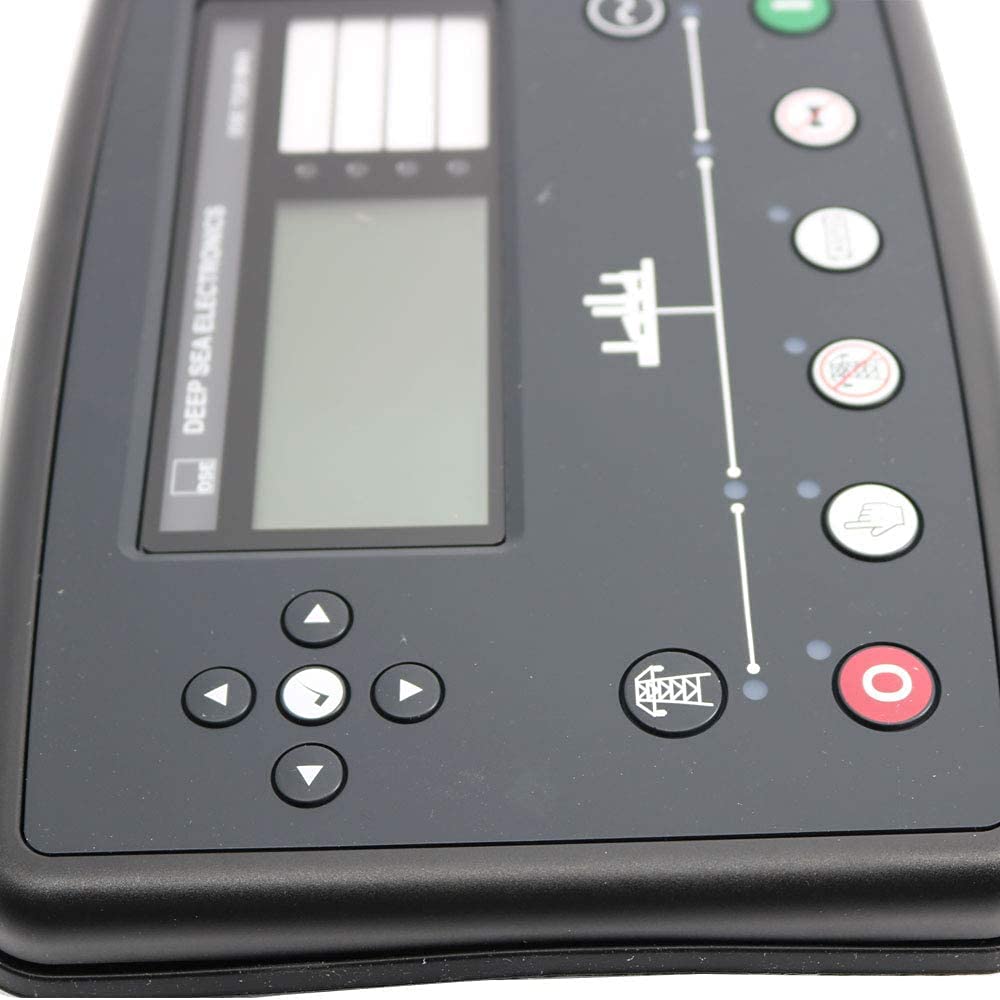
Figure 3.2: A close-up view of the DSE7320 MKII's control panel, detailing the individual buttons and the information displayed on the LCD screen.
3.2 Basic Operation Modes
- Auto Mode: In this mode, the controller automatically monitors the mains (utility) supply. If the mains supply fails or falls outside acceptable limits, the controller will initiate the generator start sequence. Once the mains supply returns, the controller will transfer the load back and shut down the generator.
- Manual Mode: Allows for manual starting and stopping of the generator. This mode is typically used for testing or specific operational requirements.
- Stop/Reset Mode: Stops the generator (if running) and resets any active alarms.
3.3 Monitoring Functions
The DSE7320 MKII provides comprehensive monitoring of various engine and power parameters:
- Engine Parameters: Oil pressure, engine temperature, fuel level, engine speed, battery voltage, run hours.
- Power Monitoring: kW h (kilowatt-hours), kVAr (kilovolt-ampere reactive), kv Ah (kilovolt-ampere hours), kV Ar h (kilovolt-ampere reactive hours).
- Mains/Generator Voltage & Frequency: Real-time display of electrical parameters.
3.4 Protection Features
The module incorporates several protection features to safeguard the generator and connected loads:
- Reverse Power Protection: Prevents power from flowing back into the generator.
- kW Overload Protection: Shuts down the generator if the load exceeds its capacity.
- Engine Protection: Monitors critical engine parameters and initiates shutdown or warning for conditions like low oil pressure, high engine temperature, overspeed, underspeed, etc.
4. Maintenance
4.1 Routine Checks
Regular maintenance ensures the longevity and reliable operation of your DSE7320 MKII controller:
- Visual Inspection: Periodically check the controller for any visible damage, loose connections, or signs of corrosion.
- Cleaning: Keep the front panel clean and free from dust and debris. Use a soft, dry cloth. Avoid abrasive cleaners or solvents.
- Firmware Updates: Check the manufacturer's website for any available firmware updates. Follow the provided instructions carefully for any update procedures.
5. Troubleshooting
The DSE7320 MKII provides clear indications for warnings and shutdowns on its LCD screen and via LED indicators. When an issue arises, observe the display for specific messages.
- Warning Messages: These indicate a condition that requires attention but does not immediately shut down the generator. Address these promptly to prevent escalation.
- Shutdown Messages: These indicate a critical fault that has caused the generator to stop for protection. Note the specific shutdown message displayed.
General Troubleshooting Steps:
- Identify the Message: Read the exact warning or shutdown message on the LCD.
- Consult Documentation: Refer to the detailed DSE7320 MKII technical manual (available from the manufacturer) for specific fault codes and their remedies.
- Check Connections: Ensure all wiring connections are secure and free from damage.
- Verify Sensors: If an engine parameter fault is indicated (e.g., low oil pressure), check the associated sensor and its wiring.
- Reset Alarms: After resolving the issue, press the Stop/Reset button to clear the alarm and attempt to restart the generator.
If the problem persists, contact a qualified service technician or the manufacturer's support for assistance.
6. Specifications
| Feature | Specification |
|---|---|
| Model | DSE7320 MKII |
| Overall Size | 245 mm x 184 mm x 51 mm (9.6" x 7.2" x 2.0") |
| Panel Cutout Size | 220 mm x 160 mm (8.7" x 6.3") |
| Maximum Panel Thickness | 8.0 mm (0.3") |
| Configurable Inputs | 8 |
| Configurable Outputs | 8 |
| Configurable Analogue/Digital Inputs | 6 |
| Power Monitoring | kW h, kVAr, kv Ah, kV Ar h |
| Protection Features | Reverse power protection, kW overload protection |
| Display | Back-lit LCD screen, illuminated LEDs |
| Processor | Dual Core main processor |
| Data Logging | Yes |
| Remote Communication | Remote PCs, SMS text alerts (with external device) |
7. Warranty and Support
For detailed information regarding the product warranty, please refer to the warranty card included with your purchase or contact the seller directly. Warranty terms and conditions may vary.
For technical support, further documentation, or service inquiries, please contact your product supplier or the manufacturer, RaeSung. Ensure you have your model number (DSE7320 MKII) and purchase details available when seeking support.