
1. Introduction
Thank you for choosing the Fesbos 2-Drawer Lateral File Cabinet. This manual provides detailed instructions for the assembly, operation, and maintenance of your new filing cabinet. Please read this manual thoroughly before assembly and use to ensure proper function and safety.

Image 1: The Fesbos 2-Drawer Lateral File Cabinet in a modern office environment, showcasing its sleek black finish and two spacious drawers. A printer is placed on top of the cabinet.
2. Safety Information
- This product is heavy. Assembly is recommended with two people to prevent injury.
- Always ensure the cabinet is placed on a stable, level surface.
- To prevent tipping, only open one drawer at a time. The cabinet features an anti-tip interlock system that prevents multiple drawers from opening simultaneously.
- Do not climb on or stand in the drawers.
- Keep keys out of reach of children.

Image 2: A visual representation of the anti-tip interlock system. One drawer is fully extended, while the other is shown with a 'no entry' symbol, indicating it cannot be opened simultaneously. This system enhances stability and safety.
3. Package Contents
Verify that all components are present before beginning assembly. If any parts are missing or damaged, please contact Fesbos customer support.
- Lateral File Cabinet components (metal panels for frame, drawers)
- 1 Lock with 2 Keys
- Metal file hangers
- Assembly hardware (screws, nuts)
- Screwdriver (for assembly)
- Instruction Manual
4. Setup (Assembly)
Assembly is required for this cabinet. While the process is designed to be straightforward, having a second person for certain steps is recommended. A powered screwdriver can significantly ease the process.
Assembly Video Guide
Video 1: Official Fesbos installation instruction video for the 2-drawer file cabinet. This video provides a step-by-step visual guide to assist with the assembly process.
Key Assembly Steps:
- Unpack and Identify Parts: Carefully unpack all components and identify them using the provided labels in the manual.
- Assemble the Frame: Connect the side panels to the base using the provided screws. Ensure all connections are secure.
- Attach Back Panels: Securely fasten the back panels to the assembled frame.
- Install the Top Panel: Place the top panel onto the frame and secure it with screws.
- Assemble Drawers: Fold and secure the drawer components. Attach the label holders to the front of each drawer.
- Install Drawers: Carefully slide the assembled drawers onto the pre-installed metal tracks within the cabinet frame. Ensure they slide smoothly.
- Test Anti-Tip System: Verify that only one drawer can be opened at a time.
5. Operating Instructions
Drawer Operation
The drawers are equipped with silent metal slide rails for smooth and quiet operation. To open a drawer, gently pull the integrated metal handle. To close, push the drawer firmly until it is fully recessed.
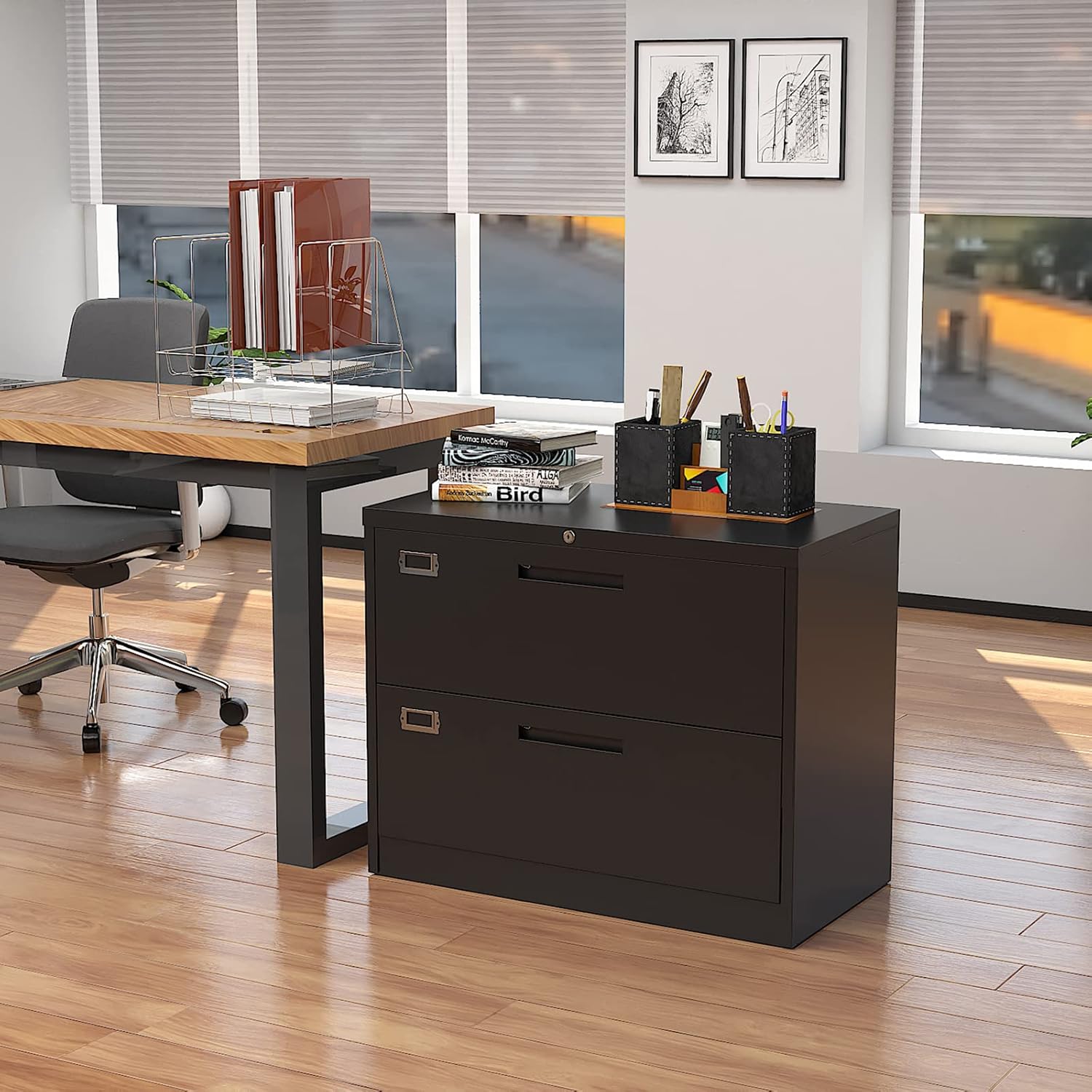
Image 3: A hand demonstrating the smooth, silent operation of a file cabinet drawer, highlighting the metal slide rails.
Locking Mechanism
The cabinet features a single lock that secures both drawers simultaneously. Insert one of the two provided keys into the lock located on the top drawer. Turn the key to lock or unlock the drawers. Remove the key after locking to ensure security.
File Organization
The large metal drawers are designed to accommodate Letter, Legal, F4, and A4 size hanging files. The file hangers can be adjusted or removed to suit your specific storage needs, allowing for versatile organization of documents or other large items.
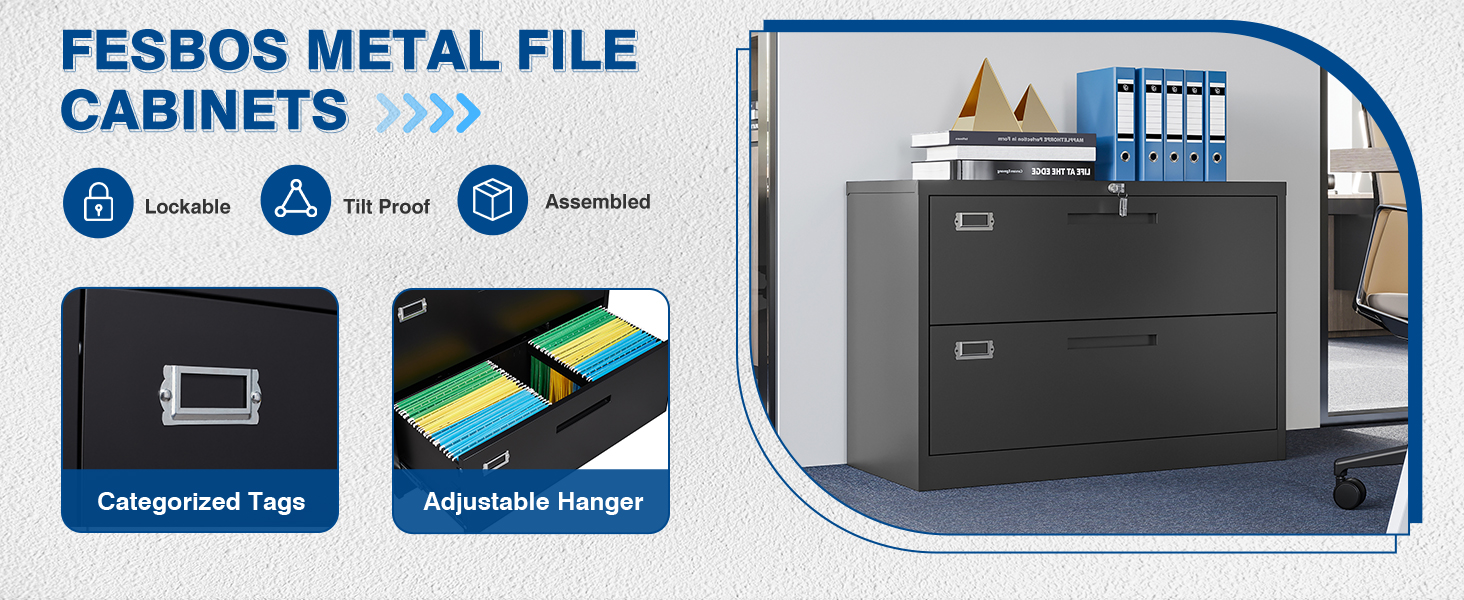
Image 4: A diagram illustrating how the file cabinet drawers can be configured to hold Letter, F4, Legal, and A4 size folders by adjusting the internal hanging file bars.
Label Holders
Each drawer front includes a metal label holder. Insert a paper label into the holder to easily identify the contents of each drawer, enhancing organization.

Image 5: A close-up view of the file cabinet's features, including the metal name tag holder on the drawer front and the adjustable hanging file bars inside the drawer.
6. Maintenance
To maintain the appearance and functionality of your Fesbos file cabinet, follow these simple care instructions:
- Cleaning: Wipe the surface with a soft, damp cloth. Avoid abrasive cleaners or harsh chemicals that could damage the painted finish.
- Inspection: Periodically check all screws and connections to ensure they remain tight. Tighten if necessary.
- Lubrication: If drawer slides become stiff, a small amount of silicone-based lubricant can be applied to the rails.
7. Troubleshooting
- Drawers not closing smoothly: Check for any obstructions in the drawer slides. Ensure the slides are properly aligned and free of debris.
- Drawers stuck or difficult to open: Verify that the anti-tip interlock system is not engaged by attempting to open another drawer. Ensure the cabinet is on a level surface.
- Cabinet feels unstable: Re-check all assembly screws for tightness. Ensure the cabinet is placed on a firm, level floor.
8. Specifications
| Feature | Detail |
|---|---|
| Brand | Fesbos |
| Model | FS |
| Color | Black |
| Material | Metal |
| Product Dimensions (D x W x H) | 15.8" x 35.4" x 28.7" |
| Item Weight | 60 Pounds |
| Number of Drawers | 2 |
| Weight Capacity (Maximum) | 220 Pounds (top surface) |
| Additional Features | Lockable, Anti-Tip Interlock System |
| File Sizes Supported | Letter, Legal, F4, A4 |
| Assembly Required | Yes |

Image 6: A graphic detailing the product dimensions (35.4"W x 15.8"D x 28.7"H), weight capacity (220 lbs), and estimated assembly time (20 min with teamwork).
9. Warranty & Support
Fesbos offers a 30-day easy return policy for this product. For any questions, concerns, or support needs regarding your file cabinet, please contact Fesbos customer support directly through your purchase platform.


