
DeJAVU Lighting Hexagon Wall Lights (6-Pack)
DeJAVU Lighting Hexagon Wall Lights (6-Pack) Instruction Manual
Model: Hexagon Wall Lights (6-Pack)
1. Introduction
Thank you for choosing the DeJAVU Lighting Hexagon Wall Lights. This product features touch-sensitive LED panels that can be arranged in various patterns, offering customizable lighting with remote control functionality. This manual provides essential information for safe installation, operation, and maintenance of your new lighting system.
2. Safety Information
- Ensure the power source voltage matches the product's requirements (110 Volts).
- This product is designed for indoor use only.
- Do not expose the product to excessive moisture or extreme temperatures.
- Keep out of reach of small children to prevent choking hazards from small parts.
- Disconnect power before cleaning or performing any maintenance.
- Use only the provided components and accessories.
3. Package Contents
Please verify that all items are present in your package:
- Hexagon LED Light Panels (6 units)
- Remote Control
- USB Power Cable
- Connection Buckles/Connectors
- Adhesive Mounting Pads
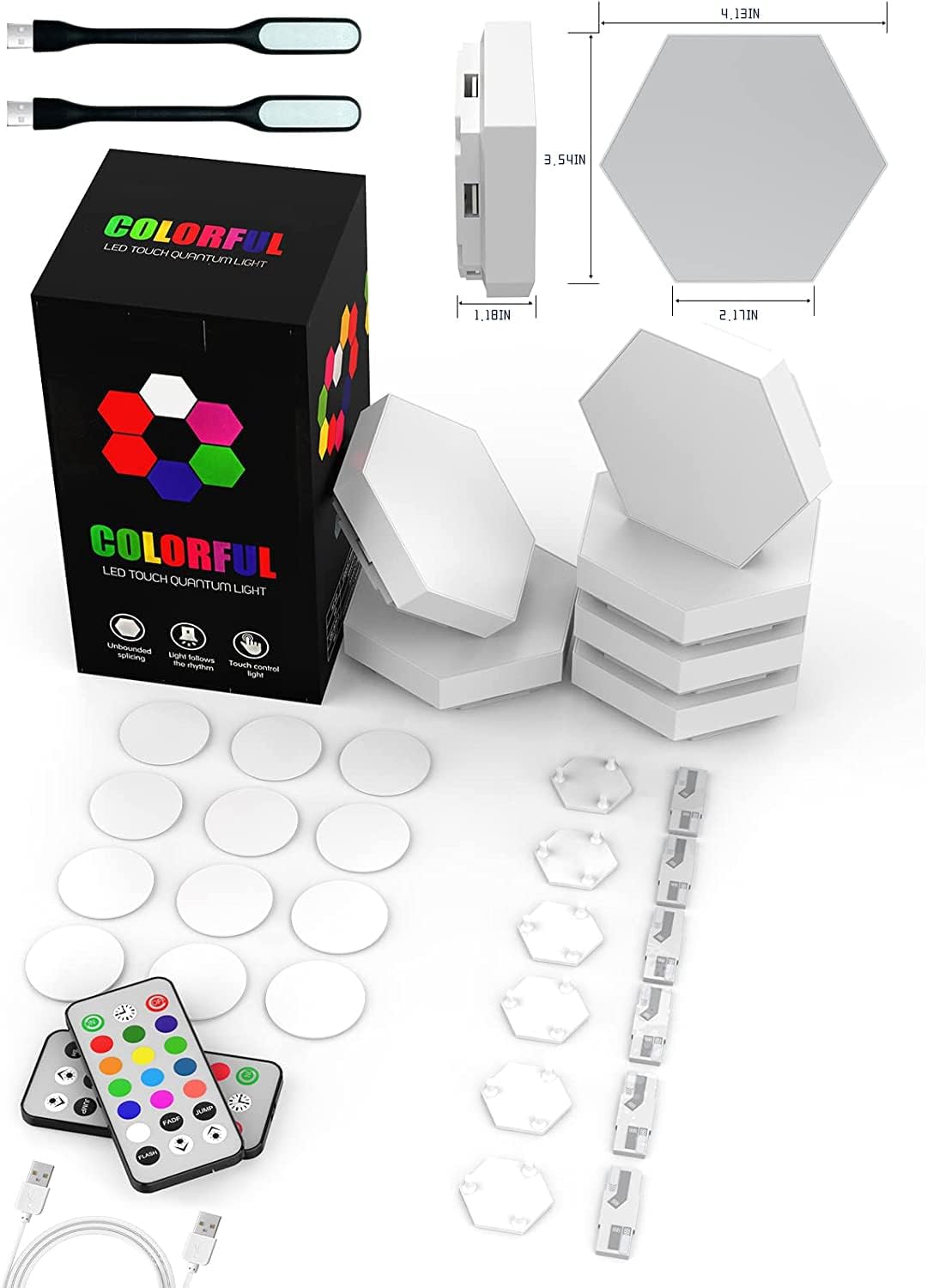
Image: All components included in the package, laid out for inspection. This includes the hexagon light panels, remote controls, USB power cable, and other accessories.
4. Setup and Installation
- Plan Your Design: Before mounting, arrange the hexagon panels on a flat surface to visualize your desired pattern.
- Connect Panels: Use the provided connection buckles to link the hexagon panels together. Ensure a secure fit for proper electrical contact.
- Power Connection: Connect the USB power cable to one of the hexagon panels. All connected panels will receive power from this single point.
- Mounting: Clean the desired wall surface. Apply the adhesive mounting pads to the back of each hexagon panel. Carefully press each panel onto the wall, ensuring it adheres firmly.
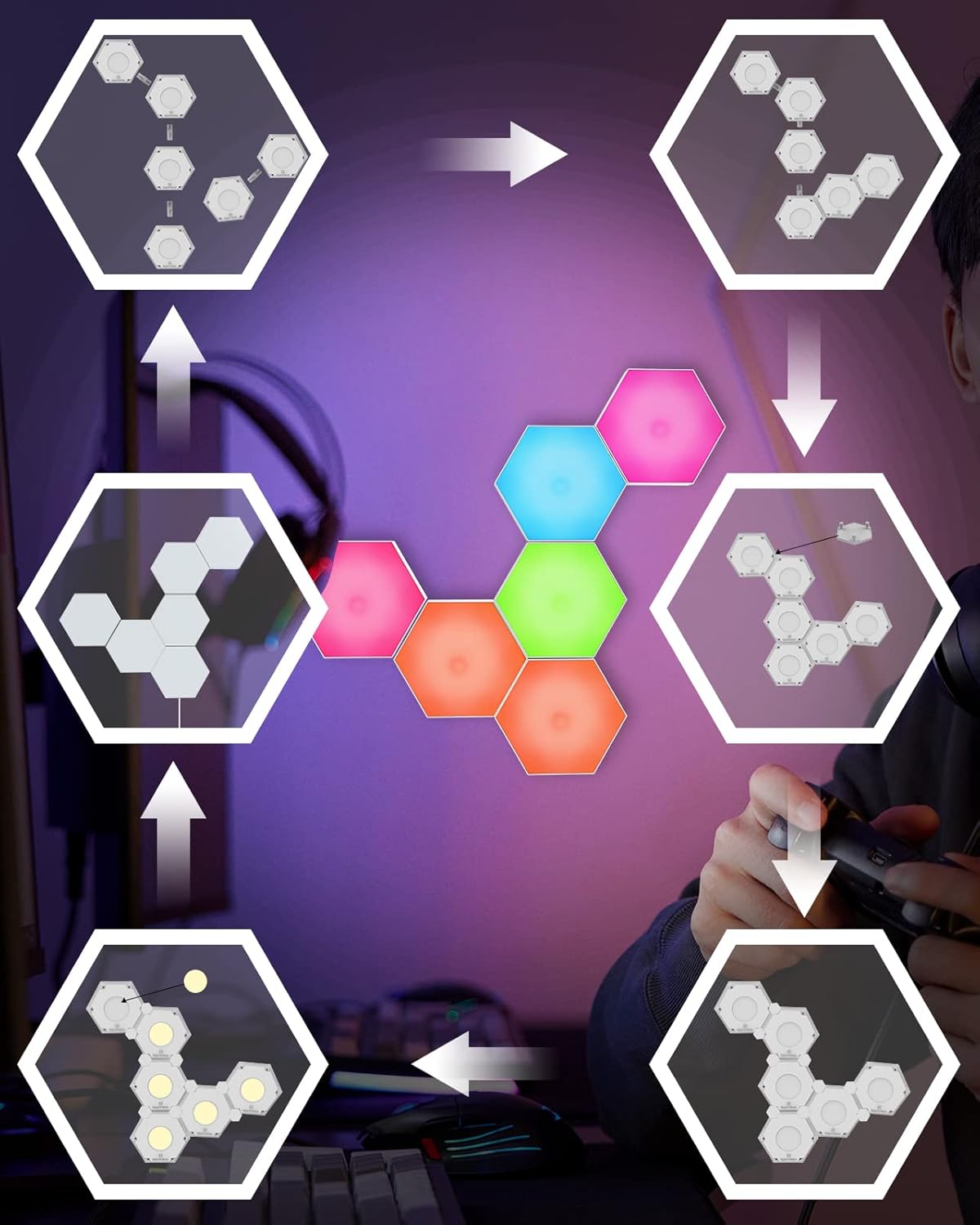
Image: A visual guide illustrating how to connect the hexagon light panels using the provided connectors to create various configurations.
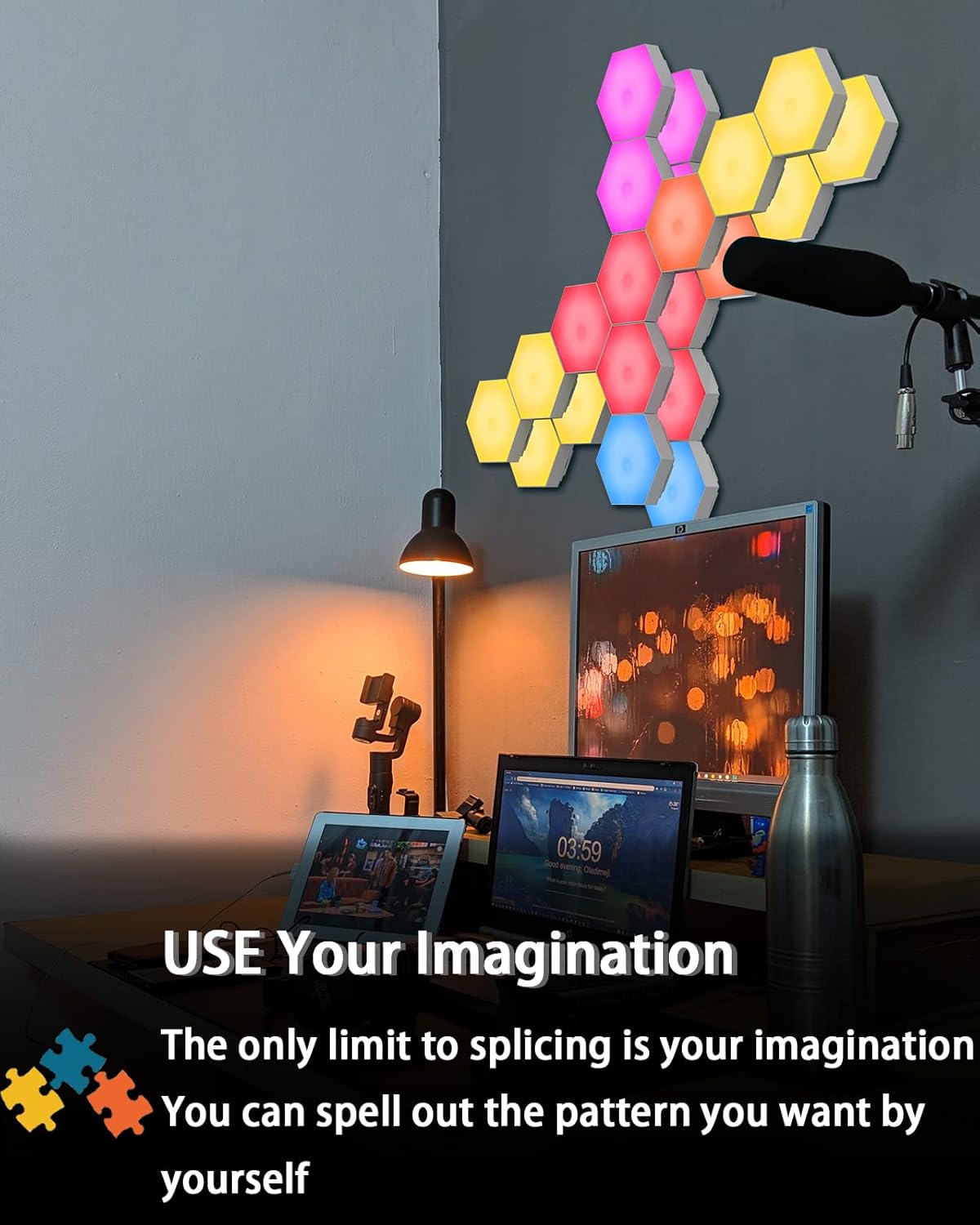
Image: An example of hexagon lights installed on a wall, showcasing a creative arrangement and the customizable nature of the product.
5. Operating Instructions
5.1. Touch Control
Each hexagon panel is touch-sensitive. Simply touch the center of an individual panel to change its color. This allows for interactive and localized color adjustments.

Image: A user interacting with a hexagon light panel by touching its surface to change its color.
5.2. Remote Control
The included remote control provides comprehensive control over all connected hexagon lights. Ensure the remote has a clear line of sight to the lights for optimal functionality.
- Color Selection: Choose from 13 single-color modes.
- Dynamic Modes: Activate single-color flashing, slow switching, or fast switching modes.
- Brightness Adjustment: Increase or decrease the light intensity.
- Timing Function: Set a timer for the lights to turn off automatically.

Image: The remote control used to manage the hexagon lights, demonstrating its various color and mode options.
6. Maintenance
- Cleaning: Gently wipe the surface of the hexagon panels with a soft, dry cloth. Do not use abrasive cleaners or solvents.
- Power Disconnection: Always unplug the USB power cable before cleaning or performing any maintenance.
- Adhesive Pads: If repositioning is necessary, new adhesive pads may be required to ensure secure mounting.
7. Troubleshooting
| Problem | Possible Cause | Solution |
|---|---|---|
| Lights do not turn on. | No power supply; loose connections; faulty USB cable. | Ensure USB cable is securely connected to a power source and a hexagon panel. Check all connection buckles between panels. Try a different USB port or power adapter. |
| Some panels do not light up. | Loose connection buckle; faulty panel. | Check and re-secure the connection buckles between the non-lighting panel and its neighbors. If the issue persists, the panel may be faulty. |
| Remote control is not working. | Battery depleted; obstructed signal; remote out of range. | Replace the remote control battery. Ensure there are no obstructions between the remote and the lights. Operate the remote within close range of the lights. |
| Lights flicker or behave erratically. | Unstable power supply; loose connections. | Ensure the USB power source is stable. Check all panel connections for tightness. |
8. Specifications
- Brand: DeJAVU Lighting
- Model: Hexagon Wall Lights (6-Pack)
- Light Source Type: LED
- Number of Light Sources: 6 per pack
- Control Method: Remote, Touch
- Power Source: Corded Electric (USB)
- Voltage: 110 Volts
- Material: Plastic
- Finish Type: Matte
- Product Dimensions (per panel): 1.18"D x 3.54"W x 4.13"H
- Item Weight (total): Approximately 14.1 ounces
- Color Temperature: 2700 Kelvin (for white light, multicolor options available)
- Indoor/Outdoor Usage: Indoor only
- Assembly Required: Yes
9. Warranty and Support
For any questions or concerns regarding your DeJAVU Lighting Hexagon Wall Lights, please contact our customer support. We are committed to providing assistance and will respond to inquiries within 24 hours.
Please refer to your purchase documentation for specific warranty details.
Ask a question about this manual
Ask about setup, troubleshooting, compatibility, parts, safety, or missing instructions. Manuals+ will review the question and use this page’s manual context to help answer it.