
1. Introduction
Thank you for choosing the VBESTLIFE RCS-4MVPS4EX Replacement Air Conditioner Remote Control. This remote is designed to be a direct replacement for your original Sanyo RCS-4MVPS4EX air conditioner remote, providing essential control functions. Please read this manual carefully to ensure proper use and to maximize the lifespan of your device.
2. Product Overview
The VBESTLIFE RCS-4MVPS4EX remote control is constructed from high-quality, wear-resistant, and durable ABS material, ensuring a long service life. It offers basic remote control functions necessary for daily use of your Sanyo air conditioner.

Figure 2.1: Front view of the VBESTLIFE RCS-4MVPS4EX remote control, showing the display and main buttons.
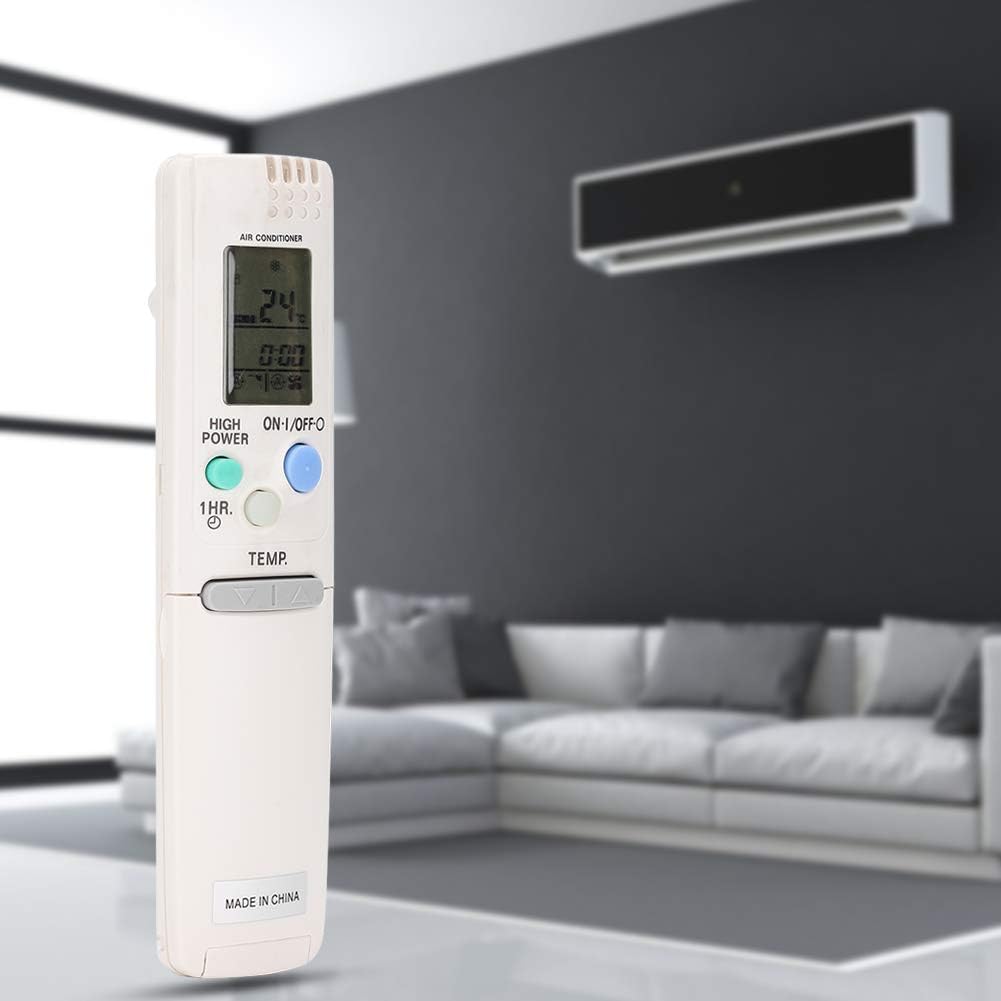
Figure 2.2: Detailed view of the remote control's display and primary function buttons, including ON/OFF, High Power, and Temperature controls.
3. Setup
3.1 Battery Installation
- Open the battery compartment cover on the back of the remote control.
- Insert two fresh AAA alkaline batteries, ensuring correct polarity (+/-).
- Close the battery compartment cover securely.

Figure 3.1: Rear view of the VBESTLIFE RCS-4MVPS4EX remote control with the battery compartment open.

Figure 3.2: Close-up of the battery compartment, showing instructions for battery replacement and the reset button.
3.2 Initial Reset (Optional)
If the remote control does not function correctly after battery installation, locate the small reset button inside the battery compartment. Use a thin, pointed object (like a paperclip) to gently press the reset button. This will restore the remote to its default settings.
4. Operating Instructions
Point the remote control directly at the infrared receiver on your Sanyo air conditioner unit. The effective operating distance is up to 10 meters (33 feet), though actual distance may vary depending on your air conditioner model and environmental factors.

Figure 4.1: User holding the VBESTLIFE RCS-4MVPS4EX remote control, pointing it towards an air conditioner unit.
4.1 Basic Functions
- ON/OFF Button: Press to turn the air conditioner on or off.
- TEMP. Buttons (Up/Down Arrows): Use these buttons to adjust the desired temperature setting.
- HIGH POWER Button: Activates a high-power mode for rapid cooling or heating (functionality depends on AC unit).
- 1 HR. Button: Activates a 1-hour timer function (specific functionality may vary by AC model).
- MODE Button: Cycles through various operating modes (e.g., Cool, Dry, Fan, Heat - if supported by your AC unit).
- FAN SPEED Button: Adjusts the fan speed (e.g., Low, Medium, High, Auto).
- FLAP Button: Controls the louver/flap direction or swing function.
- TIMER SET/OFF Buttons: Used to set or cancel timer functions.
- CLOCK Button: Used to set the current time on the remote's display.
- CANCEL Button: Cancels active timer or other settings.
- SENSOR Button: Activates or deactivates the sensor function (if available on your AC unit).
5. Maintenance
- Cleaning: Wipe the remote control with a soft, dry cloth. Do not use liquid cleaners or abrasive materials.
- Battery Replacement: Replace batteries when the remote's performance degrades or the display becomes dim. Always replace both batteries simultaneously with new ones of the same type.
- Storage: If the remote control will not be used for an extended period, remove the batteries to prevent leakage and damage. Store in a cool, dry place.
6. Troubleshooting
- Remote not responding:
- Check if the batteries are inserted correctly and are not depleted. Replace if necessary.
- Ensure there are no obstructions between the remote control and the air conditioner's receiver.
- Confirm you are within the effective operating range (up to 10 meters).
- Perform a reset as described in Section 3.2.
- Limited range:
- Ensure batteries are fresh.
- Minimize interference from other electronic devices.
- Specific functions not working:
- Some advanced functions may depend on the specific model of your Sanyo air conditioner. Refer to your air conditioner's original manual for compatibility.
7. Specifications
| Brand | VBESTLIFE |
| Compatible Devices | Sanyo RCS-4MVPS4EX Air Conditioner |
| Connectivity Technology | Infrared |
| Number of Buttons | 12 |
| Maximum Range | 10 Meters (33 Feet) |
| Battery Type | AAA |
| Material | High-quality ABS |
| Item Weight | 102.5 Grams |
8. Warranty and Support
For any issues, questions, or support regarding your VBESTLIFE RCS-4MVPS4EX remote control, please contact the retailer or manufacturer directly. Keep your purchase receipt as proof of purchase for any warranty claims.