1. Introduction
This manual provides essential information for the safe and correct installation, operation, and maintenance of the Generic Power Supply Board, model PW.230W2.801 (G18080317). This board is designed as a replacement part for Sceptre U750CV-UMRR (W75) televisions. Please read this manual thoroughly before attempting any installation or repair to ensure proper functionality and safety.
2. Safety Information
WARNING: Working with electronic components, especially power supply units, involves risks of electric shock and damage to equipment. Only qualified technicians should attempt installation or repair.
- Always disconnect the television from the main power outlet before beginning any work.
- Discharge any residual power from capacitors before handling the board.
- Wear appropriate personal protective equipment, including anti-static wrist straps, to prevent electrostatic discharge (ESD) damage to sensitive components.
- Do not touch exposed circuits or components while the television is connected to power.
- Ensure all connections are secure and correctly oriented before reapplying power.
3. Compatibility Verification
This power supply board is specifically compatible with the Sceptre U750CV-UMRR (W75) television model. It is crucial to verify the exact part number of your existing power supply board against PW.230W2.801 and the identifier G18080317 (or G18080317-0A02398) to ensure proper fit and function. Incompatible parts can lead to damage to your television.

Image 3.1: Labels on the power supply board indicating compatibility with U750CV-UMRR and part number G18080317-0A02398. Always cross-reference these numbers with your original board.
4. Setup and Installation
4.1. Before You Begin
- Gather necessary tools: Phillips head screwdriver, anti-static wrist strap, plastic prying tools (optional).
- Prepare a clean, well-lit, and static-free workspace.
- Take photos of existing connections before disconnecting anything to aid reassembly.
4.2. Installation Steps
- Disconnect Power: Ensure the television is unplugged from the wall outlet.
- Access Rear Panel: Carefully place the television face down on a soft, clean surface. Remove the screws securing the rear panel and gently detach it.
- Locate Power Supply Board: Identify the existing power supply board. It is typically a large board with various connectors for power input and output to other components.
- Disconnect Cables: Carefully disconnect all cables connected to the old power supply board. Note their positions and orientations.
- Remove Old Board: Unscrew the mounting screws holding the old power supply board in place and gently lift it out.
- Install New Board: Position the new PW.230W2.801 power supply board into place, ensuring it aligns with the mounting holes. Secure it with the screws removed earlier.
- Reconnect Cables: Reconnect all cables to the new power supply board, ensuring each connection is firm and correctly seated. Refer to your photos if needed.
- Reassemble Television: Replace the rear panel and secure it with its screws.

Image 4.1: General view of the PW.230W2.801 power supply board, showing its layout and main components.
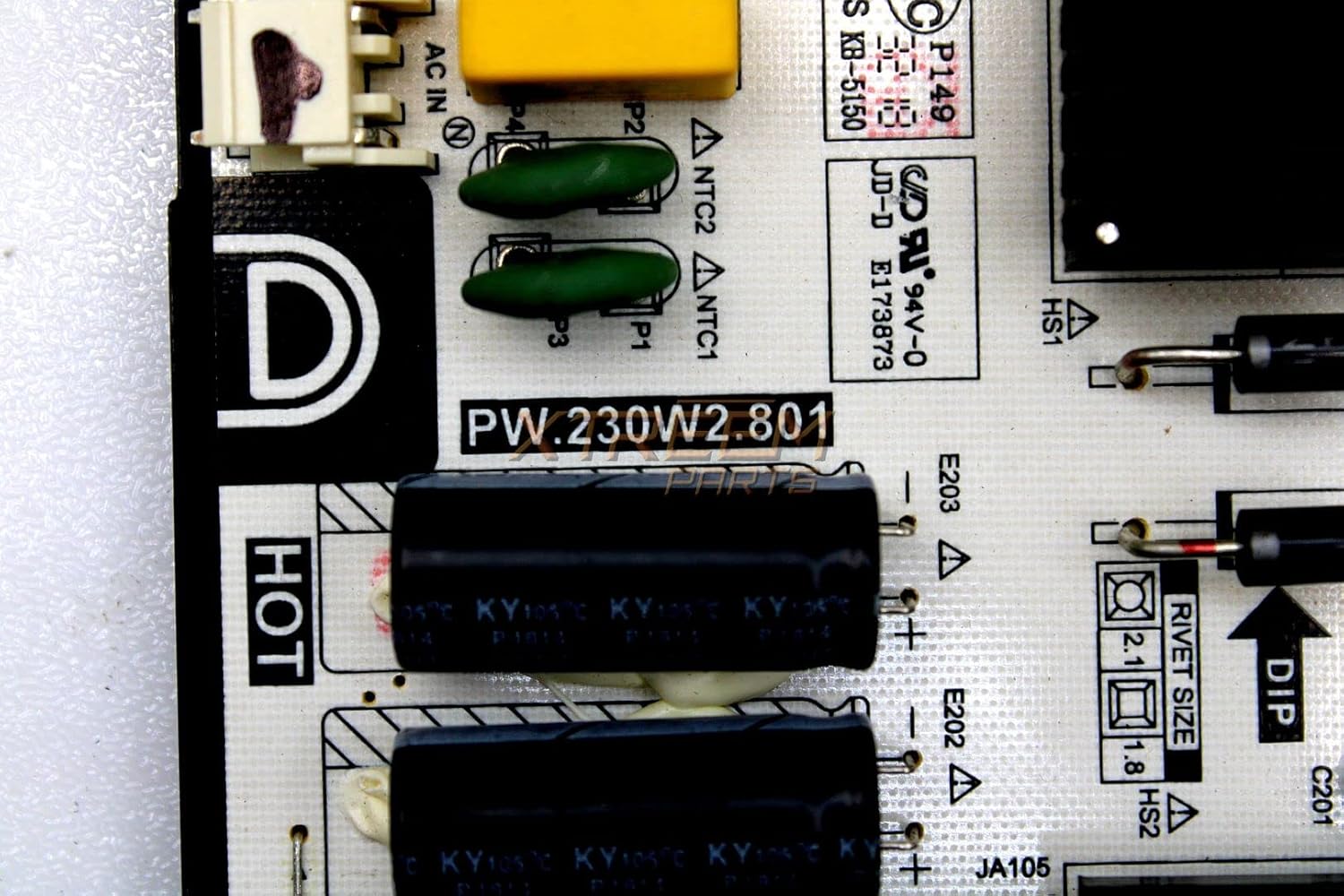
Image 4.2: Close-up view of the PW.230W2.801 part number on the board, confirming the model.
5. Operating (Post-Installation Check)
After installation, perform the following checks:
- Plug the television back into the main power outlet.
- Press the power button on the television or remote control.
- Verify that the television powers on, displays an image, and functions normally.
- Check for any unusual noises, smells, or visual anomalies. If any occur, immediately disconnect power and re-check all connections.
6. Maintenance
The power supply board itself requires minimal maintenance. To ensure its longevity and optimal performance:
- Keep the television in a well-ventilated area to prevent overheating.
- Periodically clean the television's vents to prevent dust buildup, which can impede cooling.
- Avoid exposing the television to extreme temperatures or humidity.
7. Troubleshooting
If the television does not function correctly after installing the new power supply board, consider the following:
| Symptom | Possible Cause | Solution |
|---|---|---|
| Television does not power on. | Loose power cable, incorrect board installation, faulty new board. | Check all cable connections. Re-verify installation steps. If issues persist, the new board may be defective. |
| No image, but power light is on. | Issue with other internal components (e.g., main board, T-con board), or incorrect connection from power board. | Ensure all cables from the power board to other components are securely connected. Consult a professional if other components are suspected. |
| Unusual noises or smells. | Short circuit, component failure. | Immediately disconnect power. Do not attempt further operation. Seek professional assistance. |
8. Specifications
Key technical specifications for the PW.230W2.801 Power Supply Board:
| Feature | Detail |
|---|---|
| Model Name | PW.230W2.801 |
| Part Number Identifier | G18080317 (G18080317-0A02398) |
| Compatible Devices | Sceptre U750CV-UMRR (W75) Television |
| Main Power Connector Type | 24-Pin |
| Graphics Card Interface | PCI Express (Note: This refers to internal board architecture, not for external graphics cards) |
| Memory Slots Available | 2 (Note: Refers to internal board architecture, not user-accessible RAM slots) |
| Number of Ports | 3 |
| System Bus Standard Supported | SATA 2 |
| Total USB Ports | 3 |
| Total PCI E- Ports | 1 |
9. Warranty and Support
For warranty information and technical support, please refer to the terms provided by your original seller or contact the manufacturer directly. Keep your purchase receipt as proof of purchase.


