
1. Introduction
Thank you for purchasing the TACAHE RGBW Halo Projector Floor Lamp. This manual provides essential information for the safe and efficient use of your new lamp. Please read these instructions thoroughly before assembly and operation, and retain them for future reference.
Safety Information
- Ensure the lamp is unplugged before assembly, disassembly, or cleaning.
- This product is designed for indoor use only.
- Do not look directly into the light source when the lamp is on, as it can be very bright.
- Keep the lamp away from water and moisture.
- Do not attempt to modify or repair the lamp yourself. Contact customer support if issues arise.
2. Product Overview
The TACAHE RGBW Halo Projector Floor Lamp features five adjustable heads, each projecting a unique halo light effect. It includes replaceable color filters to customize the ambient lighting in your space. The lamp is controlled by a convenient foot switch.

Image 2.1: The TACAHE RGBW Halo Projector Floor Lamp illuminating a room with colorful light patterns.
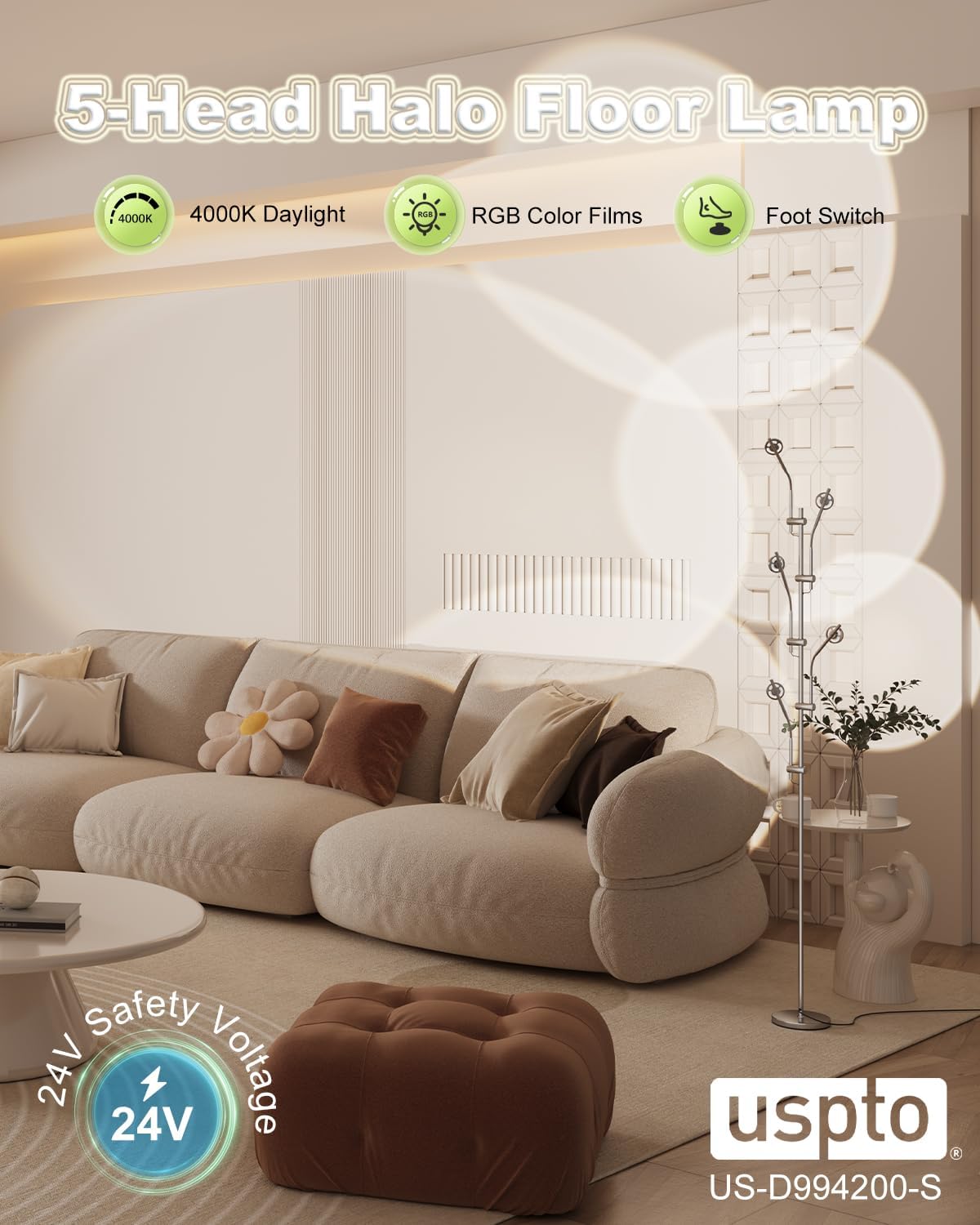
Image 2.2: Key features of the TACAHE 5-Head Halo Floor Lamp, including 4000K daylight, RGB color films, and foot switch.
Key Features:
- Halo Projector with RGB Filters: LED light source passes through a glass lens to create a halo effect. Includes 4000K daylight white LED with replaceable filters for varied colorful projection scenes.
- Adjustable Projection Angle: Bend and shape the five lamp heads to direct light up, down, or towards walls, allowing for customized projection angles and directions.
- Stylish Ambient Lighting: Five 2.5-watt LED heads provide 1200 lumens of illumination, creating a warm and atmospheric mood light.
- Durable Metal Material: 73-inch floor lamp with a chrome plating finish, offering a shiny metallic luster, anti-rust, and anti-scratch properties. Features a stable 7-pound iron round base.
- Foot Switch Control: Convenient foot switch allows for hands-free power control.
3. Package Contents
Please check the package for the following items:
- 1 x Lamp (5 heads)
- Set of replaceable RGB filters
- Chrome plated finish components
- Iron round base
4. Specifications
| Feature | Specification |
|---|---|
| Brand | TACAHE |
| Model Number | TCH-5H-HFL-C-DE |
| Product Dimensions | 7"D x 7"W x 73"H |
| Item Weight | 11 pounds (5 Kilograms) |
| Finish Type | Chrome |
| Base Material | Round Iron |
| Bulb Base | GU10 |
| Light Source Type | LED |
| Color Temperature | 4000 Kelvin (Daylight White) |
| Wattage | 12 watts (5 Head x 2.5 watt LED) |
| Brightness | 1200 Lumen |
| Switch Type | Foot Switch |
| Power Source | Corded Electric |
| Assembly Required | Yes |
5. Assembly Instructions
The TACAHE Halo Projector Floor Lamp requires minimal assembly. Follow these steps to set up your lamp:
- Unpack Components: Carefully remove all parts from the packaging. Lay them out on a clean, flat surface to ensure all components are present.
- Attach Base: Secure the main lamp pole to the round iron base. Ensure it is tightened firmly to prevent wobbling.
- Connect Lamp Sections: If the lamp pole comes in multiple sections, carefully screw them together, ensuring the internal wiring is not pinched.
- Position Lamp Heads: The five lamp heads are pre-attached. Adjust their flexible goosenecks to your desired positions.
- Insert Color Filters (Optional): If you wish to use color filters, gently unscrew the outer ring of each lamp head, place the desired filter over the LED, and screw the ring back on.
- Plug In: Connect the power cord to a suitable electrical outlet.
Video 5.1: An unboxing and assembly demonstration of the TACAHE Halo Projector Floor Lamp by the seller.

Image 5.2: Detailed view of the lamp's construction, showing the electroplated finish, integrated base, and quality LEDs.
6. Operation
Turning On/Off
To turn the lamp on or off, simply tap the foot switch located on the power cord. The lamp will illuminate with the currently installed filters.
Adjusting Projection Angle
Each of the five lamp heads is equipped with a flexible gooseneck. Gently bend and shape these goosenecks to direct the light beams and create various projection patterns on your walls or ceiling.
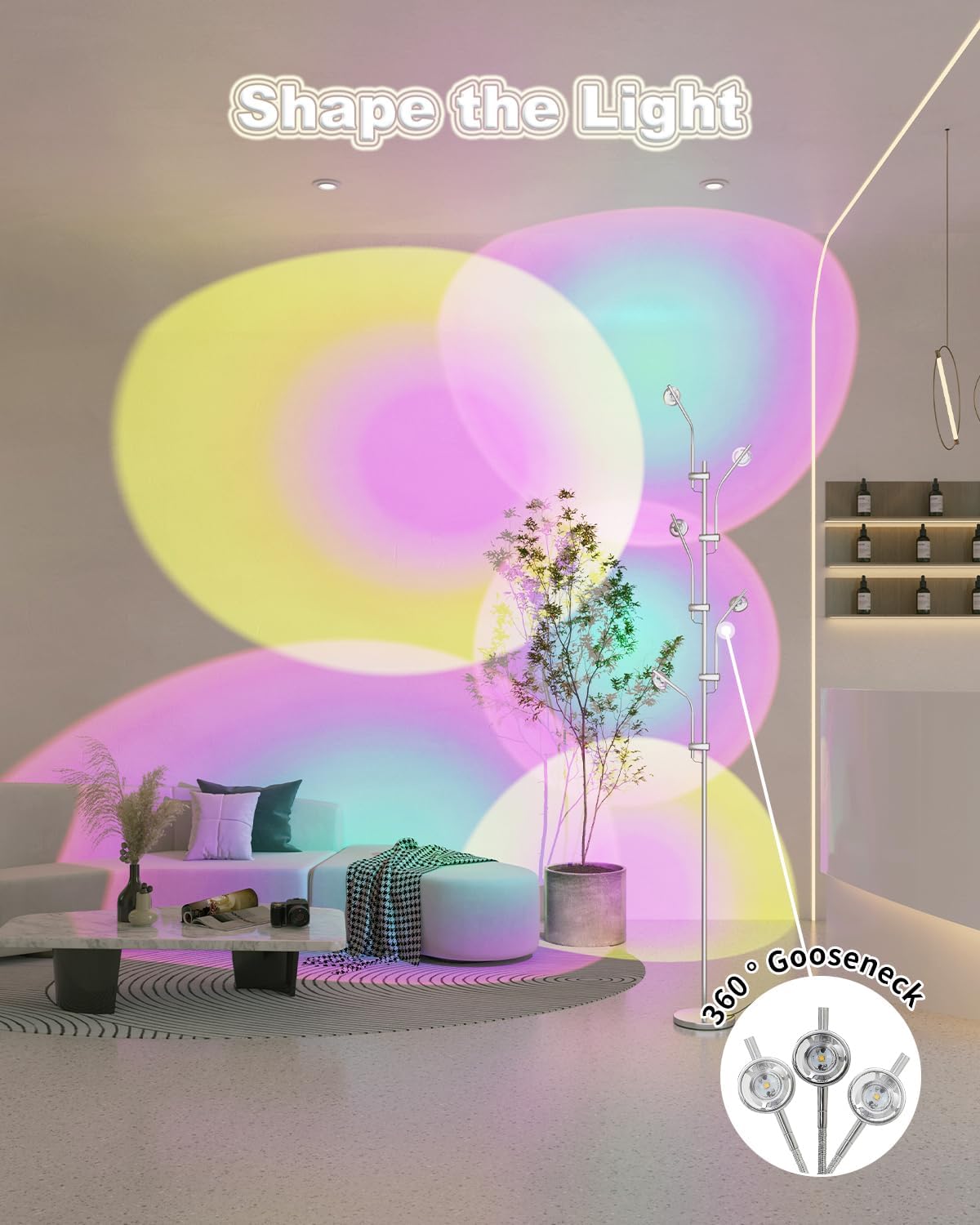
Image 6.1: The lamp's adjustable gooseneck heads allow for precise light direction and pattern creation.
Changing Color Filters
The lamp comes with replaceable color filters to change the projected light's hue. Follow these steps to change a filter:
- Unscrew: Gently twist the outer ring of the lamp head counter-clockwise to open it.
- Remove Lens: Carefully remove the glass lens.
- Place Filter: Insert your desired color film filter over the LED light source.
- Close: Replace the glass lens and screw the outer ring back on clockwise until secure.
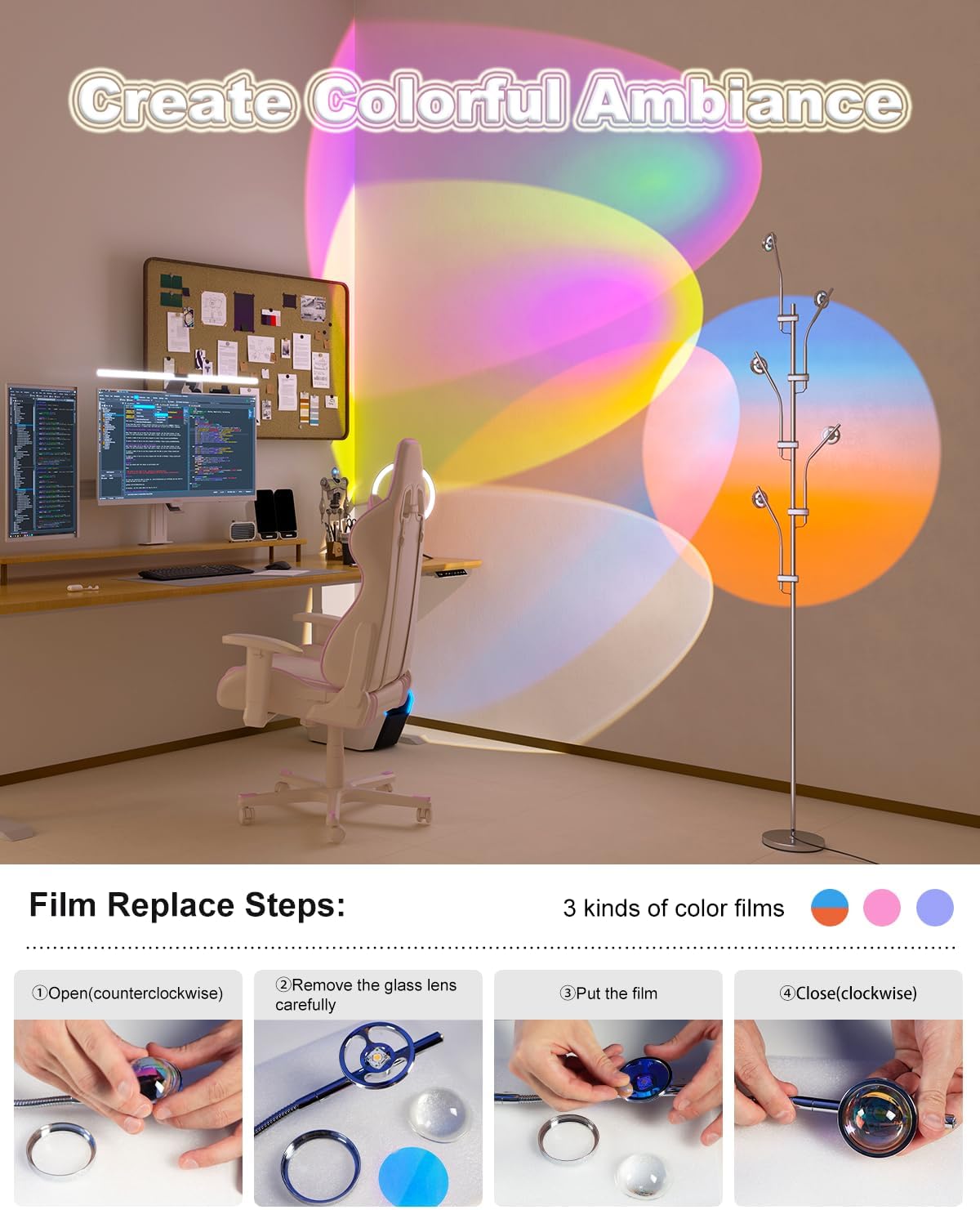
Image 6.2: Visual guide for replacing the color filters on the lamp heads.
7. Maintenance
To ensure the longevity and optimal performance of your TACAHE Halo Projector Floor Lamp, follow these maintenance guidelines:
- Cleaning: Disconnect the power before cleaning. Use a soft, dry cloth to wipe the lamp's surface. Do not use abrasive cleaners or solvents, as they may damage the finish.
- Filter Care: Handle color filters with care to avoid scratches. Store unused filters in a clean, dry place.
- Bulb Replacement: The LED light source is designed for long-term use and is not user-replaceable. If the light source fails, please contact customer support.
8. Troubleshooting
If you encounter any issues with your lamp, please refer to the following common problems and solutions:
| Problem | Possible Cause | Solution |
|---|---|---|
| Lamp does not turn on | Power cord not properly plugged in; outlet not functioning; foot switch not activated. | Ensure the power cord is securely plugged into a working outlet. Press the foot switch to activate the lamp. Test the outlet with another device. |
| Light projection is dim or uneven | Dust or debris on the lens/filter; improperly seated filter. | Clean the glass lens and color filters with a soft, dry cloth. Ensure the color filter is correctly placed within the lamp head. |
| Lamp is unstable | Base not securely attached; lamp placed on an uneven surface. | Tighten the lamp pole to the base. Ensure the lamp is placed on a flat, stable surface. |
If the problem persists after attempting these solutions, please contact TACAHE customer support.
9. Warranty and Support
TACAHE products are manufactured with quality and performance in mind. For warranty information, product support, or to purchase replacement parts, please refer to the contact information provided with your purchase or visit the official TACAHE store online.
Online Store: TACAHE Store