
1. Product Overview
The CURECURE Heated Mattress Pad is designed to provide warmth and comfort for a restful sleep. This Twin size electric bed warmer pad features 10 heating levels and an automatic shut-off timer for safety and convenience. Made from soft coral velvet, it offers a skin-friendly touch and is machine washable for easy maintenance. Its deep pocket design ensures a secure fit on mattresses up to 15 inches thick.

Image 1.1: The CURECURE Heated Mattress Pad, folded to show its soft coral fleece material and the attached manual controller.

Image 1.2: A close-up view of the coral fleece fabric, highlighting its soft texture designed for high comfort.
2. Important Safety Information
Please read all safety instructions carefully before using your heated mattress pad. Failure to follow these instructions may result in fire, electric shock, or injury.
- Do not use with infants, children, incapacitated persons, or anyone insensitive to heat.
- Do not use if wet.
- Do not use with pointed or sharp objects.
- Do not use if folded or bunched.
- Ensure the controller is not covered during operation to prevent overheating.
- Always unplug the mattress pad when not in use or before cleaning.
- This product is equipped with an overheating protection function for your safety.

Image 2.1: Visual representation of safety features including Thermostatic Control, NTC Local Overheating Protection, Short Circuit Protection, Heating Line Open Circuit Protection, and Controller Over Temperature Protection.
3. Product Components
Your CURECURE Heated Mattress Pad package includes:
- 1 x CURECURE Heated Mattress Pad (Twin Size: 39 x 75 inches)
- 1 x Intelligent Manual Controller with 118-inch cord

Image 3.1: A detailed view of the intelligent manual controller, showing the ON/OFF, Timer, Plus (+), Minus (-), and Preheat buttons, along with the digital display.
4. Setup Instructions
- Unpack: Carefully remove the heated mattress pad and controller from its packaging.
- Positioning: Lay the mattress pad flat on your mattress. Ensure it is spread evenly without any folds or wrinkles. The pad is designed to fit Twin size mattresses (39 x 75 inches).
- Secure Fit: The mattress pad features a deep pocket design with elasticity, allowing it to fit securely around mattresses up to 15 inches thick. Gently pull the elasticized fabric sides under your mattress to ensure a snug, 360-degree wrap. This prevents the pad from slipping during sleep.
- Connect Controller: Plug the controller cord into the mattress pad's connection port. Ensure the connection is firm.
- Power Connection: Plug the power cord from the controller into a standard 120V AC electrical outlet.
- Cover with Sheet: For optimal comfort and protection, cover the heated mattress pad with a fitted bed sheet.

Image 4.1: The Twin size heated mattress pad laid out flat on a bed, illustrating its dimensions and proper placement.
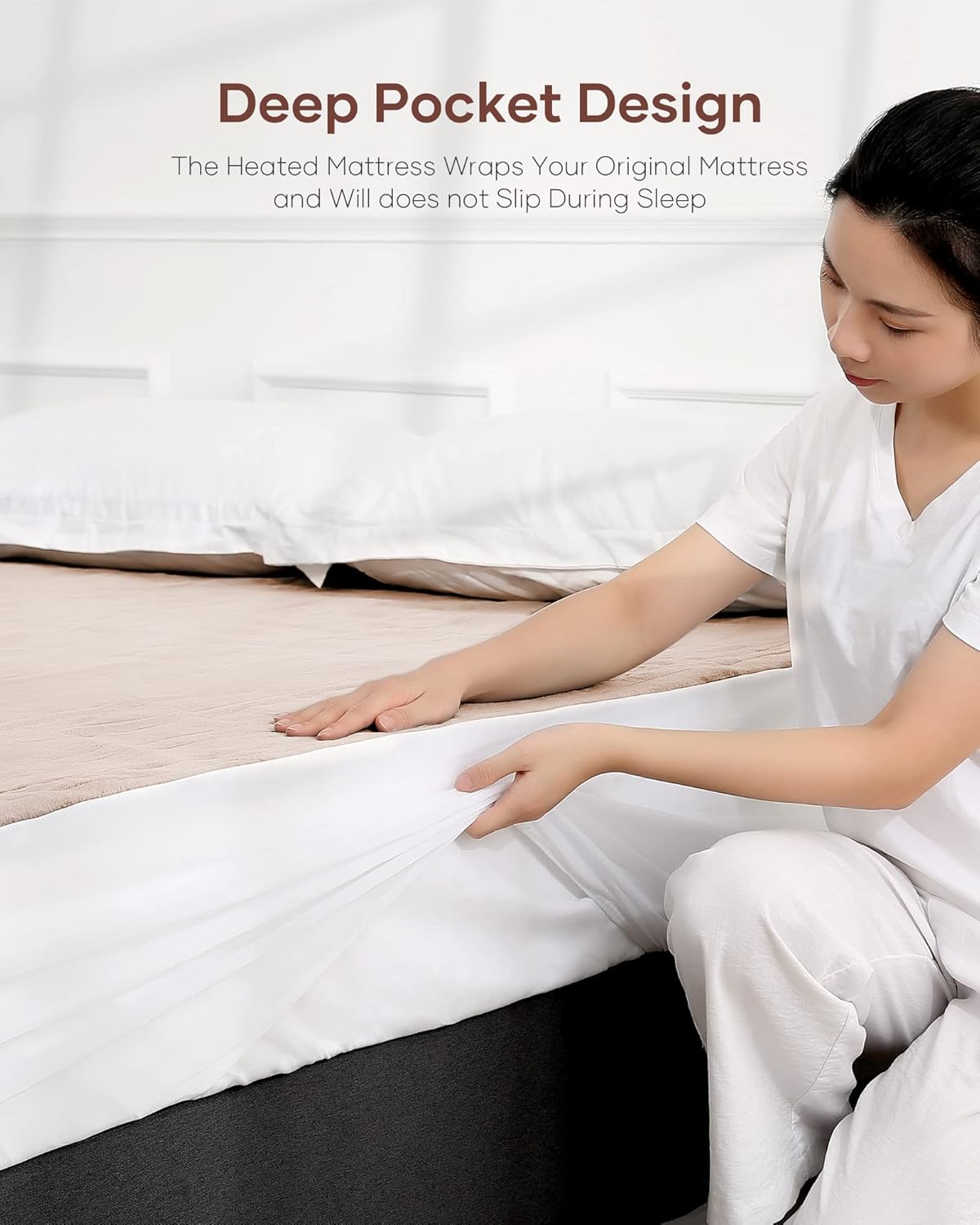
Image 4.2: Demonstrates the deep pocket design, showing how the elasticized fabric securely wraps around the mattress for a non-slip fit.
5. Operating Instructions
Your CURECURE Heated Mattress Pad is equipped with an intelligent manual controller for easy operation.

Image 5.1: A person enjoying a comfortable sleep on the heated mattress pad, illustrating its purpose of providing warmth throughout the night.
- Power On/Off: Press the "ON/OFF" button to turn the mattress pad on or off. The digital display on the controller will illuminate when powered on.
- Adjust Heating Level:
- Press the "+" button to increase the heating level.
- Press the "-" button to decrease the heating level.

Image 5.2: Illustrates the 10 heating levels, indicating a temperature range from 80°F to 113°F for personalized comfort.
- Set Timer:
- Press the "Timer" button to cycle through the available auto-off timer settings.

Image 5.3: Shows the mattress pad in use with the controller, highlighting the 10-hour auto-off feature for safety and convenience.
- Preheat Function: Press the "Preheat" button to quickly warm up your bed before use. The pad will heat rapidly to a comfortable temperature.
6. Maintenance and Care
Proper care will extend the life of your CURECURE Heated Mattress Pad.
- Before Cleaning: Always unplug the mattress pad from the wall outlet and disconnect the controller from the pad. Allow the pad to cool completely.
- Machine Washing: This heated mattress pad is machine washable.
- Wash on a gentle cycle with cold water (below 30°C / 86°F).
- Use a mild detergent.
- Do not bleach.

Image 6.1: A person placing the heated mattress pad into a washing machine, illustrating its machine washable feature.
- Drying:
- Tumble dry on low heat or line dry.
- Ensure the pad is completely dry before reconnecting the controller or storing.
- Do not iron.
- Do not dry clean.
- Storage: When not in use, store the mattress pad in a cool, dry place. Avoid folding it tightly or placing heavy objects on it, which could damage the internal heating wires.
7. Troubleshooting
If you experience issues with your CURECURE Heated Mattress Pad, please refer to the following common troubleshooting steps:
| Problem | Possible Cause | Solution |
|---|---|---|
| Pad does not heat. |
|
|
| Pad heats unevenly. |
|
|
| Controller display is off or flashing. |
|
|
If the problem persists after attempting these solutions, please contact CURECURE customer support for assistance.
8. Specifications
| Feature | Detail |
|---|---|
| Brand | CURECURE |
| Model Number | HMP-TM |
| Size | Twin (39 x 75 inches) |
| Material | Coral Fleece |
| Color | Milk Tea Color |
| Heating Levels | 10 Levels (approx. 80°F - 113°F) |
| Auto Shut-Off Timer | 1 to 10 Hours |
| Deep Pocket Fit | Up to 15-inch mattress |
| Care Instructions | Machine Washable |
| Item Weight | 3.61 pounds |
| Product Dimensions | 75 x 38.98 x 0.39 inches |
| UPC | 794775153817 |
9. Warranty and Customer Support
CURECURE is committed to providing high-quality products. For any questions, concerns, or warranty inquiries regarding your Heated Mattress Pad, please contact CURECURE customer support.
You can find more information and contact details by visiting the official CURECURE store on Amazon:
Please have your model number (HMP-TM) and purchase information ready when contacting support.