
D DASH FOR SUCCESSFUL LIVING VA-24
D DASH Ultra-Thin Minimalist Sports Waterproof Digital Watch (Model VA-24) User Manual
Model: VA-24 | Brand: D DASH FOR SUCCESSFUL LIVING
Introduction
This manual provides detailed instructions for the setup, operation, and maintenance of your D DASH Ultra-Thin Minimalist Sports Waterproof Digital Watch, Model VA-24. Please read this manual thoroughly to ensure proper use and to maximize the lifespan of your watch.

Image: Front view of the D DASH Ultra-Thin Minimalist Sports Waterproof Digital Watch, Model VA-24, featuring a black rubber strap and a silver-toned case with a digital display showing time and date.
Watch Components and Button Functions
Familiarize yourself with the watch's buttons and their primary functions:

Image: Diagram illustrating the button layout and functions of the D DASH Digital Watch. The watch face displays "WE 20 12:50 48".
- LIGHT Button (Top Left): Activates the luminous backlight for visibility in low-light conditions.
- MODE Button (Bottom Left): Cycles through different modes: Time Display, Stopwatch, and Alarm.
- START/STOP Button (Top Right): Used to start and stop the stopwatch, and to adjust settings during setup.
- RESET Button (Bottom Right): Used to reset the stopwatch, and to adjust settings during setup.
Setup and Initial Configuration
Setting Time and Date
- From the normal time display, press the MODE button three times to enter time setting mode. The seconds will begin to flash.
- Press the RESET button to cycle through the settings: seconds, hour, minute, month, date, day of the week.
- Use the START/STOP button to adjust the flashing value.
- Once all settings are adjusted, press the MODE button to return to the normal time display.
12/24 Hour Format
In time setting mode, when the hour is flashing, press the START/STOP button to toggle between 12-hour (AM/PM indicator) and 24-hour formats.
Operating Instructions
Time Display
The watch defaults to displaying the current time, day of the week, and date. The display includes an AM/PM indicator for 12-hour format.

Image: Overview of the watch's functions, including Time, Week, Date, WR 50M, Stopwatch, Alarm, EL Light, and 12/24 Hours.
Using the Luminous Display (EL Light)
To illuminate the display in dark environments, press the LIGHT button (top left). The backlight will activate for a few seconds.

Image: Comparison of the watch display in normal light and with the luminous backlight activated, showing a clear green illumination.
Stopwatch Function
- From the normal time display, press the MODE button once to enter stopwatch mode. The display will show "00:00:00".
- Press the START/STOP button to begin timing.
- Press the START/STOP button again to pause timing.
- To resume timing, press the START/STOP button.
- To reset the stopwatch to "00:00:00", press the RESET button while the stopwatch is paused.
- Press the MODE button to exit stopwatch mode and return to the normal time display.
Alarm Function
- From the normal time display, press the MODE button twice to enter alarm setting mode. The hour digits will flash.
- Press the RESET button to select between hour and minute settings.
- Use the START/STOP button to adjust the flashing value (hour or minute).
- To activate or deactivate the alarm, press the START/STOP button while in alarm setting mode (without any digits flashing). An alarm icon will appear or disappear on the display.
- Press the MODE button to exit alarm setting mode and return to the normal time display.
- When the alarm sounds, press any button to stop it.
Care and Maintenance
Water Resistance (50M)
Your D DASH watch is water-resistant up to 50 meters (5 ATM). This means it is suitable for:
- Washing hands
- Raining
- Showering (brief exposure)
- Swimming (shallow depths)
Important: Do not press any buttons while the watch is submerged in water. This can compromise the water resistance seal and lead to water damage.
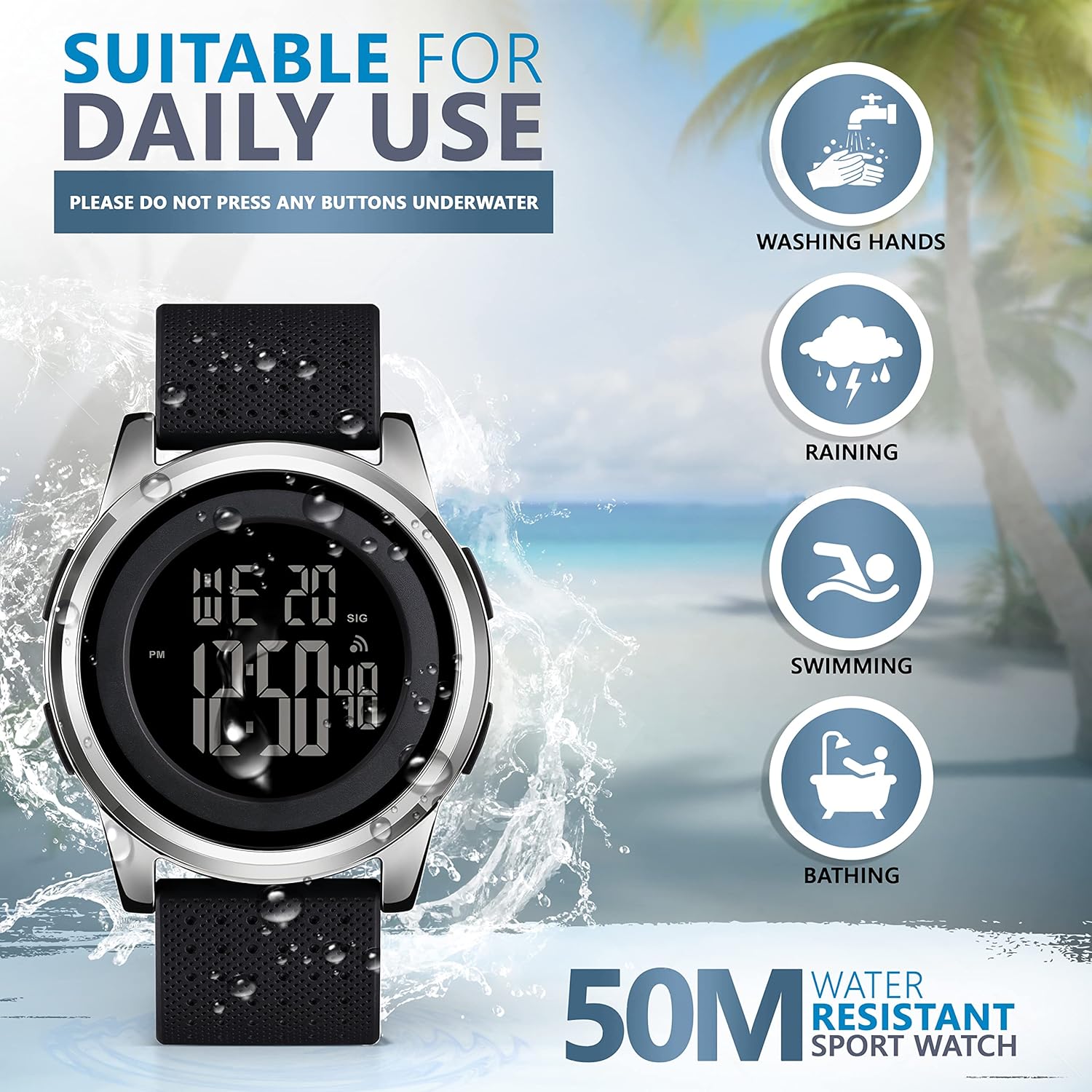
Image: Illustration of the watch's 50M water resistance, showing it suitable for activities like washing hands, rain, swimming, and bathing, with a caution against pressing buttons underwater.
Cleaning
To clean your watch, wipe it gently with a soft, damp cloth. Avoid using harsh chemicals or abrasive materials, as these can damage the watch's finish or strap.
Battery Replacement
The watch uses a standard button cell battery. When the display becomes dim or the watch stops functioning, the battery may need replacement. It is recommended to have the battery replaced by a qualified watch technician to ensure the water resistance seal is properly maintained.
Troubleshooting
| Problem | Possible Cause | Solution |
|---|---|---|
| Display is blank or dim. | Low or dead battery. | Replace the battery. |
| Watch not keeping accurate time. | Incorrect time setting; low battery. | Re-set the time; replace the battery if issue persists. |
| Buttons are unresponsive. | Watch may be in an incorrect mode; internal malfunction. | Try pressing the MODE button to cycle modes. If unresponsive, contact support. |
| Water inside the watch. | Water resistance compromised (e.g., buttons pressed underwater). | Immediately stop using the watch and seek professional repair. Water damage is typically not covered under warranty. |
Specifications
- Model Number: VA-24
- Brand: D DASH FOR SUCCESSFUL LIVING
- Display Type: Digital
- Case Material: Stainless Steel
- Strap Material: Silicone
- Clasp Type: Tang Buckle
- Water Resistance: 50M (5 ATM)
- Functions: Time, Date, Day of Week, Stopwatch, Alarm, EL Backlight, 12/24 Hour Format
- Dimensions:
- Case Diameter: Approximately 40mm
- Case Thickness: Approximately 7mm (Ultra-thin)
- Strap Width: 22mm
- Total Length (Watch + Strap): Approximately 250mm
- Power Source: Button Cell Battery (Type not specified, typically CR2016 or similar)

Image: Diagram showing the dimensions of the D DASH Digital Watch, including case diameter (40mm), thickness (7mm), and total length (250mm).
Warranty and Support
Warranty Information
Specific warranty details for the D DASH Ultra-Thin Minimalist Sports Waterproof Digital Watch are not provided in the product information. Please refer to your purchase documentation or contact the retailer for warranty terms and conditions.
Customer Support
For further assistance, technical support, or inquiries regarding your D DASH product, please contact D DASH FOR SUCCESSFUL LIVING customer service through their official channels or the retailer from whom you purchased the watch.
You may also visit the D DASH FOR SUCCESSFUL LIVING Store on Amazon for more information.
Related Documents - VA-24
 |
Archive 24 Wrist Sizer Guide - Measure Your Watch Fit Download and print the Archive 24 Wrist Sizer to accurately measure your wrist size for the perfect watch fit. Includes instructions and a printable scale. |
 |
Vividia Ablescope USB Borescope Cameras and Bundles User Guide This guide provides information on Vividia Ablescope USB Borescope Cameras and Bundles, including features, benefits, setup instructions, software compatibility, bundle options, and safety precautions. |
 |
Victron VE.Direct Inverters: 250 VA to 1600 VA, 230V/120V, 50/60Hz Datasheet Comprehensive datasheet for Victron VE.Direct pure sine wave inverters, detailing features, specifications, connectivity options, and accessories for reliable power conversion. Covers models from 250 VA to 1600 VA with 230V and 120V output options. |
 |
JBL Control 10C-VA Series Ceiling Loudspeakers: Owner's Manual & Installation Guide Comprehensive owner's manual and installation guide for the JBL Control 10C-VA Series ceiling loudspeakers, including models Control 12C-VA, Control 14C-VA, and Control 16C-VA. Covers product features, installation steps, wiring, painting, safety compliance, maintenance, and specifications. |
 |
DF Electric TR28 Series IP20 Single-Phase Control, Safety, and Isolating Transformers - Technical Specifications Comprehensive technical details for the DF Electric TR28 series IP20 single-phase transformers. Covers features, specifications, performance data, dimensions, weights, and protection guidelines for models ranging from 40 VA to 1250 VA, designed for control, safety, and isolation applications. |
 |
VAVA Dash Cam VA-VD002: Quick Installation Guide Concise installation guide for the VAVA Dash Cam VA-VD002, covering Micro SD card setup, dash cam mounting, rear camera installation, app connection, and snapshot button usage. Includes support contact information. |
Ask a question about this manual
Ask about setup, troubleshooting, compatibility, parts, safety, or missing instructions. Manuals+ will review the question and use this page’s manual context to help answer it.