
Introduction
This manual provides detailed instructions for the setup, operation, and maintenance of your CRESTIN Solar Security Camera. Designed for outdoor use, this wireless camera features 360° pan and tilt capabilities, 2MP resolution, 98ft night vision, and is powered by an integrated solar panel and battery, ensuring continuous surveillance with minimal intervention.
What's in the Box
- CRESTIN Solar Security Camera
- Solar Panel
- Wall Mounting Bracket
- Mounting Screws and Anchors
- USB Charging Cable
- User Manual
Setup
1. Initial Charging
Before first use, it is recommended to fully charge the camera's internal battery using the provided USB charging cable. This ensures optimal performance upon installation.
2. App Download and Registration
- Scan the QR code provided in the included user manual or search for "CRESTIN" in your mobile device's App Store (iOS) or Google Play Store (Android).
- Download and install the CRESTIN app.
- Open the app and register a new account or log in with an existing account.
3. Device Pairing
- Ensure your camera is powered on.
- In the CRESTIN app, tap the "Add Device" button (usually a '+' icon).
- Select "Smart Camera" or "Solar Floodlight Camera" from the device list.
- Follow the on-screen prompts to connect to your 2.4GHz Wi-Fi network.
- The app will display a QR code. Position your camera to scan this QR code from a distance of 15-20 cm (6-8 inches).
- Once the camera emits a prompt sound, confirm in the app that you heard it. The camera will then connect to your Wi-Fi network.
- You can then rename your camera for easy identification.
4. Physical Installation
Choose a location with good Wi-Fi signal and ample sunlight for the solar panel. The camera is designed for outdoor use with an IP65 rating.
- Attach the wall mounting bracket to your desired surface using the provided screws and anchors.
- Slide the camera onto the bracket and secure it firmly.
- Connect the solar panel to the camera. The solar panel can be mounted directly on top of the camera or separately using its own bracket and extension cable for optimal sun exposure.

Image: The camera system showing the solar panel and battery support, highlighting 100% wireless operation, 365-day solar power, IP65 waterproof rating, and a 12000mAh rechargeable battery with 5 months lasting time.
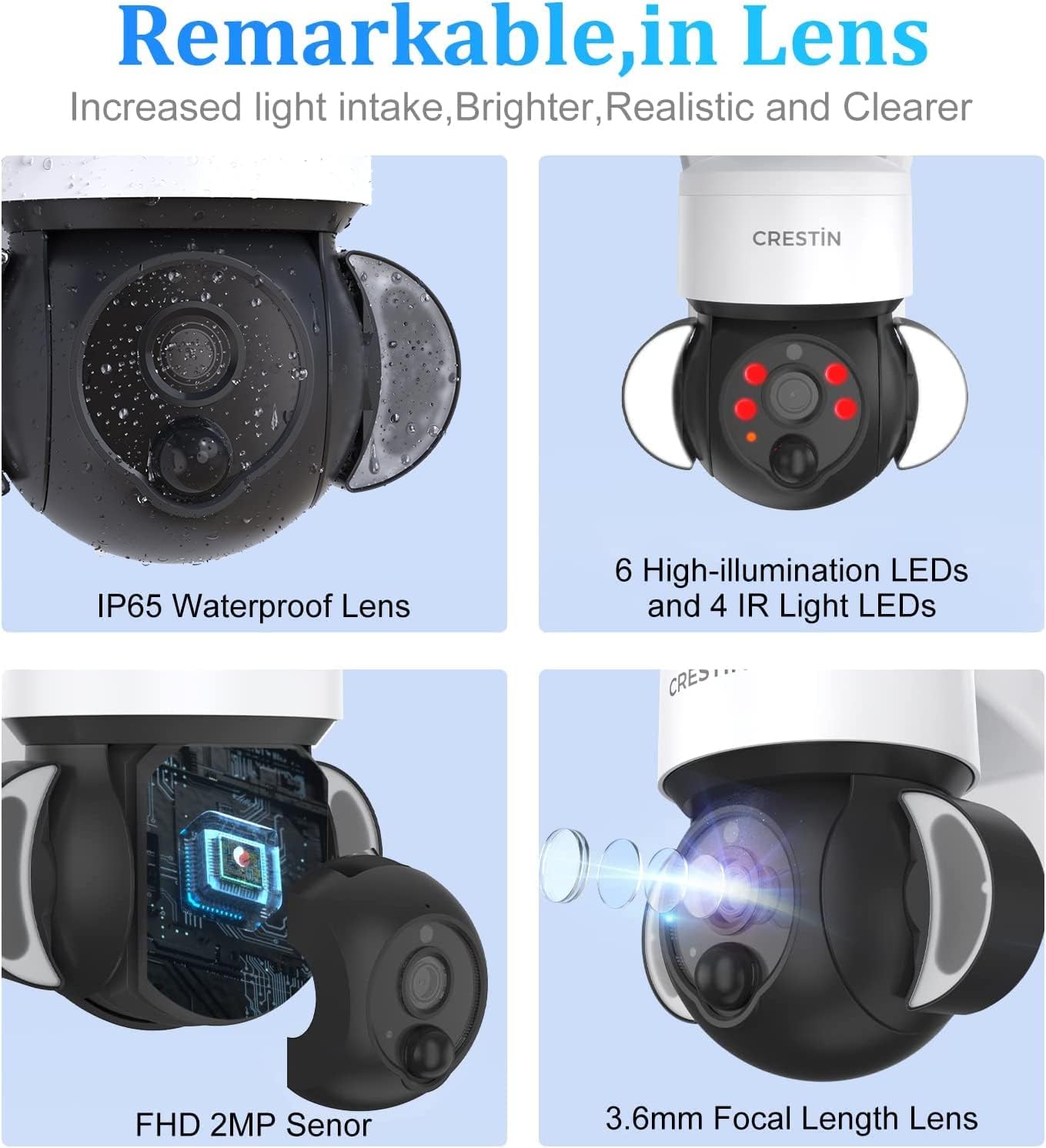
Image: A visual representation of the camera's 365-day battery life when paired with the solar panel, emphasizing 2MP image quality, instant alerts, 2.4G WiFi, 12000mAh battery, full color night vision, and motion detection.
Operating Instructions
Live View
Open the CRESTIN app and select your camera from the device list to access the live video feed. You can view real-time footage from your smartphone.
Pan & Tilt Control
Utilize the directional controls within the app to remotely adjust the camera's viewing angle. The camera supports 350° horizontal pan and 90° vertical tilt, providing comprehensive coverage of your surveillance area.
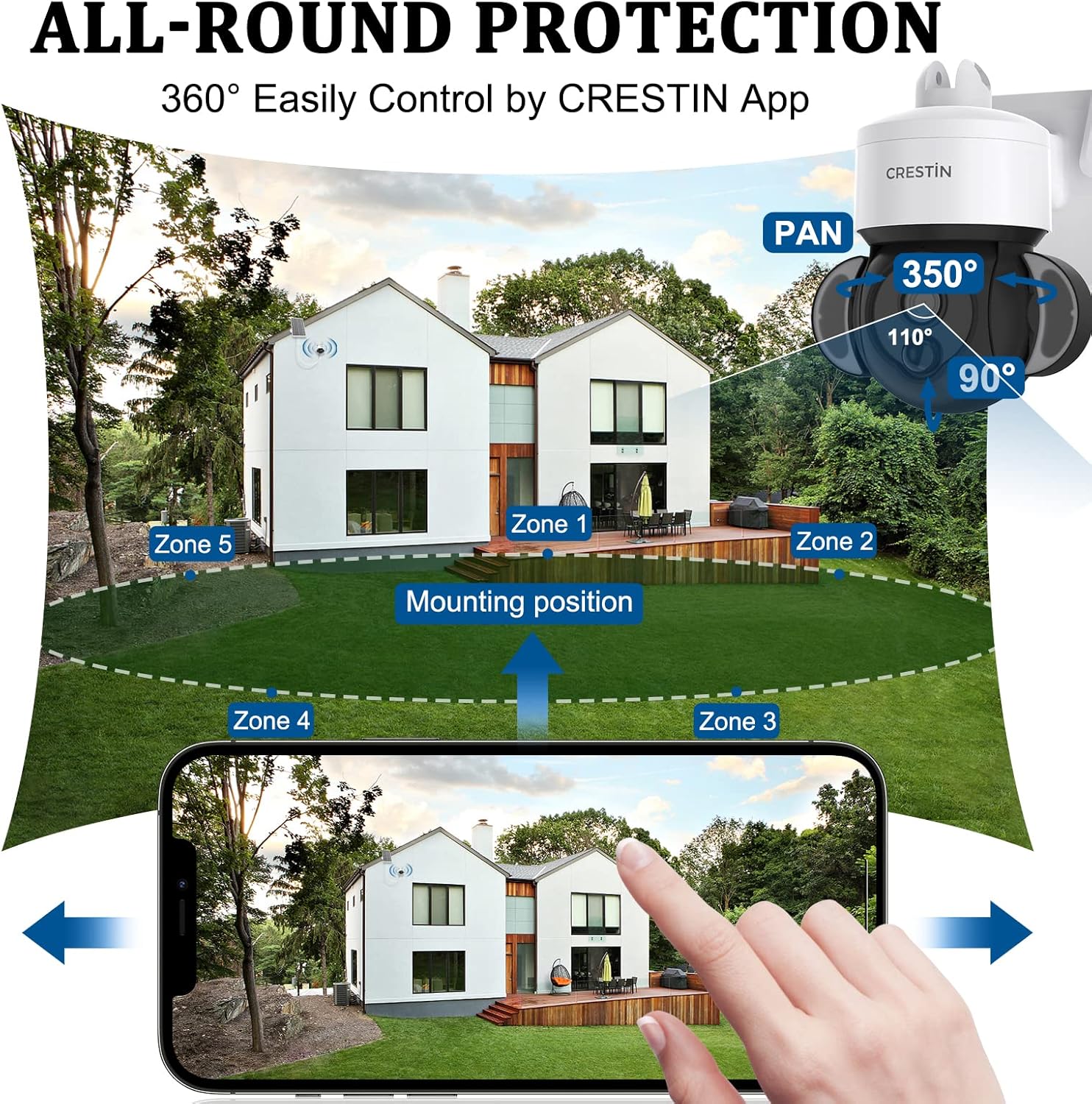
Image: Illustrates the camera's 360° pan and tilt capabilities, showing how users can control the camera's view through the CRESTIN app to monitor different zones around a house.
Night Vision
The camera features advanced night vision capabilities, offering both full-color and infrared (IR) modes for clear visibility up to 98 feet in low-light conditions. The system automatically switches between day and night modes.

Image: Compares the camera's night vision modes, showing a clear full-color view and an infrared (IR) view of a house at night, both with a monitoring range of up to 98ft.
Motion Detection & Alerts
The camera is equipped with PIR motion detection, triggering recordings and sending instant alerts to your smartphone when movement is detected within its 98ft range. You can adjust the PIR sensitivity settings in the app.

Image: Depicts the motion-activated alarm feature, showing a person triggering an alert within 40ft and a notification appearing on a smartphone screen.
Recording & Storage
The camera supports local storage via a TF card (up to 128GB) and offers a 30-day free cloud storage service for recorded footage. Access and manage your recordings through the CRESTIN app.
Maintenance
- Cleaning: Regularly wipe the solar panel and camera lens with a soft, damp cloth to ensure optimal light absorption and clear image quality.
- Battery Check: Monitor the battery level through the CRESTIN app to ensure continuous operation. The solar panel will recharge the battery during daylight hours.
- Firmware Updates: Keep the camera's firmware updated via the app to benefit from the latest features and security enhancements.
Troubleshooting
- Camera Offline: Ensure the camera is powered on and within range of a strong 2.4GHz Wi-Fi signal. Restart the camera and your Wi-Fi router if necessary.
- No Instructions: This digital manual serves as your comprehensive guide. For further assistance, refer to the CRESTIN app or contact customer support.
- App Issues: If you experience bugs or unexpected behavior with the app, ensure it is updated to the latest version. Try reinstalling the app or contacting CRESTIN support.
- Poor Wi-Fi Signal: If the camera's Wi-Fi signal is weak, try relocating the camera closer to your router or installing a Wi-Fi extender. Ensure there are no major obstructions between the camera and the router.
- Unbinding Device: For security products, please remove the device from the app before changing Wi-Fi or CRESTIN Account. Go to the device UI via the bound account, click "..." on the top right, go to settings, swipe down, and click "remove the device" to finish unbinding.
Specifications
| Feature | Detail |
|---|---|
| Compatible Devices | Smartphone |
| Power Source | Battery Powered, Solar |
| Connectivity Protocol | Wi-Fi |
| Mounting Type | Wall Mount |
| Video Capture Resolution | 1080p |
| Number of Items | 1 |
| Wireless Communication Technology | Wi-Fi |
| Form Factor | Dome |
| Night Vision Range | 98 Feet |
| Voltage | 5 Volts |
| Wattage | 5 watts |
| Item dimensions L x W x H | 9.65 x 7.48 x 5.39 inches |
| Battery Power | 12000 Milliampere Hour (mAh) |
| Focus Type | Auto Focus |
| Low light technology | Night Color |
| Alert Type | Motion Only |
| Video Capture Format | MPEG-4 |
| International Protection Rating | IP65 |
| Item Weight | 3.56 pounds |
| Manufacturer | CRESTIN |
| Recommended Uses For Product | Outdoor Security |
| Special Feature | Motion Sensor, Night Vision |
| Indoor/Outdoor Usage | Outdoor |
Warranty & Support
CRESTIN offers a 1-year product protection from the date of purchase. For any issues with installation, use, or connection, please feel free to contact CRESTIN customer support. Refer to the product packaging or the CRESTIN website for specific contact details.