
VEVOR 100QT with wheel
VEVOR Portable Refrigerator User Manual
Model: 100QT with wheel
1. Introduction
This manual provides detailed instructions for the safe and efficient operation, maintenance, and troubleshooting of your VEVOR 100 Quart Dual Zone Portable Refrigerator. Designed for both home and car use, this versatile appliance offers reliable cooling and freezing capabilities for various outdoor activities and daily needs.

Image: The VEVOR 100 Quart Portable Refrigerator, showcasing its dual-zone design and included power accessories.
2. Safety Instructions
Please read all safety warnings and instructions carefully before using the appliance to prevent injury or damage.
- Ensure the power supply voltage matches the appliance's requirements (12/24V DC or 100-240V AC).
- Do not operate the appliance if the power cord is damaged or if the appliance is malfunctioning.
- Keep the appliance away from heat sources and direct sunlight.
- Ensure proper ventilation around the appliance to prevent overheating.
- Do not immerse the appliance in water or expose it to excessive moisture.
- Always disconnect power before cleaning or performing maintenance.
- Keep out of reach of children.
3. Package Contents
Verify that all items are present in the package:
- Portable Car Freezer (1 unit)
- AC/DC Adapter (1 unit)
- DC Power Cord (1 unit)
- AC Power Cord (1 unit)

Image: The power accessories included with the VEVOR Portable Refrigerator.
4. Product Features
- Freezer & Fridge Zone: This 100Qt/95L capacity fridge is divided into two zones, each with independently controllable temperatures. It can hold up to 123 bottles of 330ml cola or 51 bottles of 550ml water. The internal basket is detachable for extra storage space.
- MAX/ECO Mode: Features a powerful compressor for efficient cooling. Temperature control ranges from -20℃ to 20℃ (-4℉ to 68℉). Choose MAX mode for fast cooling or ECO mode for energy saving. Operates quietly at 45 dB.
- Car Battery Protection: An LCD control panel allows precise temperature and mode settings. The car battery protection system monitors voltage to prevent draining your vehicle's battery, offering Low/Mid/High protection levels.
- Humanization Design: Includes a built-in LED light for visibility in dark conditions, a bottom drain hole for easy cleaning, and mobile app control for convenient adjustments via your phone. Equipped with a stretchable handle and off-road wheels for enhanced portability.
- Home & Car Dual Use: Compatible with 12/24V DC and 100-240V AC power sources, making it suitable for both home and vehicle use. Its shake-proof function ensures stable operation on uneven roads and 30-degree slopes.
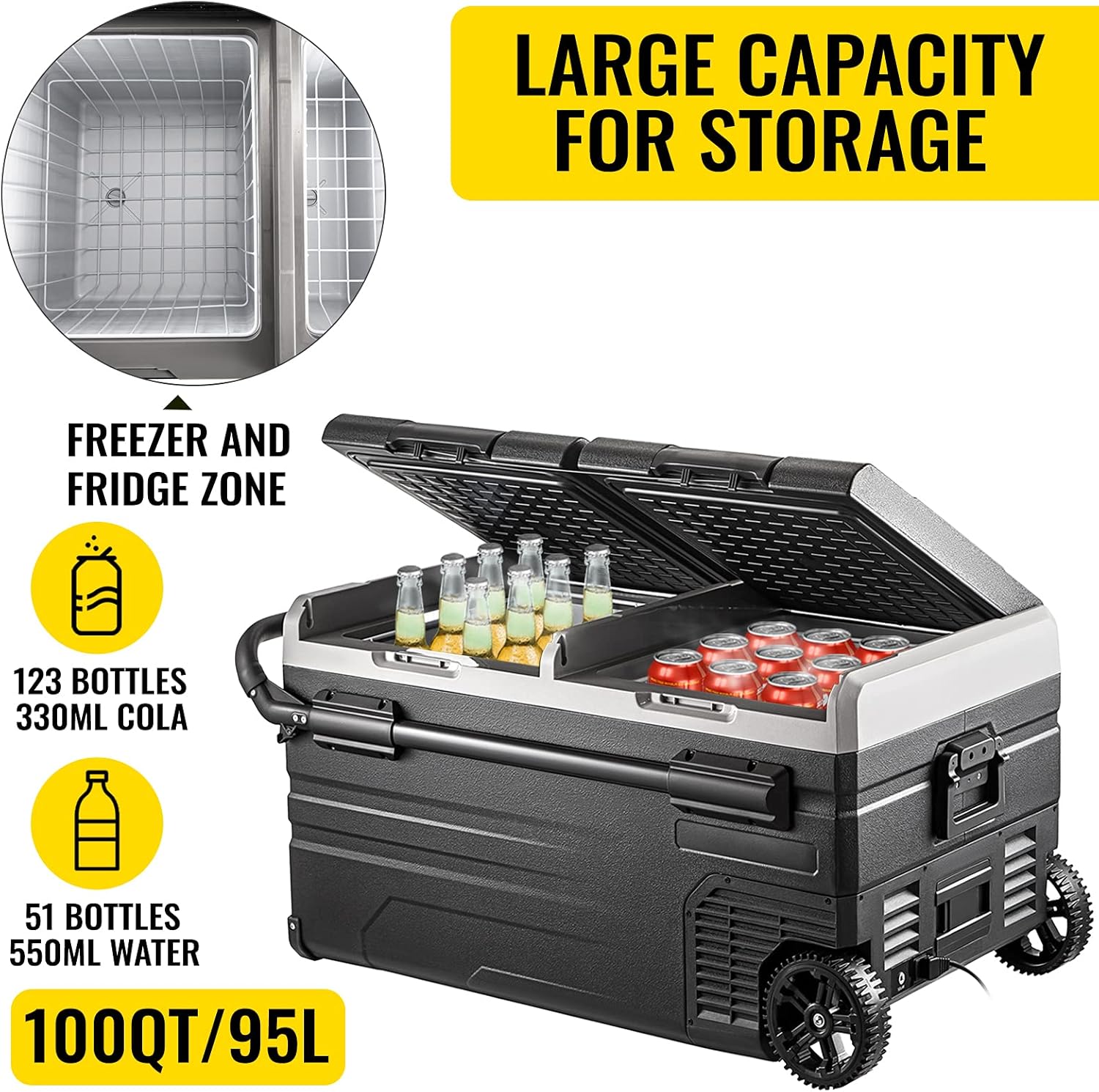
Image: Visual representation of the refrigerator's large storage capacity.
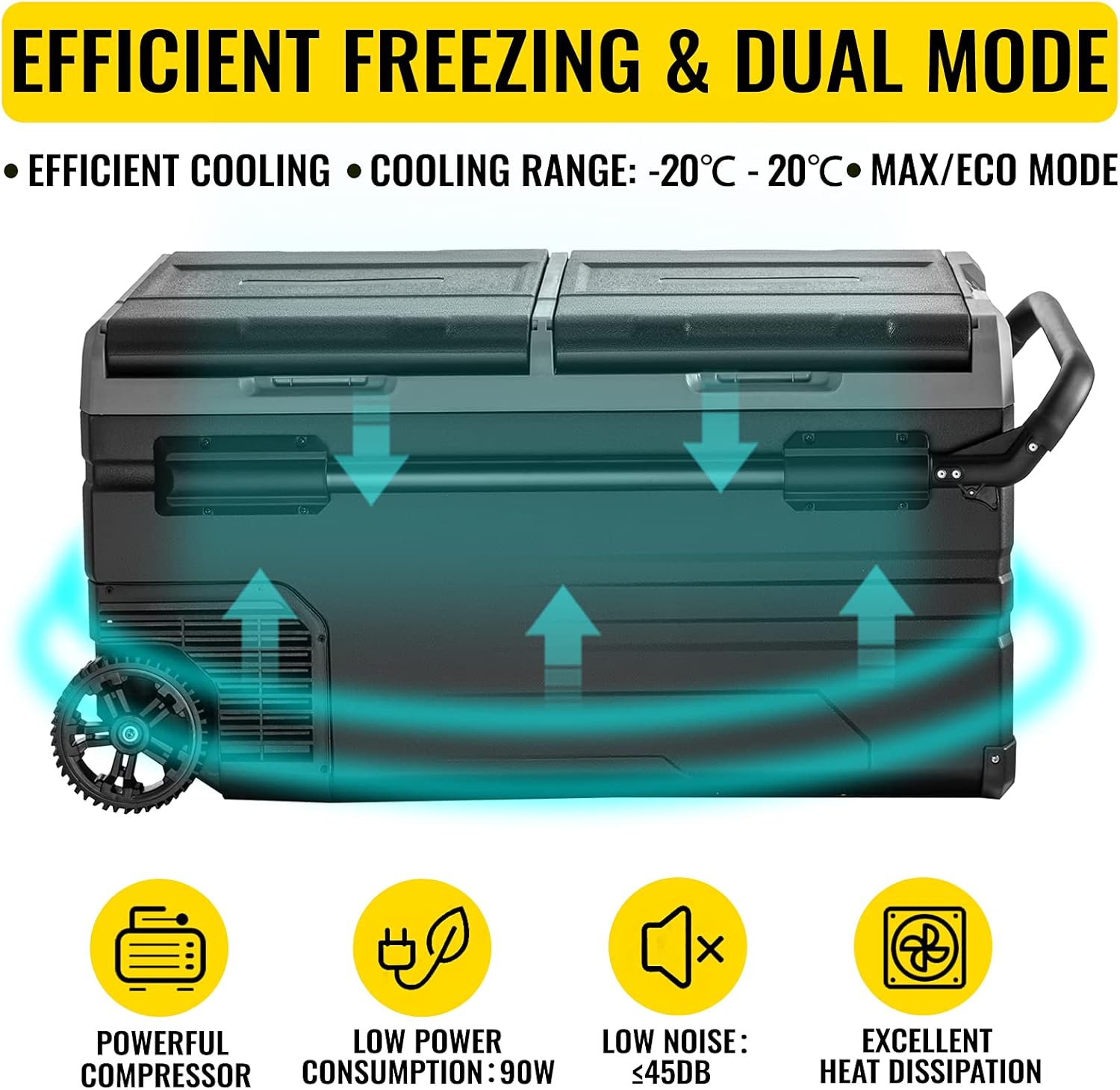
Image: Explanation of the efficient cooling system and dual operating modes.

Image: Close-up view of the thoughtful design elements of the refrigerator.
5. Setup
5.1 Initial Placement
Place the portable refrigerator on a flat, stable surface. Ensure there is adequate space around the unit for proper ventilation, especially around the compressor area.
5.2 Power Connection
Connect the appropriate power cord (AC for home use, DC for car use) to the power input port on the refrigerator. Then, plug the other end into a suitable power outlet (100-240V AC or 12/24V DC).
5.3 Car Battery Protection Settings
The unit features a 3-level car battery protection function (Low, Mid, High) to prevent your vehicle's battery from being completely drained. Adjust this setting via the control panel or mobile app based on your battery's capacity and usage needs. Higher settings offer more protection but may cause the unit to shut off sooner if battery voltage drops.

Image: Illustration of the car battery protection feature.
6. Operating Instructions
6.1 Control Panel Overview
The precise LCD control panel allows you to manage all functions of the refrigerator. Refer to the image below for button functions.

Image: Detailed view of the control panel and its various functions.
6.2 Power On/Off
Press the Power On/Off button to turn the unit on or off.
6.3 Temperature Setting
Use the Increase (+) and Decrease (-) buttons to adjust the desired temperature for each zone. The display shows the current temperature of both the left (L) and right (R) zones. The temperature range is -20℃ to 20℃ (-4℉ to 68℉).
6.4 Mode Selection (MAX/ECO)
Press the SET button to cycle through different operating modes. Select MAX for rapid cooling or ECO for energy-saving operation.
6.5 Mobile App Control
The refrigerator can be controlled via a mobile app. Ensure Bluetooth is enabled on your device and follow the app's instructions to pair with the refrigerator. This allows you to adjust settings remotely.
7. Maintenance
7.1 Cleaning
To clean the interior, disconnect the power and use a damp cloth with mild detergent. Do not use abrasive cleaners. The bottom drain hole allows for quick water drainage, simplifying the cleaning process.
7.2 Storage
When not in use for extended periods, ensure the unit is clean and dry. Store it in a cool, dry place with the lids slightly ajar to prevent odors and mold growth.
8. Troubleshooting
If you encounter issues with your VEVOR Portable Refrigerator, refer to the following common troubleshooting steps:
- Unit not turning on: Check power connections (AC/DC cords), ensure they are securely plugged in. Verify the power source is active. Check the car battery protection setting if using DC power; a low battery voltage might trigger the protection shutdown.
- Not cooling effectively: Ensure the lids are properly sealed. Check for obstructions around the ventilation grilles. Verify the temperature settings are appropriate for your needs. Ensure the ambient temperature is not excessively high.
- Unusual noises: A slight humming sound from the compressor is normal. If you hear loud or unusual noises, ensure the unit is on a stable, flat surface and nothing is obstructing the fan.
- Temperature display issues: If the display is erratic or not showing correct temperatures, try restarting the unit. Ensure the control panel is clean and free from moisture.
For persistent issues or error codes not listed, please contact VEVOR customer support.
9. Specifications
| Feature | Specification |
|---|---|
| Brand | VEVOR |
| Model | 100QT with wheel (Dual Zone Refrigerator) |
| Capacity | 95 Liters (100 Quart) |
| Temperature Range | -20℃ to 20℃ (-4℉ to 68℉) |
| Voltage | 12/24V DC, 100-240V AC |
| Wattage | 90 watts |
| Item Weight | 53 Pounds |
| Product Dimensions | 35 x 21 x 18 inches (35.3"D x 21"W x 18.3"H) |
| Material Type | ABS Plastic |
| Defrost System | Automatic |
| Special Features | App Control, Dual Zone, Car Battery Protection, Wheels |

Image: Dimensional overview of the VEVOR Portable Refrigerator.
10. Warranty and Support
VEVOR products typically come with a 1-year warranty from the date of purchase. For specific warranty details, technical support, or service inquiries, please refer to the official VEVOR website or contact their customer service directly. Keep your purchase receipt as proof of purchase.
A digital version of the user manual can often be found on the product page or VEVOR's support section: User Manual (PDF)
Ask a question about this manual
Ask about setup, troubleshooting, compatibility, parts, safety, or missing instructions. Manuals+ will review the question and use this page’s manual context to help answer it.