
1. Introduction
Thank you for choosing the AY Bluetooth Speaker. This portable, waterproof speaker is designed to deliver high-quality audio with vibrant light effects, perfect for any setting. Please read this manual carefully before use to ensure proper operation and to maximize your listening experience.

The AY Bluetooth Speaker, showcasing its colorful light features and waterproof design.
2. Package Contents
Please check the package for the following items:
- AY Bluetooth Speaker
- Battery Pack (pre-installed)
- Charging Cable (USB-C)
- User Manual
3. Product Overview
The AY Bluetooth Speaker features a robust, portable design with intuitive controls and dynamic lighting. Its IPX7 waterproof rating ensures durability in various environments.

Internal components of the speaker, highlighting its dual drivers for powerful sound.
Controls and Indicators:
- Power Button: Press and hold to turn on/off.
- Bluetooth Button: Press to enter pairing mode.
- Volume Up/Next Track: Short press for volume up, long press for next track.
- Volume Down/Previous Track: Short press for volume down, long press for previous track.
- Play/Pause Button: Press to play/pause music, answer/end calls. Double-click to activate/deactivate light show.
- Light Mode Button: Press to cycle through light modes.
- Charging Port: USB-C port for charging.
- AUX-in Port: For wired audio connection.
4. Setup
Initial Charging:
Before first use, fully charge the speaker. Connect the provided USB-C charging cable to the speaker's charging port and a compatible USB power adapter (not included). The charging indicator will show the charging status and turn off when fully charged. A full charge provides up to 24 hours of playtime.

The speaker offers extended playtime on a single charge.
Power On/Off:
- To power on, press and hold the Power button until you hear an audible prompt and the lights illuminate.
- To power off, press and hold the Power button again until the speaker shuts down.
5. Operating Instructions
Bluetooth Connection:
- Turn on the speaker. It will automatically enter Bluetooth pairing mode, indicated by a flashing light.
- Enable Bluetooth on your device (smartphone, tablet, etc.).
- Search for "AY-SPKF10" in your device's Bluetooth list and select it to connect.
- Once connected, you will hear a confirmation sound, and the light will stop flashing.
Wireless Stereo Pairing (TWS):
You can pair two AY Bluetooth Speakers together for an immersive stereo sound experience.
- Ensure both speakers are powered on and not connected to any Bluetooth device.
- On one speaker (this will be the primary speaker), double-click the Bluetooth button. It will search for the second speaker.
- The two speakers will automatically pair with each other. You will hear a confirmation sound once connected.
- Now, connect your device to the primary speaker via Bluetooth as described above. Both speakers will play synchronized audio.

Experience immersive audio with wireless stereo pairing.
Colorful Light Show:
The speaker features pulsating colorful LED lights that synchronize with the music.
- To activate the light show, double-click the Play/Pause button.
- To cycle through different light modes, press the Light Mode button.
- To deactivate the light show, double-click the Play/Pause button again.
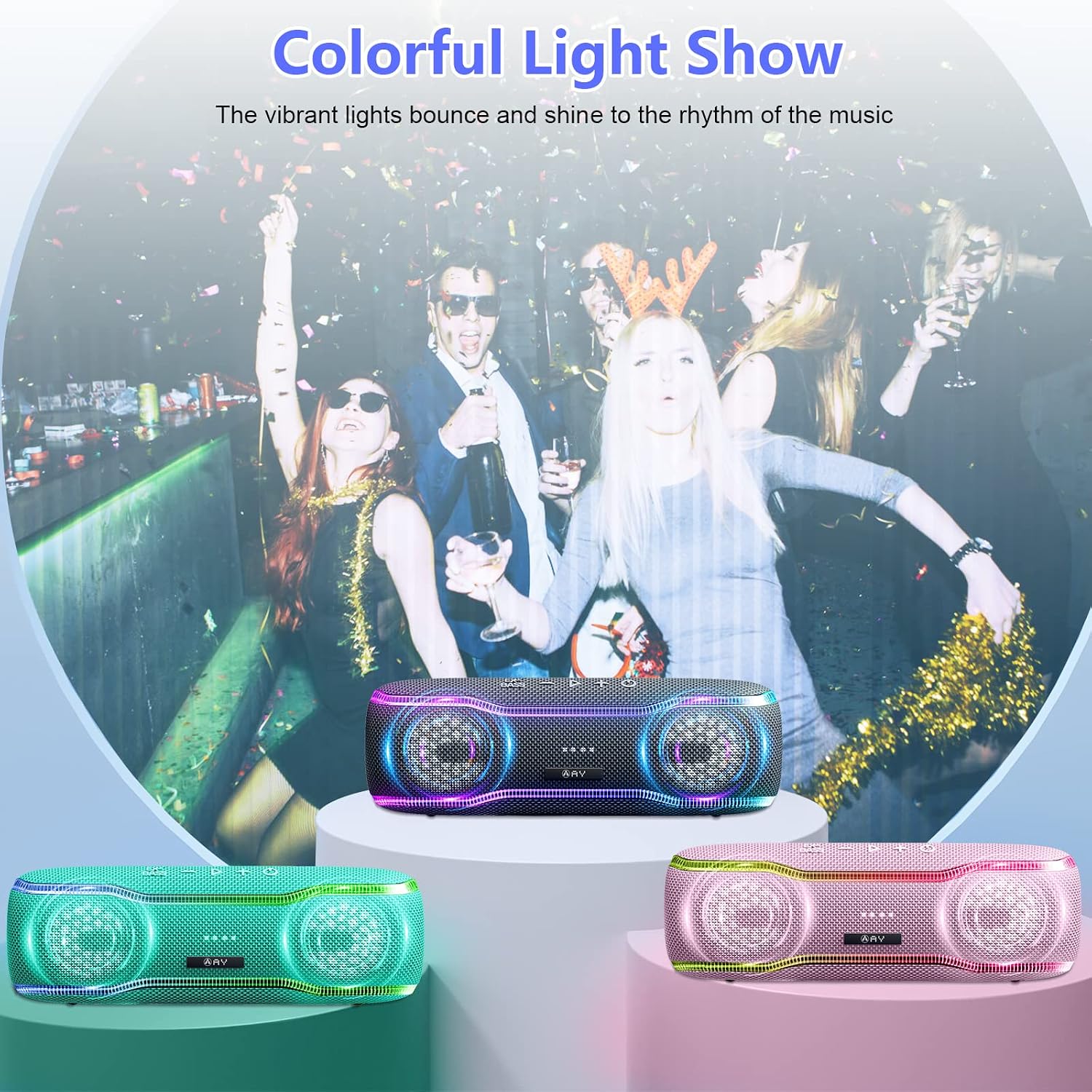
The vibrant lights enhance your party atmosphere.
Hands-free Calling:
With the built-in microphone, you can answer calls directly through the speaker.
- Answer Call: Press the Play/Pause button once.
- End Call: Press the Play/Pause button once during a call.
- Reject Call: Press and hold the Play/Pause button.
AUX-in Mode:
Connect non-Bluetooth devices using a 3.5mm audio cable (not included) to the AUX-in port. The speaker will automatically switch to AUX-in mode.
6. Maintenance
Cleaning:
Wipe the speaker with a soft, damp cloth. Do not use abrasive cleaners or solvents.
Waterproof Care (IPX7):
The speaker is IPX7 waterproof, meaning it can be submerged in up to 1 meter (3.3 feet) of water for up to 30 minutes. Ensure the charging port cover is securely closed before exposing the speaker to water. Do not expose to saltwater or other chemicals.

The speaker is designed to withstand splashes and temporary submersion.
7. Troubleshooting
- Speaker does not turn on: Ensure the battery is charged. Connect to a power source and try again.
- Cannot pair with Bluetooth device: Make sure the speaker is in pairing mode (flashing light). Turn off Bluetooth on your device and turn it back on. Forget the speaker from your device's Bluetooth list and try pairing again. Ensure no other devices are connected to the speaker.
- No sound: Check the volume level on both the speaker and your connected device. Ensure the speaker is properly connected via Bluetooth or AUX cable.
- Poor sound quality: Move the speaker closer to your Bluetooth device to avoid interference. Ensure the audio source is of good quality.
- Light show not working: Double-click the Play/Pause button to activate it.
8. Specifications
| Feature | Specification |
|---|---|
| Model Number | AY-SPKF10 |
| Brand | AY |
| Connectivity Technology | Bluetooth 5.3 |
| Maximum Speaker Output Power | 10 Watts |
| Audio Output Mode | Stereo |
| Frequency Response | 90 Hz |
| Special Features | Waterproof (IPX7), Integrated Microphone, Bass Enhancement, Colorful Light Show, Stereo Pairing |
| Battery | 1 D battery (included) |
| Playtime | Up to 24 hours (varies with volume and light use) |
| Product Dimensions | 22.3 x 7.3 x 7.3 cm |
| Weight | 551 Grams |
| Mounting Type | Tabletop |
| Recommended Uses | Outdoor, Music |
9. Safety Information
- Do not disassemble, repair, or modify the speaker.
- Keep away from extreme temperatures, direct sunlight, and open flames.
- Do not expose to strong magnetic fields.
- Use only the specified charging cable.
- Keep out of reach of children.
- Dispose of the product responsibly according to local regulations.
10. Warranty and Support
AY products are designed for reliability and performance. For any questions, technical support, or warranty claims, please contact your retailer or visit the official AY brand store for assistance.
AY Brand Store: https://www.amazon.de/stores/AY/page/71D3A974-A457-4FEB-BBE2-0F2D9AD92BEA


