
Introduction
This manual provides essential information for the proper use, care, and maintenance of your Nike Air Zoom Rival Fly 3 running shoes, model CT2405-001. Designed for training and racing, these shoes offer enhanced cushioning and durability for various running conditions.
Key Features
- Enhanced Cushioning: Updated foam provides softer cushioning than previous versions.
- Responsive Feel: Zoom Air unit under the forefoot delivers a bouncy sensation.
- Secure Fit: Traditional collar design ensures a comfortable fit around the heel.
- Durability: High-abrasion rubber on the sole and an overlay around the toes enhance longevity.
- Breathable Design: Mesh upper material offers lightweight breathability.
Setup and First Use
- Unboxing: Remove shoes from packaging. Inspect for any visible damage.
- Lacing: Ensure laces are properly threaded and tied to provide a snug, comfortable fit without excessive tightness. Adjust lacing tension to match your foot shape.
- Initial Fit Check: Wear the shoes with your preferred running socks. Walk around to assess comfort and fit. There should be about a thumb's width of space between your longest toe and the end of the shoe.

Image 1: Side view of the Nike Air Zoom Rival Fly 3 running shoe, showcasing its black upper, white midsole, and responsive design.
Operating (Usage Guidelines)
The Nike Air Zoom Rival Fly 3 is designed for road running, training, and racing. To maximize performance and longevity:
- Intended Use: Primarily for road running. While durable, avoid excessive use on rough trails or surfaces not intended for road running shoes.
- Break-in Period: Allow for a short break-in period, typically a few runs, for the shoes to conform to your feet.
- Rotation: Consider rotating with other running shoes to extend the lifespan of each pair, especially for high-mileage runners.
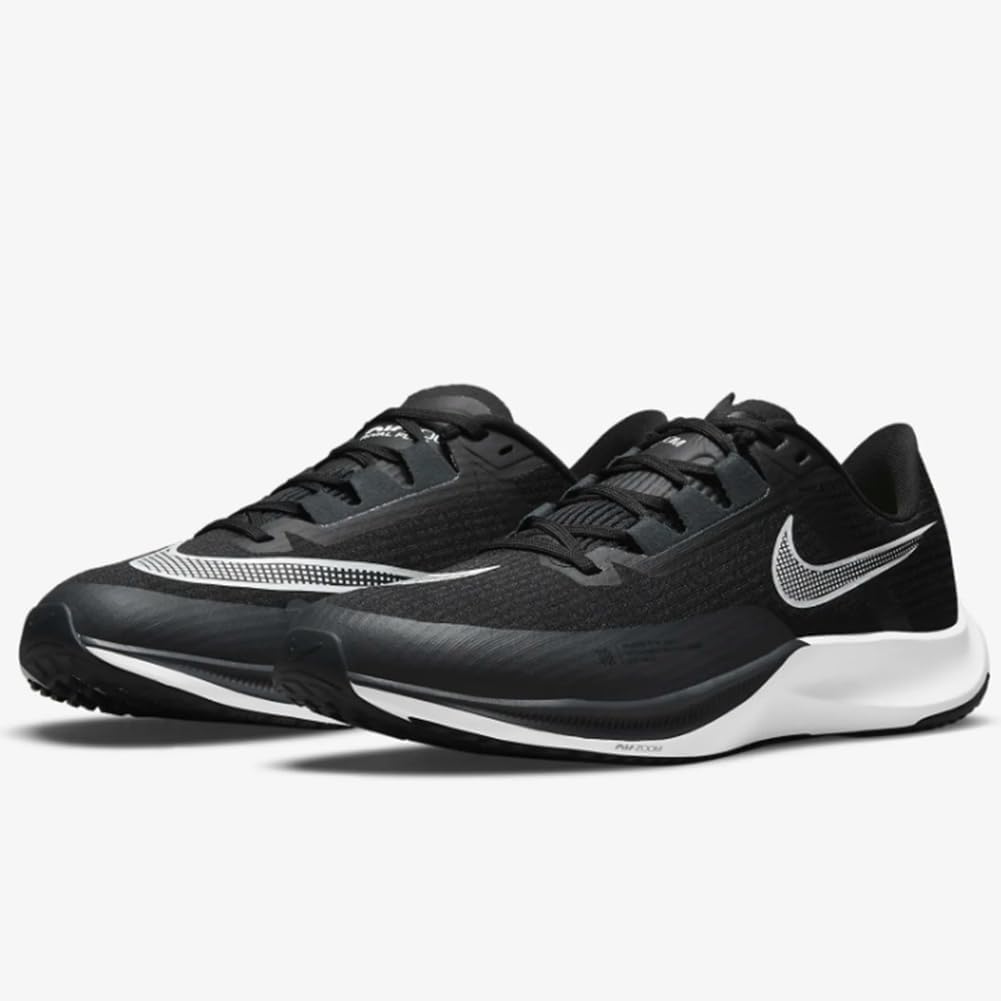
Image 2: A pair of Nike Air Zoom Rival Fly 3 shoes, showing the overall design and color scheme.
Maintenance and Care
Proper care extends the life of your running shoes:
- Cleaning:
- Surface Dirt: Gently brush off loose dirt with a soft brush.
- Stains: Use a mild soap and cold water with a soft cloth or sponge. Avoid harsh detergents.
- Laces: Laces can be removed and hand-washed separately.
- Drying: Air dry at room temperature. Do not use direct heat sources like radiators or tumble dryers, as this can damage materials. Stuff with paper towels to absorb moisture and help maintain shape.
- Storage: Store in a cool, dry place away from direct sunlight.
- Avoid: Do not machine wash or machine dry. Do not use bleach or harsh chemicals.
Troubleshooting
- Issue: Discomfort or rubbing.
- Solution: Ensure proper lacing. Check sock thickness. Verify correct shoe size using the provided size guide. Allow for a break-in period.
- Issue: Excessive wear on specific areas of the sole.
- Solution: This can indicate a natural running gait pattern. While the shoes are durable, consistent wear in one area may suggest it's time for replacement or a gait analysis.
- Issue: Shoes feel less responsive over time.
- Solution: Running shoes have a lifespan, typically 300-500 miles, after which cushioning and support degrade. Consider replacing your shoes.

Image 3: Rear view of the shoes, highlighting the heel structure and reflective elements.
Specifications
| Feature | Detail |
|---|---|
| Model Number | CT2405-001 |
| Sole Material | Rubber |
| Outer Material | Mesh |
| Closure Type | Lace-Up |
| Water Resistance Level | Not Water Resistant |
| Department | Mens |
| Approx. Weight | 1.15 Pounds (per pair, based on package dimensions) |

Image 4: Underside view of the sole, illustrating the rubber outsole and tread pattern designed for traction.
Warranty and Support
For information regarding product warranty or customer support, please refer to the official Nike website or contact Nike customer service directly. Keep your proof of purchase for any warranty claims.
Official Nike Website: www.nike.com


