
Introduction
This manual provides detailed instructions for the assembly, operation, and maintenance of your AKORD Ana Computer Desk. Please read all instructions carefully before beginning assembly and retain this manual for future reference.
The AKORD Ana Computer Desk is designed for optimal workspace utilization, featuring a keyboard tray, three drawers, one storage compartment with a door, and two open storage compartments. Its compact dimensions (124 x 74 x 52 cm) make it suitable for various spaces, including small offices, student rooms, or apartments.
Safety Information
- Ensure all components are securely fastened before use.
- Do not exceed the maximum recommended load capacity of 45 kg (99.2 lbs).
- Keep small parts away from children during assembly to prevent choking hazards.
- Assemble the desk on a soft, clean surface to prevent scratches.
- Always lift the desk with assistance; do not drag it to avoid damage or injury.
Package Contents
Verify that all parts are present before beginning assembly. If any parts are missing or damaged, contact customer support.
- Desk panels (laminated 16mm thick furniture board with ABS edges)
- 3 Drawer units with metal slides
- 1 Keyboard tray with metal slides
- 1 Door with metal hinges
- Assembly hardware kit (screws, dowels, cam locks, etc.)
- Assembly instructions (included)

Image: Detailed diagram illustrating the dimensions of the desk and its components.
Setup and Assembly
The AKORD Ana Computer Desk is designed for easy assembly. It is recommended that two people assemble the desk. All necessary mounting tools are included.
- Unpack Components: Carefully unpack all parts and lay them out on a clean, soft surface to prevent scratches. Identify each panel and hardware piece.
- Assemble Frame: Follow the included assembly instructions to connect the main desk panels. Pay attention to the orientation of each piece.
- Install Drawer Slides: Attach the metal drawer slides to the designated side panels and drawer boxes. Ensure they are aligned correctly for smooth operation.
- Assemble Drawers: Construct the three drawers using the provided hardware. Insert the assembled drawers into their respective slots, ensuring they slide freely.
- Install Keyboard Tray: Attach the metal slides for the keyboard tray and then secure the keyboard tray itself.
- Attach Door: Mount the door to the storage compartment using the metal hinges. Adjust hinges as needed for proper alignment.
- Final Checks: Once assembled, gently move the desk to its desired location. Ensure all screws and fasteners are tightened.

Image: The computer desk with drawers and door open, illustrating the storage compartments.
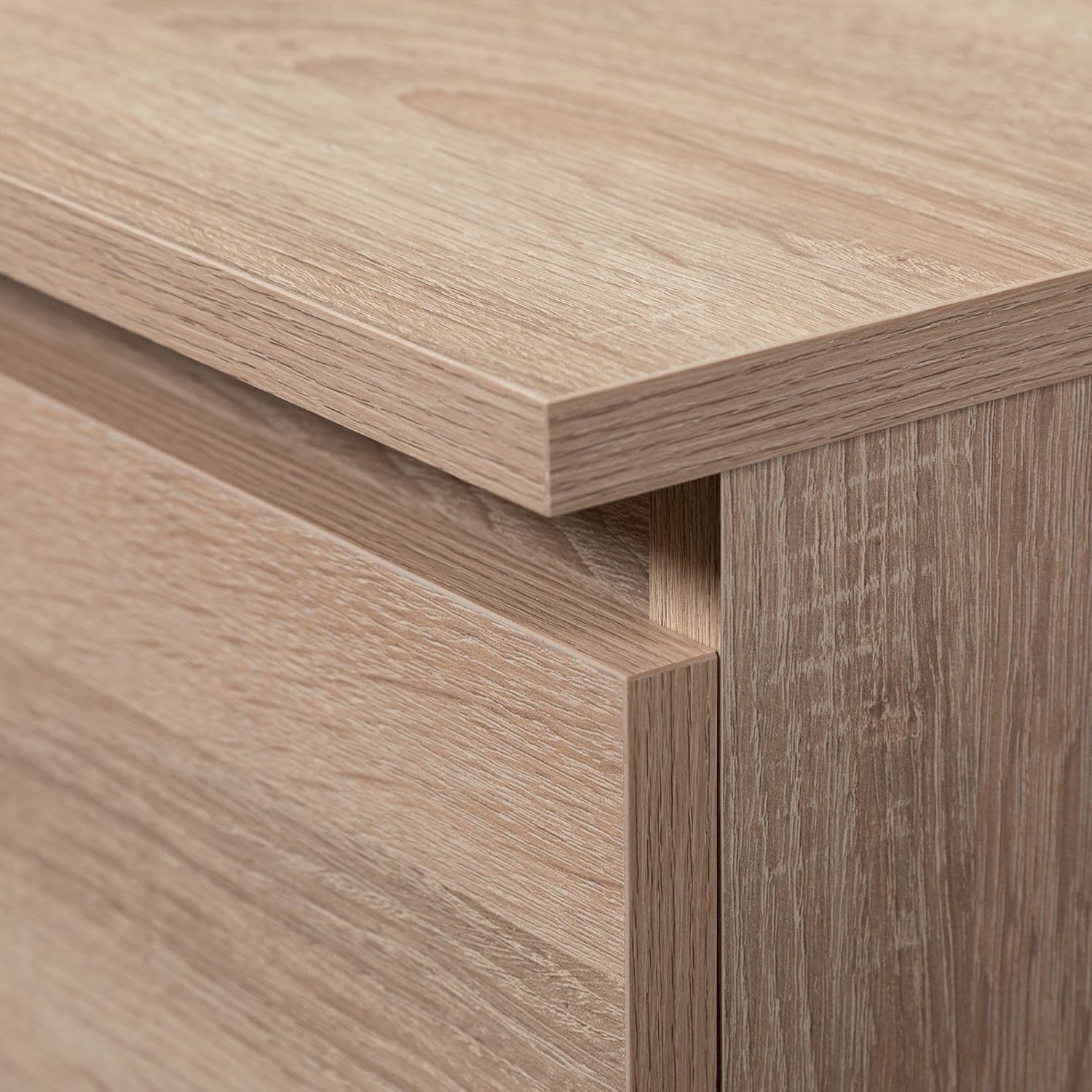
Image: A close-up of the metal ball-bearing drawer slides, highlighting their robust construction.
Operating Instructions
The AKORD Ana Computer Desk is designed for straightforward use in a home or office environment.
- Keyboard Tray: The pull-out keyboard tray provides convenient access for your keyboard and mouse. Slide it out when in use and push it back in to save space.
- Drawers: Utilize the three smooth-gliding drawers for storing office supplies, documents, or personal items.
- Storage Compartments: The desk includes one closed compartment with a door and two open shelves, offering versatile storage options for books, binders, or decorative items.
- Leg Room: The desk provides ample legroom with a width of 53 cm and a height of 61 cm, ensuring comfortable use.

Image: The AKORD Ana Computer Desk set up with a computer, chair, and accessories, demonstrating its functional use.
Maintenance
To ensure the longevity and appearance of your AKORD Ana Computer Desk, follow these simple maintenance guidelines:
- Cleaning: The laminated surface is easy to clean. Wipe with a dry dust cloth or a damp cloth. For more stubborn dirt, use a standard furniture cleaner. Avoid abrasive cleaners or harsh chemicals.
- Spills: Wipe up spills immediately to prevent staining or damage to the laminated surface.
- Hardware: Periodically check all screws and fasteners to ensure they remain tight. Tighten if necessary.
- Avoid Direct Sunlight: Prolonged exposure to direct sunlight can cause fading or discoloration of the finish.
- Heat Protection: Use coasters or protective pads under hot items to prevent heat damage.

Image: A close-up view of the desk's laminated surface and ABS edge banding, illustrating its durable finish.
Troubleshooting
| Problem | Possible Cause | Solution |
|---|---|---|
| Drawers do not slide smoothly. | Misaligned slides or loose screws. | Check alignment of drawer slides and tighten all screws. Ensure no obstructions are present. |
| Desk wobbles. | Loose connections or uneven floor. | Verify all assembly hardware is tightened. If the floor is uneven, use furniture pads or shims to stabilize. |
| Door does not close properly. | Misaligned hinges. | Adjust the metal hinges to ensure proper door alignment and closure. |
| Missing parts during assembly. | Packaging error. | Contact customer support with your purchase details for replacement parts. |
Specifications
| Brand | AKORD |
| Model | Ana |
| Dimensions (L x W x H) | 124 x 74 x 52 cm (48.8 x 29.1 x 20.5 inches) |
| Weight | 44.4 kg (97.9 lbs) |
| Color | Sonoma Oak |
| Material | Engineered Wood (Laminated furniture board, 16mm thick), Metal (slides, hinges), Plastic (ABS edges) |
| Number of Drawers | 3 |
| Keyboard Tray | Yes, with metal slides |
| Storage Compartments | 1 with door, 2 open shelves |
| Max Load Capacity | 45 kg (99.2 lbs) |
| Assembly Required | Yes (Recommended 2 persons) |
| Leg Room Dimensions | Width: 53 cm, Height: 61 cm |
Warranty Information
Specific warranty details for the AKORD Ana Computer Desk are not provided within this manual. Please refer to your purchase documentation or contact the retailer/manufacturer directly for warranty terms and conditions.
Support
For further assistance, missing parts, or technical inquiries, please contact AKORD customer support through the retailer where the product was purchased. Have your product model and purchase date ready when contacting support.


