
FirstPower NP-F750/F770
FirstPower NP-F750 Battery and 4-Channel Charger Instruction Manual
Introduction
This manual provides comprehensive instructions for the safe and efficient use of your FirstPower NP-F750 4-pack batteries and 4-channel charger. Please read this manual thoroughly before use and retain it for future reference.
What's Included

This image displays the complete package contents, including the 4 NP-F750 batteries, the 4-channel charger, an AC cable, and a cleaning cloth, neatly arranged with their packaging.
- 4 x NP-F750 Batteries
- 1 x 4-Channel Charger
- 1 x AC Cable
- 1 x Cleaning Cloth
Product Features
- High Capacity Batteries: Each NP-F750 battery features 5600mAh 7.4V premium lithium-ion cells, providing extended power for compatible devices.
- No Memory Effect: Designed for consistent performance without degradation from partial charges.
- Certified Safety: CE/FCC/RoHS certifications ensure safe and reliable operation.
- 4-Channel Fast Charger: Simultaneously charges up to four batteries with dynamic power adjustment (8.4V/2A for 1-2 batteries, 8.4V/1A for 3-4 batteries).
- Multi-Protection System: Built-in safeguards against over-charging, over-current, over-voltage, short-circuit, over-discharge, and overheating.
- Smart LED Display: Clear indicators show charging status (red for charging, green for fully charged).
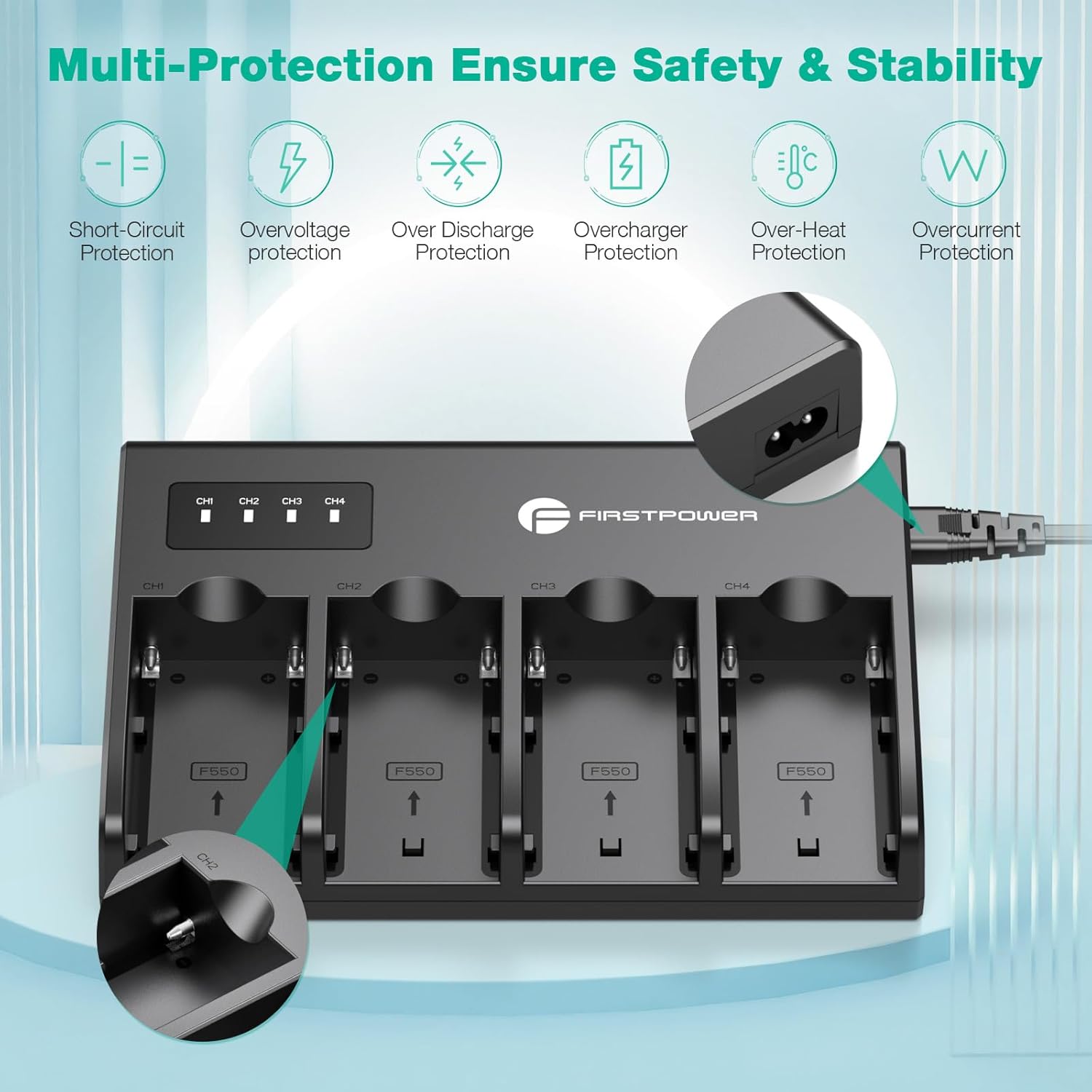
This image highlights the multi-protection features of the charger, including safeguards against short-circuit, overvoltage, over-discharge, overcharger, over-heat, and overcurrent, ensuring safe battery charging.
Compatibility
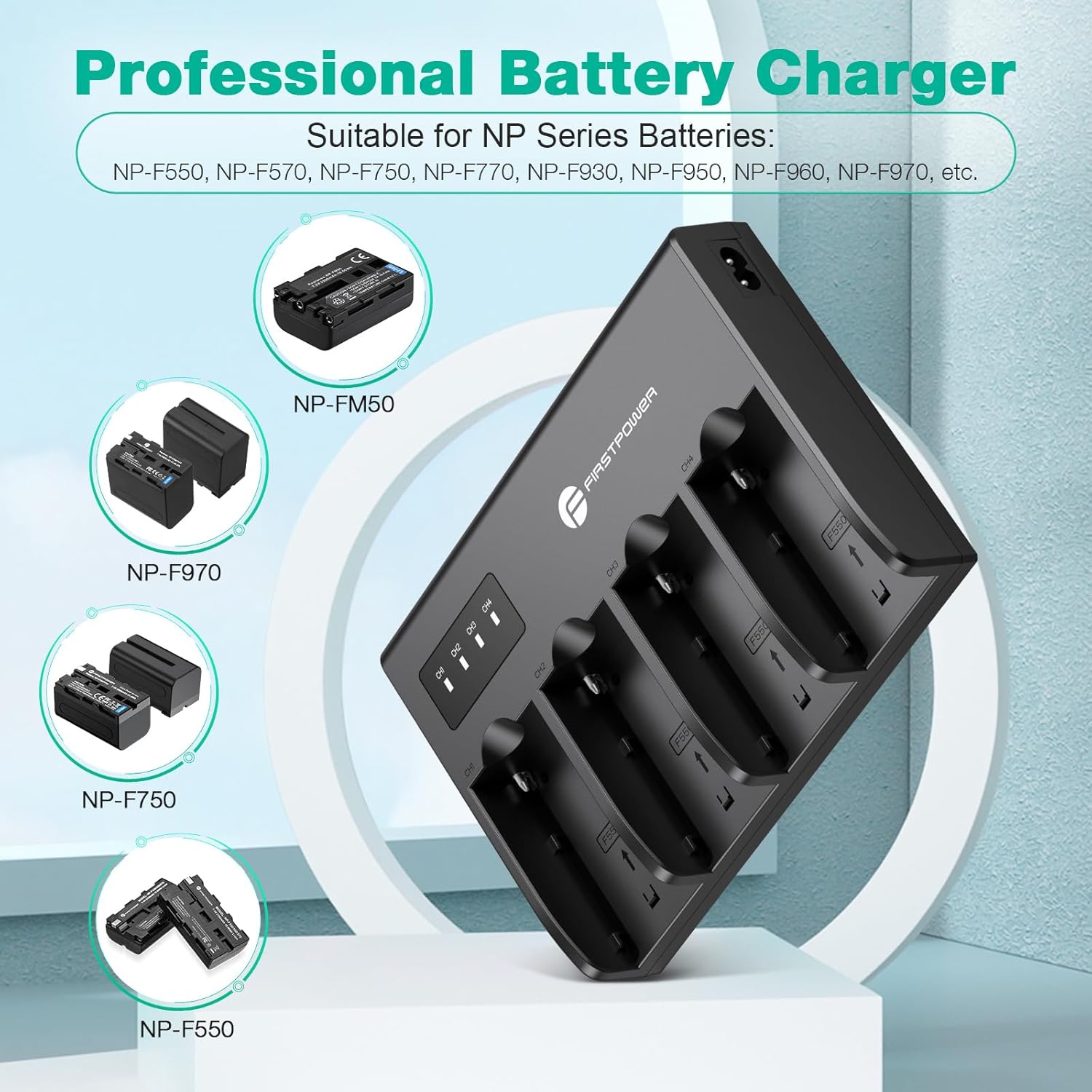
The FirstPower NP-F750 batteries and charger are designed as direct replacements for Sony NP-F550, F570, F750, F770, F960, and F970 batteries. They are compatible with a wide range of devices using Sony NP-F mounting batteries, including:
- Sony Camcorders: DCR-VX2100, DSR-PD150, DSR-PD170, FDR-AX1, HDR-AX2000, HDR-FX1, HDR-FX7, HDR-FX1000, HVL-LBPB, HVR-HD1000U, HVR-V1U, HVR-Z1P, HVR-Z1U, HXR-MC2000U, MVC-FDR1, NEX-EA50UH, NEX-FS100U, NEX-FS700U.
- Other Devices: Various LED video lights and monitors that utilize NP-F series batteries.
This image illustrates the wide range of applications for the NP-F750 batteries, including camcorders, video lights, ring lights, and external monitors, demonstrating their versatility in photographic and video equipment.
Setup Instructions
- Unpack Components: Carefully remove the 4-channel charger, AC cable, and NP-F750 batteries from their packaging.
- Connect Power: Insert one end of the AC cable into the charger's power input port and the other end into a standard wall outlet (100-240VAC, 50/60Hz).
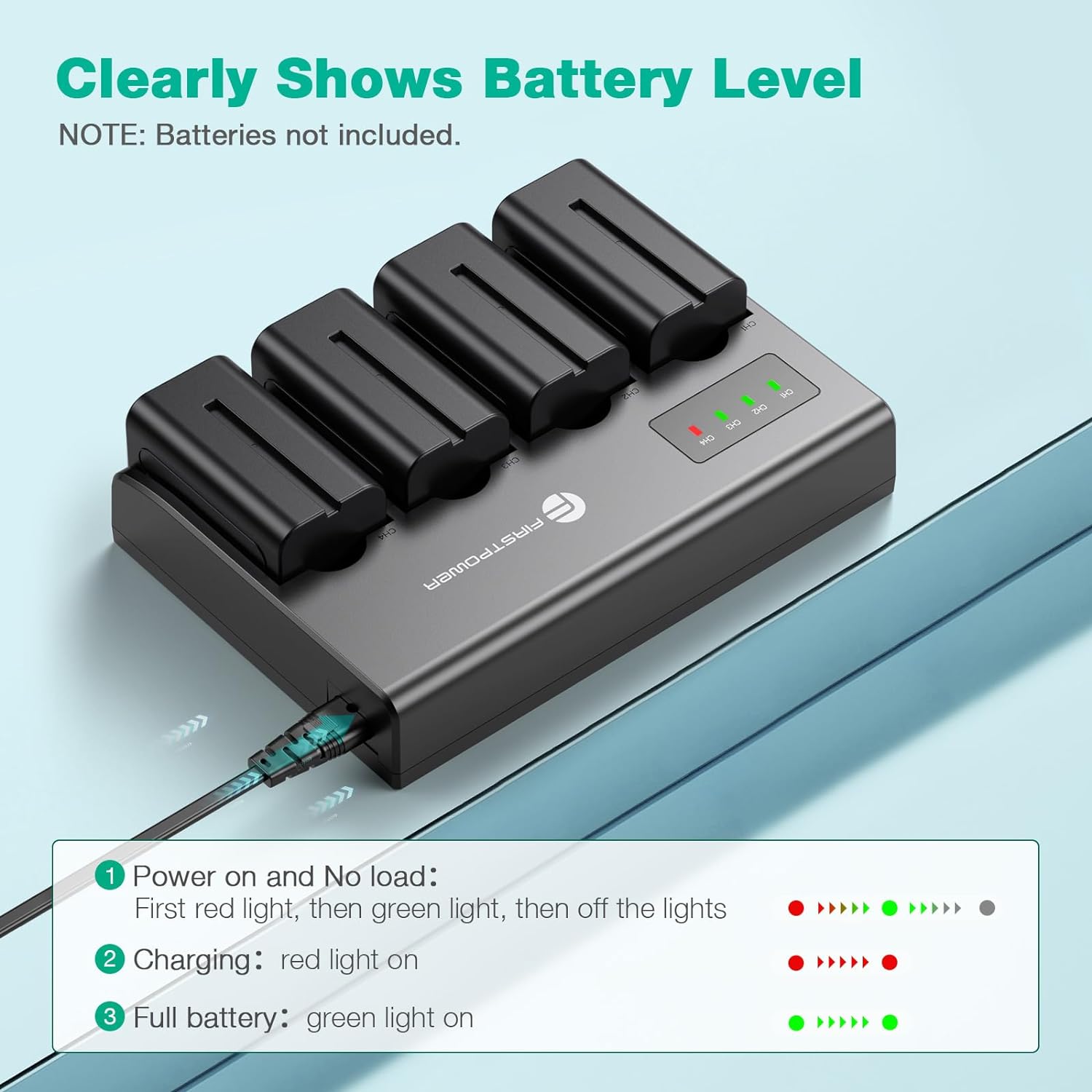
- Initial Power On: When the charger is powered on without batteries, the LED indicators will briefly light up (red then green) and then turn off, indicating standby mode.

This image shows the 4-channel charger with four NP-F750 batteries inserted into their respective slots, and the AC power cable connected, ready for charging.
Operating Instructions
- Insert Batteries: Gently slide the NP-F750 batteries into the charging slots of the 4-channel charger. Ensure they are correctly oriented.
- Monitor Charging Status:
- A red light indicates the battery is currently charging.
- A green light indicates the battery is fully charged.
- Charging Output: The charger dynamically adjusts its output:
- 8.4V / 2A (for 1-2 batteries)
- 8.4V / 1A (for 3-4 batteries)
- Remove Batteries: Once fully charged (green light), carefully remove the batteries from the charger.
- Using Batteries: Insert the charged NP-F750 batteries into your compatible camcorder, LED video light, or monitor.

This image details the LED indicator behavior on the charger: red light for charging, green light for fully charged, and the initial red-then-green-off sequence for no-load power-on, providing clear visual cues for battery status.
Instructional Video
This video demonstrates the features and usage of the FirstPower NP-F750 battery kit, including battery specifications, charger operation, and compatibility with various devices. It provides a visual guide to setting up and using the product effectively.
Maintenance
- Cleaning: Use the provided cleaning cloth or a soft, dry cloth to wipe the batteries and charger. Avoid using liquid cleaners or solvents.
- Storage: Store batteries and charger in a cool, dry place away from direct sunlight and extreme temperatures. For long-term storage, charge batteries to approximately 50-70% capacity.
- Avoid Damage: Do not drop, disassemble, or expose the batteries or charger to moisture.
Troubleshooting
| Problem | Possible Cause | Solution |
|---|---|---|
| Charger LEDs do not light up. | No power supply or faulty AC cable. | Ensure the AC cable is securely connected to both the charger and a working power outlet. Try a different outlet or cable if available. |
| Battery not charging (red LED not on). | Battery not inserted correctly or battery fault. | Re-insert the battery, ensuring proper alignment. Check if the battery is damaged. Try a different battery in the same slot or the same battery in a different slot. |
| Batteries drain quickly after charging. | Battery aging or heavy power consumption by device. | Battery capacity naturally decreases over time. Ensure your device settings are optimized for power efficiency. Consider replacing older batteries. |
| Charger or batteries become excessively hot during charging. | Poor ventilation or internal fault. | Ensure the charger is in a well-ventilated area. Discontinue use immediately if overheating occurs and contact customer support. |
Specifications
This image displays the input and output specifications of the FirstPower 4-channel charger, showing an input of 100-240VAC 50/60Hz, 0.6A MAX, and outputs of 8.4V==2A for 1 or 2 batteries, and 8.4V==1A for 3 or 4 batteries.
- Battery Type: Lithium-ion
- Battery Capacity: 5600mAh (each NP-F750 battery)
- Battery Voltage: 7.4V
- Charger Input: 100-240VAC, 50/60Hz, 0.6A MAX
- Charger Output:
- 8.4V / 2A (for 1-2 batteries)
- 8.4V / 1A (for 3-4 batteries)
- Number of Charging Ports: 4
- Color: Black
- Model Number: NP-F750/F770
Warranty and Support
Manufacturer's Warranty: This product is covered by a manufacturer’s warranty for 90 days from the date of purchase.
Return Policy: A 30-day refund policy is available from the point of purchase.
Customer Service: For any questions, advice, or support, please contact FirstPower customer service. 24/7 customer service is available to assist you.
For further assistance, please visit the official FirstPower store: FirstPower Store on Amazon.
Ask a question about this manual
Ask about setup, troubleshooting, compatibility, parts, safety, or missing instructions. Manuals+ will review the question and use this page’s manual context to help answer it.