
Introduction
This manual provides detailed instructions for the setup, operation, and maintenance of your NiUFFiT P39W Smartwatch. Please read this guide thoroughly to ensure proper use and to maximize the device's features.

Image: The NiUFFiT P39W Smartwatch, featuring a black strap and a rectangular display showing time and activity metrics.
Setup
1. Package Contents
- NiUFFiT P39W Smartwatch
- Magnetic Charging Cable
- User Manual
2. Charging the Device
Before first use, fully charge your smartwatch. The device comes with a 220mAh battery, providing approximately 7-10 days of normal use and up to 21 days standby time on a single 2.5-hour charge.
- Connect the magnetic charging cable to the charging contacts on the back of the smartwatch.
- Plug the USB end of the cable into a standard USB power adapter (not included) or a computer's USB port.
- The watch display will indicate charging status.
- Once fully charged, disconnect the cable.

Image: Depicts the smartwatch being charged magnetically, alongside icons illustrating IP68 waterproofing, sleep monitoring, and battery life statistics (10 days normal use, 15 days standby, 2 hours charging time).
3. App Installation
To unlock the full functionality of your smartwatch, install the 'GloryFit' application on your smartphone.
- Scan the QR code provided in the manual or search for 'GloryFit' in your smartphone's app store (Google Play Store for Android, Apple App Store for iOS).
- Download and install the application.
- Ensure your smartphone meets the minimum requirements: iOS 9.0 or higher, or Android 5.0 or higher.
4. Device Pairing
Pair your smartwatch with the 'GloryFit' app to synchronize data and enable notifications.
- Enable Bluetooth on your smartphone.
- Open the 'GloryFit' app and create an account or log in.
- Follow the in-app instructions to add a new device. The app will search for your smartwatch.
- Select 'P39W' from the list of available devices to establish the connection.
- Confirm the pairing request on both your smartphone and the smartwatch if prompted.
Operating Instructions
1. Basic Navigation
The NiUFFiT P39W features a 1.78-inch TFT full touch screen with 320x385 pixel resolution for intuitive interaction.
- Wake Screen: Raise your wrist or press the side button to wake the screen.
- Swipe Up/Down: Navigate through menus and notifications.
- Swipe Left/Right: Access quick functions or widgets.
- Tap: Select an item or confirm an action.
- Long Press: Customize watch faces (refer to app for more options).

Image: Displays various customizable watch faces on the smartwatch and a smartphone screen showing the 'GloryFit' app interface for watch face customization, highlighting the 1.78-inch TFT full touch screen with 320x385 pixel resolution.
2. Notifications
Receive call, message, and app notifications directly on your smartwatch when paired with your smartphone.
- Ensure Bluetooth is active and the watch is connected to the 'GloryFit' app.
- Enable desired app notifications within the 'GloryFit' app settings.
- The watch will vibrate and display incoming calls, text messages, and alerts from applications like Facebook, Twitter, and Instagram.
- Note: The smartwatch does not support replying to messages or making calls directly.
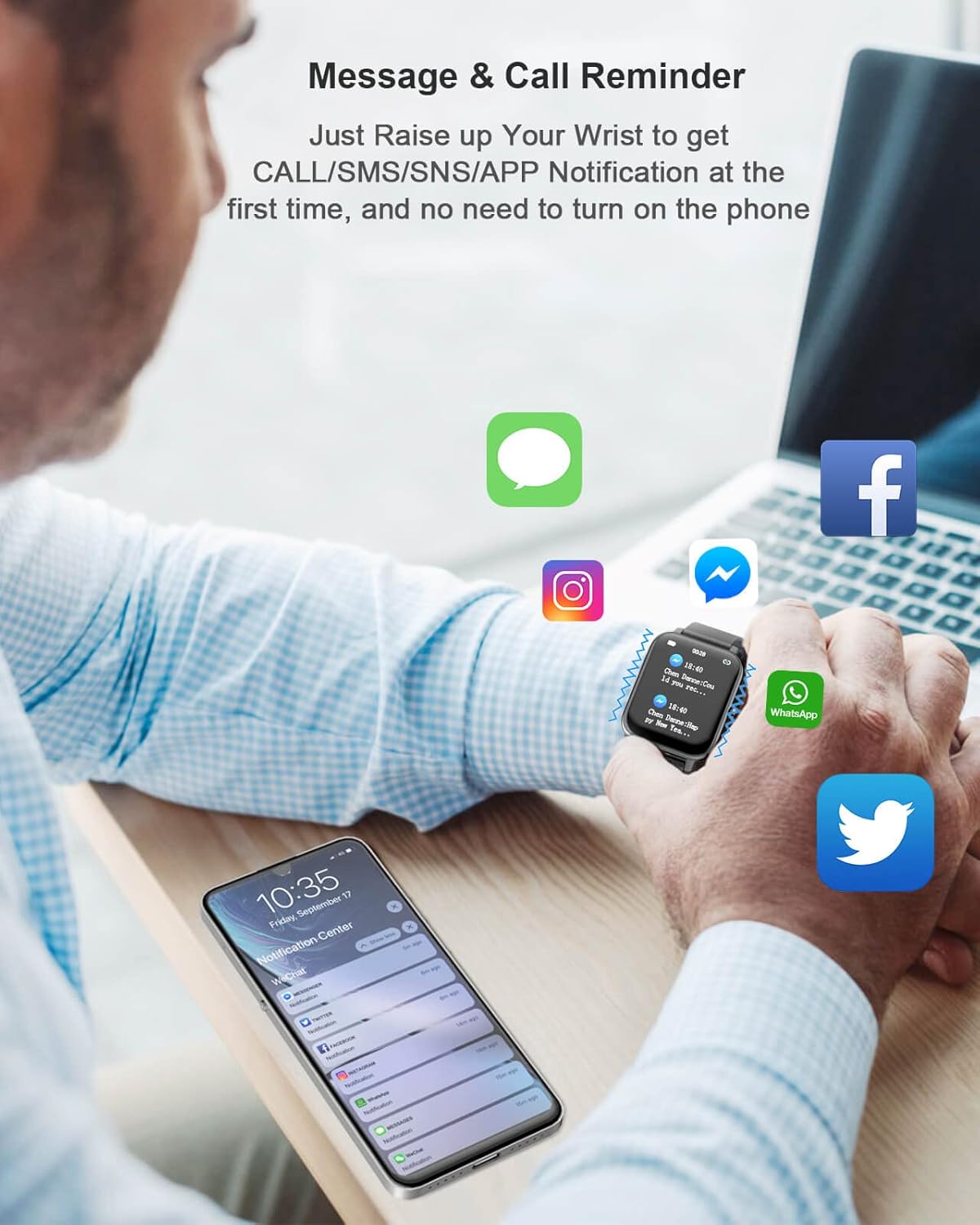
Image: A person wearing the smartwatch, which displays a notification. Various app icons (iMessage, Instagram, Messenger, WhatsApp, Twitter, Facebook) float around, indicating notification support. A smartphone screen in the foreground shows a notification center.
3. Health Monitoring
The smartwatch provides comprehensive health tracking features.
- Heart Rate Monitoring: Accurately tracks your 24-hour heart rate.
- Blood Oxygen (SpO2) Monitoring: Measures blood oxygen levels.
- Blood Pressure Monitoring: Provides blood pressure readings.
- Sleep Quality Monitoring: Analyzes sleep patterns, including deep sleep, light sleep, and awake times.
- Pedometer: Tracks steps taken throughout the day.
- Calorie Tracker: Estimates calories burned.
- Distance Tracker: Records distance covered.
Access detailed health data and historical trends within the 'GloryFit' app.

Image: A person wearing the smartwatch during exercise, with the watch displaying a heart rate graph. Icons for SpO2, sleep, calories, and heart rate are shown, emphasizing the device's health tracking capabilities.
4. Sports Modes
The smartwatch supports 24 sports modes to track your activity and fitness goals.
- Select your desired sport mode on the watch interface.
- The watch will record time, heart rate, and calories burned for activities such as running, rope skipping, cycling, spinning, dance, sit-ups, jumping jacks, Yoga, various ball sports, swimming, walking, rugby, football, alpinism, badminton, basketball, boating, cricket, volleyball, table tennis, outdoor running, indoor running, and more.

Image: A person holding a tennis racket, wearing the smartwatch. An infographic displays 24 different sports icons, representing the various activity tracking modes available on the device.
5. Other Features
- Weather Display: View current weather conditions.
- Sedentary Reminder: Alerts you to move after periods of inactivity.
- GPS Tracking: Utilizes smartphone GPS for route tracking during outdoor activities.
- Stopwatch & Timer: For precise timing.
- Alarm Clock: Set silent vibrating alarms.
- Drinking Reminder: Prompts you to stay hydrated.
- Music Control: Control music playback on your smartphone.
- Search Watch: Locate your watch if misplaced (via app).
- Women's Menstrual Cycle Tracking: Supports tracking and predictions.
Maintenance
1. Cleaning
- Wipe the watch and strap regularly with a soft, dry cloth.
- For stubborn dirt, use a slightly damp cloth and then dry thoroughly.
- Avoid using harsh chemicals or abrasive materials.
2. Water Resistance (IP68)
The NiUFFiT P39W Smartwatch is IP68 water-resistant, meaning it can withstand immersion in water up to 1.5 meters for 30 minutes. It is suitable for showering and swimming.
- Do not use the watch in hot water, saunas, or steam rooms, as steam can penetrate the seals.
- After exposure to water, especially saltwater, rinse the watch with fresh water and dry it thoroughly.
- Avoid pressing buttons underwater.
Troubleshooting
| Issue | Possible Solution |
|---|---|
| Watch not turning on | Ensure the watch is fully charged. Connect to the charger for at least 30 minutes. |
| Cannot pair with smartphone | Ensure Bluetooth is enabled on your phone. Restart both the watch and phone. Check app permissions for Bluetooth. Make sure the watch is not paired with another device. |
| Notifications not received | Verify the watch is connected to the 'GloryFit' app. Check app notification settings on both the watch app and your phone's system settings. Ensure the app is running in the background. |
| Inaccurate health data | Ensure the watch is worn snugly on your wrist, about one finger's width from the wrist bone. Avoid excessive movement during measurements. Clean the sensor on the back of the watch. |
| Short battery life | Reduce screen brightness. Limit frequent screen wake-ups. Disable unnecessary notifications. Ensure background app usage is optimized on your phone. |
Specifications
| Feature | Detail |
|---|---|
| Model | P39W |
| Brand | NiUFFiT |
| Display | 1.78-inch TFT Full Touch Screen |
| Resolution | 320 x 385 pixels |
| Battery Capacity | 220mAh Lithium Polymer |
| Battery Life (Normal Use) | 7-10 days |
| Standby Time | Up to 21 days |
| Charging Time | Approximately 2.5 hours |
| Water Resistance | IP68 |
| Connectivity | Bluetooth |
| Compatible OS | Android 5.0+ / iOS 9.0+ |
| App Name | GloryFit |
| Sensors | Heart Rate Monitor, SpO2 Sensor, Blood Pressure Sensor, Pedometer |
| Item Weight | 141 g |
Warranty and Support
For warranty information and customer support, please refer to the documentation included with your purchase or contact the retailer. Specific warranty terms may vary by region and purchase date.
