1. Introduction
This manual provides essential information for the safe and effective operation, maintenance, and troubleshooting of your Ingco AG200018 Industrial Angle Grinder. Please read this manual thoroughly before using the tool to ensure your safety and prolong the life of the product. Keep this manual in a safe place for future reference.
2. Safety Instructions
Always follow basic safety precautions to reduce the risk of fire, electric shock, and personal injury. Failure to follow these instructions may result in serious injury.
General Power Tool Safety
- Work Area Safety: Keep the work area clean and well-lit. Cluttered or dark areas invite accidents. Do not operate power tools in explosive atmospheres, such as in the presence of flammable liquids, gases, or dust.
- Electrical Safety: Power tool plugs must match the outlet. Never modify the plug in any way. Avoid body contact with earthed or grounded surfaces such as pipes, radiators, ranges, and refrigerators.
- Personal Safety: Always wear eye protection. Use personal protective equipment such as dust masks, non-skid safety shoes, hard hats, or hearing protection when appropriate. Dress properly; avoid loose clothing or jewelry.
Angle Grinder Specific Safety
- Use Proper Guards: Always use the wheel guard provided with the tool. Ensure it is securely attached and adjusted for maximum safety.
- Select Correct Accessories: Only use grinding, cutting, or polishing discs that are rated for the grinder's speed and size (180mm). Ensure discs are correctly mounted and tightened.
- Maintain Control: Always hold the grinder firmly with both hands. Be prepared for kickback, especially when working on edges or corners.
- Ventilation: Ensure adequate ventilation when grinding metal, as sparks and fumes can be produced.
- Inspect Workpiece: Secure the workpiece. Never hold small pieces by hand.
3. Product Features
The Ingco AG200018 Industrial Angle Grinder is designed for demanding tasks, offering robust performance and user comfort.
- High-Performance 2000W Motor: The powerful 2000-watt motor delivers impressive performance, allowing the tool to handle a variety of grinding, cutting, and sanding tasks with increased power.
- 180mm Grinding Capacity: This angle grinder accommodates 180mm discs, making it suitable for versatile applications across various industries, including welding, deburring, rust removal, polishing, casting, automotive, and motorcycles.
- Comfortable Soft Grip Design: The ergonomic soft grip handle ensures comfortable and continuous operation over long periods, reducing user fatigue.
- High Rotational Speed: Operates at a maximum speed of 8450 RPM for efficient material removal.

Figure 3.1: Product Features Overview. This diagram highlights key components such as the lock button, sturdy housing, power cord, air vent, angle handle, wheel guard, and disc adjustment mechanism.

Figure 3.2: Design and Performance. This image illustrates the grinder's comfortable grip, strong performance, ergonomic design, sturdy material construction, and ease of use.
4. Setup
Proper setup is crucial for safe and efficient operation.
4.1 Unpacking and Inspection
- Carefully remove all contents from the packaging.
- Inspect the tool for any damage that may have occurred during shipping. Do not operate if damaged.
- Verify that all included components are present: 1 x Angle Grinder, 1 x Spanner, 1 x Safety Guard, 1 x Auxiliary Handle, 1 x Hex Key, 2 x Carbon Brushes, and 1 x User Manual.
4.2 Attaching the Auxiliary Handle
The auxiliary handle can be attached to either side of the gear housing for left or right-handed operation. Screw the handle firmly into the threaded hole until secure.
4.3 Installing/Changing the Grinding Disc
- Ensure the tool is unplugged from the power source.
- Press and hold the spindle lock button (refer to Figure 3.1).
- Using the provided spanner, loosen the outer flange nut by turning it counter-clockwise.
- Remove the outer flange nut and the old disc (if applicable).
- Place the new 180mm grinding or cutting disc onto the inner flange, ensuring it sits flush.
- Replace the outer flange nut and tighten it clockwise with the spanner while holding the spindle lock button. Do not overtighten.
4.4 Adjusting the Wheel Guard
The wheel guard protects against sparks and debris. Adjust its position by loosening the guard clamp screw, rotating the guard to the desired position, and then securely tightening the screw.
5. Operating Instructions
Follow these steps for safe and effective operation of your angle grinder.
5.1 Power Connection
Connect the power cord to a suitable electrical outlet. Ensure the voltage matches the tool's requirements (typically 220-240V for this region).
5.2 Starting and Stopping the Tool
- To Start: Press the ON/OFF switch. For continuous operation, engage the lock-on button (if available on your model).
- To Stop: Release the ON/OFF switch. If the lock-on button is engaged, press and release the switch to disengage it.
5.3 Proper Grip and Posture
Always hold the angle grinder firmly with both hands, one on the main handle and one on the auxiliary handle. Maintain a balanced stance and keep your body clear of the rotating disc.
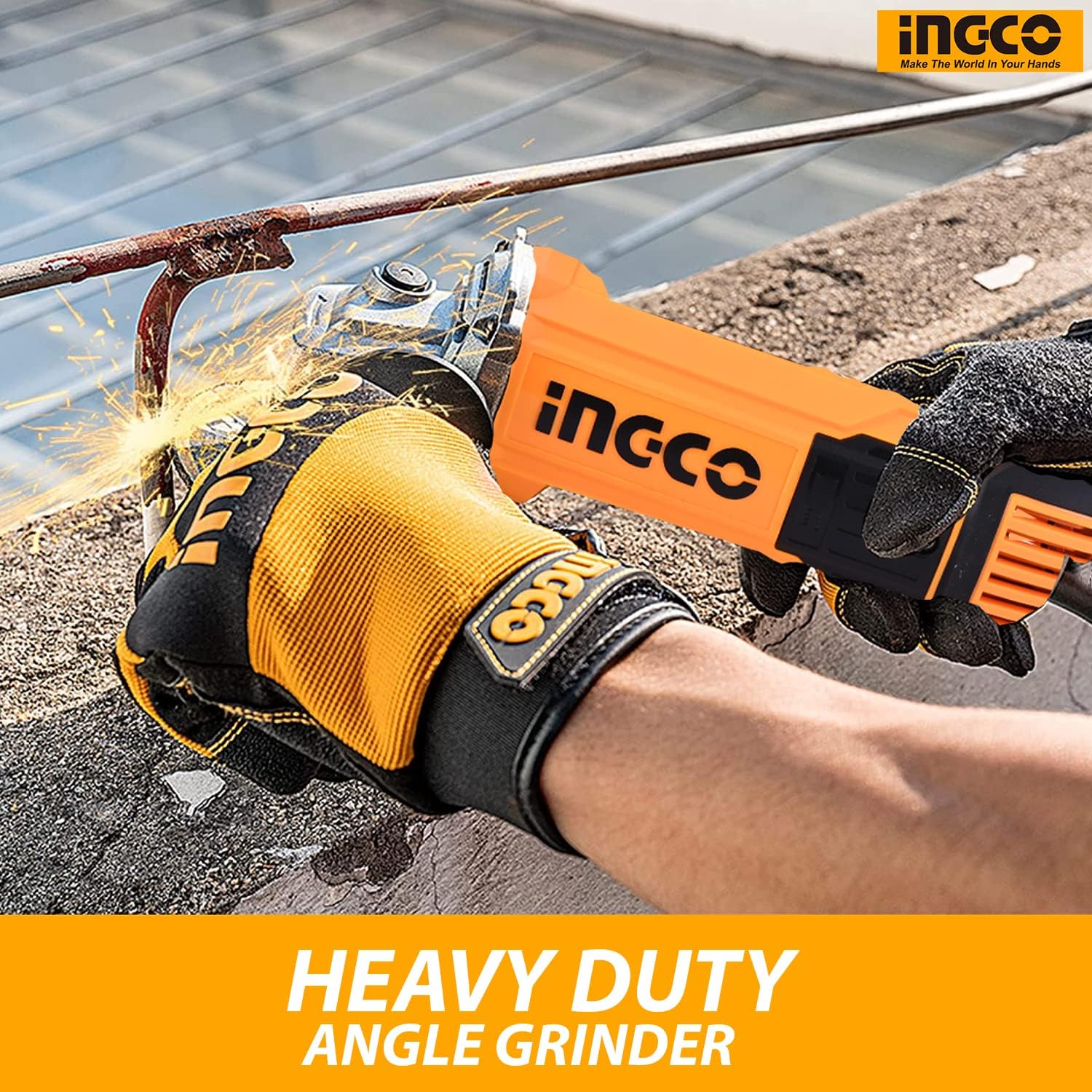
Figure 5.1: Angle Grinder in Operation. This image demonstrates the proper two-handed grip and use of the angle grinder for heavy-duty tasks, emphasizing safety gear like gloves.
5.4 Grinding, Cutting, and Polishing Techniques
- Grinding: Apply light, even pressure. Allow the tool's speed to do the work. Move the grinder smoothly across the surface.
- Cutting: Use a cutting disc. Make shallow passes, gradually increasing depth. Do not force the disc.
- Polishing: Use appropriate polishing pads and compounds. Maintain consistent pressure and movement for an even finish.
6. Maintenance
Regular maintenance ensures optimal performance and extends the life of your tool.
6.1 Cleaning
- Always unplug the tool before cleaning.
- Use a soft brush or compressed air to clean dust and debris from the air vents (refer to Figure 3.1) and housing.
- Do not use water or chemical cleaners.
6.2 Power Cord and Housing Inspection
Regularly inspect the power cord for cuts, fraying, or damage. Check the tool's housing for cracks or loose parts. If any damage is found, have the tool serviced by a qualified technician.
6.3 Carbon Brush Replacement
The angle grinder is supplied with extra carbon brushes. Carbon brushes wear down over time and need replacement when they reach their wear limit. Refer to the detailed instructions in the full service manual or consult a qualified technician for replacement.
6.4 Storage
Store the tool in a dry, secure place, out of reach of children and away from direct sunlight or extreme temperatures.
7. Troubleshooting
This section addresses common issues you might encounter.
| Problem | Possible Cause | Solution |
|---|---|---|
| Tool does not start | No power supply; Faulty switch; Worn carbon brushes | Check power connection; Test outlet; Replace switch; Replace carbon brushes. |
| Excessive vibration | Damaged or unbalanced disc; Loose disc or flanges | Replace disc; Ensure disc and flanges are securely tightened. |
| Poor performance/Overheating | Overloading the tool; Blocked air vents; Worn carbon brushes | Reduce load; Clean air vents; Replace carbon brushes. |
If you encounter problems not listed here or if the suggested solutions do not resolve the issue, contact qualified service personnel.
8. Specifications
Key technical specifications for the Ingco AG200018 Industrial Angle Grinder.

Figure 8.1: Product Dimensions. This diagram shows the approximate dimensions of the angle grinder: 18 inches in length, 5 inches in height, and 7.5 inches in width.
| Specification | Value |
|---|---|
| Manufacturer | Ingco |
| Model Number | AG200018 |
| Power Source | Corded Electric |
| Wattage | 2000 Watts |
| Maximum Rotational Speed | 8450 RPM |
| Disc Diameter | 180 mm |
| Item Weight | 1.5 Kilograms |
| Product Dimensions (L x W x H) | 20 x 10 x 5 cm (approx. 18 x 7.5 x 5 inches) |
| Material | Metal, Tool |
| Color | Orange |
| Batteries Required | No |
9. Warranty and Support
Ingco products are manufactured to high-quality standards. For information regarding the standard product warranty, please refer to the warranty card included with your purchase or contact your local Ingco dealer.
Extended Warranty Options
Extended protection plans may be available for purchase separately. These plans can offer additional coverage beyond the standard manufacturer's warranty. Examples include:
- 1-Year Extended Warranty
- 2-Year Extended Warranty
- 1-Year Accidental Damage Protection
For details on purchasing or claiming these extended warranties, please refer to the specific plan provider's documentation.
Customer Support
If you have any questions, require technical assistance, or need to order spare parts, please contact Ingco customer support or your authorized service center. Always provide the model number (AG200018) and serial number (if applicable) when contacting support.


