
Introduction
This manual provides essential information for the setup, operation, and maintenance of your Fantech SPEEDSLIK MP453 Gaming Mouse Pad. Designed for optimal gaming performance, the MP453 features a unique SPEEDSLIK cloth surface for fast and smooth mouse movements, combined with durability and user comfort. Please read these instructions carefully to ensure proper use and longevity of your product.
Key Features
- SPEEDSLIK Cloth Surface: Engineered with low static and kinetic friction for rapid and fluid mouse gliding.
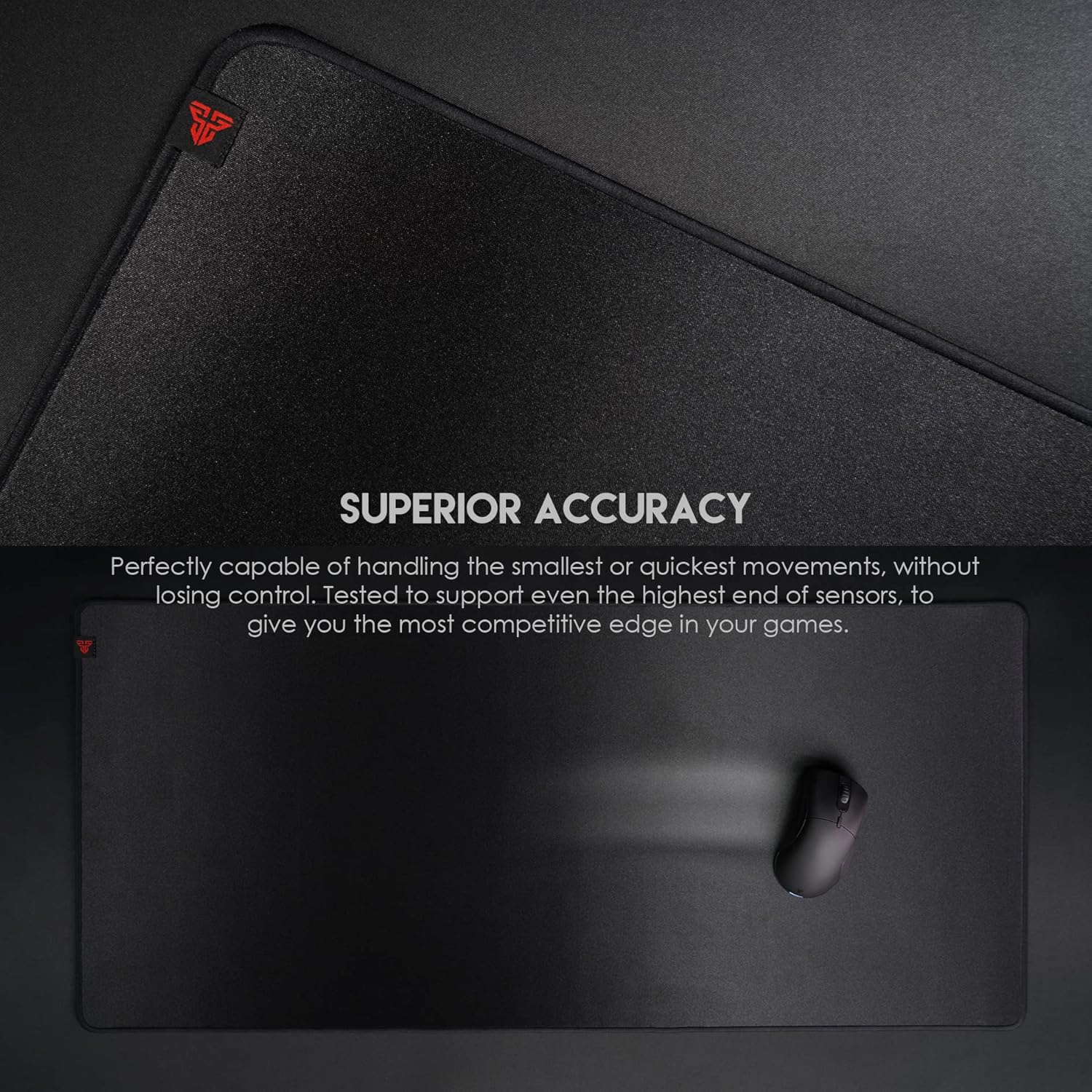
- Optimized Gaming Surface: Capable of handling precise small movements and quick, sweeping actions without loss of control, supporting high-end sensors.
- Spill-Proof and Stain-Resistant: Liquids bead on the surface, allowing for easy cleaning after spills.
- Ultra-Soft Stitched Edge: Provides comfort during extended use and prevents surface peeling.
- Anti-Slip Rubber Base: A 4mm thick, flat rubber base ensures stability on various desk surfaces.

Setup
- Unpack the Mouse Pad: Carefully remove the Fantech SPEEDSLIK MP453 from its packaging.
- Flattening the Pad: Due to packaging, the mouse pad may initially have a slight curl. To ensure it lies perfectly flat, gently roll the pad in the opposite direction of its original curl and leave it for a few hours, or overnight. This helps the rubber base relax and conform to a flat surface.
- Placement: Choose a clean, flat surface on your desk for optimal performance. The anti-slip rubber base is designed to grip most desk materials securely.
- Positioning: Place your mouse pad in a position that allows for comfortable and unrestricted mouse movement during use.

Operating Instructions
The Fantech SPEEDSLIK MP453 is engineered to enhance your mouse's performance, providing a consistent and responsive surface for all types of mouse sensors.
- Optimized for Speed and Control: The SPEEDSLIK fabric offers a balance of low friction for fast glides and sufficient control for precise aiming. This allows for quick adjustments and accurate tracking in gaming scenarios.
- Sensor Compatibility: The surface material is tested to work effectively with a wide range of optical and laser gaming mouse sensors, ensuring consistent tracking without skipping or stuttering.
- Consistent Performance: The uniform texture across the entire pad ensures that your mouse performs predictably, regardless of where you are on the surface.

Maintenance
To maintain the performance and appearance of your Fantech SPEEDSLIK MP453 Gaming Mouse Pad, follow these simple cleaning guidelines:
- Spill Cleaning: The mouse pad features a spill-resistant surface. In case of liquid spills, liquids will bead up. Gently wipe away the liquid with a clean, dry cloth immediately.
- General Cleaning: For dust or minor dirt, use a soft, damp cloth to wipe the surface. Avoid harsh chemicals or abrasive cleaners, as these can damage the surface material.
- Deep Cleaning (if necessary): The mouse pad is washable. For deeper cleaning, hand wash with mild soap and cold water. Rinse thoroughly and allow it to air dry completely before use. Do not machine wash or tumble dry.
- Avoid Folding: Do not fold the mouse pad sharply, as this can create permanent creases. When storing, roll it loosely.

Troubleshooting
If you encounter any issues with your Fantech SPEEDSLIK MP453 Gaming Mouse Pad, consider the following common solutions:
- Mouse Pad Not Lying Flat: If the pad does not lie completely flat after unpacking, gently roll it in the opposite direction of its original packaging curl. Leave it unrolled on a flat surface for several hours or overnight. The rubber base will typically relax and flatten out.
- Mouse Tracking Issues: Ensure the mouse pad surface is clean and free of dust or debris. Clean the optical or laser sensor of your mouse. If issues persist, try using the mouse pad on a different surface to rule out desk irregularities.
- Edges Peeling: The Fantech SPEEDSLIK MP453 features durable stitched edges designed to prevent peeling. If you notice any fraying, ensure the pad is not being subjected to excessive friction or sharp objects along its edges.

Specifications
| Attribute | Detail |
|---|---|
| Brand | FANTECH |
| Model | MP453 (Agile MP453) |
| Dimensions | 450 x 350 x 4 mm (17.7 x 13.8 x 0.16 inches) |
| Material | Rubber (Base), Nylon (Surface) |
| Special Features | Anti-slip, Waterproof, Washable, Stitched Edges |
| Recommended Use | Office, Gaming |
Warranty Information
Specific warranty details for the Fantech SPEEDSLIK MP453 Gaming Mouse Pad are not explicitly provided in the product information. However, the product is typically covered by a 30-day return policy from the date of purchase, allowing for refunds or replacements in case of defects or dissatisfaction. For detailed warranty terms and conditions, please refer to the retailer's policy where the product was purchased or contact Fantech customer support directly.
Support
For further assistance, technical support, or inquiries regarding your Fantech SPEEDSLIK MP453 Gaming Mouse Pad, please visit the official Fantech website or contact their customer service department. Keep your purchase receipt or proof of purchase handy when seeking support.
You can often find support resources, FAQs, and contact information on the manufacturer's official website: www.fantechworld.com


