
1. Product Overview
The Ankrs Smart Aroma Diffuser (Model GXZ-X909) is designed to disperse essential oils and humidify your environment. Featuring a 600ml water tank, smart home compatibility with Alexa and Google Home, and customizable LED lighting, this BPA-free diffuser offers a quiet and pleasant experience. It includes an automatic shut-off function for safety when the water level is low.

Image 1: The Ankrs Smart Aroma Diffuser in green, showcasing its design and the accompanying mobile application interface for control.
2. Product Components
- Diffuser Unit (Base and Water Tank)
- Top Cover
- Power Adapter
- User Manual
3. Setup Instructions
- Unpack and Clean: Carefully remove the diffuser from its packaging. Wash all removable parts (water tank and cover) with warm, soapy water. Rinse thoroughly and dry.
- Fill Water Tank: Place the diffuser on a flat, stable surface. Remove the top cover. Gently fill the 600ml water tank with clean tap water up to the maximum fill line. Do not overfill.
- Add Essential Oil (Optional): If desired, add 3-5 drops of your preferred essential oil directly into the water tank. Adjust the amount based on personal preference and room size.
- Secure Cover and Connect Power: Replace the top cover securely onto the diffuser unit. Connect the power adapter to the diffuser's power input, then plug the adapter into a standard electrical outlet.
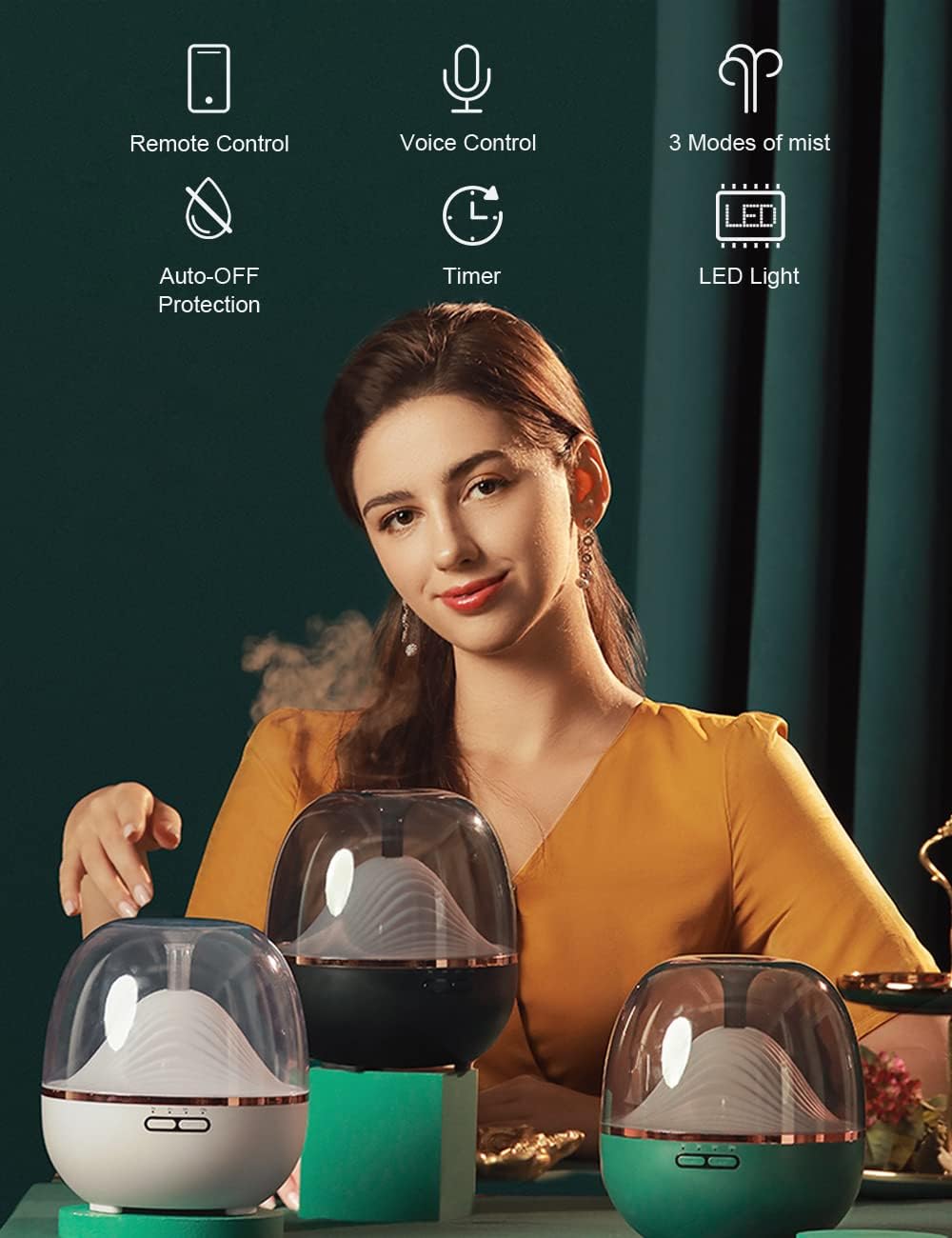
Image 2: An overview of the diffuser's key features, including remote control, voice control, automatic shut-off, timer, three mist modes, and LED lighting.
4. Operating Instructions
4.1 Basic Operation
- Power On/Off: Press the 'Mist' button to turn on the diffuser. Press again to cycle through mist modes or turn off.
- Mist Modes: The diffuser offers three mist modes: Low, Medium, and High. Cycle through these modes by pressing the 'Mist' button.
- LED Lighting: Press the 'Light' button to turn on the LED light. Press again to cycle through solid colors or gradient modes. Hold the button to turn off the light.
- Automatic Shut-off: The diffuser will automatically turn off when the water in the tank runs out.
4.2 Smart Control (App & Voice)
The Ankrs Smart Aroma Diffuser is compatible with the Smart Life application, Amazon Alexa, and Google Assistant. It supports 2.4 GHz Wi-Fi (IEEE 802.11b/g/n) only.
- App Control: Download the 'Smart Life' app from your smartphone's app store. Follow the in-app instructions to connect your diffuser to your home Wi-Fi network. Through the app, you can individually control mist intensity, LED lighting (on/off, color, brightness), and set timers or countdowns for operation.
- Voice Control: Once connected to the Smart Life app, link your Smart Life account to Amazon Alexa or Google Assistant. You can then use voice commands such as:
- "Alexa, turn on/off the diffuser."
- "Hey Google, set diffuser mist to high."
- "Alexa, change diffuser light to blue."

Image 3: Demonstrates voice control functionality with Amazon Alexa, allowing hands-free operation of the diffuser.

Image 4: Illustrates the multicolor LED light feature of the diffuser, showing various color options.

Image 5: Shows the timer and schedule function, allowing users to program the diffuser to turn on and off at specific times.
5. Maintenance
Regular cleaning is essential to ensure optimal performance and longevity of your diffuser.
- Daily Cleaning: After each use, empty any remaining water from the tank. Wipe the inside of the water tank and the lid with a clean, soft cloth.
- Weekly Deep Cleaning: Disconnect the power. Remove the top cover. Add a small amount of white vinegar (about 1 teaspoon) to the water tank and fill with clean water. Let it sit for 15-20 minutes. Drain the water and gently wipe the ultrasonic disc with a cotton swab to remove any mineral buildup. Rinse the tank thoroughly with clean water and dry all parts before reassembling.
- Do Not: Use harsh detergents, abrasive cleaners, or sharp objects to clean the diffuser. Do not immerse the main unit in water.
6. Safety Warnings
Please read and follow these safety warnings carefully to prevent injury or damage to the product.
- Avoid direct skin contact with undiluted essential oils.
- Keep out of reach of children and pets.
- Ensure proper ventilation when using the diffuser.
- Do not ingest essential oils.
- Always follow the instructions provided with the essential oils you are using.
- Do not place the diffuser on uneven surfaces or near heat sources.
- Only use the provided power adapter.
- Do not block the mist outlet.
- If the diffuser emits an unusual smell or sound, immediately unplug it and discontinue use.
7. Troubleshooting
If you encounter issues with your Ankrs Smart Aroma Diffuser, please refer to the following common solutions:
| Problem | Possible Cause | Solution |
|---|---|---|
| No mist or weak mist | Low water level; water tank or ultrasonic disc dirty; mist outlet blocked. | Refill water to max line; clean the water tank and ultrasonic disc; ensure mist outlet is clear. |
| Diffuser does not power on | Power adapter not connected; no power from outlet. | Ensure power adapter is securely plugged into both the diffuser and the wall outlet; test the outlet with another device. |
| Smart control not working | Incorrect Wi-Fi network (not 2.4 GHz); app not properly linked; diffuser not in pairing mode. | Verify your Wi-Fi is 2.4 GHz; re-link Smart Life app with Alexa/Google Home; follow app instructions to put diffuser in pairing mode. |
| Unusual noise | Water level too low; diffuser not on a flat surface. | Add water; place the diffuser on a stable, flat surface. |
If the problem persists after attempting these solutions, please contact customer support.
8. Specifications
| Feature | Specification |
|---|---|
| Brand | Ankrs |
| Model Number | GXZ-X909 |
| Color | Green |
| Dimensions (L x W x H) | 15.24 x 17.78 x 15.24 cm |
| Weight | 770 grams |
| Capacity | 600 Milliliters |
| Power | 12 Watts |
| Auto Shut-off Function | Yes |
| Special Features | Wi-Fi, Compatible with Alexa/Google Home, RGB Colored LED, Remote Control via APP |
| Material | BPA-Free |
| Light Source Type | LED |
| Coverage Area | 60 square meters |
9. Warranty and Support
Information regarding product warranty and specific customer support contact details is not available in the provided data. Please refer to the product packaging or the manufacturer's official website for warranty terms and customer service contact information.