
Product Overview
The AUDEEKON DM25 AC100-260V Wired Roller Blind Tubular Motor is designed to motorize existing roller blinds, offering convenient control via remote, app (with smart hub), or voice commands (with compatible smart assistants). This wired motor ensures continuous operation without the need for recharging, making it ideal for new installations or where wiring is feasible.
Key Features:
- Wired operation for continuous power.
- Compatible with 1.5" (38-40mm) diameter tubes.
- Lifts internal roller blinds up to 6 square meters.
- Operable via remote control (included), app (bridge required), or home automation systems (bridge and IFTTT required).
- Low noise operation.
Package Contents
Please verify that all items are included in your package:
- Wired Shade Motor
- Remote Control
- Mounting Hardware (brackets, drive wheel, idler)
- Charging Cable (for remote)

Image: Contents of the AUDEEKON DM25 package, showing the wired motor, remote control, and various mounting accessories.
Specifications
| Attribute | Value |
|---|---|
| Material | Metal, Plastic |
| Product Dimensions | 1.2"L x 1"W |
| Voltage | AC100-240V 50/60Hz |
| Torque | 1.1Nm |
| Current | 0.19A |
| Speed | 20rpm |
| Protection Rating (IP) | IP20 |
| Motor Tube Diameter | Φ1"/25mm |
| Motor Length | 17.5in (44.5cm) |
| Motor Cable Length | 30 inch (76cm) |
| Compatible Accessories (Tube Size) | Φ1.5"/38mm |
| Antenna Length | 7"/17.5cm (Cannot cut) |
| Frequency | 433.92MHz |
| Installation | Top mounted, wall mounted |

Image: Detailed specifications of the DM25 motor, including voltage, torque, speed, and dimensions.
Installation and Setup
This section guides you through the process of installing your AUDEEKON DM25 motor into your roller blind tube and mounting it.
1. Prepare the Motor and Blind Tube
- Ensure the power supply is disconnected before wiring or handling the motor.
- Remove the existing manual clutch and chain drive from your roller blind.
- Identify the correct drive wheel and idler for your 1.5" (38-40mm) tube. The kit includes various sizes.
Video: This video demonstrates how to change rubber pieces at the end of a tubular motor, which is crucial for fitting it into different tube sizes.
Video: This video provides a step-by-step guide on how to install a smart blinds motor into a roller shade, covering the essential physical installation process.
Video: This video offers an easy way to retrofit your roller blinds with motorization using the HUIYEETEX DIY Blind Motor, demonstrating the process of converting a manual blind to motorized.
2. Insert the Motor into the Tube
- Carefully slide the motor into the roller blind tube, ensuring the drive wheel engages correctly with the tube's internal profile.
- The motor should fit snugly and be flush with the tube when fully inserted.

Image: Illustration of various control methods including remote control, app control (requires hub), and voice control (requires smart hub).
3. Mount the Blind
- Attach the mounting brackets to your window frame or wall. Ensure the bracket for the motor side allows access to the program button.
- Secure the roller blind assembly into the mounted brackets.

Image: A wired tubular roller shade motor with remote control, illustrating its connection to a smart hub for app and voice control.
Operating Instructions
Your AUDEEKON DM25 motor can be operated using the included remote control, a smartphone app (with a compatible smart hub), or voice commands (with a smart hub and assistant).
1. Remote Control Operation
- The included remote control allows direct operation of the motor.
- Use the 'Up' button to raise the blind, 'Down' to lower it, and 'Stop' to pause.
- Ensure the remote's aerial is not touching the roller blind to prevent damage during operation.
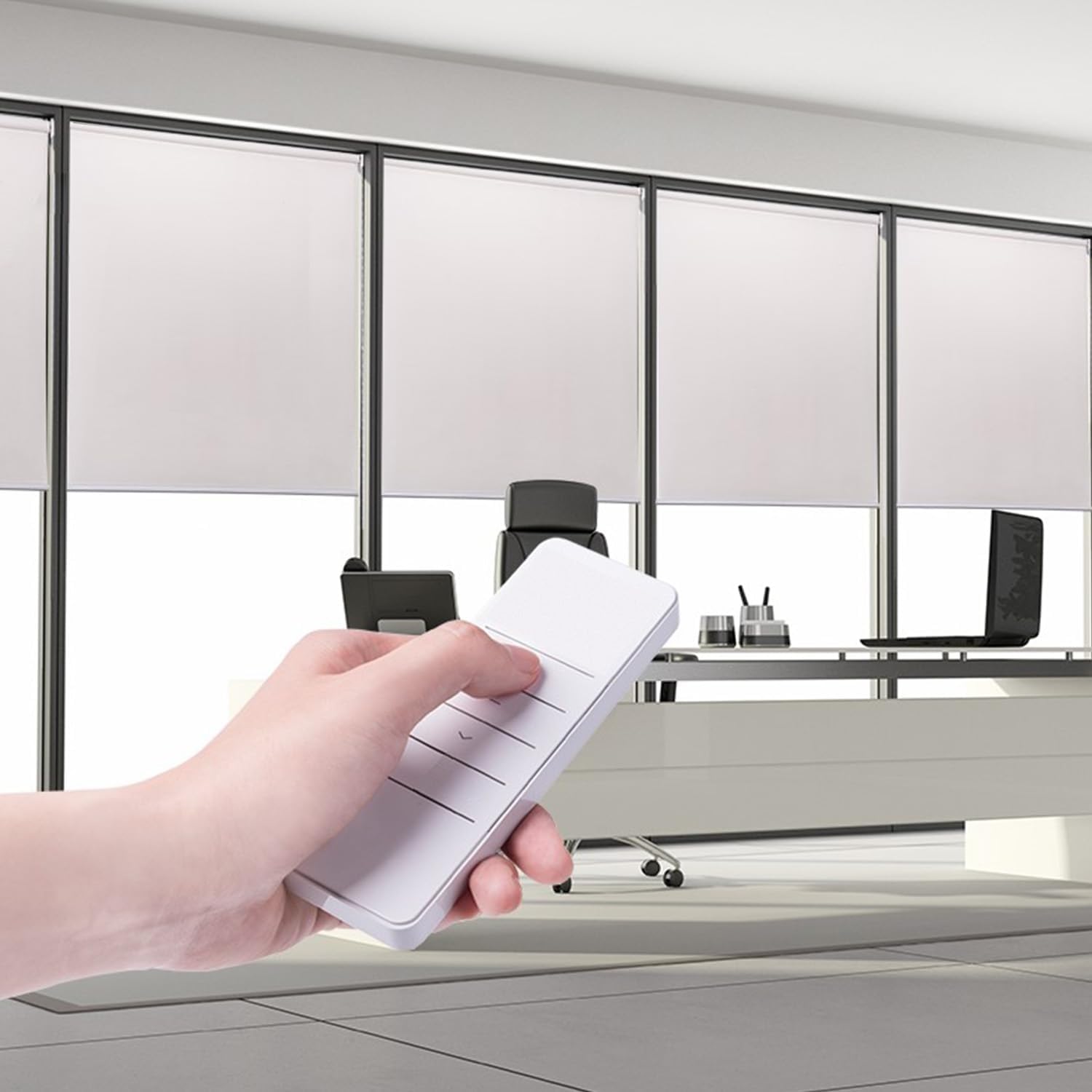
Image: A hand holding the remote control, demonstrating the ease of adjusting the roller blind.
2. App and Voice Control (Smart Hub Required)
- To enable app and voice control, a compatible smart hub (e.g., Broadlink RM Pro+ or Bond hub) is required.
- Follow the smart hub's instructions to connect it to your home network and pair it with the DM25 motor.
- Once paired, you can control your blinds via the smart hub's app or through voice commands using compatible smart assistants like Alexa.
Video: This video demonstrates the network setup process for the PDM25 Tubular Motor using Tuya-Wifi, showing how to connect the motor to a smart home network for app control.
Video: This video showcases the Alexa motorized blinds motor, demonstrating its 110V Wifi capabilities and integration with Alexa for voice control.
Setting Limits
After installation, you will need to set the upper and lower limits for your blind's travel. Refer to your remote control or smart hub's specific instructions for programming these limits. The program button on the motor head is essential for this process.

Image: This diagram illustrates which devices the motor works with and how to connect them, emphasizing the role of a hub for voice and app control, while remote control connects directly.
Maintenance
The AUDEEKON DM25 motor is designed for low maintenance. Keep the motor and blind free from dust and debris. No internal lubrication is required. If the remote control battery needs replacement, use a compatible Lithium Metal battery (one is included with the remote).
Troubleshooting
- Motor not responding: Check power connection. Ensure remote battery is charged. Re-pair remote if necessary.
- Blind not moving to correct limits: Re-program the upper and lower limits as per the 'Setting Limits' section.
- Unusual noise during operation: Ensure the motor is properly seated within the tube and that the tube is securely mounted. Check for any obstructions.