
Introduction
This manual provides detailed instructions for the operation and maintenance of your Sumicor 2D Wireless Barcode Scanner. Please read this manual thoroughly before using the device to ensure proper functionality and to maximize its lifespan. This device is designed for efficient 1D and 2D barcode scanning, data collection, and inventory management.
Product Overview
The Sumicor 2D Wireless Barcode Scanner is a versatile tool for various applications, including inventory management, retail, and logistics. It features a 2.8-inch HD screen, a keyboard, and supports both wireless 2.4 GHz and USB cable connections.

Image: The Sumicor 2D Wireless Barcode Scanner, showing its screen, keypad, and accompanying USB wireless dongle and charging cable.
Key Features:
- Manage Inventory System: No additional inventory management software is required. The scanner allows you to display customized product information on its screen by downloading Excel databases to the device, providing real-time visibility into inventory levels. It is compatible with Windows 10, Windows 7, Vista, XP, Windows 2000, Linux, and Mac OS, and works with applications like Word, Excel, Text, and Quickbooks.
- Large Capacity Storage & Rechargeable Battery: The inventory data collector features 16MB of memory storage, capable of storing over 400,000 data entries. It includes a built-in 1800mAh battery, which charges in approximately 3 hours and provides about 20 hours of working time with intermittent scanning.
- Wireless & Easy to Use: Utilizing 2.4GHz wireless technology, the scanner offers a transmission range of 100 meters (328 feet) in open air and 10-30 meters (30-100 feet) indoors, depending on environmental obstacles. It can store data offline. This plug-and-play device requires no drivers, simplifying inventory tracking for e-commerce businesses, stores, and warehouses.
- Lightweight & Ergonomic Design: Designed for comfortable handheld use, the scanner features a special curve and wavy stripes for a better grip. Its mini size, similar to a mobile phone, makes it portable and easy to carry in a pocket throughout the day.
- Super 2D & 1D Decoding Capacity: Supports scanning barcodes from screens and physical labels. It decodes almost all 1D Barcodes (e.g., Codabar, UPC-A, UPC-E, EAN-8, EAN-13, Code 128, Code 39, Code 93, Interleaved 2 of 5) and 2D Barcodes (e.g., QR Code, Micro QR Code, Data Matrix, PDF417, MaxiCode, Aztec, HanXin Code). Note: Some codes may require specific configuration to be enabled.
Setup and Connection
Charging the Device:
The scanner is equipped with a built-in 1800mAh rechargeable battery.
- Connect the scanner to a power source using the provided USB cable.
- A full charge typically takes approximately 3 hours.
- The device can operate for about 20 hours of intermittent scanning on a full charge.
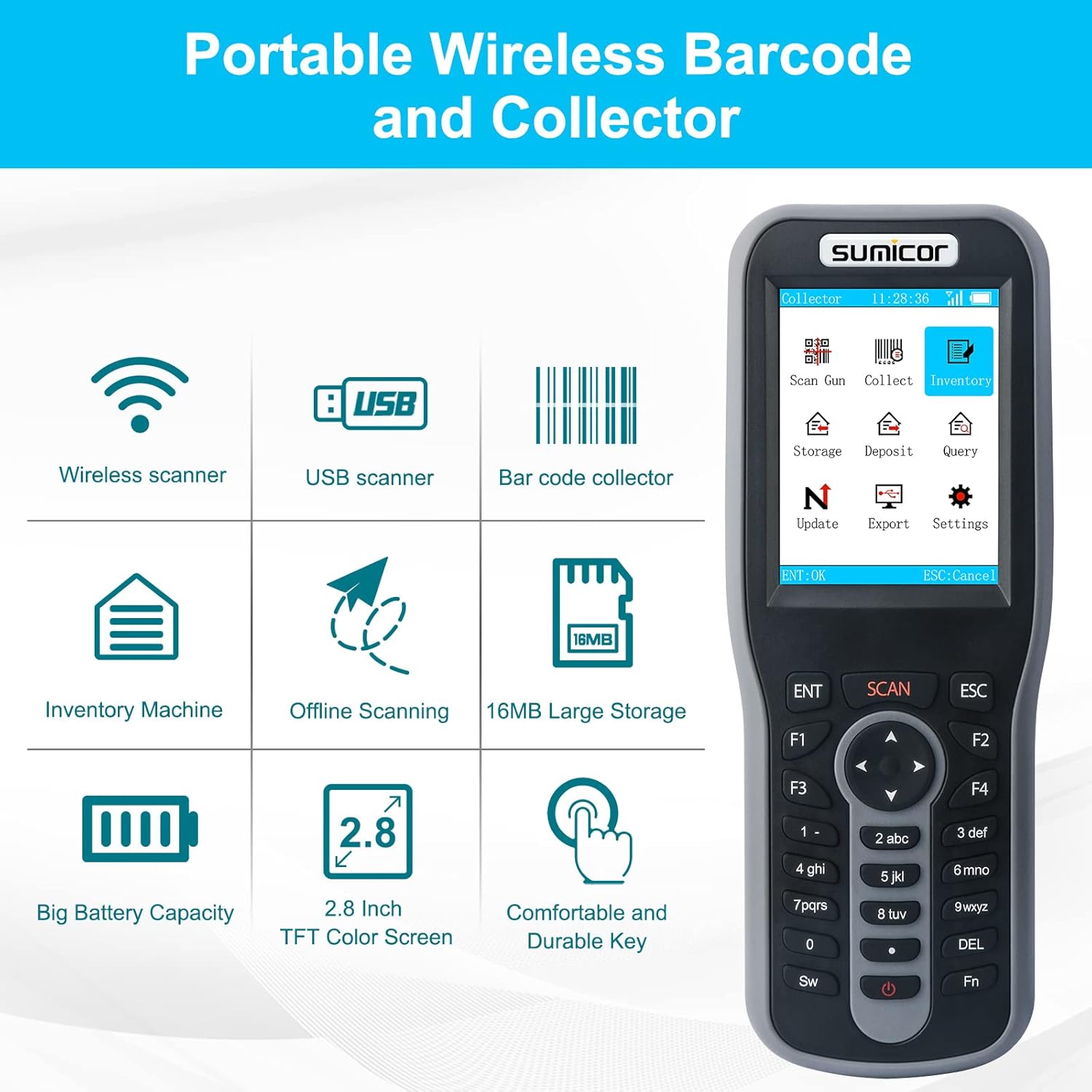
Image: Illustration of the barcode scanner being charged, highlighting its 1800mAh battery capacity and charging times.
Connecting to a Host Device:
The Sumicor barcode scanner supports two primary connection methods:
- 2.4 GHz Wireless Connection:
Insert the provided USB wireless dongle into an available USB port on your computer (PC or Laptop). The scanner will automatically connect. No driver installation is required.
Wireless transmission range is up to 100 meters (328 feet) in open air and 10-30 meters (30-100 feet) indoors, depending on obstacles.
- USB Cable Connection:
Connect the scanner directly to your computer using the USB cable. The device will function as a wired scanner. No driver installation is required.

Image: Diagram illustrating both USB cable and 2.4GHz wireless connection methods between the scanner and a laptop. The wireless connection shows a USB dongle.
The scanner is compatible with Windows 10, Windows 7, Vista, XP, Windows 2000, Linux, and Mac OS. It integrates with applications like Word, Excel, Text, and Quickbooks.
Operating Modes
The Sumicor scanner offers multiple operating modes to suit various data collection and inventory management needs.

Image: A visual representation of the four main operating modes: Scan Gun, Collect Mode, Inventory Mode, and Storage/Deposit Mode, each with a screenshot of the scanner's display.
Available Modes:
- Scan Gun Mode: Functions as a standard wireless or wired barcode scanner, transmitting scanned data directly to the connected device.
- Collect Mode: Scans and records all barcodes or unique barcodes into the device's internal storage for later export.
- Inventory Mode: Scans and records the quantity of barcodes in stock, suitable for stocktaking.
- Storage/Deposit Mode: Manages in-stock and out-stock record quantities.
Customizing Item Information Display:
The scanner allows for customized display of item information on its screen. You can update and download your exclusive database (e.g., Excel files) to the device at any time to show details like product name, ASIN, shelf location, and manufacturer.

Image: The scanner's screen showing detailed product information including barcode, name, ASIN, shelf, and manufacturer, demonstrating the customizable display feature.
Decoding Capabilities
The Sumicor 2D Barcode Scanner is capable of decoding a wide range of 1D and 2D barcodes, even from screens or damaged labels.

Image: The scanner actively scanning a barcode on a laptop screen, with examples of various 1D and 2D barcode types it can decode, including blurry, broken, distorted, and long barcodes.
Supported Barcode Types:
- 1D Barcodes: Codabar, UPC-A, UPC-E, EAN-8, EAN-13, ISSN, ISBN, Code 128, GS1-128, Code 39, Code 93, Code 11, Interleaved 2 of 5, Matrix 2 of 5, Industrial 2 of 5, Standard 2 of 5 (IATA), MSI, Tepepen, Febraban, China Post, UPS, USPS, FedEx, DHL, BOOK barcode, etc.
- 2D Barcodes: QR Code, Micro QR Code, Data Matrix, PDF417, Micro PDF 417, MaxiCode, Aztec, HanXin Code, etc. (Note: Some codes may not be enabled by default and might require configuration.)
Maintenance
To ensure the longevity and optimal performance of your Sumicor barcode scanner, follow these maintenance guidelines:
- Keep the scanning window clean. Use a soft, lint-free cloth, slightly dampened with water or a mild cleaning solution, to gently wipe the surface. Avoid abrasive materials or harsh chemicals.
- Store the device in a cool, dry place away from direct sunlight and extreme temperatures.
- Protect the device from drops and impacts. While designed for durability, excessive force can cause damage.
- Ensure the USB port and charging contacts are free from dust and debris.
Troubleshooting
Common Issues and Solutions:
- Scanner not connecting wirelessly:
- Ensure the USB wireless dongle is securely plugged into your computer.
- Verify the scanner is powered on and within range (10-30m indoors, 100m open air).
- Try reconnecting the dongle or restarting the scanner.
- Scanner not reading barcodes:
- Check if the scanning window is clean and free from obstructions.
- Ensure the barcode is not severely damaged, blurry, or distorted beyond recognition.
- Verify that the barcode type is supported by the scanner (refer to Decoding Capabilities section).
- Adjust the scanning distance and angle.
- Battery not charging:
- Confirm the USB cable is properly connected to both the scanner and a working power source.
- Try a different USB cable or power adapter.
- Ensure the charging port on the scanner is clean.
- Data not appearing in software:
- In Scan Gun Mode, ensure your cursor is active in the target application (e.g., Word, Excel).
- For Collect, Inventory, or Storage/Deposit modes, ensure you have correctly exported the data to your computer.
- Check compatibility with your operating system and software.
Specifications
| Feature | Detail |
|---|---|
| Model Number | 2D QR Code |
| Product Dimensions | 6.69 x 2.36 x 1.1 inches |
| Item Weight | 8.8 ounces |
| Connectivity Technology | Wireless (2.4 GHz) and USB Cable |
| Battery Type | 1 Lithium Polymer battery (included) |
| Battery Capacity | 1800mAh |
| Charging Time | Approximately 3 hours |
| Working Time | Approximately 20 hours (intermittent scanning) |
| Storage Capacity | 16MB (stores over 400,000 data entries) |
| Compatible Devices | Laptop, Desktop, Windows 10, Windows 7, Vista, XP, Windows 2000, Linux, Mac OS |
| Manufacturer | Sumicor |
Warranty and Support
For warranty information and technical support, please refer to the documentation included with your purchase or contact Sumicor customer service directly.
You can also visit the official Sumicor store for more information and product updates: Sumicor Store.