
Product Overview
The Penkou Portable Neck Fan is a hands-free, bladeless personal cooling device designed for comfort and convenience. It features 360° omnidirectional airflow, three adjustable fan speeds, and quiet operation, making it suitable for various indoor and outdoor activities.

This image displays the overall design of the Penkou Portable Neck Fan in its pure black color, highlighting its ergonomic, U-shaped structure designed to rest comfortably around the neck.
Key Features
- 360° Omnidirectional Cooling: Equipped with 72 wind outlets and 60 twin-turbine fan blades, providing comprehensive airflow around the neck.
- Lightweight Design: Weighs only 8.8 ounces, ensuring comfortable extended wear without fatigue.
- Ultra-Quiet Operation: Produces less than 20 decibels of noise, allowing for use in quiet environments without disturbance.
- Long Battery Life: A 4000mAh large capacity battery provides 3-24 hours of operation, depending on the selected speed setting.
- Durable and Safe Material: Constructed from food-grade TPE material, offering enhanced comfort, durability, and safety compared to ABS.
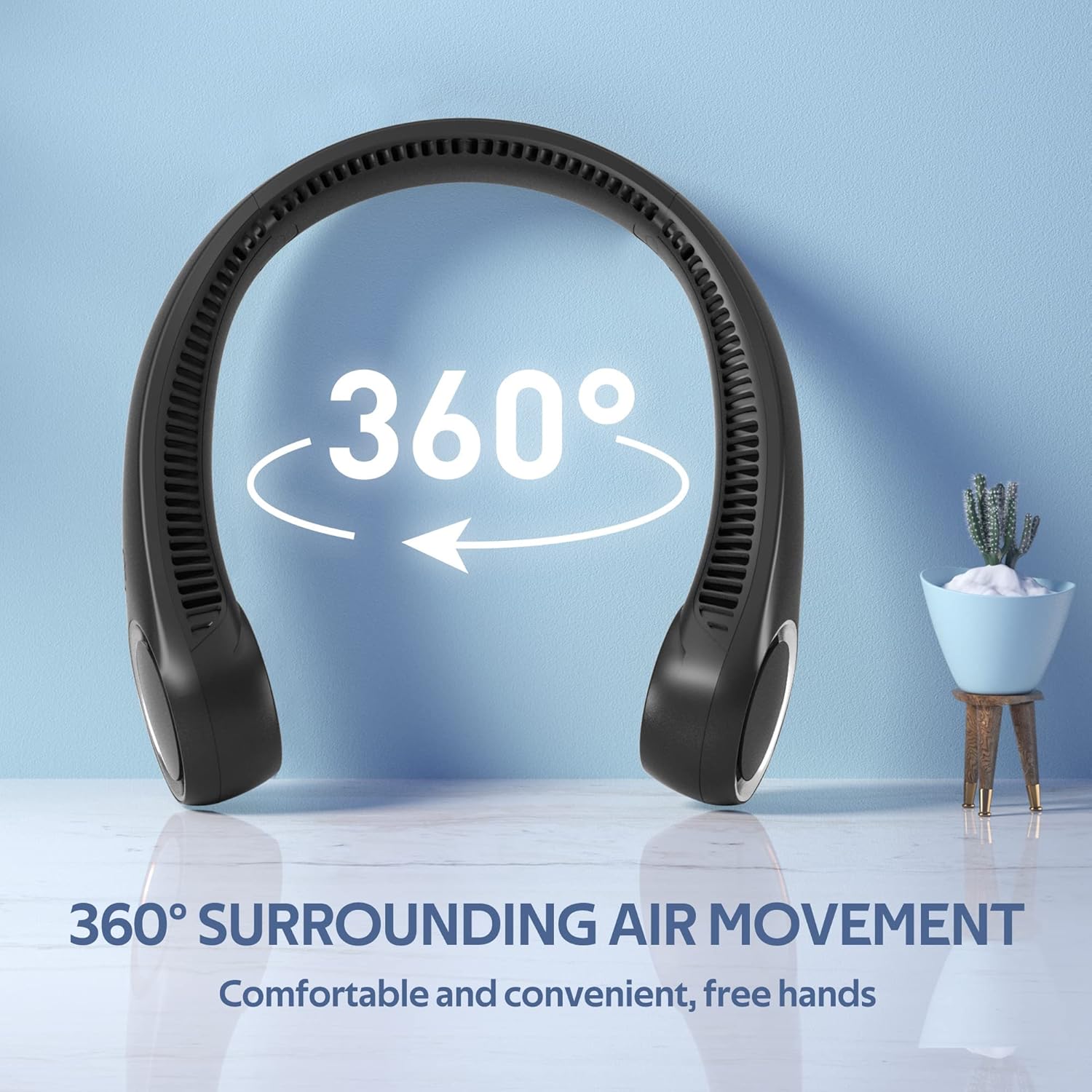


These images visually represent the fan's 360-degree cooling capability, the three distinct fan speeds (Breeze, Cool Breeze, Cool and Strong Wind), and its low noise level, ensuring a comfortable user experience.
Package Contents
Verify that all items are present in the package:
- 1 x Portable Neck Fan
- 1 x USB Charging Cable
- 1 x Instruction Manual (This document)
Setup
- Unboxing: Carefully remove the Portable Neck Fan and all accessories from the packaging.
- Initial Charge: Before first use, fully charge the device using the provided USB charging cable. Connect the USB Type C end to the fan's charging port and the other end to a compatible USB power source (e.g., computer, wall adapter).
Operating Instructions
Power On/Off and Speed Adjustment
The fan features a single control button for all operations.
- Power On: Press the power button once to turn on the fan at the lowest speed setting.
- Adjust Speed: Press the power button repeatedly to cycle through the three available fan speeds:
- First press: Low speed (Breeze)
- Second press: Medium speed (Cool Breeze)
- Third press: High speed (Cool and Strong Wind)
- Power Off: After the highest speed, pressing the button again will turn the fan off.
Wearing the Fan
Gently place the fan around your neck, ensuring the air outlets are positioned to provide optimal airflow around your neck and face. The lightweight design allows for comfortable wear during various activities.

This image shows a woman comfortably wearing the bladeless neck fan, demonstrating its hands-free design and how it provides personal cooling.

This image illustrates the versatility of the neck fan, showing individuals using it during cooking, fitness activities, outdoor excursions, and while working, emphasizing its adaptability to different environments.
Maintenance
- Cleaning: Use a soft, dry cloth to wipe the exterior of the fan. Do not use harsh chemicals or abrasive materials. Ensure the air outlets are free from dust and debris.
- Storage: When not in use for extended periods, store the fan in a cool, dry place away from direct sunlight and extreme temperatures.
- Battery Care: To prolong battery life, avoid fully discharging the battery frequently. Charge the device regularly, even if not in constant use.
Troubleshooting
| Problem | Possible Cause | Solution |
|---|---|---|
| Fan does not turn on | Battery is low or depleted | Charge the fan using the provided USB cable. |
| Weak airflow | Fan speed is too low; Air outlets are blocked | Increase fan speed; Clear any obstructions from the air outlets. |
| Unusual noise during operation | Debris inside the fan; Fan is damaged | Turn off the fan and gently check for any visible debris. If noise persists or fan is damaged, discontinue use. |
Specifications
| Feature | Detail |
|---|---|
| Brand | penkou |
| Model Name | Portable Fan (Neck fan) |
| Color | Pure Black |
| Power Source | Battery Powered |
| Battery Capacity | 4000mAh |
| Noise Level | 20 dB |
| Number of Speeds | 3 |
| Item Weight | 8.8 ounces |
| Product Dimensions | 8.6"D x 7.5"W x 2.6"H |
| Connectivity | USB Type C |
| Bladeless | Yes |
| UPC | 795633958421 |
Warranty and Support
For warranty information or technical support, please contact Penkou customer service through the retailer where the product was purchased. Keep your purchase receipt as proof of purchase.