
HealSmart HIFANXBLADELESS39GS
HealSmart Bladeless Tower Fan User Manual
Model: HIFANXBLADELESS39GS
Introduction
The HealSmart Bladeless Tower Fan offers a stylish and modern solution for indoor cooling. Its innovative bladeless design ensures safety while providing a comfortable airflow. This manual provides essential information for the safe and efficient operation of your new fan.
Key features include 10 airflow speeds, 3 operating modes, a 10-hour timer, and 90-degree oscillation with 360-degree adjustable air outlet. Designed for quiet operation, it helps circulate air and improve indoor air quality, contributing to a better sleep environment.
Important Safety Information
Please read all instructions carefully before using this appliance and retain for future reference. Failure to follow these instructions may result in electric shock, fire, or serious injury.
- Always ensure the fan is placed on a stable, flat surface to prevent tipping.
- Do not insert fingers or foreign objects into the air inlet or outlet. The bladeless design is safer, but caution is still advised.
- Keep the power cord away from heated surfaces.
- Do not operate the fan with a damaged cord or plug. If damaged, contact qualified service personnel.
- This appliance is for indoor use only. Do not use outdoors or in wet conditions.
- Unplug the fan from the power outlet before cleaning or performing any maintenance.
- Supervise children and pets when the fan is in operation.
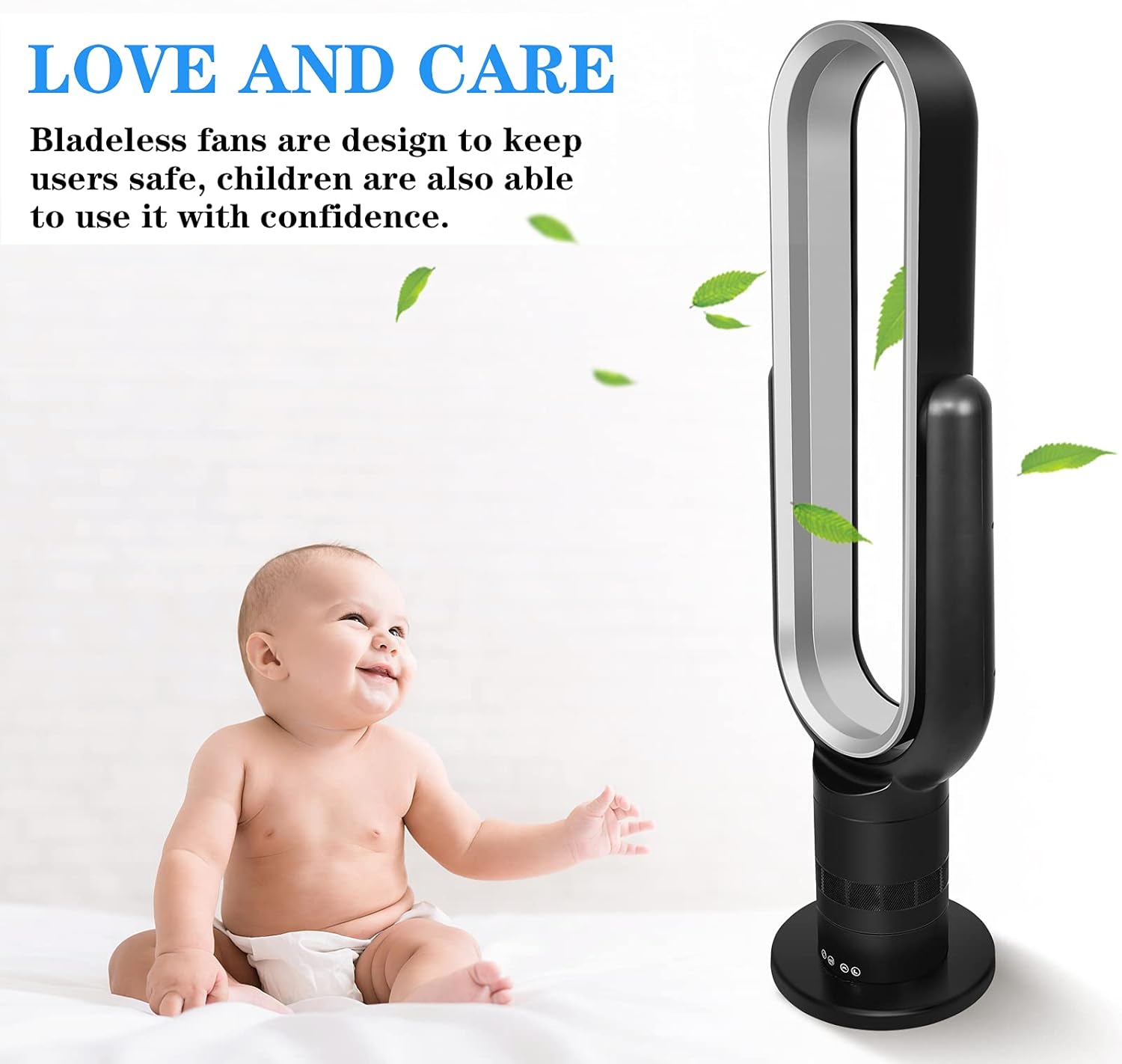
Figure 1: The bladeless design ensures safety for children and pets.
Package Contents
Verify that all components are present and in good condition upon opening the package:
- 1 x HealSmart Bladeless Tower Fan
- 1 x Instruction Manual
- 1 x Power Cord
- 1 x Remote Control
Product Overview
Familiarize yourself with the main components of your HealSmart Bladeless Tower Fan.

Figure 2: Front view of the HealSmart Bladeless Tower Fan.

Figure 3: Product Dimensions and Specifications Overview.
The fan features a sleek, bladeless design with an oval air outlet. The base houses the motor and control panel. The fan is approximately 39 inches tall, with a base diameter of 9.45 inches.
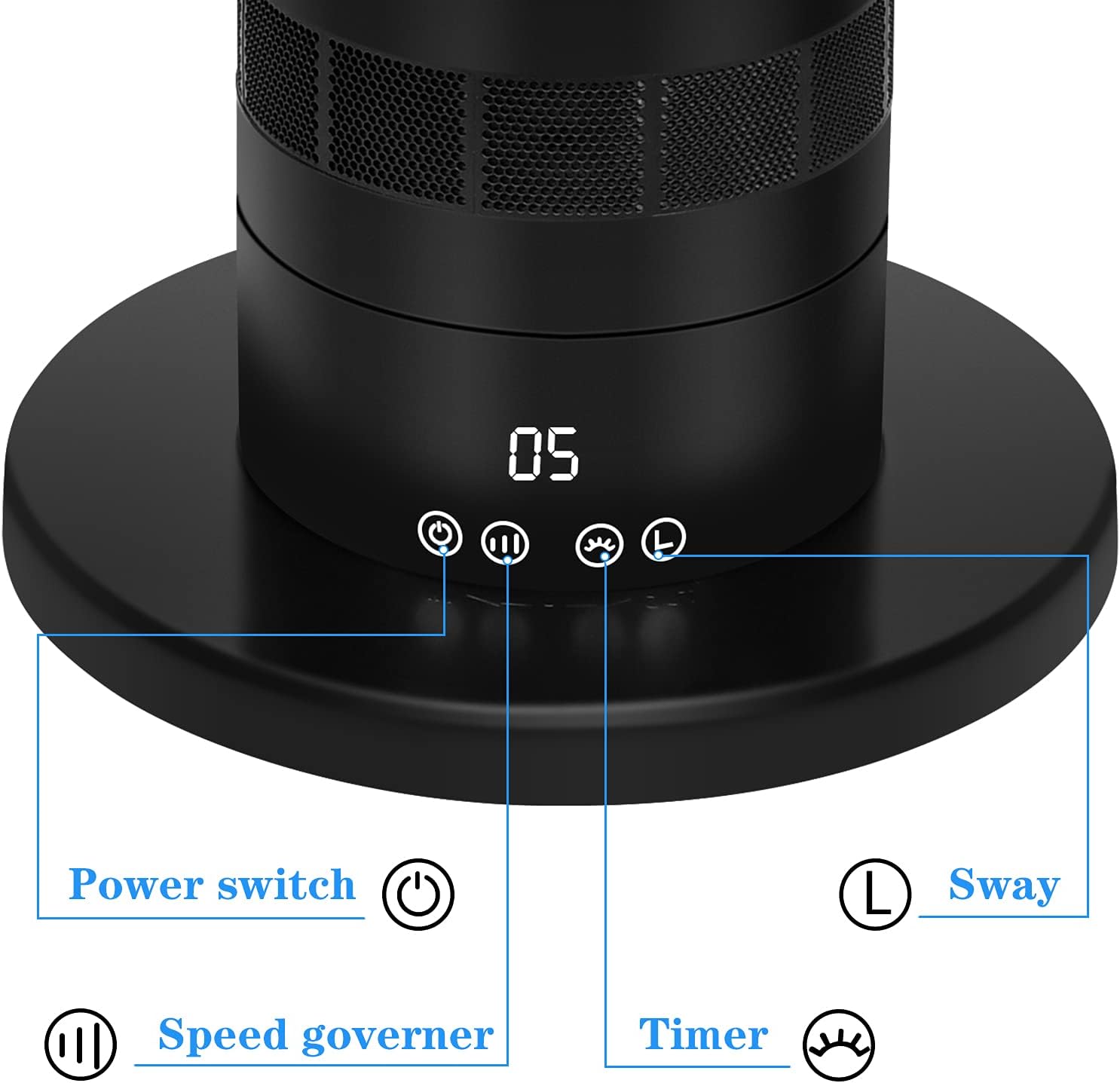
Figure 4: Control Panel Buttons.

Figure 5: Remote Control.
The control panel on the base includes touch-sensitive buttons for Power, Speed adjustment, Timer, and Oscillation (Sway). A digital display shows the current speed setting. The fan also comes with a remote control for convenient operation from a distance.
Setup
The HealSmart Bladeless Tower Fan is designed for easy assembly. Follow these steps for initial setup:
- Unpack: Carefully remove all components from the packaging. Retain packaging for future storage or transport.
- Base Assembly (if required): Some models may require attaching the base. Align the base with the main body and twist or secure according to the markings until it clicks into place or is firmly attached.
- Placement: Place the fan on a firm, level surface in your desired location, ensuring there is adequate space around it for optimal airflow and oscillation.
- Power Connection: Plug the power cord into a standard 110V AC electrical outlet.
The fan is now ready for operation.
Operating Instructions
Your HealSmart Bladeless Tower Fan can be operated using the touch-sensitive control panel on the unit or the included remote control.
Power On/Off
- Press the Power switch button () on the control panel or remote to turn the fan on or off.
Adjusting Fan Speed
- The fan has 10 speed settings. Press the Speed governor button () on the control panel or the '+' and '-' buttons on the remote to increase or decrease the airflow speed. The current speed will be displayed on the LED screen.
Selecting Operating Mode
The fan offers 3 operating modes:
- Normal Mode: Provides a constant airflow at the selected speed.
- Natural Mode: Simulates natural breeze by cycling through different fan speeds.
- Sleep Mode: Gradually decreases fan speed over time to provide a quiet and comfortable environment for sleep. This mode works in conjunction with the timer.
Use the "Mode" button on the remote control to cycle through these modes.

Figure 6: Fan operating in a sleep environment, highlighting the 10-hour timer feature.
Timer Function
- Set the fan to automatically turn off after a specified period, up to 10 hours. Press the Timer button () on the control panel or remote to adjust the timer in 1-hour increments.
Oscillation (Sway)
- Activate the oscillation feature to distribute air across a wider area. Press the Sway button () on the control panel or remote. The fan will oscillate 90 degrees horizontally.
- The fan also features a 360-degree adjustable air outlet for vertical airflow direction. Manually adjust the top section of the fan to direct airflow up or down.

Figure 7: Illustrates the 90-degree oscillation and 360-degree tilt capabilities.
Maintenance
Regular cleaning and maintenance will ensure the longevity and optimal performance of your HealSmart Bladeless Tower Fan.
- Cleaning:
- Always unplug the fan before cleaning.
- Use a soft, damp cloth to wipe the exterior surfaces of the fan. Do not use abrasive cleaners or solvents.
- For the air inlet and outlet, use a soft brush or a vacuum cleaner with a brush attachment to remove dust and debris. Ensure no water enters the internal components.
- Storage: When not in use for extended periods, store the fan in a cool, dry place, preferably in its original packaging, to protect it from dust and damage.
Troubleshooting
If you encounter issues with your fan, refer to the following common problems and solutions:
| Problem | Possible Cause | Solution |
|---|---|---|
| Fan does not turn on. | No power supply; Power button not pressed. | Ensure the power cord is securely plugged into a working outlet. Press the power button on the unit or remote. |
| Weak airflow. | Low speed setting; Air inlets/outlets blocked by dust. | Increase the fan speed. Clean the air inlets and outlets as described in the Maintenance section. |
| Fan is noisy. | Fan not on a level surface; Internal obstruction. | Ensure the fan is on a stable, flat surface. Check for any foreign objects near the air intake. Note: The fan operates below 60 dB, some noise is normal. |
| Remote control not working. | Batteries are dead or incorrectly inserted; Obstruction between remote and fan. | Replace batteries in the remote control. Ensure there is a clear line of sight between the remote and the fan's receiver. |
Specifications
Detailed technical specifications for the HealSmart Bladeless Tower Fan:
| Brand | HealSmart |
| Model Name | HIFANXBLADELESS39GS |
| Color | Black |
| Style | Tower Fan |
| Power Source | Corded Electric |
| Product Dimensions | 9.45"D x 9.45"W x 25.79"H |
| Noise Level | 60 dB |
| Wattage | 28 watts |
| Air Flow Capacity | 1239 Cubic Feet Per Minute |
| Number of Power Levels | 10 |
| Control Method | Remote, Push Button |
| Oscillation | 90 degrees (horizontal) |
| Tilt Adjustment | 360 degrees (vertical air outlet) |
| Timer | Up to 10 hours |
| Indoor/Outdoor Usage | Indoor |
| Item Weight | 7.92 pounds (3.6 Kilograms) |
Warranty and Support
HealSmart is committed to providing high-quality products. For warranty information, technical support, or service inquiries, please refer to the contact details provided with your purchase or visit the official HealSmart website.
Additional resources, including a detailed User Manual (PDF) and User Guide (PDF), are available for download from the product's Amazon page or the manufacturer's website.
Related documentsHIFANXBLADELESS39GS


Ask a question about this manual
Ask about setup, troubleshooting, compatibility, parts, safety, or missing instructions. Manuals+ will review the question and use this page’s manual context to help answer it.