
Wrrozz USB pocket small car flashlight
Wrrozz LED Rechargeable Mini Flashlight User Manual
Model: USB pocket small car flashlight
1. Introduction
Thank you for choosing the Wrrozz LED Rechargeable Mini Flashlight. This compact and versatile flashlight is designed for various applications, offering powerful illumination in a portable form factor. It features multiple lighting modes, a zoomable beam, and convenient USB recharging. Please read this manual thoroughly to ensure proper use and maintenance of your device.

Image: The Wrrozz mini flashlight comfortably held in a user's hand, demonstrating its compact size.
2. Safety Information
- Do not look directly into the LED light. The intense light can cause temporary vision impairment or eye damage.
- Keep the flashlight out of reach of children.
- Do not disassemble the flashlight. This may void the warranty and could lead to damage or injury.
- Use only the provided USB cable or a certified equivalent for charging.
- Avoid exposing the flashlight to extreme temperatures or direct sunlight for prolonged periods.
- Although the flashlight is water-resistant (IPX4), do not submerge it in water.
3. Package Contents
Verify that all items are present in your package:
- 1x Wrrozz LED Mini Flashlight
- 1x USB Charging Cable
- 1x Gift Box (packaging)
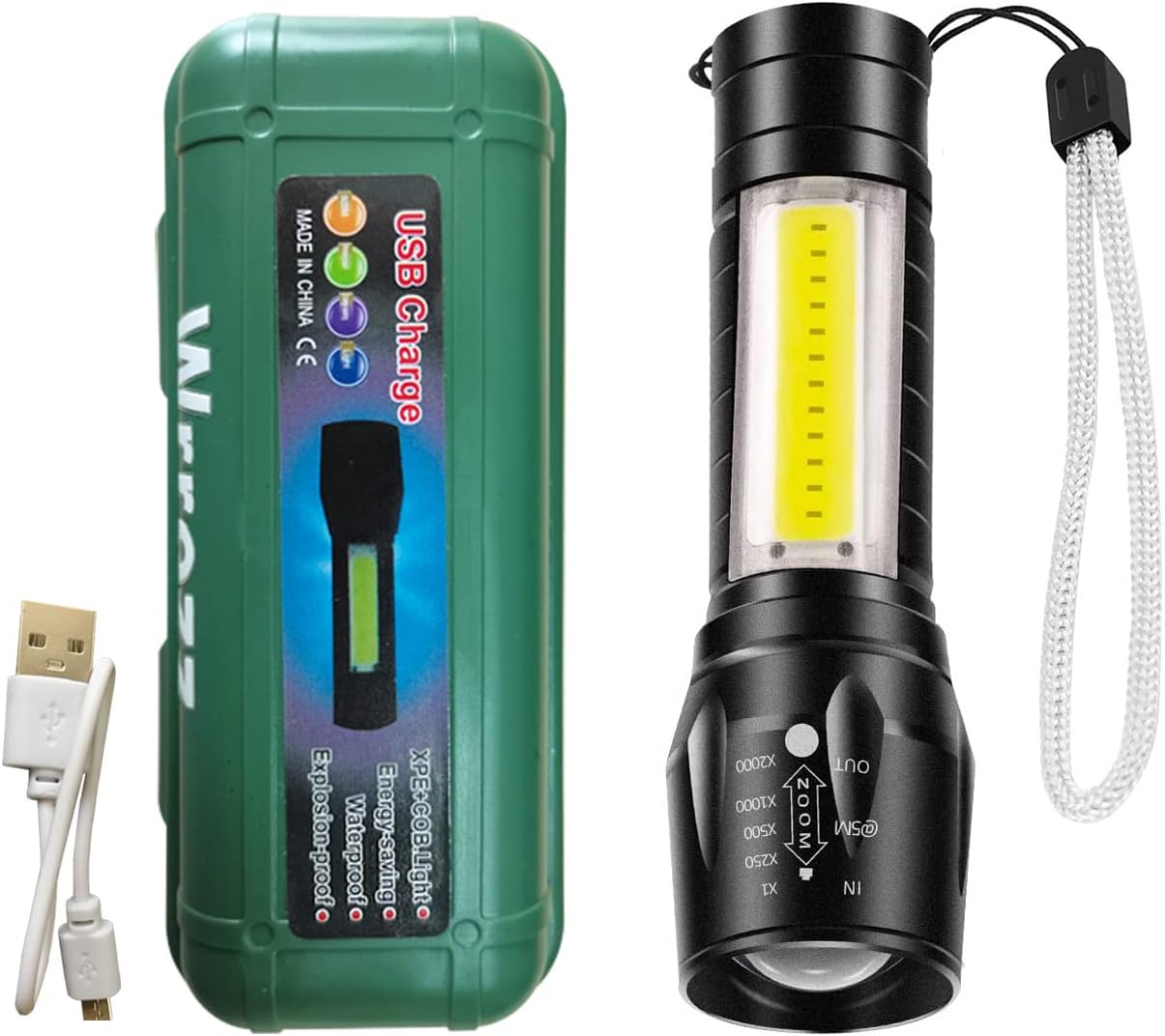
Image: The Wrrozz mini flashlight, its USB charging cable, and the green protective storage case.
4. Product Overview
The Wrrozz LED Mini Flashlight features a durable aluminum body, a main LED light, a COB (Chip-on-Board) side light, a power button, a USB charging port, and an adjustable zoom function.

Image: A four-panel diagram illustrating key features: USB charging port, the main LED highlight chip, the 8 COB sidelights, and the internal Lithium-Ion battery.
- Main LED Lens: Provides a focused beam of light.
- COB Side Light: Offers a wider, floodlight-style illumination.
- Power Button: Located at the tail end, controls power and mode selection.
- USB Charging Port: For recharging the internal battery.
- Zoom Mechanism: The head of the flashlight slides to adjust the beam focus.
- Wrist Strap: For secure carrying.
5. Setup
5.1 Initial Charging
Before first use, fully charge the flashlight. The device comes with a built-in Lithium-Ion battery.
- Locate the USB charging port on the flashlight.
- Connect the provided USB cable to the flashlight's charging port and to a USB power source (e.g., computer, wall adapter, power bank).
- A red indicator light will illuminate to show that the flashlight is charging.
- The indicator light will change to blue or turn off when charging is complete.
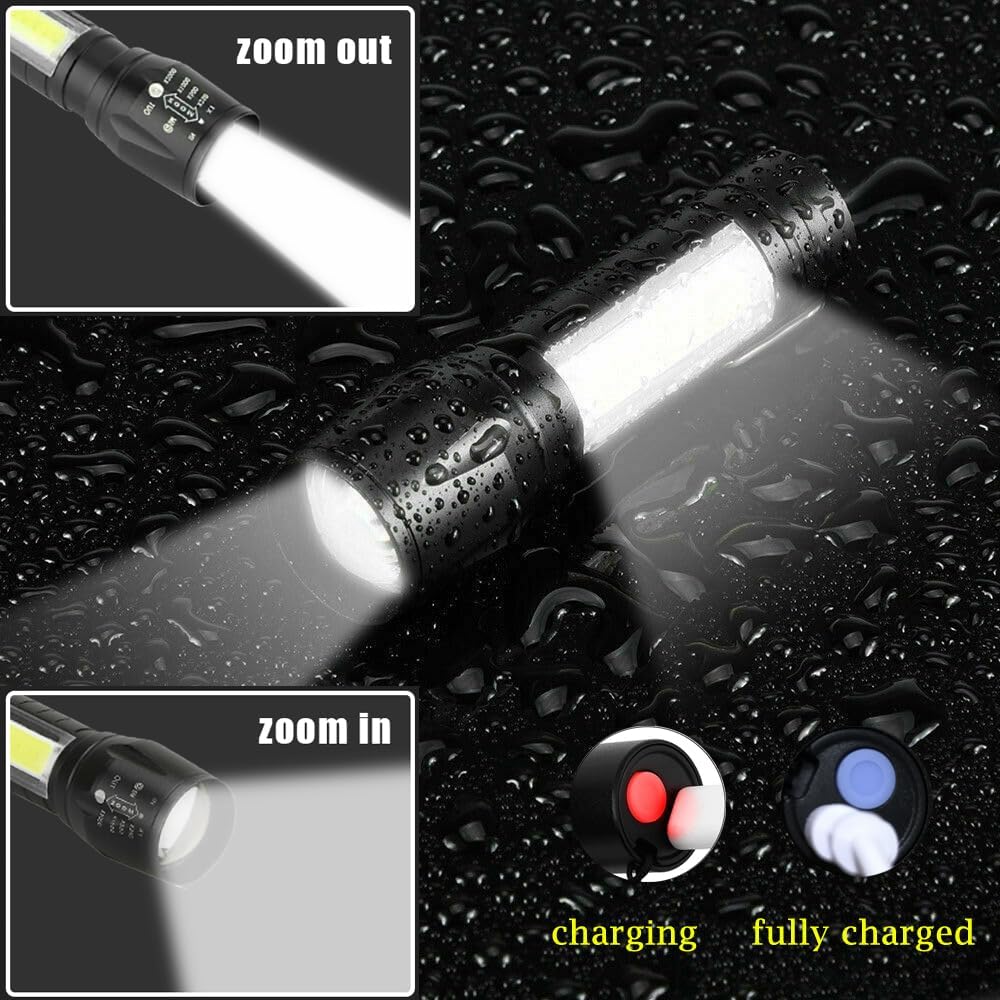
Image: The flashlight connected to a USB cable, showing a red light for charging and a blue light for fully charged status.
6. Operating Instructions
6.1 Power On/Off and Mode Selection
The flashlight features a single tail-cap button for all operations.
- To Turn On: Press the tail-cap button once. The flashlight will activate in the main LED strong light mode.
- To Change Modes: While the flashlight is on, press the button repeatedly to cycle through the modes:
- Main LED Strong Light
- Main LED Flashing Light
- COB Side Light Strong
- To Turn Off: Continue pressing the button until the flashlight turns off, or press and hold the button for approximately 2 seconds in any mode.
6.2 Adjusting the Beam (Zoom Function)
The flashlight's beam can be adjusted from a wide floodlight to a narrow spotlight.
- Zoom In (Narrow Beam): Gently push the head of the flashlight forward (away from the body) to focus the light into a concentrated, long-distance beam.
- Zoom Out (Wide Beam): Gently pull the head of the flashlight backward (towards the body) to spread the light for broader area illumination.

Image: Illustrations showing the flashlight's head extended for a narrow "zoom in" beam and retracted for a wide "zoom out" beam.
7. Maintenance
- Cleaning: Wipe the flashlight body with a soft, damp cloth. Do not use abrasive cleaners or solvents.
- Storage: Store the flashlight in a cool, dry place when not in use. For long-term storage, ensure the battery is partially charged (around 50%) to prolong its lifespan. Recharge every 3-6 months.
- Battery: The built-in Lithium-Ion battery is not user-replaceable. Do not attempt to open the flashlight.
8. Troubleshooting
| Problem | Possible Cause | Solution |
|---|---|---|
| Flashlight does not turn on. | Battery is depleted. | Connect the flashlight to a USB power source and charge it fully. |
| Light is dim or flickers. | Low battery charge. | Recharge the flashlight. |
| Flashlight does not charge. | Faulty USB cable or power source. | Try a different USB cable or a different USB power source. Ensure connections are secure. |
| Cannot change light modes. | Button not pressed correctly or internal issue. | Ensure the button is pressed firmly. If the issue persists, contact customer support. |
9. Specifications
| Feature | Detail |
|---|---|
| Brand | Wrrozz |
| Model Number | USB pocket small car flashlight |
| Light Source Type | LED |
| Material | Aluminum |
| Power Source | Battery Powered |
| Battery Type | Lithium Ion (1 included) |
| Brightness | Up to 10000 Lumens |
| Special Features | Adjustable Focus, Rechargeable, COB Side Light |
| Water Resistance Level | IPX4 Water Resistant |
| Product Dimensions | 3.6"D x 0.8"W x 0.8"H (approx.) |
| Item Weight | 2.82 ounces / 80 Grams |
10. Warranty and Support
For any questions, concerns, or support needs regarding your Wrrozz LED Rechargeable Mini Flashlight, please refer to your purchase documentation or contact the seller directly. Information regarding specific warranty terms may be provided at the point of purchase.
You can visit the official Wrrozz store for more information: Wrrozz Store