
1. Introduction
Thank you for choosing the Huepar SF01 5-in-1 Multifunction Electronic Sensor Wall Scanner. This device is designed to accurately and quickly detect the edges and center of wood studs, metal studs, joists, pipes, rebar, and live AC wires behind walls, floors, and ceilings. Please read this manual thoroughly before use to ensure safe and effective operation.
2. Safety Information
- Electrical Hazard: Always exercise extreme caution when scanning for live AC wires. The AC scan mode and AC wire warning are designed to assist, but cannot guarantee detection of all live wires under all conditions. Disconnect power before drilling or cutting into walls.
- Wall Material: The accuracy of detection can vary depending on wall materials, moisture content, and other environmental factors. Always verify findings with other methods if uncertainty exists.
- Battery Safety: Use only the specified 9V battery. Ensure correct polarity during installation. Remove the battery if the device will not be used for an extended period to prevent leakage.
- Operating Environment: Do not expose the device to extreme temperatures, high humidity, or direct sunlight. Keep the device dry and clean.
- Children: Keep this device out of reach of children.
3. Product Overview
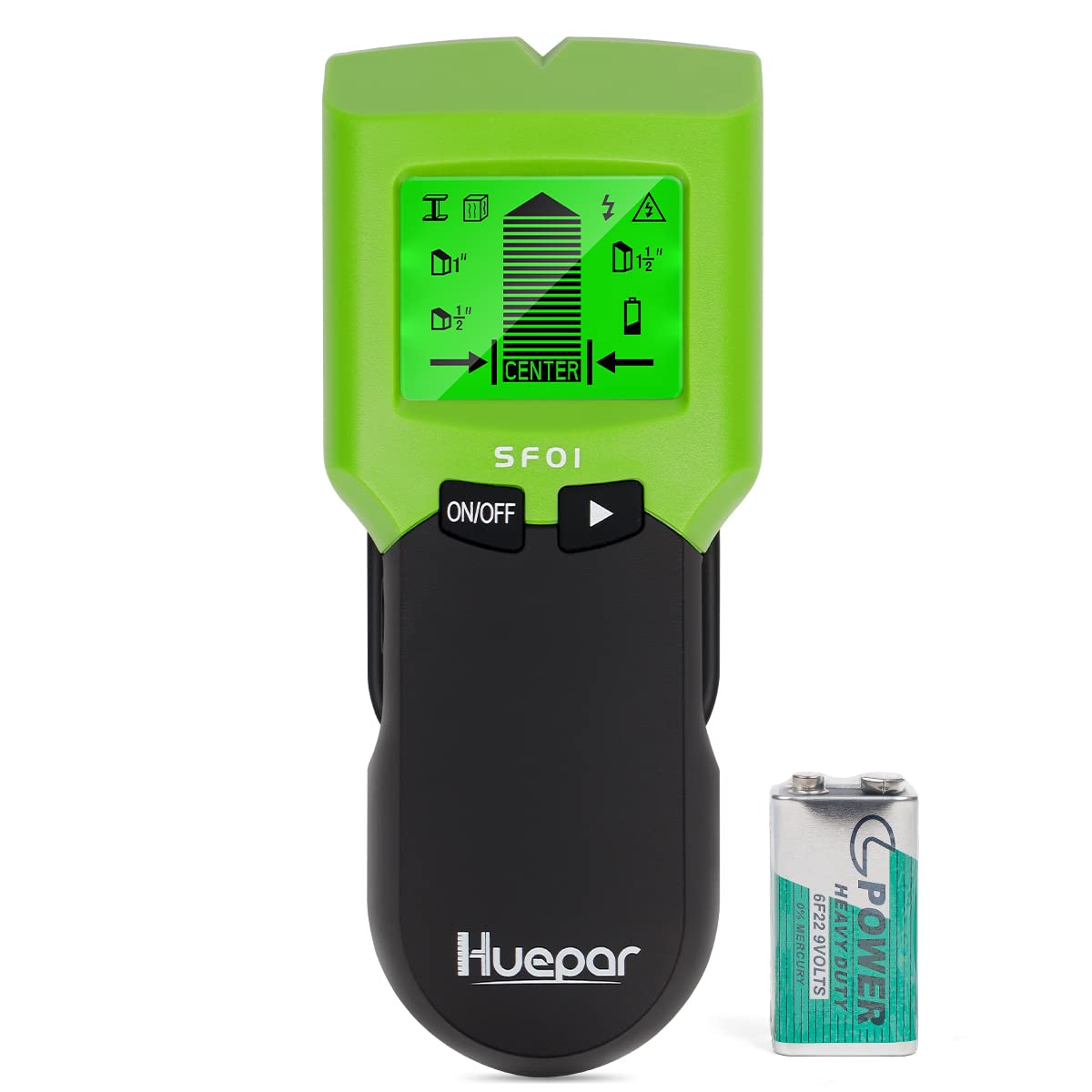
The Huepar SF01 features an intuitive design with a clear LCD display and easy-to-use buttons. Below is an illustration of the device components and its display indicators.

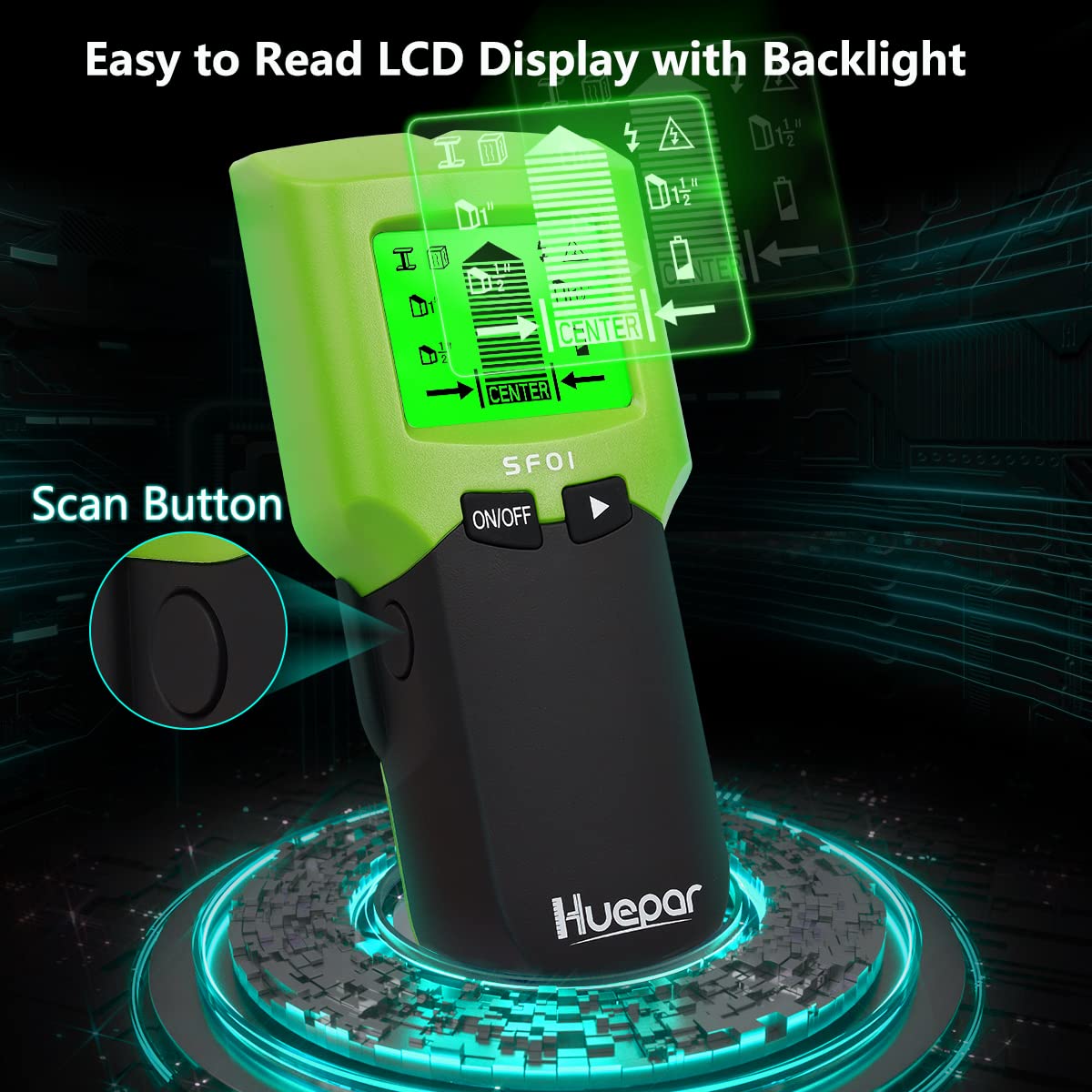
The LCD display provides real-time feedback, including the selected scanning mode, detection strength, center indication, and a low battery warning. An audible alert also assists in pinpointing targets.
4. Specifications
| Feature | Detail |
|---|---|
| Model | SF01 |
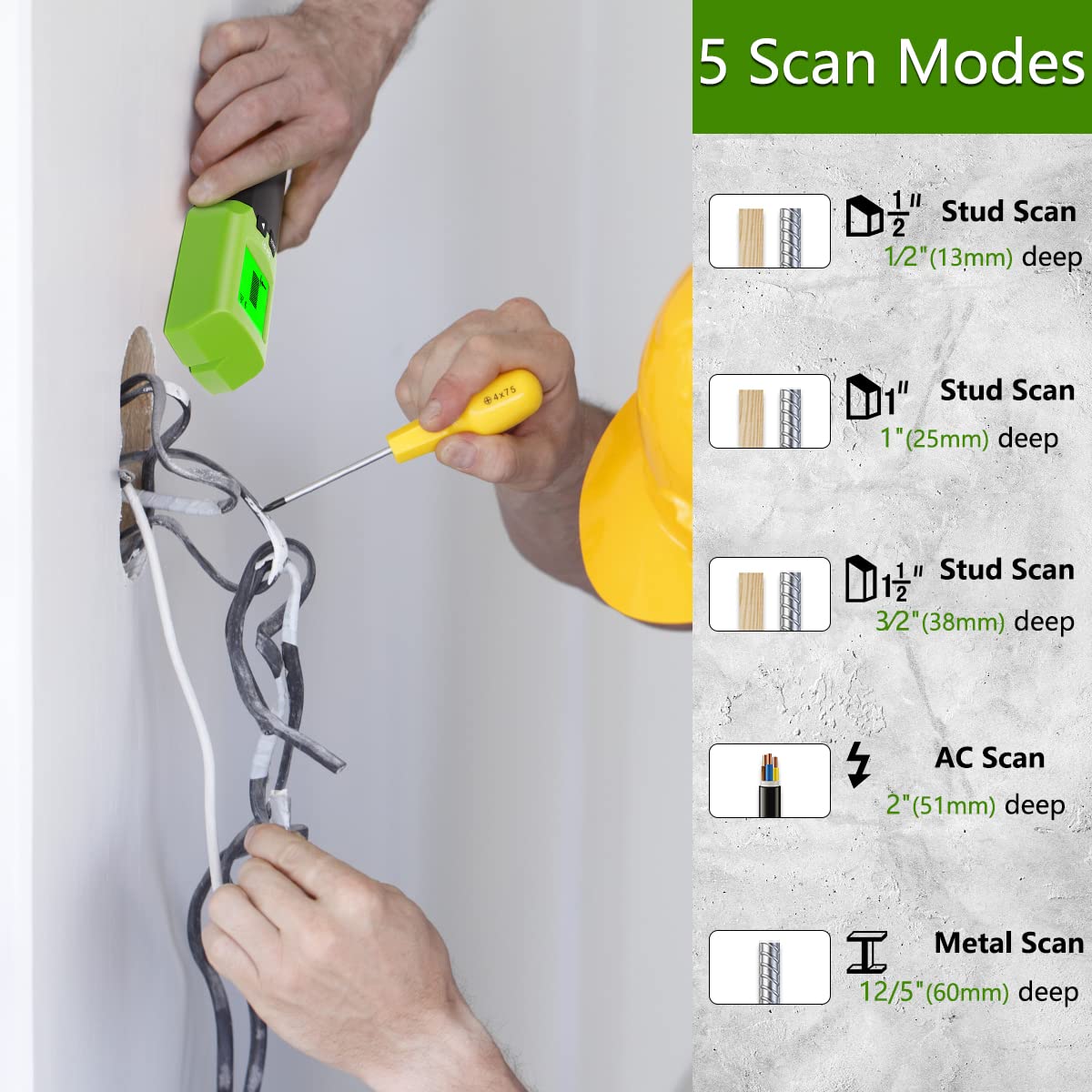
| Stud Scan Depth (1/2") | Up to 0.5 inches (13 mm) |
| Stud Scan Depth (1") | Up to 1 inch (25 mm) |
| Stud Scan Depth (1 1/2") | Up to 1.5 inches (38 mm) |
| Metal Scan Depth | Up to 2.36 inches (60 mm) |
| AC Scan Depth | Up to 2 inches (51 mm) |
| Automatic Power-Off | 180 seconds (3 minutes) |
| Power Source | 1 x 9V battery |
| Operating Environment | -29°C to +66°C (+20°F to +120°F) |
| Weight | 140 g |
| Dimensions (LxWxH) | 10 x 10 x 10 Millimeters (Product dimensions: 1 x 1 x 1 cm) |
5. Setup
5.1 Battery Installation
- Locate the battery compartment cover on the back of the device.
- Slide the cover open.
- Insert one new 9V battery, ensuring the positive (+) and negative (-) terminals align correctly with the markings inside the compartment.
- Close the battery compartment cover securely.
The device is now ready for use. If the low battery indicator appears on the LCD, replace the battery promptly.
6. Operating Instructions
6.1 Power On/Off and Calibration
- Press the ON/OFF button to power on the device.
- Place the scanner flat against the wall where you intend to scan. Ensure there are no objects or hands between the scanner and the wall.
- Press and hold the Scan Button (located on the side). The device will automatically calibrate. Wait for the calibration to complete (usually indicated by a beep and stable display) before moving the scanner.
- To power off, press the ON/OFF button again, or the device will automatically shut off after 180 seconds of inactivity.
6.2 Selecting a Scan Mode
Press the Mode Button (triangle icon) to cycle through the available scanning modes:
- Stud Scan (1/2", 1", 1 1/2"): For detecting wood and metal studs at different depths.
- Metal Scan: For detecting various metal objects like pipes, rebar, and metal studs.
- AC Scan: For detecting live unshielded AC wires.
6.3 Performing a Scan
- After calibration, slowly slide the scanner horizontally across the wall surface. Keep the device flat against the wall.
- As the scanner approaches a target, the signal strength indicators on the LCD will increase.
- When the scanner detects the edge of a stud or metal object, an arrow will appear on the display, and an audible beep will sound. Mark this point.
- Continue sliding until the signal strength decreases and an arrow indicates the other edge. Mark this point.
- The CENTER indicator on the LCD and a distinct beep will signal when the scanner is directly over the center of the detected object.

6.4 Stud Scan Modes
The SF01 offers three stud scan depths to accommodate various wall thicknesses:
- 1/2" (13mm) Stud Scan: For detecting studs up to 0.5 inches deep.
- 1" (25mm) Stud Scan: For detecting studs up to 1 inch deep.
- 1 1/2" (38mm) Stud Scan: For detecting studs up to 1.5 inches deep.
Always start with the shallowest depth and increase if no stud is found. In stud mode, the device can detect both wood and metal studs.

6.5 AC Wire Warning
The AC Wire Warning is always active in all scan modes. If live AC wires are detected, a lightning bolt icon will appear on the LCD, and an audible warning will sound. This feature helps prevent accidental contact with live electrical circuits.

6.6 Multiple Usage Applications
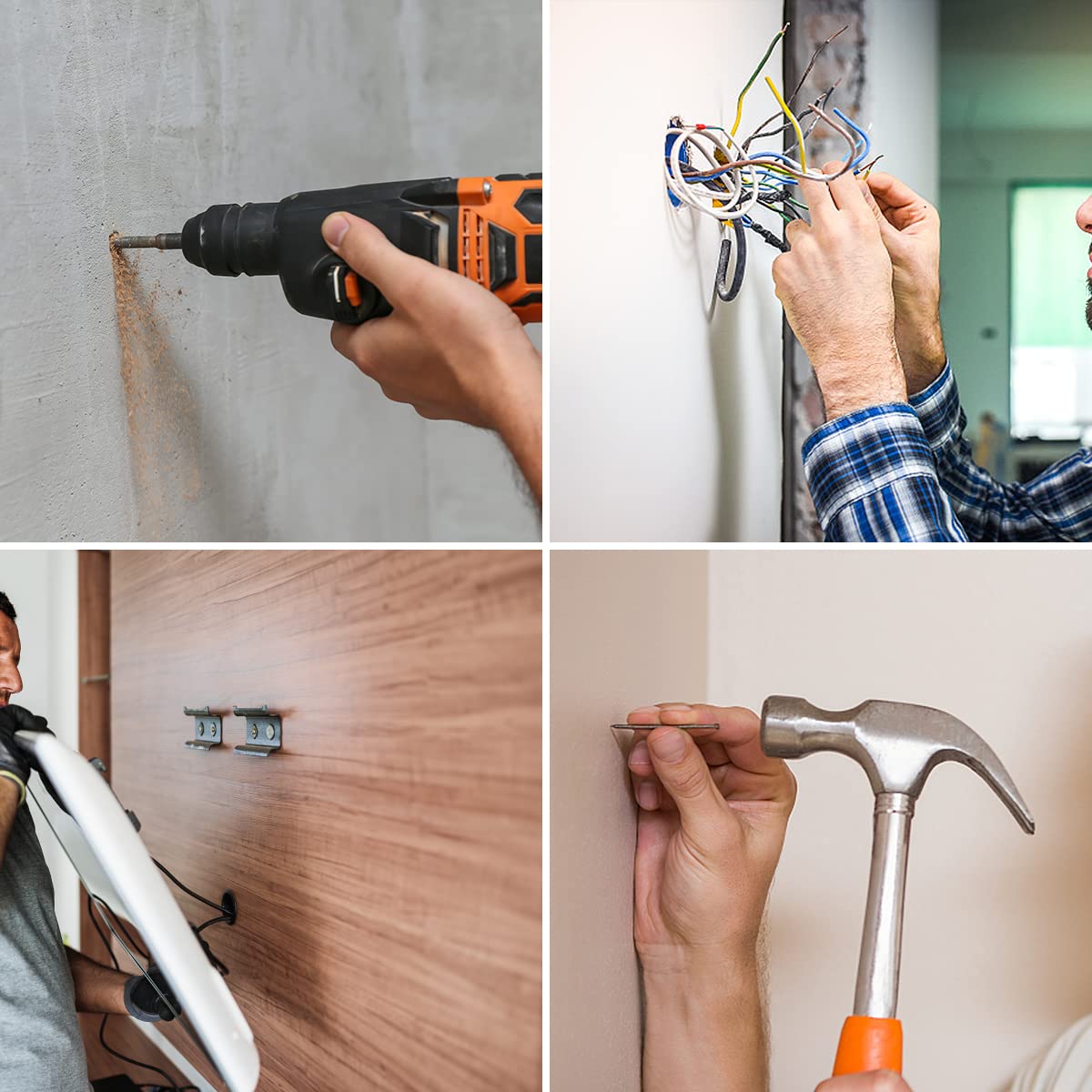
The Huepar SF01 is suitable for various tasks, including:
- Installing curtain rails and shelves.
- Mounting picture frames and mirrors.
- Locating pipes and rebar before drilling.
- Identifying live wires for electrical work.
7. Maintenance
- Cleaning: Wipe the device with a soft, damp cloth. Do not use abrasive cleaners or solvents.
- Storage: Store the device in a dry, dust-free environment when not in use. Remove the battery if storing for extended periods to prevent corrosion.
- Battery Replacement: Replace the 9V battery when the low battery indicator appears on the LCD.
8. Troubleshooting
| Problem | Possible Cause | Solution |
|---|---|---|
| Inaccurate readings or no detection | Improper calibration, wall material density, moisture, or interference. | Recalibrate the device by lifting it off the wall and pressing the scan button again. Ensure the wall surface is dry. Move slowly and consistently. |
| Low battery indicator on LCD | Battery is low. | Replace the 9V battery with a new one. |
| Device does not power on | Dead battery or incorrect battery installation. | Check battery polarity. Replace the battery. |
| AC wire warning constantly active | Presence of live AC wires or high electromagnetic interference. | This indicates live wires are present. Exercise extreme caution. If no wires are expected, try scanning in a different area or recalibrate. |
9. Warranty and Support
Specific warranty information and customer support details are not provided within this manual. Please refer to the product packaging, the official Huepar website, or contact your retailer for warranty claims and technical assistance.