
Homech HM-AH003
Homech HM-AH003 Cool Mist Humidifier User Manual
Model: HM-AH003
Brand: Homech
1. Introduction
The Homech HM-AH003 Cool Mist Humidifier is designed to enhance your indoor environment by providing consistent and even mist. With its large 6-liter water tank, it offers extended operation without frequent refills. This ultrasonic humidifier operates quietly, making it ideal for bedrooms and other living spaces. It incorporates several safety features for reliable use.

Image: Front view of the Homech HM-AH003 Cool Mist Humidifier, showing its sleek white design and control dial.
2. Package Contents
Please check the box for the following items:
- 1 x Homech Humidifier (Model: HM-AH003)
- 1 x Cleaning Brush
- 1 x Dustproof Sponge
- 1 x User Guide
3. Setup Instructions
- Unpack: Carefully remove all components from the packaging.
- Placement: Place the humidifier on a flat, stable, and water-resistant surface at least 12 inches (30 cm) away from walls and appliances. Ensure the mist outlet is not directed at furniture or electronics.
- Fill Water Tank:
- Remove the top cover of the humidifier.
- Locate the wide opening (9cm / 3.54in) for easy filling.
- Pour clean, cool tap water directly into the tank. Do not exceed the maximum fill line.
- Replace the top cover securely.

Image: Close-up of the humidifier's 6-liter water tank, highlighting its large capacity.

Image: Diagram showing the enlarged opening for convenient water filling and cleaning, along with a concealed portable handle.
- Connect Power: Plug the power cord into a suitable AC100-120V 50/60Hz electrical outlet.
4. Operating Instructions
4.1 Power On/Off and Mist Control
- Power On: Turn the control dial clockwise from the 'OFF' position. The humidifier will start operating.
- Adjust Mist Level: Continue turning the control dial clockwise to increase the mist output, or counter-clockwise to decrease it.
- Power Off: Turn the control dial counter-clockwise to the 'OFF' position.
4.2 Night Light Function
The humidifier features a warm night light (2700K) for added comfort.
- Activate Night Light: Press the light bulb button once to turn on the warm night light.
- Adjust Brightness: Press the light bulb button repeatedly to cycle through brightness levels (brightest, medium, low) and off.

Image: The humidifier emitting a warm night light, creating a cozy ambiance.
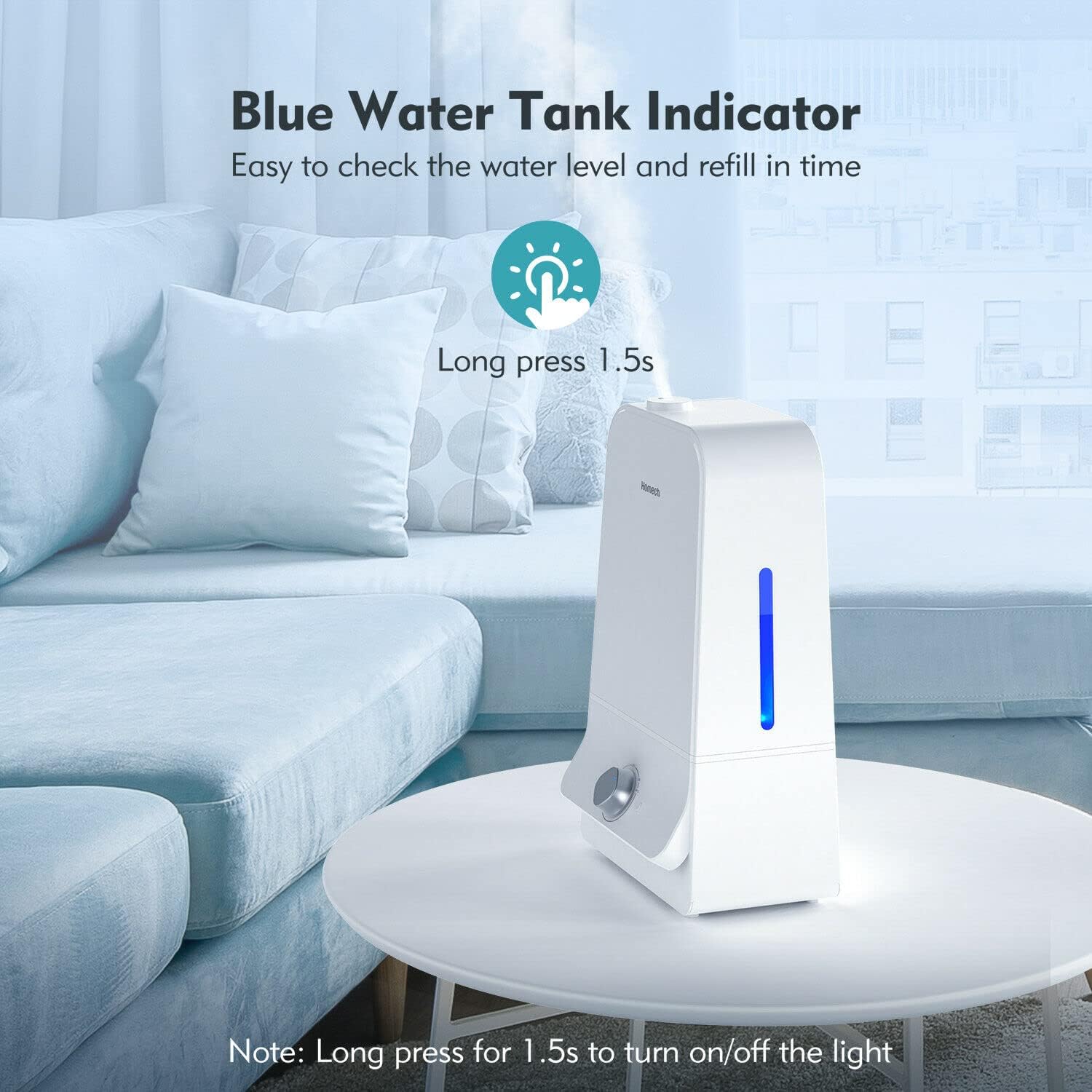
Image: The humidifier displaying a blue water tank indicator, making it easy to check water levels.
4.3 Night Mode (Sleep Mode)
For undisturbed sleep, activate Night Mode:
- Press the moon icon button to enter Night Mode. In this mode, the humidifier operates at a reduced mist output (approximately 150ml/h) and the night light is turned off.
- Press the moon icon button again to exit Night Mode.

Image: The humidifier is shown operating quietly, emphasizing its virtually silent ultrasonic mist technology.
4.4 Timer Function
Set the humidifier to operate for a specific duration:
- Press the timer button to cycle through available timer settings (e.g., 2 hours, 4 hours, 8 hours). The corresponding indicator light will illuminate.
- The humidifier will automatically shut off once the set time has elapsed.
4.5 Max Mist Function
For maximum humidity output:
- Press the 'MAX' mist button. The humidifier will operate at its highest mist output (approximately 500ml/h) for a set duration (e.g., 1 hour).
- The humidifier will revert to its previous setting or turn off after the max mist duration.

Image: The humidifier producing a mist that reaches 1 meter (3.3 feet) high, ensuring even distribution without dampening the floor.
4.6 360° Rotatable Nozzle
The humidifier features a 360-degree rotatable nozzle, allowing you to direct the mist in any desired direction for optimal coverage.
5. Maintenance
Regular cleaning is essential to prevent mineral buildup and ensure optimal performance and hygiene.
5.1 Daily Maintenance
- Empty and rinse the water tank daily.
- Wipe the base and mist outlet with a clean, dry cloth.
5.2 Weekly Cleaning
- Unplug: Always unplug the humidifier before cleaning.
- Disassemble: Remove the water tank and any detachable parts.
- Clean Water Tank: Use the provided cleaning brush to scrub the inside of the tank. For mineral buildup, fill the tank with a mixture of white vinegar and water (1:1 ratio) and let it soak for 30 minutes. Rinse thoroughly.
- Clean Base: Gently wipe the base with a soft cloth dampened with white vinegar or a mild descaling solution. Do not immerse the base in water.
- Rinse and Dry: Rinse all parts thoroughly with clean water and allow them to air dry completely before reassembling.
6. Troubleshooting
| Problem | Possible Cause | Solution |
|---|---|---|
| No mist or low mist output | Lack of water; mineral buildup; mist outlet blocked. | Refill water tank; clean the transducer and water tank; ensure mist outlet is clear. |
| Unusual odor | New unit odor; dirty water; mineral buildup. | Run for a few days; replace water; clean the tank and base. |
| Water leakage | Tank not properly sealed; humidifier on uneven surface; overfilled tank. | Ensure tank cover is tight; place on a flat surface; do not overfill. |
| Humidifier not turning on | No power; waterless auto shut-off activated. | Check power connection; refill water tank. |
7. Specifications
| Feature | Detail |
|---|---|
| Model Name | HM-AH003 |
| Operating Voltage | AC100-120V 50/60Hz |
| Water Tank Capacity | 6L / 1.59 gallons |
| Mist Height | 1m / 3.28ft |
| Working Noise | Under 27dB |
| Mist Output | 60-300ml/h (Normal), 500ml/h (Max Mist) |
| Working Time on a Full Tank | 12-60H (depending on mist level) |
| Recommended Room Size | 20-40m² / 215-430ft² |
| Dimensions | 251x167x412mm / 9.9x6.6x16.2 in |
| Net Weight | 1775g / 62.6oz / 3.91 pounds |
| Color | White |
| Special Features | Night Light, Automatic Shut-off (waterless), 360° Rotatable Nozzle, Easy-to-Clean Wide Opening, Durable Nano-coating on circuit board |
| UPC | 617285621815 |
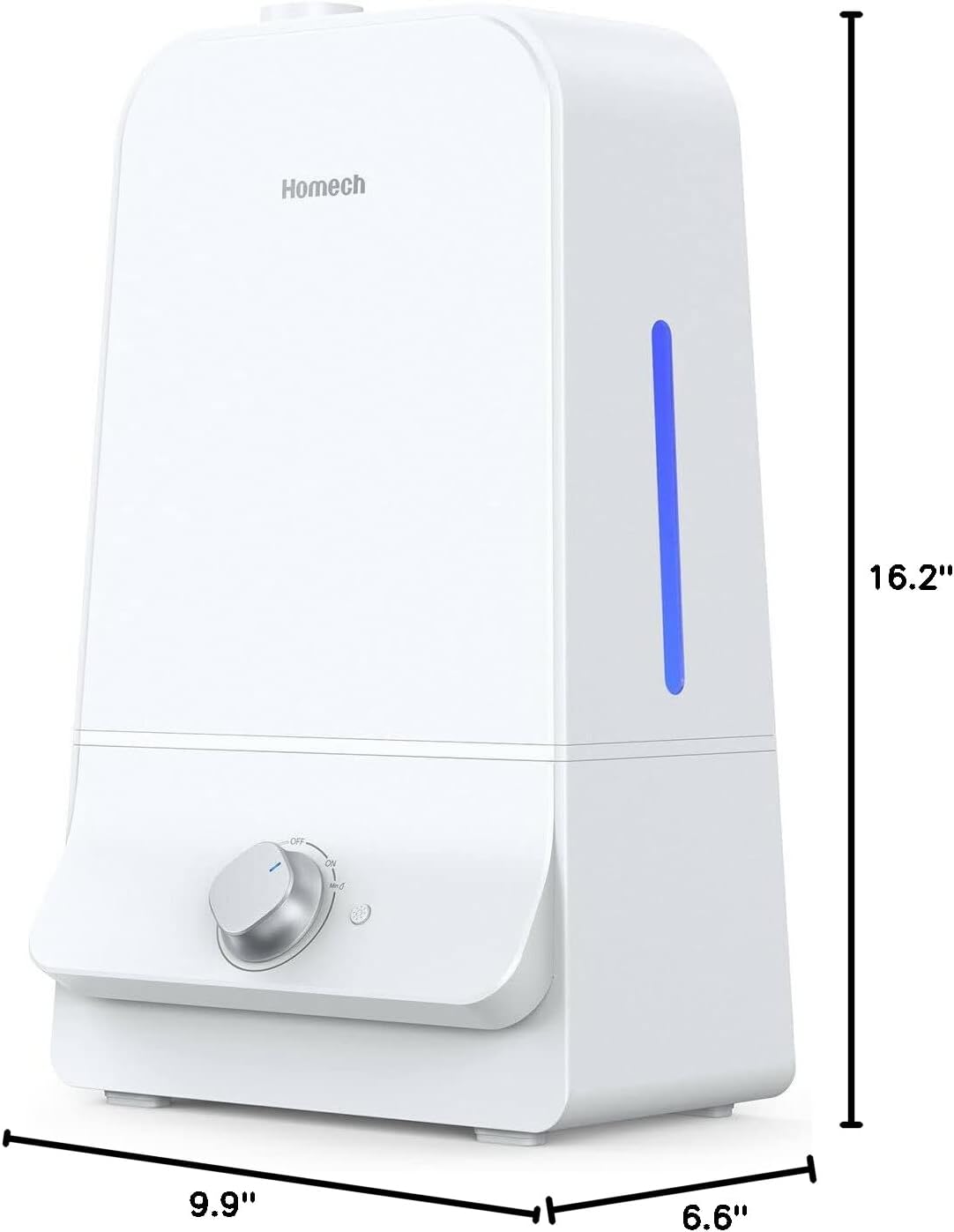
Image: The humidifier with its dimensions (height, width, depth) clearly indicated.
8. Warranty and Support
For warranty information or technical support, please refer to the warranty card included in your package or contact Homech customer service directly. Keep your purchase receipt for warranty claims.
If you require further assistance, please contact the manufacturer's support team. Contact details are typically found in the user guide or on the manufacturer's official website.
Ask a question about this manual
Ask about setup, troubleshooting, compatibility, parts, safety, or missing instructions. Manuals+ will review the question and use this page’s manual context to help answer it.