
NIFER 250-2
Instruction Manual: Replacement Belt for Magic Chef 250-2 Bread Maker
Model: 250-2 | Brand: NIFER
1. Product Overview
This document provides instructions for the installation and maintenance of the NIFER replacement belt, specifically designed for the Magic Chef 250-2 bread maker from the 1970s. This belt is a crucial component for the proper operation of your bread machine, ensuring the mixing paddle functions correctly.
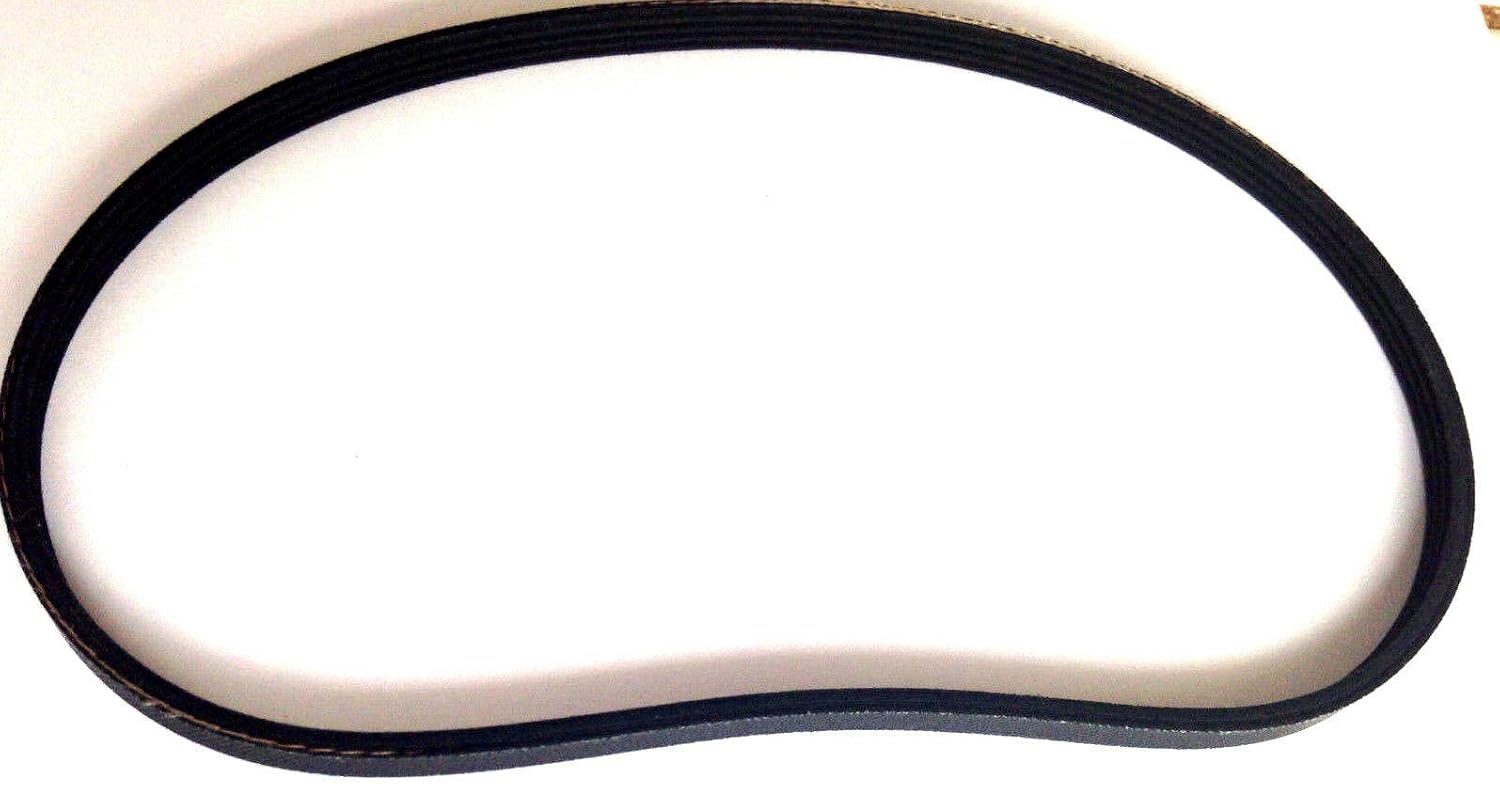
Image 1.1: The NIFER replacement belt. This black, durable belt is designed to transmit power from the motor to the mixing paddle mechanism within the bread maker, ensuring consistent and effective dough kneading.
2. Compatibility
This replacement belt is compatible exclusively with the Magic Chef 250-2 bread maker model, manufactured in the 1970s. Please verify your bread maker's model number before attempting installation to ensure proper fit and function.
3. Safety Information
Always prioritize safety when working with electrical appliances. Follow these guidelines:
- Unplug the Appliance: Before beginning any repair or maintenance, ensure the bread maker is completely unplugged from the electrical outlet.
- Allow Cooling: If the bread maker has been recently used, allow it to cool down completely before handling.
- Use Appropriate Tools: Use only non-conductive tools where possible and ensure they are in good condition.
- Keep Dry: Ensure your hands and the work area are dry to prevent electrical hazards.
- Professional Assistance: If you are unsure about any step or uncomfortable performing the repair, consult a qualified technician.
4. Installation Instructions
Replacing the drive belt in your Magic Chef 250-2 bread maker requires careful attention. The following steps are general guidelines; specific disassembly may vary slightly depending on the exact unit's construction.
- Prepare the Work Area: Ensure a clean, well-lit, and stable surface for working on the appliance.
- Unplug the Bread Maker: Disconnect the power cord from the wall outlet.
- Access the Internal Mechanism: Carefully locate and remove the screws that secure the outer casing of the bread maker. These are typically on the bottom or back. Gently separate the casing halves to expose the motor and drive assembly. Take note of how components are arranged for reassembly.
- Locate the Old Belt: Identify the existing drive belt, which connects the motor pulley to the main drive shaft that operates the kneading paddle.
- Remove the Old Belt: Carefully slip the old belt off both pulleys. If the belt is broken, remove any remaining pieces.
- Install the New Belt: Place the new NIFER replacement belt onto the smaller motor pulley first. Then, carefully stretch and guide the belt onto the larger drive shaft pulley. Ensure the belt is seated correctly in the grooves of both pulleys. The belt should be taut but not excessively tight.
- Verify Belt Alignment: Rotate the larger pulley by hand a few times to ensure the new belt is properly aligned and moves smoothly without slipping or rubbing against other components.
- Reassemble the Casing: Carefully align the casing halves and secure them with the screws removed earlier. Do not overtighten screws.
- Test Operation: Plug the bread maker back into the electrical outlet. Run a short cycle (e.g., a mix cycle) to confirm the new belt is functioning correctly and the kneading paddle rotates as expected. Listen for any unusual noises.
5. Maintenance
The NIFER replacement belt is designed for durability. To ensure the longevity of your bread maker's drive system:
- Regular Inspection: Periodically (e.g., every 6-12 months, or if you notice performance issues) inspect the belt for signs of wear, cracking, fraying, or stretching.
- Cleanliness: Keep the internal components of the bread maker, especially around the pulleys and belt, free from dough residue or debris, which can cause premature wear.
- Avoid Overloading: Do not overload the bread maker with ingredients beyond its specified capacity, as this can put excessive strain on the motor and drive belt.
6. Troubleshooting
If you encounter issues after replacing the belt, consider the following:
| Problem | Possible Cause | Solution |
|---|---|---|
| Kneading paddle not moving or moving slowly. | Belt not properly seated on pulleys, belt too loose, or incorrect belt size. | Re-open casing and verify belt installation. Ensure it is taut and correctly aligned. Confirm you have the correct belt for the Magic Chef 250-2. |
| Grinding or squealing noise during operation. | Belt rubbing against casing or other components, or pulley misalignment. | Inspect the belt's path for obstructions. Ensure pulleys are securely fastened and aligned. |
| Burning smell. | Belt friction due to misalignment or excessive tension. | Immediately unplug the unit. Re-check belt alignment and tension. If the smell persists, discontinue use and seek professional repair. |
7. Specifications
- Product: Replacement Drive Belt
- Brand: NIFER
- Compatible Model: Magic Chef 250-2 (1970's Bread Maker/Machine)
- Part Type: Aftermarket Replacement
- Condition: Brand New - Unused Parts
8. Warranty and Support
Specific warranty information for this replacement belt is not provided in this manual. For details regarding warranty coverage, returns, or additional technical support, please contact the seller directly through your purchase platform.
For general inquiries or assistance, refer to the contact information provided by the retailer or the NIFER brand if available.
Ask a question about this manual
Ask about setup, troubleshooting, compatibility, parts, safety, or missing instructions. Manuals+ will review the question and use this page’s manual context to help answer it.