
1. Introduction
This manual provides essential information for the safe and efficient operation of your OUKITEL WP16 Rugged Smartphone. Please read this manual thoroughly before using the device.

Image: Front, back, and side view of the OUKITEL WP16 Rugged Smartphone, showcasing its robust design and key features like the camera module and side buttons.
2. Setup
2.1 Package Contents
Verify that all items are present in the package:
- OUKITEL WP16 Smartphone
- Charger
- USB-C Cable
- SIM Ejector Tool
- User Manual (this document)
2.2 SIM Card and MicroSD Card Installation
- Locate the SIM card tray on the side of the device.
- Insert the SIM ejector tool into the small hole next to the tray and push gently until the tray pops out.
- Place your Nano-SIM card(s) and/or MicroSD card into the designated slots on the tray. Ensure the cards are correctly oriented.
- Carefully reinsert the tray into the phone until it clicks into place.

Image: Close-up of the SIM card tray, illustrating the placement for two SIM cards and one MicroSD card.
2.3 Initial Charging
Before first use, fully charge the device. Connect the USB-C cable to the phone's charging port and the other end to the power adapter. Plug the adapter into a wall outlet.
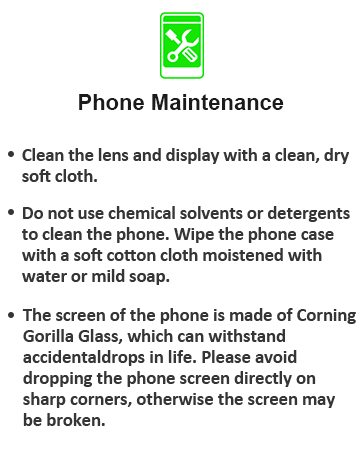
Image: A hand holding the OUKITEL WP16 smartphone while it is connected to a charging cable, indicating the charging process.
2.4 Powering On/Off
- To power on: Press and hold the Power button until the OUKITEL logo appears.
- To power off: Press and hold the Power button, then select "Power off" from the options on the screen.
3. Operating Your Smartphone
3.1 Basic Navigation
The OUKITEL WP16 runs on Android 11.0. Navigate the interface using touch gestures:
- Tap: Select an item.
- Swipe: Scroll through screens or lists.
- Pinch: Zoom in or out on images and web pages.
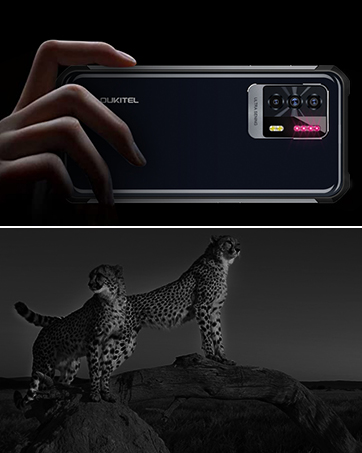
Image: A person wearing gloves interacting with the touchscreen of the OUKITEL WP16 smartphone, demonstrating its usability in various conditions.
3.2 Camera Functions
The device features a 20MP Night Vision Camera and a 12MP Main Camera on the rear, along with a Front camera.
- Standard Photography: Open the Camera app and tap the shutter button.
- Night Vision Mode: Select the Night Vision option within the camera app for enhanced visibility in low-light conditions.

Image: Diagram illustrating the rear camera setup with a 12MP main camera and a 20MP night vision camera, alongside an example of a 20MP front camera selfie.

Image: The OUKITEL WP16 smartphone showcasing its night vision camera feature, capturing clear images of cheetahs in a dark environment.
3.3 Connectivity
- Wi-Fi: Access Wi-Fi settings from the Quick Settings panel or Settings app to connect to available networks.
- Bluetooth: Pair with Bluetooth devices via the Bluetooth settings.
- NFC: The device supports NFC for contactless payments and data transfer. Enable NFC in settings and tap your phone to compatible devices or terminals.
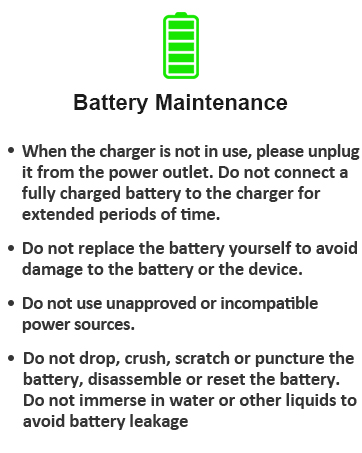
Image: A hand holding the OUKITEL WP16 smartphone near a payment terminal, demonstrating the NFC payment functionality.
3.4 GPS and Navigation
The OUKITEL WP16 includes GPS functionality for location services and navigation applications.

Image: The OUKITEL WP16 smartphone displaying a map application, indicating its GPS and navigation capabilities.
4. Durability Features
The OUKITEL WP16 is designed to withstand challenging environments, featuring IP68, IP69K, and MIL-STD-810G certifications.
- IP68 Waterproof: Submersible in up to 1.5 meters of water for 30 minutes.
- IP69K Dust-proof: Provides complete protection against dust ingress.
- MIL-STD-810G: Certified for drop resistance from 1.5 meters height.

Image: A collage of images demonstrating the OUKITEL WP16's rugged features, including its MIL-STD-810G drop resistance, IP69K dust-proof rating, and IP68 waterproof capabilities, shown in various challenging environments like water and sand.

Image: The OUKITEL WP16 smartphone partially submerged in water near a shoreline, illustrating its waterproof design.

Image: A hand holding the OUKITEL WP16 smartphone while sand is being poured over it, demonstrating its dust-resistance.
5. Maintenance
5.1 Phone Maintenance
- Clean the lens and display with a clean, dry soft cloth.
- Do not use chemical solvents or detergents to clean the phone. Wipe the phone case with a soft cotton cloth moistened with water or mild soap.
- The screen is made of Corning Gorilla Glass, designed to withstand accidental drops. Avoid dropping the phone screen directly on sharp corners to prevent damage.

Image: An icon representing phone maintenance, accompanied by text instructions for cleaning and care of the device.
5.2 Battery Maintenance
- When the charger is not in use, unplug it from the power outlet.
- Do not connect a fully charged battery to the charger for extended periods of time.
- Do not replace the battery yourself to avoid damage to the battery or the device.
- Do not use unapproved or incompatible power sources.
- Do not drop, crush, scratch, or puncture the battery, disassemble or reset the battery.
- Do not immerse in water or other liquids to avoid battery leakage.

Image: An icon representing battery maintenance, accompanied by text instructions for proper battery care and safety.
6. Troubleshooting
This section addresses common issues you might encounter with your OUKITEL WP16 smartphone.
- Device does not power on:
- Ensure the battery is sufficiently charged. Connect the device to its charger for at least 30 minutes before attempting to power it on again.
- Poor network signal:
- Check if the SIM card is correctly inserted. Move to an area with better network coverage. Contact your carrier to verify service availability.
- Touchscreen unresponsive:
- Restart the device by holding the power button for an extended period (usually 10-15 seconds) to force a reboot. Ensure the screen is clean and dry.
- Battery drains quickly:
- Reduce screen brightness, close unused applications running in the background, and disable unnecessary features like Wi-Fi, Bluetooth, or GPS when not in use. Review battery usage in settings to identify power-consuming apps.
- Cannot connect to Wi-Fi:
- Ensure Wi-Fi is enabled on your phone and the router is working. Try restarting both your phone and the Wi-Fi router. Verify the Wi-Fi password is correct.
7. Specifications
| Feature | Detail |
|---|---|
| Model Number | WP16 |
| Operating System | Android 11.0 |
| RAM | 8 GB |
| Internal Storage | 128 GB |
| Screen Size | 6.39 Inches |
| Resolution | 1560 x 720 |
| Battery Capacity | 10600 Milliamp Hours |
| Phone Talk Time | 35 Hours |
| Main Camera | 12MP |
| Night Vision Camera | 20MP |
| Front Camera | 20MP |
| Connectivity | 4G Cellular, NFC, Infrared |
| GPS | Yes |
| Waterproof Rating | IP68 |
| Dust-proof Rating | IP69K |
| Drop Resistance | MIL-STD-810G (1.5m) |
| Item Weight | 227 Grams (8 ounces) |
| Color | Black |

Image: Graphic illustrating the 10600mAh super battery capacity of the OUKITEL WP16, showing estimated usage times: 883 hours standby, 66 hours call, 66.5 hours music, and 24 hours video playback.

Image: Display of the OUKITEL WP16's performance specifications, highlighting its Octa-Core Helio P60 processor, 8GB RAM, 128GB ROM, and support for 256GB expansion, shown with a gaming scene on the screen.

Image: The OUKITEL WP16 smartphone displaying its 6.39-inch Corning Gorilla Glass screen, with specifications for 400NIT brightness, 1560x720 resolution, and 19.5:9 aspect ratio.
8. Warranty Information
Specific warranty details are not provided in the available product information. Please refer to the warranty card included with your product or contact OUKITEL customer support for detailed warranty terms and conditions.
9. Customer Support
For further assistance or technical support, please refer to the contact information provided in your product packaging or visit the official OUKITEL website.