
Introduction
Thank you for choosing the CAMWORLD Action Camera. This manual provides essential information for setting up, operating, and maintaining your camera to ensure optimal performance. Please read it thoroughly before use.
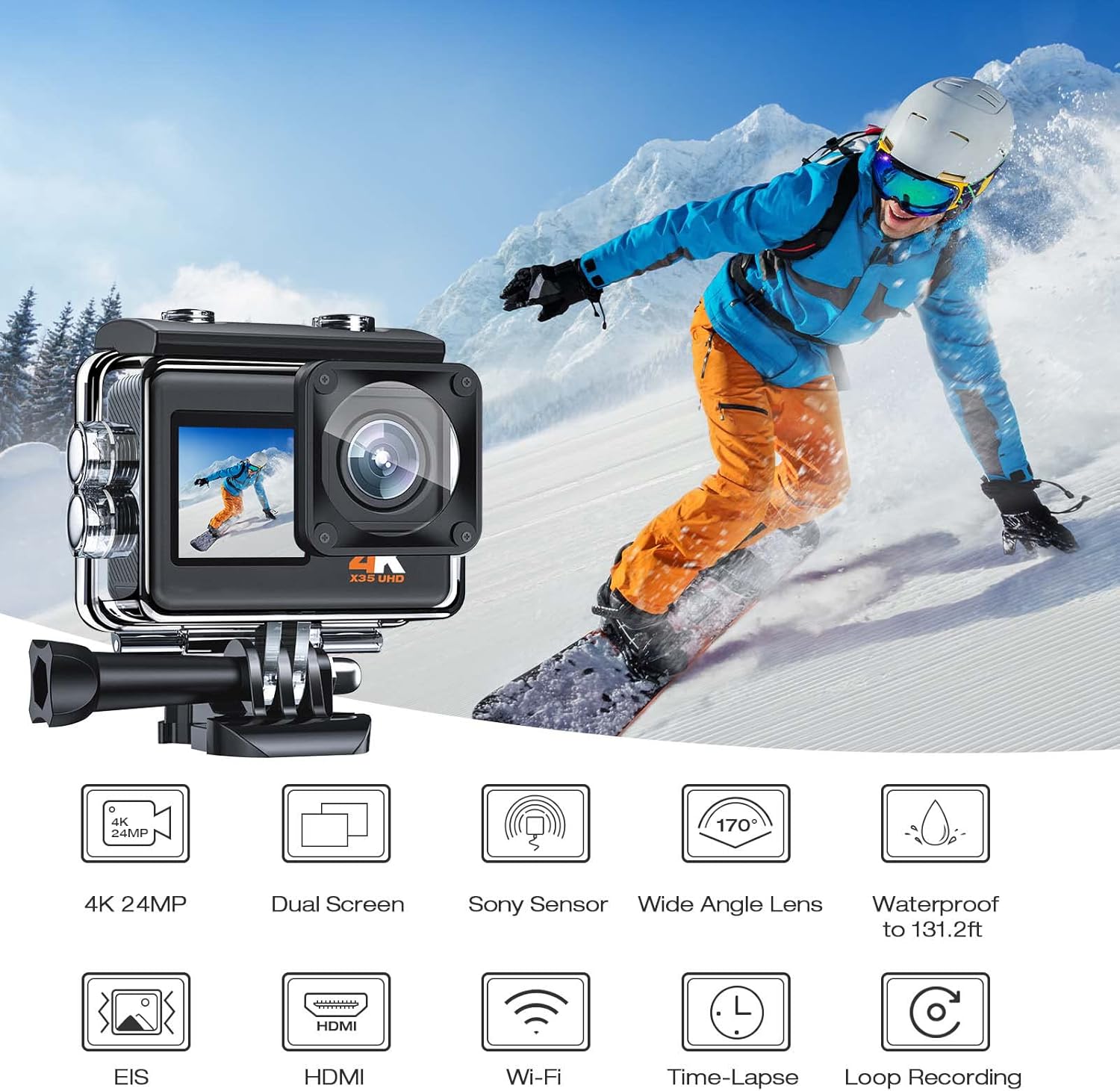
Image: Overview of the CAMWORLD Action Camera highlighting key features like 4K 24MP resolution, dual screens, wide-angle lens, and waterproof capabilities.
Setup
1. Charging the Batteries
The camera comes with two rechargeable batteries. Before first use, fully charge both batteries using the provided USB cable. Connect the camera to a USB power source (e.g., computer, wall adapter) with the USB cable. The charging indicator light will show the charging status.
2. Inserting a MicroSD Card
A MicroSD card (not included, Class 10 or higher recommended) is required for recording videos and photos. Open the battery compartment, locate the MicroSD card slot, and insert the card with the contacts facing the front of the camera until it clicks into place.
3. Attaching the Waterproof Case
For underwater use or protection against impacts, place the camera inside the durable waterproof case. Ensure the camera is properly seated and the case is securely latched to maintain its 131ft/40m waterproof rating. Always test the waterproof case without the camera first to ensure no leaks.

Image: The CAMWORLD Action Camera in its waterproof housing, shown during an underwater dive, illustrating its 131 feet waterproof capability.
4. Powering On/Off
Press and hold the Power/Mode button on the front of the camera to turn it on or off. A short press of the Power/Mode button cycles through different modes (Video, Photo, Playback, Settings).
Operating the Camera
Video Recording
In Video mode, press the Shutter/OK button to start recording. Press it again to stop. The camera supports professional 4K/30fps video resolution. Electronic Image Stabilization (EIS) helps minimize camera shake for smoother footage.
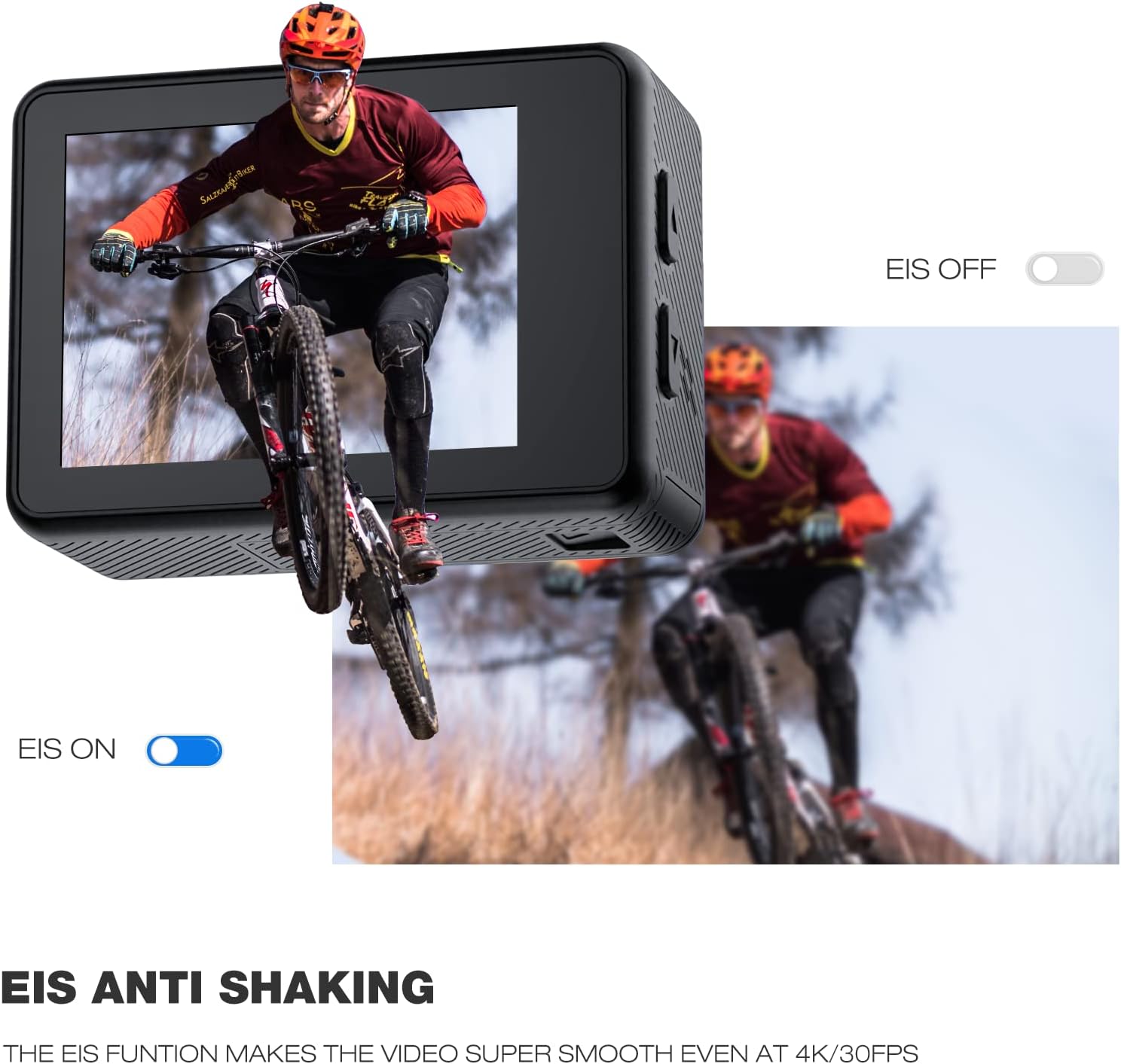
Image: Demonstration of the EIS (Electronic Image Stabilization) feature, showing a clear image when EIS is active and a blurred image when it is off, with a mountain biker as the subject.
Photo Capture
In Photo mode, press the Shutter/OK button to take a 24MP photo. The camera features a 170-degree wide-angle lens to capture expansive scenes.
Dual Color Screens
The camera is equipped with a vivid front screen for convenient selfie photos and videos, and a 2.0-inch high-sensitivity back screen for clear playback and preview. Use the mode button to switch between screens or modes.

Image: The CAMWORLD Action Camera displaying its front screen, ideal for framing selfies, with a skier in a snowy mountain environment.
Wi-Fi Connectivity and App Control
Download the XDV PRO app from Google Play or the Apple App Store. Enable Wi-Fi on your camera and connect your smartphone or tablet to the camera's Wi-Fi network. Through the app, you can view live footage, capture photos, record videos, and share your content directly.
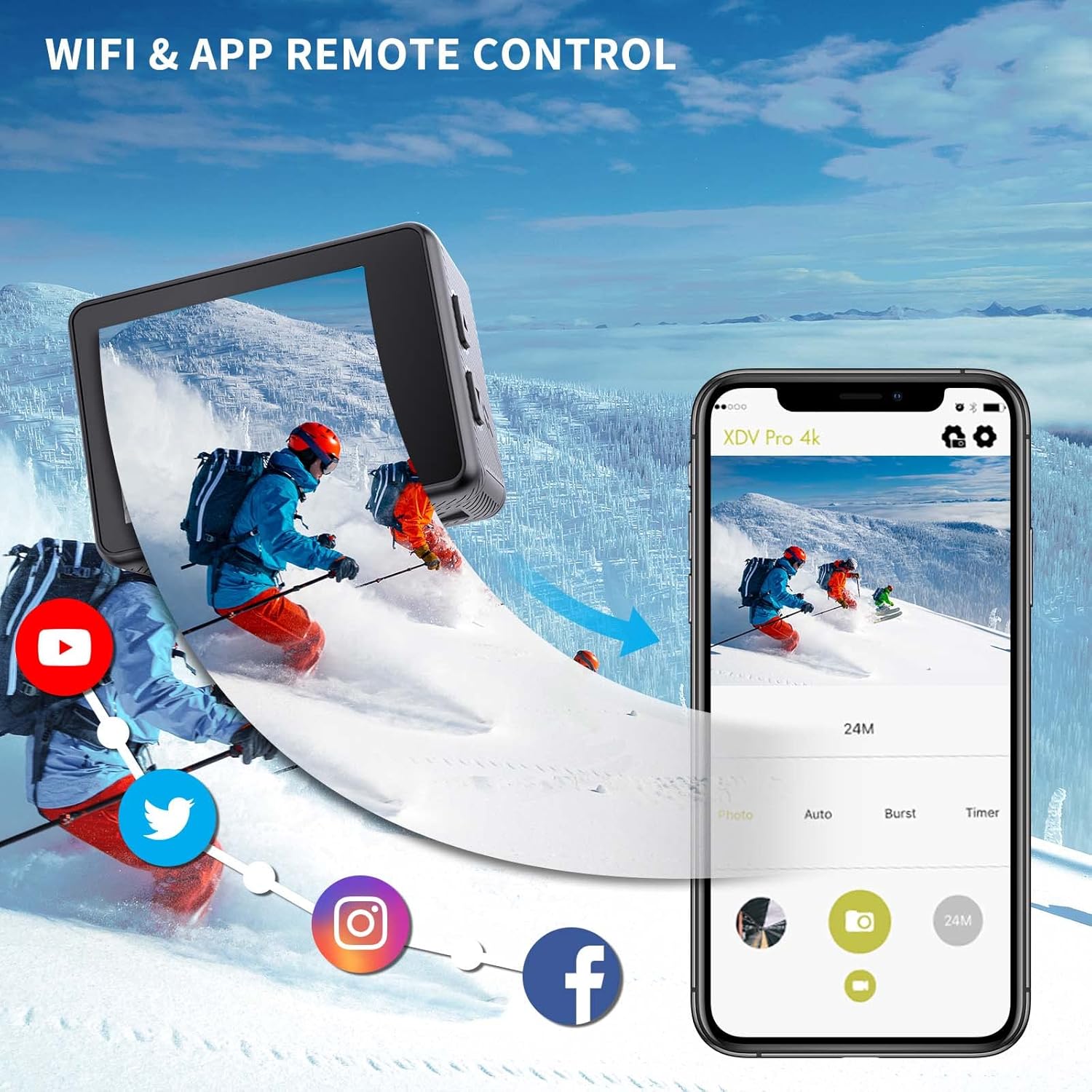
Image: The CAMWORLD Action Camera demonstrating its Wi-Fi and app remote control capabilities, showing the camera connected to a smartphone displaying the XDV Pro 4K app interface.
Special Modes
- Time-Lapse: Capture a series of photos over time and combine them into a video.
- Loop Recording: Records video continuously, overwriting the oldest files when the memory card is full.
- Car Mode: Automatically starts recording when the vehicle starts and stops when it turns off.
- Long Exposure: Allows for extended shutter speeds to capture more light, ideal for low-light conditions or artistic effects.

Image: Visual examples of the camera's special modes: Time-Lapse video showing plant growth, Car Mode with the camera mounted in a vehicle, and Long Exposure capturing light trails at night.
Maintenance
Cleaning the Camera and Case
- Wipe the camera body with a soft, dry cloth.
- For the waterproof case, rinse with fresh water after saltwater use and allow to air dry. Ensure no sand or debris is trapped in the seals.
- Clean the lens with a lens cleaning cloth only.
Battery Care
- Store batteries in a cool, dry place.
- Do not expose batteries to extreme temperatures.
- If storing for extended periods, charge batteries to about 50% capacity.
Storage
When not in use, store the camera and accessories in a protective case to prevent damage from dust, moisture, and impacts.
Troubleshooting
| Problem | Possible Solution |
|---|---|
| Camera does not power on. | Ensure batteries are fully charged and correctly inserted. Try a different battery if available. |
| Video/Photo quality is poor. | Check lens for smudges or dirt. Ensure adequate lighting. Verify resolution settings. Use a high-speed MicroSD card (Class 10 or higher). |
| Waterproof case leaks. | Inspect the O-ring seal for dirt, hair, or damage. Ensure the case is properly closed and latched. Always perform a leak test without the camera before underwater use. |
| Wi-Fi connection issues. | Ensure Wi-Fi is enabled on the camera and your mobile device. Restart both devices. Verify you have the correct app (XDV PRO) and that it is updated. |
Specifications
| Feature | Detail |
|---|---|
| Brand | CAMWORLD |
| Model Number | 1 |
| Special Feature | Waterproof |
| Connectivity Technology | USB, Wi-Fi |
| Color | Grey |
| Control Method | Touch |
| Included Components | Battery, USB Cable |
| Waterproof Depth | Up to 131ft/40m (with waterproof case) |
| Video Resolution | 4K/30fps |
| Photo Resolution | 24MP |
| Image Stabilization | EIS (Electronic Image Stabilization) |
| Lens Angle | 170 Degree Wide Angle |
| Screens | Dual Color Screen (Front & 2.0'' Back) |
Warranty and Support
Specific warranty information was not provided in the product data. Please refer to the manufacturer's official website or contact CAMWORLD customer support for detailed warranty terms and conditions. For technical assistance or further inquiries, please visit the CAMWORLD support page or contact their customer service team.
Official Product Videos
No official product videos from the seller were found in the provided data. Please check the manufacturer's official channels for any available video guides or demonstrations.