
Nextron CB-500BT-WHITE
Nextron Portable CD Player Bluetooth Boombox
Model: CB-500BT-WHITE
Introduction
Thank you for purchasing the Nextron Portable CD Player Bluetooth Boombox. This versatile audio system offers multiple playback options including CD, AM/FM radio, Bluetooth streaming, USB playback, and AUX-in connectivity. Designed for portability and ease of use, it delivers clear stereo sound with an optional bass boost. Please read this manual thoroughly before use to ensure proper operation and to maximize your listening experience.

Image: Front view of the Nextron Portable CD Player Bluetooth Boombox in white, showing the CD compartment, display, and speakers.
What's in the Box
- Nextron CD Boombox
- AC Power Cord
- Quick Start Guide
- User’s Manual (this document)
Product Overview
Familiarize yourself with the various components and controls of your boombox.
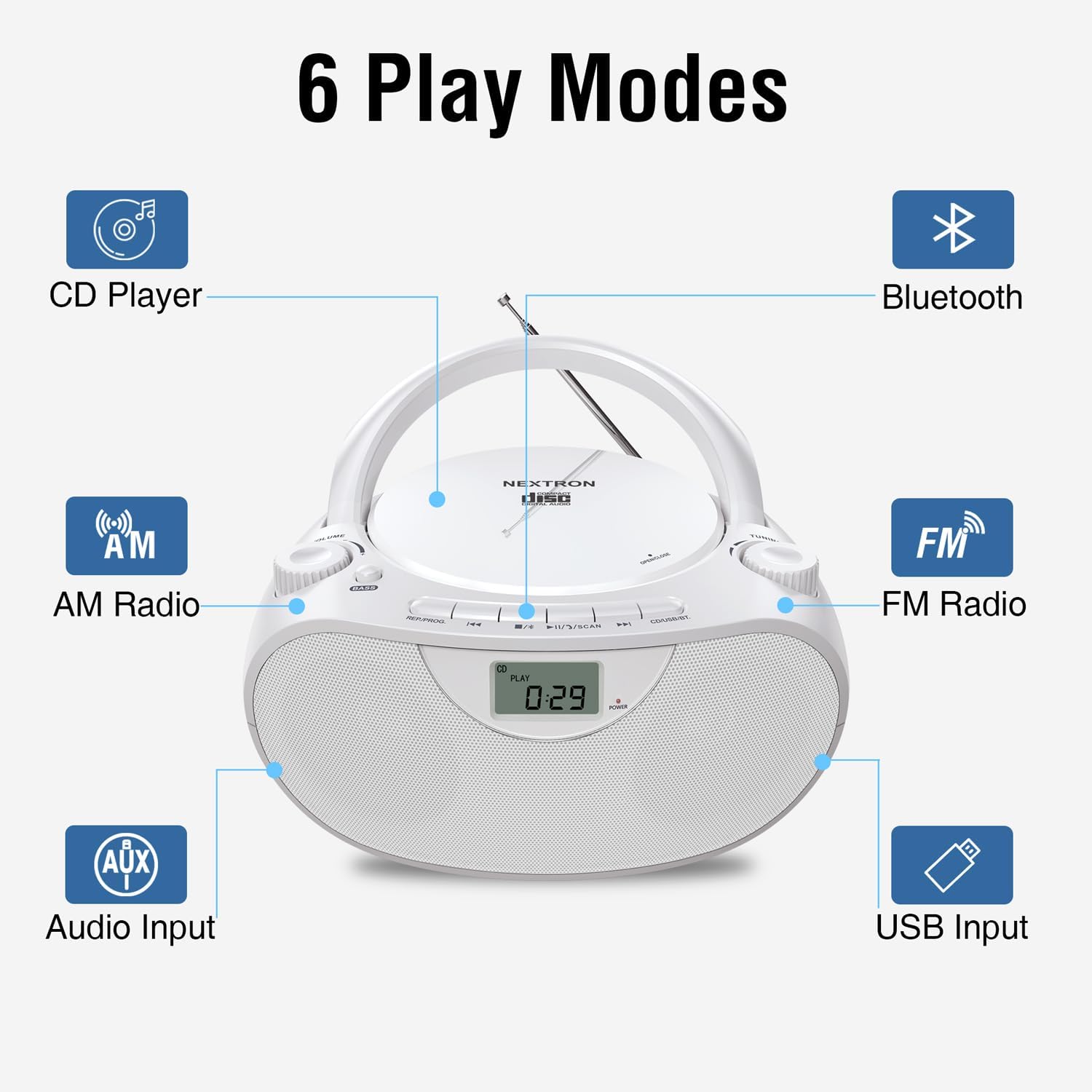
Image: Diagram illustrating the 6 play modes: CD Player, Bluetooth, AM Radio, FM Radio, Audio Input (AUX), and USB Input, with lines pointing to their respective controls on the boombox.
Main Controls and Features:
- Volume Dial: Adjusts the audio output level.
- Tuning Dial: Used for manual tuning of AM/FM radio stations.
- Bass Boost Button: Enhances low-frequency audio for richer sound.
- Mode Selector Switch: Toggles between CD, Radio, Bluetooth, USB, and AUX modes.
- LCD Display: Shows current mode, track number, radio frequency, etc.
- CD Compartment: Top-loading tray for CDs.
- USB Port: For playing MP3/WMA files from flash drives.
- AUX-in Jack: 3.5mm input for connecting external audio devices.
- Headphone Jack: 3.5mm output for private listening.
- Telescopic Antenna: For FM radio reception.
- AC Power Input: For connecting the AC power cord.
- Battery Compartment: For optional battery operation.
Setup
Powering the Unit
Your boombox can be powered by either AC power or batteries.

Image: Top panel showing the boombox connected to an AC outlet, and bottom panel showing the battery compartment with 6 C batteries inserted.
AC Power Operation:
- Ensure the unit is turned off.
- Insert the included AC power cord into the AC input jack on the back of the boombox.
- Plug the other end of the AC power cord into a standard wall outlet (AC 120V ~ 60Hz).
Battery Operation:
- Ensure the unit is turned off and disconnected from AC power.
- Open the battery compartment cover located on the bottom of the unit.
- Insert 6 "C" size batteries (not included) into the compartment, ensuring correct polarity (+/-) as indicated.
- Close the battery compartment cover securely.
Note: Remove batteries if the unit will not be used for an extended period to prevent leakage and damage.
Antenna Setup (for Radio)
For optimal FM radio reception, fully extend the telescopic antenna. For AM reception, rotate the unit for the best signal.
Operating Instructions
General Operation
- Power On/Off: Press the POWER button to turn the unit on or off.
- Volume Adjustment: Rotate the VOLUME dial to increase or decrease the sound level.
- Mode Selection: Use the MODE selector switch to choose between CD, FM, AM, Bluetooth, USB, or AUX.
- Bass Boost: Press the BASS button to activate or deactivate the bass boost feature for enhanced low-end sound.

Image: The Nextron boombox on a table, with an inset showing a finger pressing the 'BASS' button, indicating the bass boost feature.
CD Player Operation
This unit plays standard audio CDs, CD-R/RW discs, and MP3/WMA audio files on CD-R/RW.

Image: A person inserting a CD into the top-loading CD player of the Nextron boombox, with icons for Audio-CD, MP3, WMA, and Audio-Book playback.
- Switch the MODE selector to "CD".
- Gently open the CD compartment cover.
- Place a CD with the label side facing up onto the spindle.
- Close the CD compartment cover firmly until it clicks.
- The CD will begin playing automatically. If not, press the PLAY/PAUSE button.
- Use the SKIP/SEARCH buttons (◀◀ / ▶▶) to skip tracks. Hold them down to fast forward/rewind.
- Press the STOP button (■) to stop playback.
- Program Play: While in STOP mode, press the PROGRAM button to select and arrange tracks in a desired order.
- Repeat Play: Press the REPEAT button to repeat the current track (one press) or all tracks (two presses).
- Shuffle Play: Press the SHUFFLE button to play tracks in a random order.
AM/FM Radio Operation
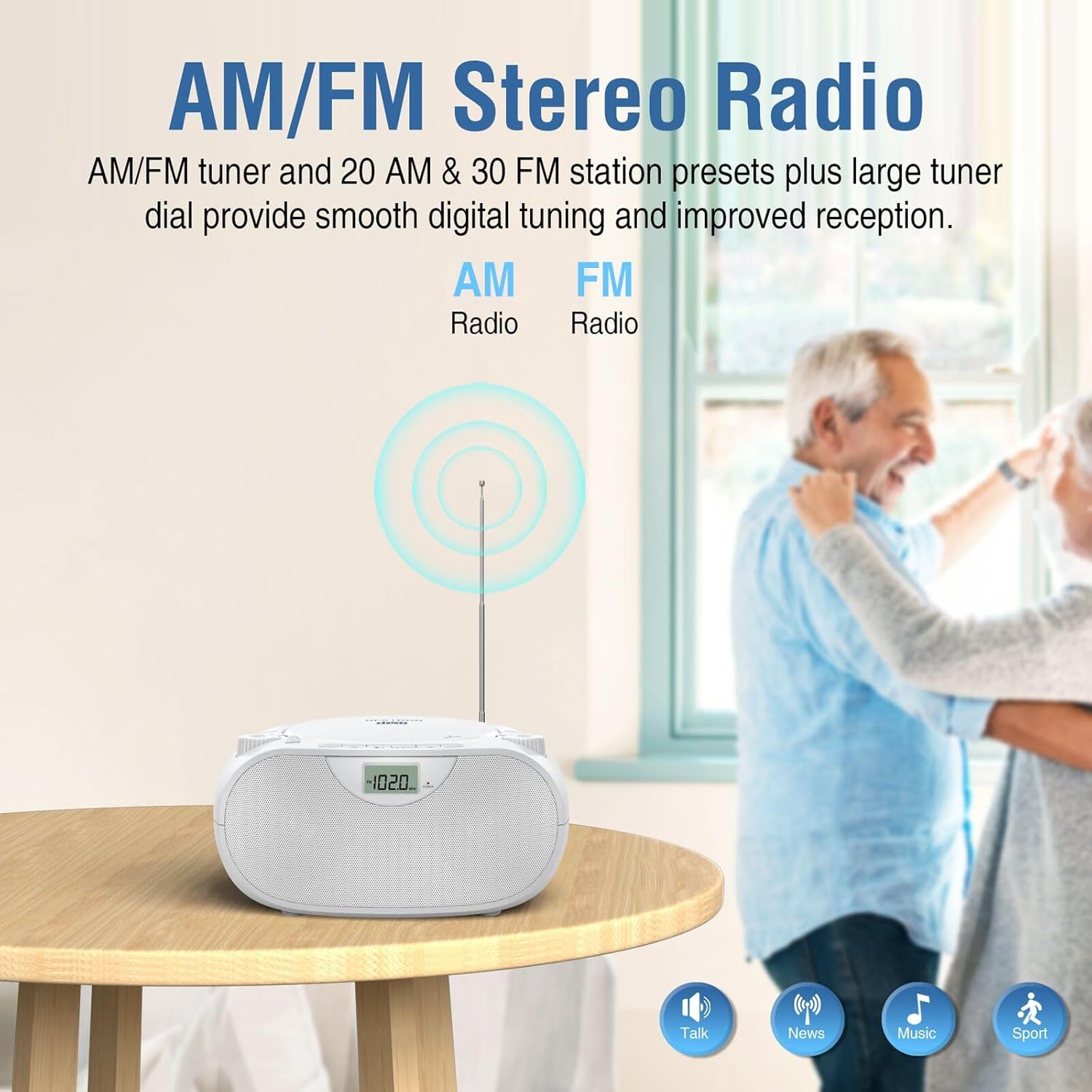
Image: The Nextron boombox on a table with its telescopic antenna extended, illustrating radio waves for AM and FM reception.
- Switch the MODE selector to "FM" or "AM".
- Extend the telescopic antenna for FM reception. For AM, rotate the unit for best signal.
- Rotate the TUNING dial to manually tune to your desired radio station. The frequency will be shown on the LCD display.
- Auto Scan/Preset: Press the SCAN button to automatically scan and store available stations. The unit can store up to 20 AM and 30 FM stations.
- Recall Presets: Use the PRESET buttons (◀◀ / ▶▶) to cycle through stored preset stations.
Bluetooth Wireless Streaming
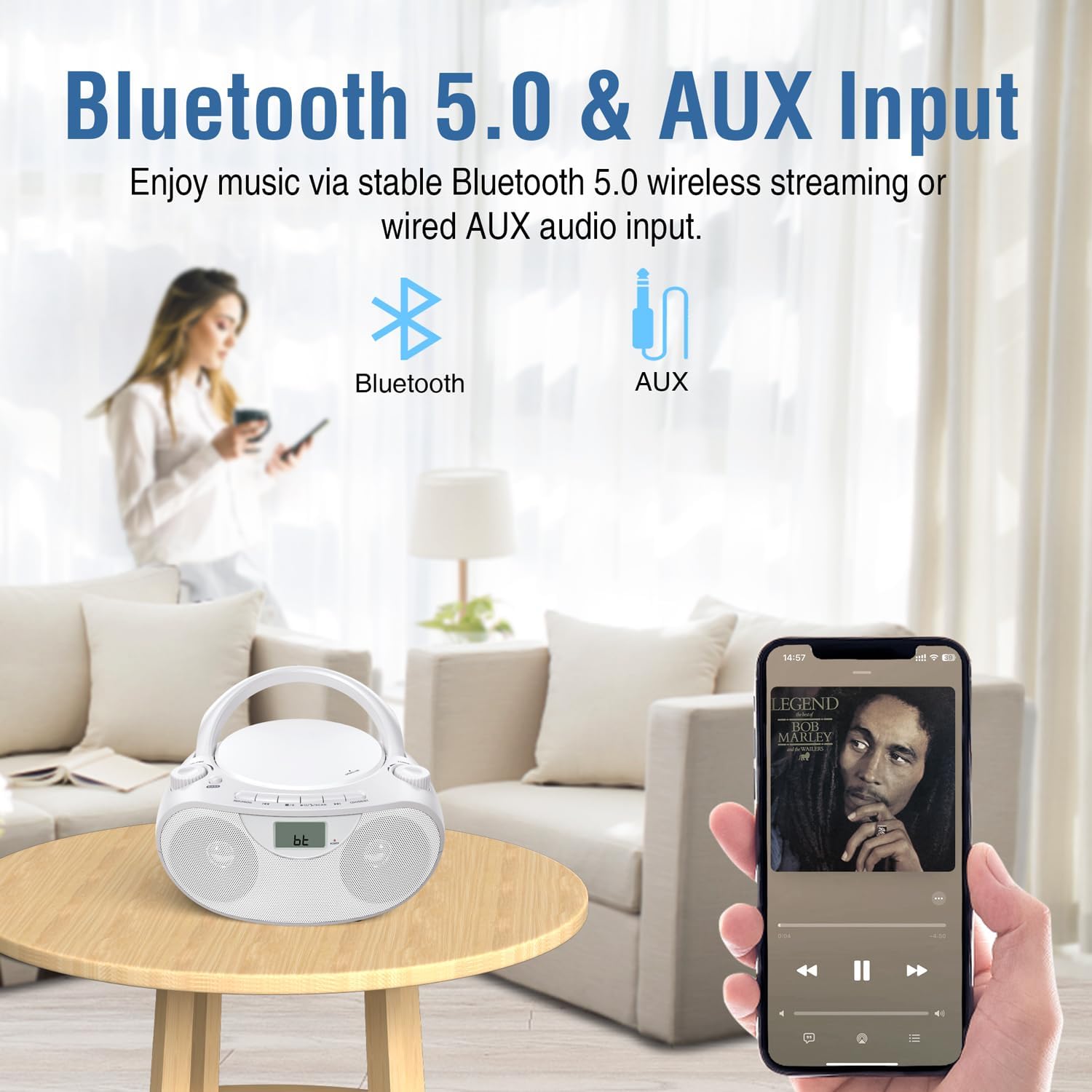
Image: The Nextron boombox on a table, with a hand holding a smartphone displaying a music player interface, indicating Bluetooth connectivity.
- Switch the MODE selector to "Bluetooth". The LCD display will show "BT" and flash, indicating pairing mode.
- On your Bluetooth-enabled device (smartphone, tablet, etc.), enable Bluetooth and search for available devices.
- Select "NEXTRON CB-500BT" from the list.
- Once paired, the "BT" indicator on the boombox will stop flashing and remain solid.
- You can now play audio from your device through the boombox. Use your device's controls for playback (play/pause, skip).
Note: This unit does not include a Bluetooth transmitter function. It can only receive audio via Bluetooth.
USB Music Playback

Image: The Nextron boombox on a desk with two USB flash drives (red and blue) next to it, indicating USB playback capability for MP3/WMA files.
- Switch the MODE selector to "USB".
- Insert a USB flash drive (up to 128GB, FAT32 format only) into the USB port.
- The unit will automatically detect and begin playing compatible MP3/WMA audio files.
- Use the PLAY/PAUSE, SKIP/SEARCH, REPEAT, and SHUFFLE buttons as you would for CD playback.
Note: NTFS format USB drives are not supported.
AUX-in & Headphone Jack

Image: A close-up view of the side of the Nextron boombox, highlighting the headphone and AUX input jacks.
- AUX-in: Connect an external audio device (e.g., smartphone, MP3 player) to the 3.5mm AUX-in jack using a 3.5mm audio cable (not included). Switch the MODE selector to "AUX". Audio will play through the boombox speakers.
- Headphone Jack: For private listening, plug 3.5mm headphones (not included) into the headphone jack. The speakers will be muted automatically.
Maintenance
Cleaning the Unit
- Wipe the exterior of the unit with a soft, damp cloth. Do not use abrasive cleaners or solvents.
- For the CD lens, use a specialized CD lens cleaner disc.
- Keep the unit free from dust and debris.
Care for CDs
- Handle CDs by their edges to avoid fingerprints.
- Clean CDs with a soft, lint-free cloth, wiping from the center outwards.
- Store CDs in their cases to prevent scratches.
Troubleshooting
| Problem | Possible Cause | Solution |
|---|---|---|
| No power | AC cord not connected properly; Batteries depleted or inserted incorrectly. | Check AC cord connection; Replace batteries or ensure correct polarity. |
| No sound | Volume too low; Headphones connected; Incorrect mode selected. | Increase volume; Disconnect headphones; Select correct mode (CD, FM, AM, BT, USB, AUX). |
| Poor radio reception | Antenna not extended; Unit position; Local interference. | Fully extend FM antenna; Rotate unit for better AM signal; Move unit away from other electronic devices. |
| CD skipping or not playing | CD dirty or scratched; CD compartment not closed properly; CD inserted upside down. | Clean or replace CD; Ensure CD compartment is firmly closed; Insert CD with label side up. |
| Bluetooth not connecting | Boombox not in pairing mode; Device Bluetooth off; Device too far. | Ensure boombox is in Bluetooth mode and "BT" is flashing; Enable Bluetooth on your device; Move device closer to the boombox. |
| USB not playing | USB drive not FAT32 format; Incompatible file type; USB drive corrupted. | Ensure USB drive is FAT32; Only MP3/WMA files are supported; Try a different USB drive. |
| LCD display hard to read | No backlight feature. | This model does not feature an LCD backlight. Use in well-lit environments. |
Specifications
| Feature | Detail |
|---|---|
| Model Number | CB-500BT-WHITE |
| Product Dimensions (L x W x H) | 9.17 x 8.19 x 4.49 inches (23.3 x 20.8 x 11.4 cm) |
| Item Weight | 2.8 pounds (1.27 kg) |
| Power Source | AC 120V ~ 60Hz or 6 x "C" Batteries (not included) |
| Connectivity Technology | Auxiliary, Bluetooth, USB |
| Speaker Type | Built-In Stereo Speakers (3-inch) |
| CD Compatibility | CD, CD-R/RW, MP3-CD, WMA-CD, Audiobook CDs |
| USB Compatibility | MP3/WMA audio files, up to 128GB (FAT32 format) |
| Radio Frequencies | AM/FM Digital Tuner (20 AM, 30 FM presets) |
| Bluetooth Version | Bluetooth 5.0 |
| Headphone Jack | 3.5mm Stereo |
| AUX Input | 3.5mm Stereo |
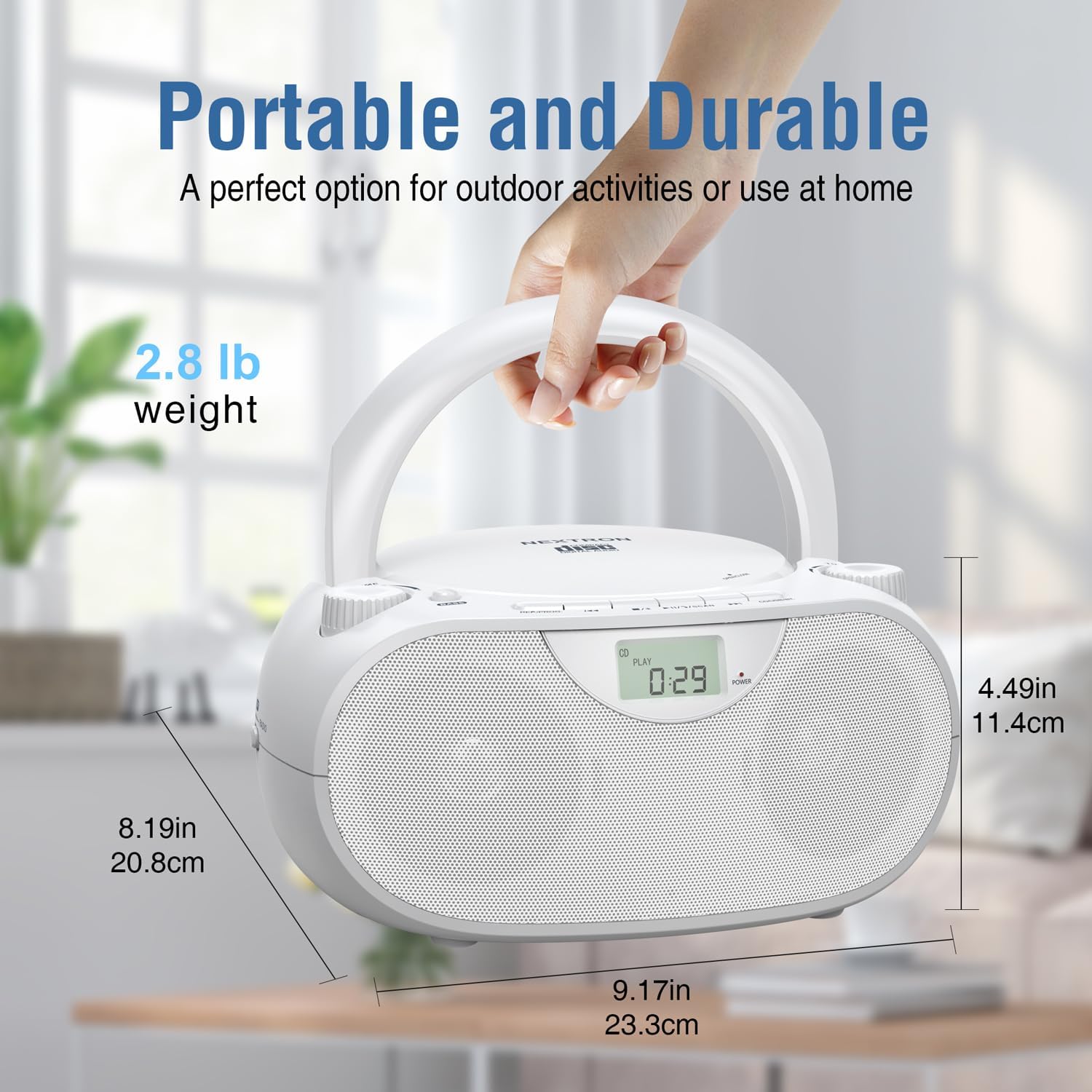
Image: The Nextron boombox with its dimensions (9.17in length, 8.19in width, 4.49in height) and weight (2.8 lb) clearly marked.
Warranty and Support
Nextron products are designed for reliability and performance. For any questions, technical support, or warranty inquiries, please refer to the contact information provided with your purchase documentation or visit the official Nextron website. Keep your proof of purchase for warranty service.
Ask a question about this manual
Ask about setup, troubleshooting, compatibility, parts, safety, or missing instructions. Manuals+ will review the question and use this page’s manual context to help answer it.