Important Information Before Use
This manual provides instructions for the ASONPAO ACT-31B Linear Garage Door Opener Remote. Please read it carefully before operating your device.
Compatibility
The ASONPAO ACT-31B remote is designed to replace and be compatible with specific Linear Garage Door Opener Remote models and receivers. Ensure your existing system is compatible before proceeding.
- Replaces Models: ACT-31B, ACP00879, MCT-11, DNT00090, MCT-1, DNT00083, MCT-3, DNT00089.
- Compatible with LINEAR Garage Door Openers: LD033, LD050, LS050, LC075, LDCO800, LSO50, LSO50-2T.
- Works with Linear MegaCode Receivers: MDR, MDR-U, MDR-2, MDRG, MDRM, MGR, MGR-2, SMDRG.
Important Note: This remote does NOT support garage door openers that use DIP switches.

Figure 1: Compatibility overview for ASONPAO ACT-31B remote.
Setup and Programming
Follow these steps to program your ASONPAO ACT-31B remote with your garage door opener.
Adding or Removing a Remote Control
- Press the operator's LEARN button. The red LEARN light will glow and stay on for approximately 15 seconds. A remote must be added or removed while the LEARN light is illuminated.
- Send a signal from the remote. The opener's light and the red light will flash once if a remote was added, or four times if a remote was removed.
- Repeat steps 1 and 2 for any additional remote controls.
Removing All Remote Controls
- Press and hold the operator's LEARN button for ten seconds or more.
- Release the LEARN button. The red LEARN light will blink three times, signifying that all remotes in the operator's memory have been erased. A new remote can then be entered by following the "Adding a Remote Control" steps.
Testing the Remote
Before operating the remote control, ensure the operator's white antenna wire points up. Stand clear of the door, press the remote control button, and verify that the operator starts. Press the remote control button again to stop the door mid-travel. Set the open and close limits as described in the opener's manual.

Figure 2: Detailed instructions for setting up and syncing the remote.
Operating Instructions
Once programmed, your ASONPAO ACT-31B remote is ready for use.
- To open or close your garage door, simply press the button on the remote control.
- The remote has an operating range of up to 164 feet (50 meters). For optimal performance, ensure a clear line of sight to the garage door opener.
- The compact design allows for convenient carrying, such as on a keychain.

Figure 3: Remote control operating range.
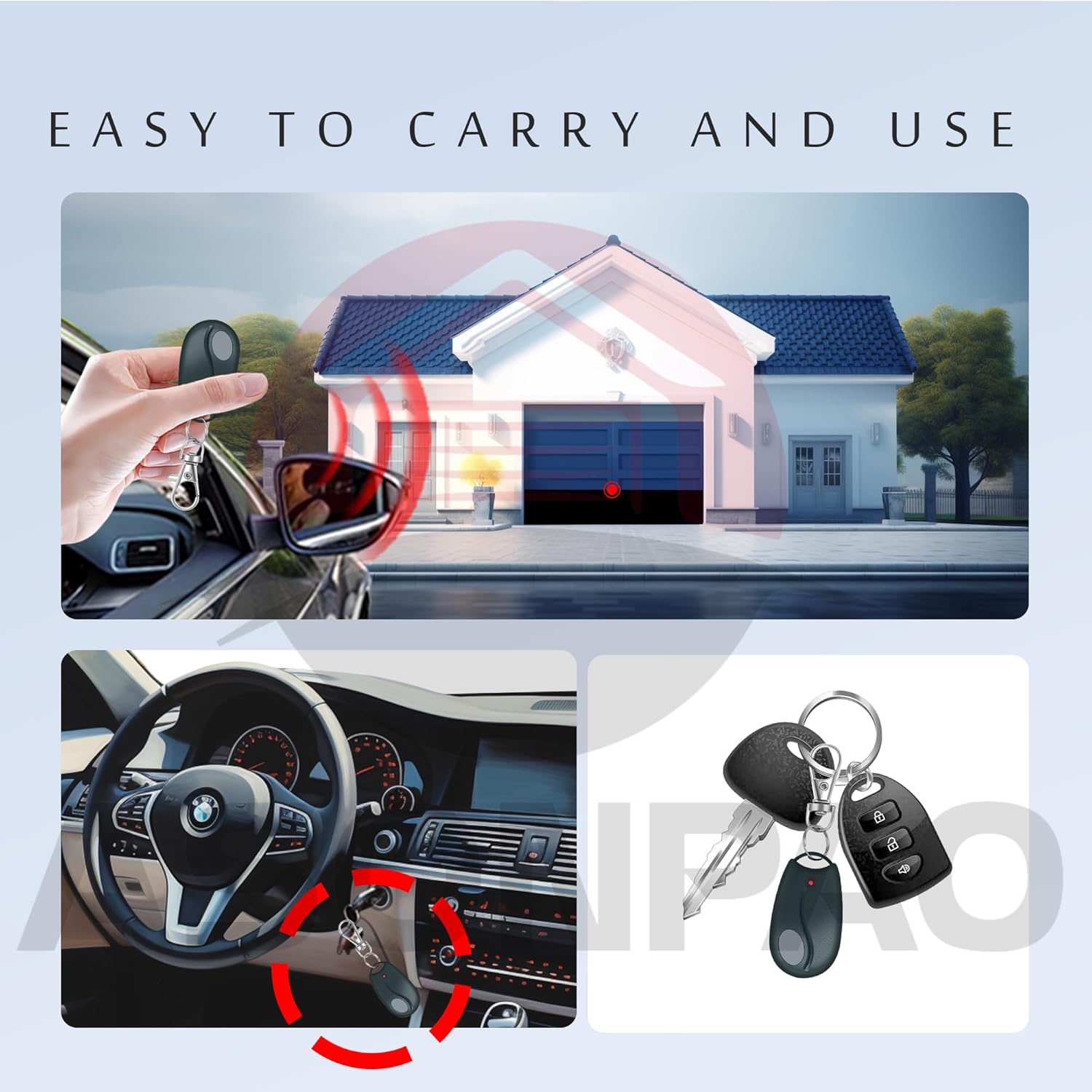
Figure 4: Easy to carry and use design.
Maintenance
Replacing the Remote Control's Batteries
The remote control uses a 3V CR2032 Lithium Metal battery. When the red light on the remote dims, or fails to light up at all when the remote is activated, the battery needs replacing.
- Open the remote's case and remove the circuit board.
- Replace the old battery with a new 3V CR2032 battery.
- Reassemble the remote, ensuring proper polarity during installation.
Figure 5: Battery replacement instructions (bottom right of image).

Figure 6: Information on the remote's long-lasting battery and durable construction.
Troubleshooting
- Remote not working after programming:
- Ensure the garage door opener's LEARN light was illuminated during programming.
- Verify that the remote is compatible with your garage door opener (check for DIP switches).
- Check the battery. If the red light on the remote is dim or not lighting up, replace the battery.
- Ensure the garage door opener's antenna wire is pointing up and not obstructed.
- Try reprogramming the remote following the "Adding or Removing a Remote Control" steps.
- Remote button gets stuck:
- Inspect the button for any debris or physical obstruction.
- Avoid placing the remote in situations where the button might be continuously pressed, such as tight pockets or bags, to prevent accidental activation or damage.
- Remote range is poor:
- Ensure the battery is fully charged or replaced.
- Check for any obstructions between the remote and the garage door opener.
- Ensure the garage door opener's antenna wire is properly positioned.
- Accidental garage door opening/closing:
- This can occur if the remote button is accidentally pressed. Consider carrying the remote in a way that prevents unintended button presses.
- If multiple remotes are causing issues, try removing all remotes and reprogramming them one by one.
If you continue to experience issues, please refer to the Warranty & Support section for assistance.
Specifications
| Parameter | Value |
|---|---|
| Model | ACT-31B |
| Working Range | 164 Feet (50 meters) |
| Working Voltage | DC 3V |
| Frequency | 318 MHz |
| Channel | 1 |
| Battery Model | 3V CR2032 Lithium Metal |
| Shell Material | ABS Alloy |
| Product Size | 2.32 x 1.33 x 0.47 inches |
| Item Weight | 1.44 ounces (0.044 LBS) |
| Color | Black |
| Code Type | Megacode |
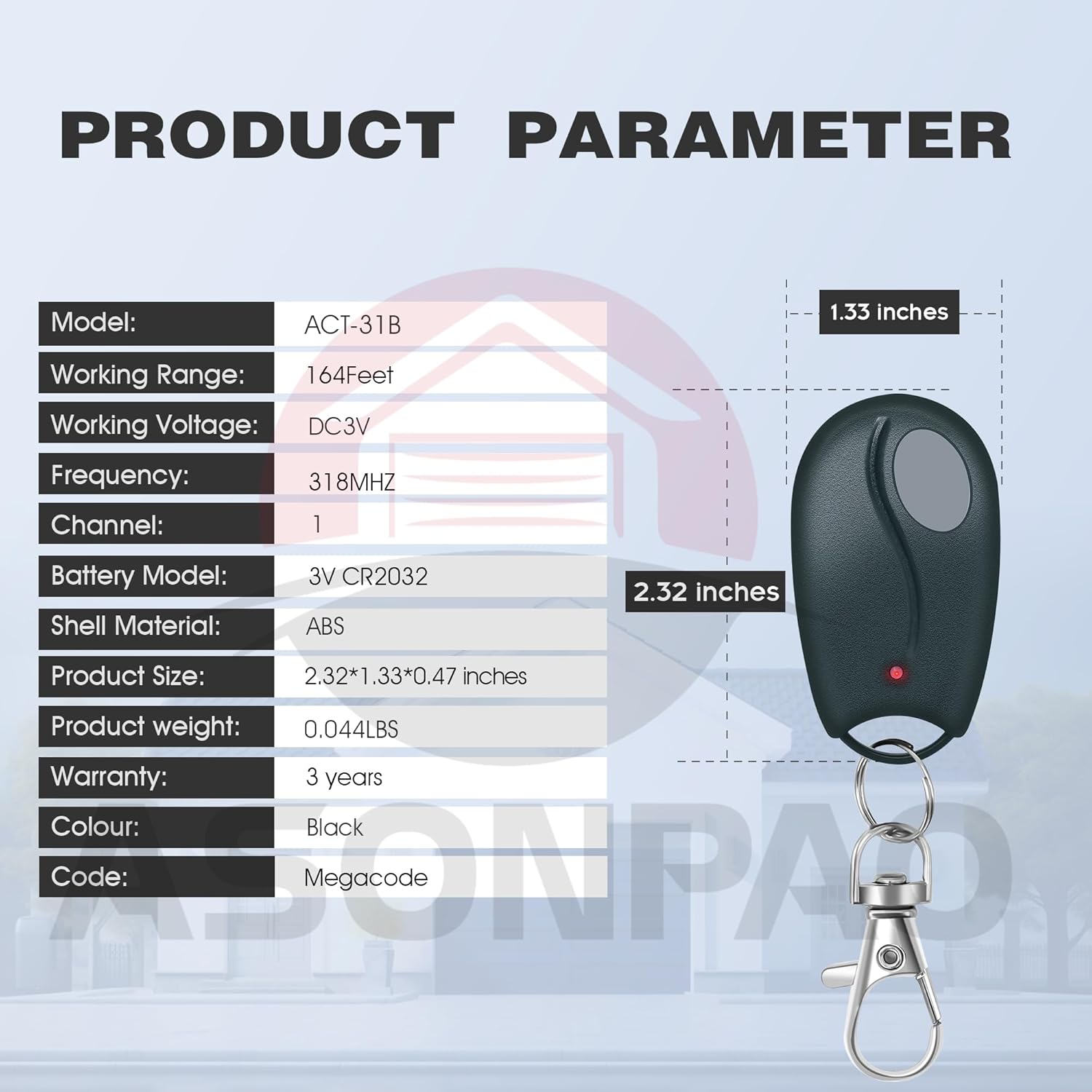
Figure 7: Product specifications and dimensions.
Warranty and Support
ASONPAO stands behind the quality of its products.
- Warranty: This product comes with a 10-year warranty.
- Technical Support: ASONPAO provides 24-hour online technical support. If you have any questions or require assistance, please contact us through our store homepage "Ask a question" or via support email. We aim to respond within 24 hours.

Figure 8: Warranty and support information.
Product Overview Video
Video 1: An overview of the ASONPAO ACT-31B Linear Garage Door Opener Remote, demonstrating its features and functionality.


