
1. Introduction
The PowerSpec PS 650SFXG is a 650 Watt 80 Plus Gold certified fully modular SFX power supply designed for compact computer builds. This unit provides stable and efficient power to your system components, featuring active Power Factor Correction (PFC) and a single +12V output rail. Its SFX form factor makes it suitable for micro ATX and other small form factor cases.
Key features include:
- 650W Continuous Power: Delivers reliable power for demanding systems.
- 80 Plus Gold Certified: Ensures high energy efficiency, reducing heat and operating costs.
- Fully Modular Design: Allows for cleaner cable management and improved airflow within the PC case.
- SFX Form Factor: Compact size ideal for small form factor builds.
- 90mm Low-Noise Fan: Provides efficient cooling with minimal acoustic output.
- Comprehensive Protections: Includes Over Voltage Protection (OVP), Under Voltage Protection (UVP), Over Power Protection (OPP), and Short Circuit Protection (SCP) for system safety.
- Japanese Capacitors: Enhances durability and reliability.

Image: PowerSpec PS 650SFXG Power Supply with its retail packaging and the included SFX to ATX adapter bracket.
2. Safety Information
Please read and understand all safety instructions before installing or operating the power supply. Failure to follow these instructions may result in electric shock, fire, or damage to the product and connected components.
- Disconnect Power: Always disconnect the AC power cord from the wall outlet before installing, removing, or performing any maintenance on the power supply or other computer components.
- Do Not Open: The power supply unit contains high voltage components. Do not open the power supply casing. There are no user-serviceable parts inside. Opening the unit will void the warranty.
- Proper Grounding: Ensure your computer system is properly grounded to prevent electrical hazards.
- Avoid Liquids: Do not expose the power supply to water or other liquids. Operate in a dry environment.
- Ventilation: Ensure adequate ventilation around the power supply. Do not block the fan or ventilation openings.
- Correct Voltage: Use only the specified input voltage range (115-230V AC) and frequency (50-60Hz).
- Professional Installation: If you are unsure about any installation steps, consult a qualified technician.
3. Package Contents
Verify that all items listed below are present in your package:
- PowerSpec PS 650SFXG Power Supply Unit
- Modular Cable Set (including 20+4 Pin ATX, 4+4 Pin CPU, 6+2 Pin PCI-E, SATA, HDD, FDD connectors)
- AC Power Cord
- Mounting Screws
- SFX to ATX Adapter Bracket
- User Manual (this document)

Image: All components included in the PowerSpec PS 650SFXG package.
4. Setup and Installation
Follow these steps to install your PowerSpec PS 650SFXG power supply:
- Prepare Your System: Ensure your computer is completely powered off and unplugged from the wall outlet. Open your computer case.
- Remove Old PSU (if applicable): Disconnect all cables from your old power supply and remove it from the case.
- Install the PS 650SFXG:
- If your case supports SFX power supplies directly, mount the PS 650SFXG into the designated SFX mounting area using the provided screws.
- If your case requires an ATX power supply, attach the included SFX to ATX adapter bracket to the PS 650SFXG, then mount the power supply into the ATX mounting area of your case using the provided screws.
- Connect Modular Cables: Identify the necessary cables for your components (motherboard, CPU, graphics card, storage drives, etc.). Connect one end of each required modular cable to the corresponding port on the power supply unit. The ports are labeled for clarity.

Image: Power supply dimensions and available modular connectors.
- Connect to Components: Connect the other end of each modular cable to the appropriate component in your computer:
- 20+4 Pin ATX: Connect to the motherboard's main power connector.
- 4+4 Pin CPU: Connect to the motherboard's CPU power connector.
- 6+2 Pin PCI-E: Connect to your graphics card(s) if required.
- SATA: Connect to SATA hard drives, SSDs, or optical drives.
- HDD (Molex): Connect to older peripherals or fans.
- FDD: Connect to floppy disk drives if applicable.
- Cable Management: Route cables neatly to improve airflow and aesthetics.
- Close Case: Once all connections are secure, close your computer case.
- Connect AC Power: Plug the AC power cord into the power supply's input socket and then into a wall outlet.
5. Operating Instructions
After installation, operating the PowerSpec PS 650SFXG is straightforward:
- Power Switch: Locate the independent power switch on the back of the power supply unit. Ensure it is in the 'ON' (I) position.

Image: The independent power switch located on the rear of the power supply.
- System Power On: Press the power button on your computer case. The power supply will activate, and your system should boot normally.
- Fan Operation: The integrated 90mm fan will operate to cool the power supply components. This fan is designed for low noise operation while maintaining efficient cooling.
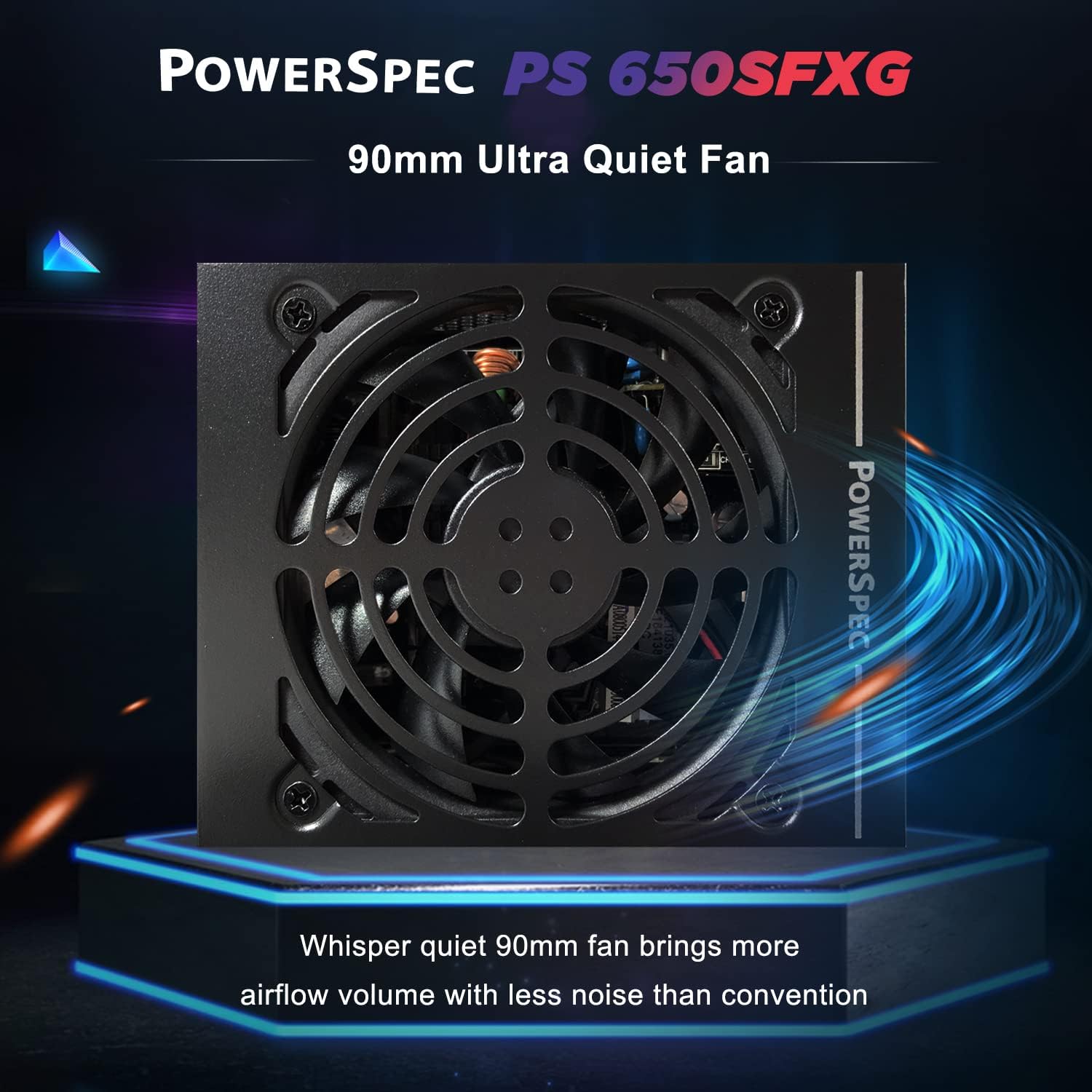
Image: The 90mm ultra quiet fan for efficient cooling.
- System Power Off: To turn off your computer, use the operating system's shutdown procedure. For complete power disconnection, switch the power supply's independent switch to the 'OFF' (O) position and unplug the AC power cord.
6. Maintenance
The PowerSpec PS 650SFXG is designed for reliable, long-term operation with minimal maintenance. However, following these guidelines can help ensure optimal performance and longevity:
- Keep Vents Clear: Regularly check that the power supply's fan intake and exhaust vents are not obstructed by dust or other debris. Blocked vents can lead to overheating and reduced efficiency.
- Dust Removal: Periodically clean the exterior of the power supply and the fan grille using compressed air. Ensure the computer is powered off and unplugged before cleaning. Do not insert any objects into the fan or vents.
- Operating Environment: Operate the power supply in a clean, dry, and well-ventilated environment. Avoid extreme temperatures and humidity.
- No User-Serviceable Parts: As stated in the safety information, do not attempt to open the power supply unit for internal cleaning or repair. This will void the warranty and poses a risk of electric shock.
7. Troubleshooting
If you encounter issues with your PowerSpec PS 650SFXG, refer to the following common problems and solutions:
- No Power / System Does Not Turn On:
- Ensure the AC power cord is securely plugged into both the power supply and the wall outlet.
- Check that the independent power switch on the back of the power supply is in the 'ON' (I) position.
- Verify that the wall outlet is functional by plugging in another device.
- Confirm all modular cables (especially the 20+4 Pin ATX and 4+4 Pin CPU) are firmly connected to the motherboard and other components.
- If possible, test the power supply with a known working system or use a PSU tester.
- System Instability / Random Crashes:
- Ensure all power connections to components (motherboard, CPU, GPU, storage) are secure.
- Verify that the total power draw of your components does not exceed the 650W capacity of the power supply.
- Check for proper ventilation within the PC case to prevent overheating of components, including the PSU.
- Excessive Fan Noise:
- Ensure the power supply's fan intake and exhaust are not blocked by dust or cables.
- Clean any dust accumulation from the fan grille using compressed air (with power off and unplugged).
- If the noise persists and is unusual, contact customer support.
If these steps do not resolve your issue, please contact PowerSpec customer support for further assistance.
8. Specifications
| Model Name | PS 650SFXG |
| Brand | PowerSpec |
| Output Wattage | 650 Watts |
| Form Factor | SFX |
| Efficiency Certification | 80 Plus Gold (90% minimum efficiency at 50% load) |
| Power Supply Design | Fully Modular |
| Cooling Method | Air (90mm Fan) |
| Input Voltage | 115-230 Volts AC |
| Input Frequency | 50-60 Hz |
| Protections | OVP, UVP, OPP, SCP |
| Item Dimensions (L x W x H) | 12.4 x 9.9 x 6.4 cm (4.9 x 3.9 x 2.5 inches) |
| Item Weight | 3 Pounds |
DC Output Table
| Rail | Max Current | Max Power |
|---|---|---|
| +3.3V | 22A | 120W |
| +5V | 22A | 120W |
| +12V | 54.2A | 650W |
| -12V | 0.3A | 3.6W |
| +5VSB | 2.5A | 12.5W |
| Total Power | 650W | |

Image: Product label with electrical specifications and 80 Plus Gold certification.
9. Warranty and Support
Warranty Information
The PowerSpec PS 650SFXG power supply comes with a 5-year limited warranty. This warranty covers defects in materials and workmanship under normal use. Please retain your proof of purchase for warranty claims.
The warranty does not cover damage resulting from:
- Improper installation or operation.
- Accidental damage, misuse, abuse, or neglect.
- Unauthorized repairs or modifications.
- Natural disasters or external causes.
Customer Support
For technical assistance, troubleshooting, or warranty inquiries, please contact PowerSpec customer support. You can typically find contact information on the PowerSpec website or through your retailer.
When contacting support, please have the following information ready:
- Product Model: PS 650SFXG
- Date of Purchase
- Detailed description of the issue


