
1. Important Safety Information
Please read this manual carefully before installation and use. Improper installation may result in serious injury or damage. If you have any questions, please contact customer support.
- Weight Capacity: Do not exceed the maximum load capacity of 110 lbs (50 kg). This mount is designed for TVs weighing up to 110 lbs and has been tested to support up to 330 lbs without issues.
- Wall Compatibility: This mount is designed for installation on 16-inch wood stud walls, concrete walls, or brick walls. DO NOT install on drywall alone.
- VESA Compatibility: Ensure your TV's VESA mounting pattern is between 100mm x 100mm and 400mm x 400mm.
- Installation Personnel: Two people are required for safe installation.
- Tools: Ensure all necessary tools are available before beginning installation.
2. Package Contents
Verify all components are present and undamaged before proceeding with installation.

Image: The WHYFONE TV wall mount, showing the main arm assembly, TV mounting plate, four cable management straps, and a small bubble level.
- TV Wall Mount Assembly
- Mounting Hardware Kit (various screws, anchors, washers)
- 4 x Cable Storage Straps
- Bubble Level
- Instruction Manual (refer to the detailed PDF for full steps)
3. Product Features
- 90 Degree Landscape to Portrait Rotation: Easily switch your TV's orientation by rotating it 90 degrees clockwise or counter-clockwise.
- 48-inch Long Arm Extension: The mount extends up to 48 inches (121.9 cm) from the wall, providing maximum viewing angles in large spaces, and retracts to 5.47 inches (13.9 cm).
- Full Motion Capabilities: Offers 5° up and 10° down tilt, 90° left and right swivel, and 3° left and right leveling adjustment. Adjustments are smooth and can often be made without tools.
- Thick-Walled Solid Iron Construction: Constructed with heavy-duty solid iron steel tubes for unmatched strength and stability.
- Unique Spacer Design: Features inner ribs to prevent screws from falling down, making installation easier and aligning threaded holes on the back of the TV.
- Cable Storage Straps: Four included straps help organize TV cables, preventing tangles and trip hazards.

Image: Visual representation of the TV mount's ability to rotate the screen 90 degrees, allowing for both landscape and portrait viewing modes. This feature is useful for various activities like watching movies or following fitness videos.

Image: This image demonstrates the impressive extension range of the TV mount, highlighting its ability to extend far from the wall for optimal viewing flexibility in spacious environments.
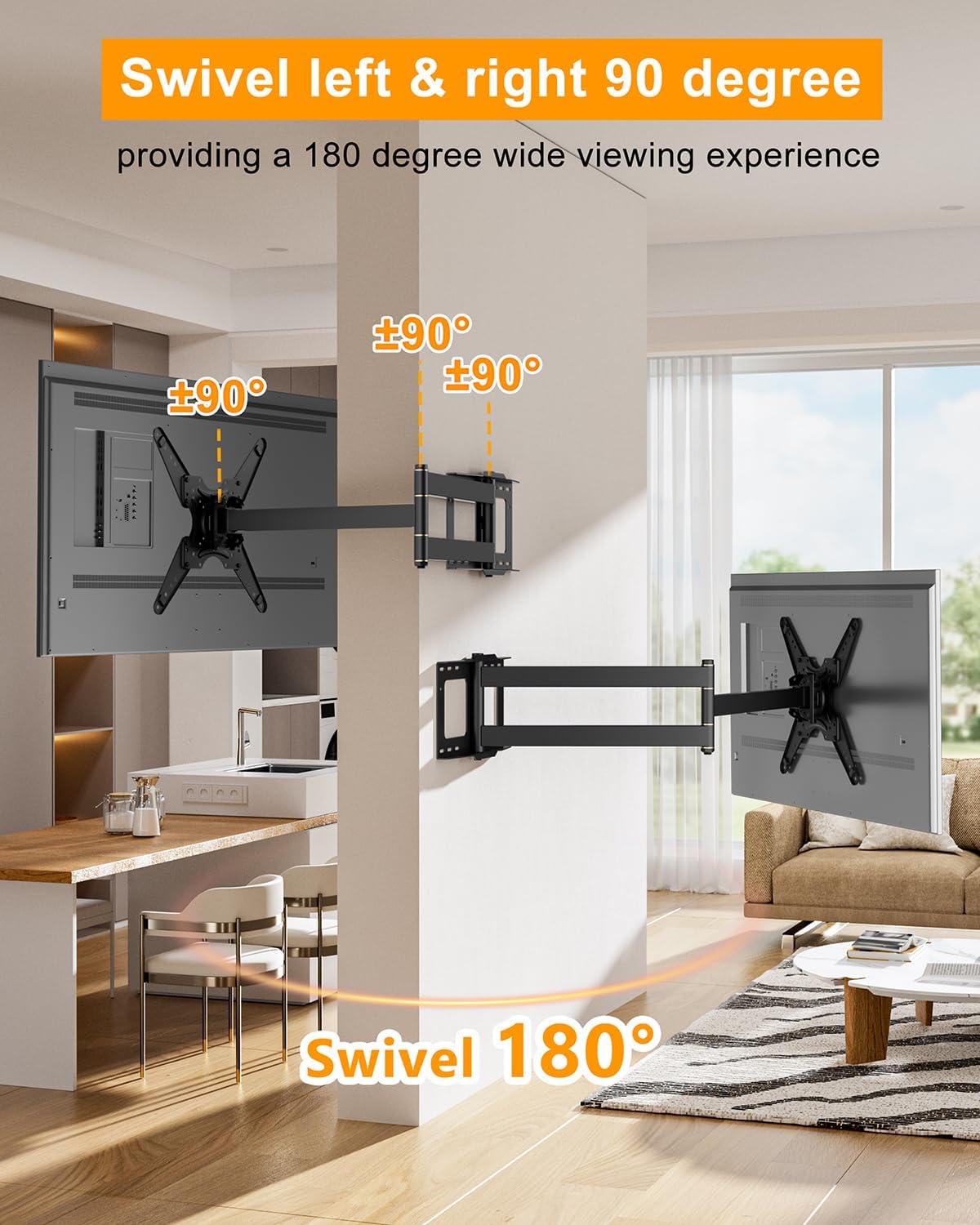
Image: This visual illustrates the mount's extensive swivel range, allowing the TV to be angled significantly to the left or right for a broad viewing experience from various positions in a room.
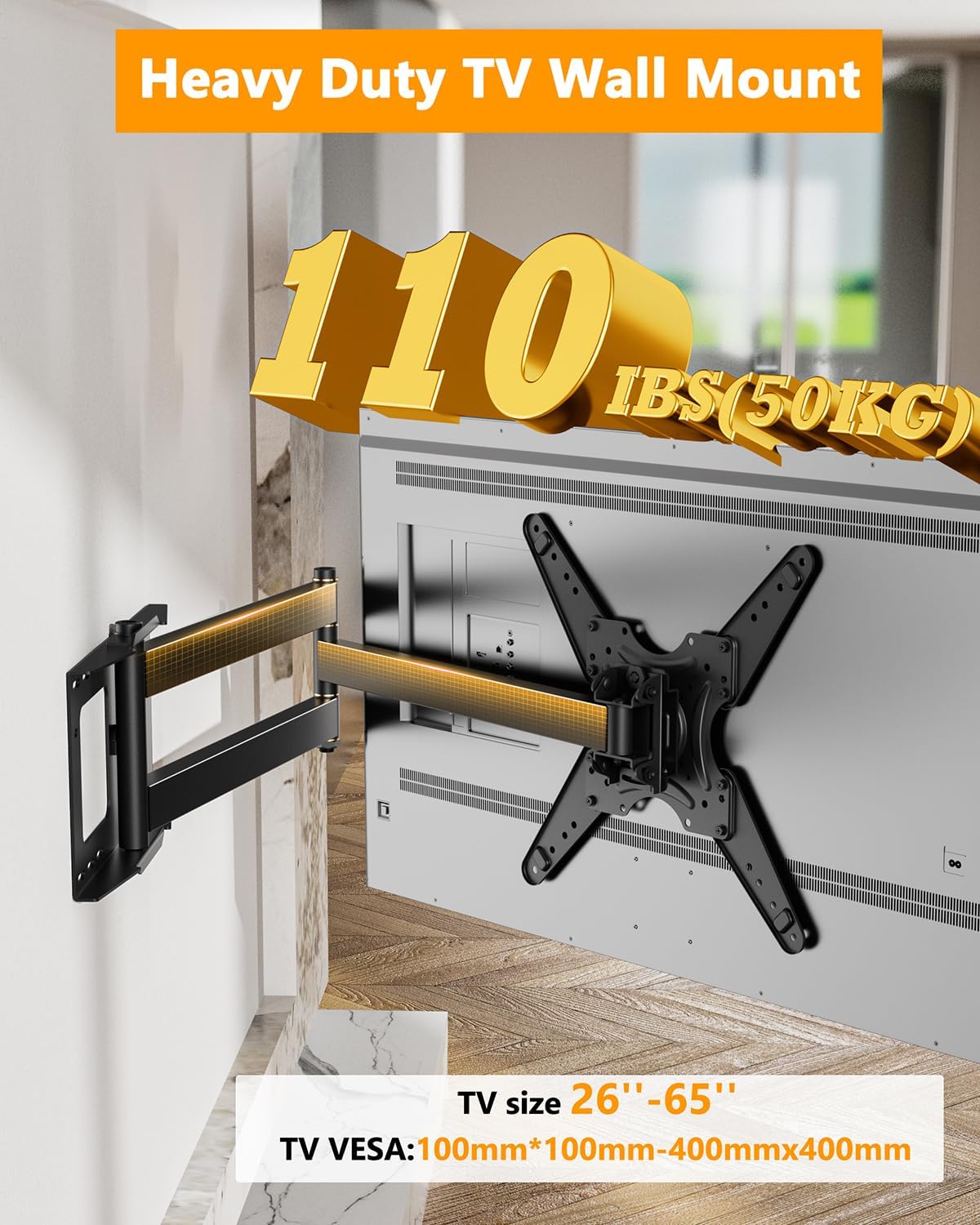
Image: A close-up of the robust TV mount, highlighting its strong build and capacity to safely hold TVs up to 110 lbs, making it suitable for a wide range of screen sizes and VESA patterns.

Image: This graphic compares WHYFONE's patented spacer design, which includes internal ribs to secure screws during TV attachment, with a conventional spacer, illustrating the improved ease of installation.
4. Specifications
| Specification | Detail |
|---|---|
| Product Dimensions | 48 x 16 x 16 inches |
| Item Weight | 18 pounds |
| Model Number | HY9427 |
| Mounting Type | Wall Mount |
| Movement Type | Articulating, Full Motion |
| Material | Iron |
| Maximum Compatible TV Size | 65 Inches |
| Minimum Compatible TV Size | 26 Inches |
| VESA Compatibility | 100x100mm to 400x400mm |
| Load Capacity | 110 lbs (50 kg) |
| Wall Compatibility | 16-inch Wood Stud, Concrete, Brick (No Drywall Alone) |
5. Setup and Installation
Installation is estimated to take 25 minutes with two people. For detailed, step-by-step instructions, please refer to the official Installation Manual PDF provided by WHYFONE.
Key Considerations:
- Wall Type: Confirm your wall type is suitable.
- VESA Pattern: Measure the horizontal and vertical distance between the mounting holes on the back of your TV to ensure compatibility.
- Stud Finder: If mounting to wood studs, use a reliable stud finder to locate the center of the studs.
- Leveling: Use the included bubble level to ensure the wall plate is perfectly horizontal before drilling.
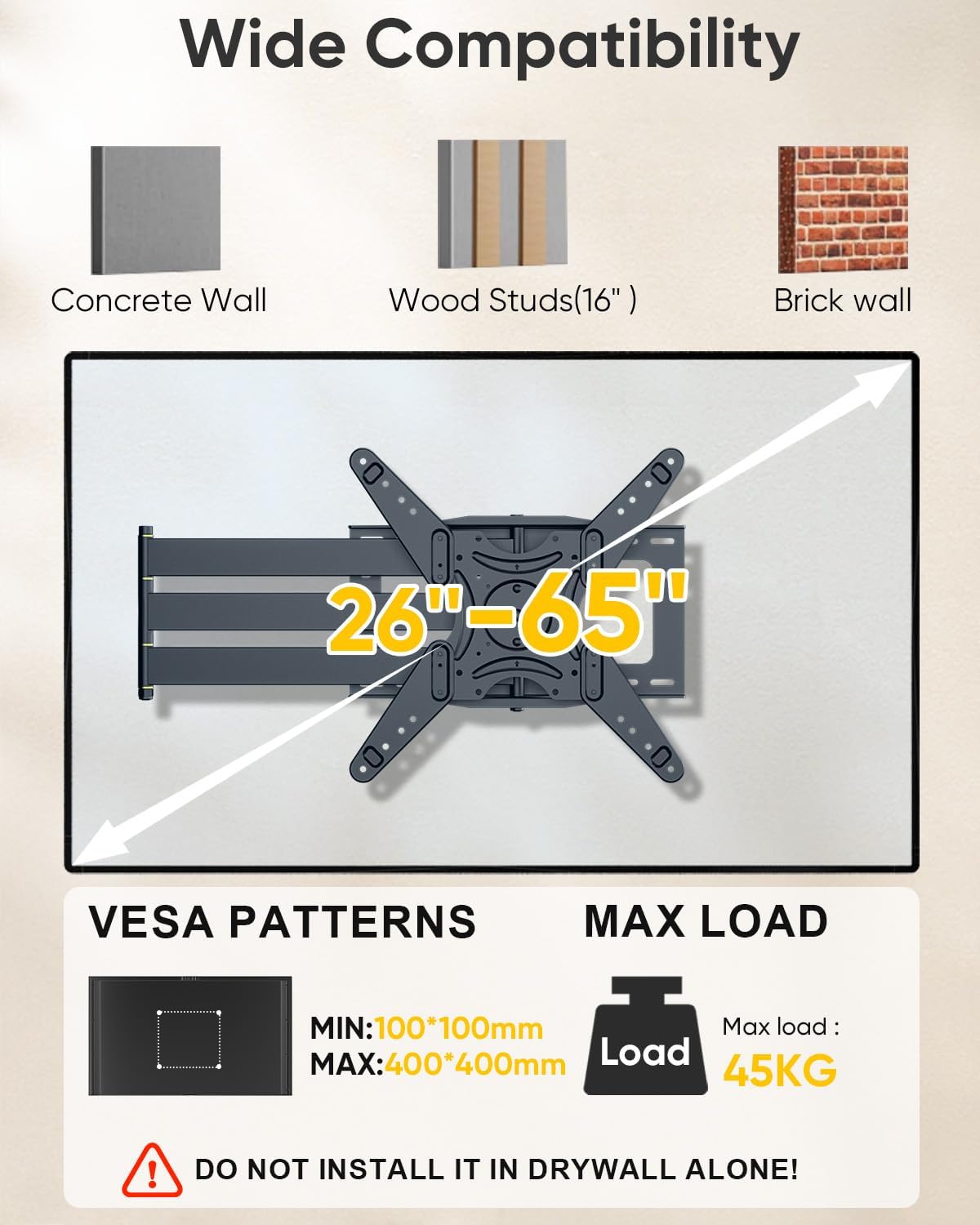
Image: This graphic clearly outlines the types of walls suitable for mounting (concrete, wood studs, brick) and explicitly warns against drywall-only installation. It also reiterates VESA compatibility and maximum load.

Image: This image provides a visual guide to different VESA hole configurations, helping users identify if their TV's mounting pattern falls within the supported range of the WHYFONE mount.
For a complete guide, download the official PDF manual: WHYFONE Installation Manual (PDF)
6. Operating Instructions
Once installed, the WHYFONE TV mount offers versatile adjustments for optimal viewing.
- Extending/Retracting: Gently pull or push the TV screen to extend the arm up to 48 inches or retract it back to 5.47 inches from the wall.
- Swiveling: Push the TV screen left or right to swivel the mount up to 90 degrees in either direction, providing a 180-degree viewing range.
- Tilting: Adjust the tilt angle by gently pushing the top or bottom of the TV screen. The mount allows for 5 degrees upward tilt and 10 degrees downward tilt.
- Landscape to Portrait Rotation: To switch between landscape and portrait modes, rotate the TV screen 90 degrees clockwise or counter-clockwise. This can be done by hand without tools.
- Leveling: If the TV appears slightly unlevel, gently adjust the screen by hand to correct the 3-degree left or right leveling.
7. Maintenance
Regular maintenance ensures the longevity and safe operation of your TV mount.
- Cleaning: Use a soft, dry cloth to wipe down the mount. Avoid abrasive cleaners or solvents.
- Check Connections: Periodically check all screws and bolts to ensure they are securely tightened. Loose connections can affect stability and safety.
- Lubrication: The moving parts are designed for smooth operation. Avoid applying lubricants unless specifically instructed by the manufacturer.
- Cable Management: Ensure cables are neatly organized using the provided straps to prevent strain on connections or entanglement.
8. Troubleshooting
If you encounter any issues, refer to the following common solutions. If the problem persists, contact customer support.
- Mount feels loose after installation:
- Ensure all wall mounting bolts are securely fastened into the studs or appropriate anchors.
- Verify the TV mounting screws are correctly tightened to the VESA plate.
- Confirm the wall type is suitable and not drywall alone.
- TV is not level:
- Use the built-in leveling adjustment (3 degrees left/right) to fine-tune the screen's horizontal position.
- Re-check the initial installation of the wall plate with a level.
- Movement (extension, swivel, tilt) is stiff:
- Ensure no cables are obstructing the movement of the arms.
- Verify the TV weight is within the specified load capacity.
- The mount is designed for smooth operation; avoid forcing movements.
- TV cannot rotate 90 degrees:
- Ensure there is sufficient clearance around the TV and mount for full rotation.
- Check for any physical obstructions (e.g., furniture, walls) preventing the rotation.
9. Warranty and Support
WHYFONE is committed to providing high-quality products. While specific warranty details are not included in this manual, please retain your proof of purchase for any warranty claims.
If you encounter any problems during installation or use, or have questions about your product, please do not hesitate to contact WHYFONE customer support. Our team is available to assist you.
You can often find contact information on the product packaging, the retailer's website, or the official WHYFONE brand store on Amazon: WHYFONE Amazon Store.


