
1. Introduction
This manual provides essential instructions for the installation, operation, and maintenance of your KBDS Professional Replacement Clipper Blades, model LY-9001. These blades are designed for precision cutting and are compatible with various professional hair clippers. Please read this manual thoroughly before installation and use to ensure optimal performance and safety.

Image 1.1: KBDS LY-9001 Replacement Clipper Blades (Fixed and Moving Blades)
2. Product Compatibility
The KBDS LY-9001 replacement blades are compatible with a wide range of professional hair clippers. Refer to the list below to confirm compatibility with your device:
- Wahl Professional Super Taper #8400
- Wahl Super Taper II #8470-500
- Wahl Icon #8490-900 Pro Basic
- Wahl Taper 2000 #8472-850
- Wahl 5-Star Senior #8545
- Wahl Magic Clip #8451
- Wahl Sterling 3, Sterling 9 #8145
- Wahl Reflections Senior #8501
- JRL FF2020C

Image 2.1: Example of KBDS blades installed on a compatible clipper, highlighting wide compatibility.
3. Key Features
3.1 Advanced Blade Design
The replacement blades feature an advanced design with specific grooves engineered to lower the blade's temperature during operation. This design also facilitates quicker hair removal from the blade, enhancing cutting efficiency. An integrated oil tank helps maintain blade lubrication.

Image 3.1: Detailed view of the advanced blade design, showing grooves for temperature reduction and an oil storage tank.
3.2 Upgraded Small Blade
Based on user feedback, the small blade mold has been modified to ensure a perfect fit on the clipper's driver. This upgrade addresses previous concerns regarding the small blade's hole size, ensuring seamless installation and operation.
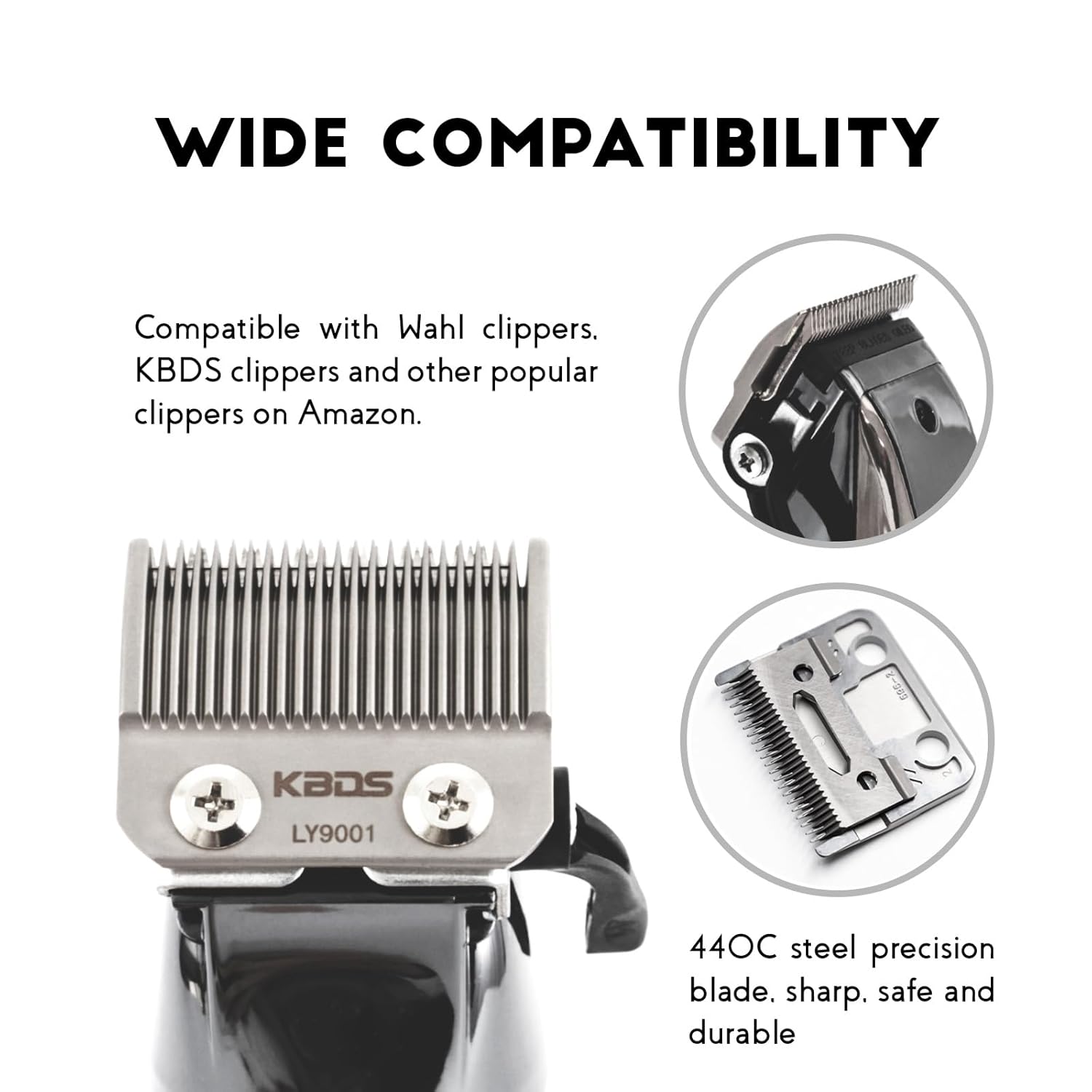
Image 3.2: Illustration of the upgraded small blade providing a perfect fit on the hair clipper.
3.3 Professional Precision
These detachable replacement clipper blades are engineered for professional precision, facilitating seamless blends during hard or soft line fading. They are designed to deliver the sharp cutting performance required by barbers and stylists.
4. Safety Information
- Avoid direct contact of blades with skin and eyes during handling and operation.
- These blades are not intended for use on infants or young children.
- Always ensure blades are clean and well-maintained before and after each use.
- Follow all recommended cleaning and maintenance procedures outlined in this manual.
- Keep out of reach of children.
5. Installation Instructions
Follow these steps to correctly install your KBDS replacement clipper blades:
- Unscrew: Carefully unscrew and remove the existing blades from your clipper.
- Replace New Cutter: Position the small blade onto the clipper's driver, then place the large blade over it, aligning the screw holes.
- Adjust Position: Gently push the taper lever up to its highest position. Adjust the blades to ensure they are perfectly aligned, with the top blade slightly behind the bottom blade to prevent skin nicks.
- Screw and Done: Securely tighten the blade screws. While the package includes new screws, it is recommended to use the original screws from your clipper if they are in good condition, as screw specifications can vary between models.

Image 5.1: Step-by-step visual guide for blade installation.
6. Operating Guidelines
Once installed, ensure the blades are properly aligned and secured. For optimal cutting performance and to minimize friction, always apply a few drops of clipper oil to the blades before and after each use. This lubrication helps maintain sharpness and reduces heat buildup. Operate your clipper according to its manufacturer's instructions.
7. Maintenance
Proper maintenance extends the life and performance of your KBDS replacement blades:
- Cleaning: After each use, brush off any accumulated hair from the blades. For a more thorough cleaning, detach the blades and use a blade cleaning solution or isopropyl alcohol. Ensure blades are completely dry before reassembly.
- Oiling: Keep blades oiled. Apply 2-3 drops of clipper oil across the top of the blades and along the side rails. Run the clipper for a few seconds to distribute the oil. This reduces friction, prevents rust, and keeps blades sharp.
- Storage: Store blades in a clean, dry place when not in use.
8. Specifications
| Feature | Detail |
|---|---|
| Model Number | LY-9001 |
| Product Dimensions | 2.76 x 1.57 x 0.39 inches (7 x 4 x 1 cm) |
| Item Weight | 1.76 ounces (50 Grams) |
| Material | High-Carbon Stainless Steel |
| Color | Upgraded Gray |
| Power Source | Manual (Clipper dependent) |

Image 8.1: Blade size guide with detailed measurements.
9. Troubleshooting
- Blades not fitting correctly: Ensure the small blade is properly seated on the clipper's driver. Some minor adjustments or filing may be necessary for a perfect fit on certain clipper models.
- Poor cutting performance (not sharp, leaving hairs): Ensure blades are clean and free of hair debris. Apply clipper oil to the blades. If the issue persists, check blade alignment. Severely dull blades may require replacement.
- Blades clogging quickly: Regular cleaning and oiling are crucial. Ensure the clipper is clean internally and that hair is not accumulating excessively between the blades and the clipper housing.
- Blades getting hot: Excessive heat can be caused by lack of lubrication or prolonged use. Ensure blades are well-oiled before and during use. Take short breaks during extended cutting sessions to allow blades to cool.
10. Warranty and Support
KBDS offers customer support for its products. If any KBDS adjustable clipper/trimmer blades set you purchase fails to fit your machine, it will be eligible for a free change or refund. For further assistance or inquiries, please contact KBDS customer support through your purchase platform.