

1. Introduction
Thank you for purchasing the Blackstar St. James 50 EL34 Combo Amplifier. This amplifier is designed to deliver exceptional tube tone in a lightweight and portable package. It features two footswitchable channels, EL34 power tubes, a 1x12 inch Celestion Zephyr speaker, and Blackstar's Cab Rig DSP technology for direct recording and XLR output. This manual provides essential information for safe and optimal use of your amplifier.
2. Safety Instructions
- Read Instructions: Always read and understand all safety and operating instructions before using this product.
- Retain Instructions: Keep these instructions for future reference.
- Heed Warnings: Follow all warnings on the product and in the operating instructions.
- Water and Moisture: Do not use this apparatus near water. Avoid exposure to rain or moisture.
- Ventilation: Ensure proper ventilation. Do not block any ventilation openings.
- Heat: Do not place near heat sources such as radiators, heat registers, stoves, or other apparatus (including amplifiers) that produce heat.
- Power Cord Protection: Protect the power cord from being walked on or pinched.
- Cleaning: Clean only with a dry cloth.
- Servicing: Refer all servicing to qualified service personnel. Servicing is required when the apparatus has been damaged in any way, such as power-supply cord or plug is damaged, liquid has been spilled or objects have fallen into the apparatus, the apparatus has been exposed to rain or moisture, does not operate normally, or has been dropped.
- High Voltage: Tube amplifiers operate at high voltages. Do not attempt to open the chassis or service the unit yourself.
3. Setup
3.1 Unpacking
Carefully remove the amplifier from its packaging. Inspect for any signs of damage during transit. Retain the packaging for future transport or storage.
3.2 Power Connection
- Ensure the amplifier's power switch is in the 'OFF' position.
- Connect the supplied IEC mains power cable to the MAINS INPUT on the rear panel of the amplifier.
- Plug the other end of the power cable into a suitable grounded mains outlet.
3.3 Guitar Connection
Connect your guitar to the INPUT jack on the front panel using a high-quality instrument cable.
3.4 Footswitch Connection
Connect the supplied footswitch to the FOOTSWITCH jack on the rear panel. This allows remote switching between channels and activating the Channel II Boost.
3.5 Cab Rig Output Connection
The Cab Rig output provides advanced DSP cabinet simulation for direct recording or connection to a PA system.
- USB Audio: Connect a USB cable from the USB port on the rear panel to your computer for direct recording and access to the Cab Rig software.
- XLR D.I.: Use an XLR cable to connect the XLR D.I. output to a mixing console or audio interface.
- Line Out: Use a 1/4" jack cable to connect the LINE OUT to other line-level devices.
3.6 Effects Loop Connection
The effects loop allows integration of external effects pedals. Connect the SEND jack to the input of your effects unit and the RETURN jack from the output of your effects unit. Adjust the EFFECTS LOOP LEVEL switch for optimal signal matching.
4. Controls and Functions
4.1 Front Panel Controls

This image displays the top view of the Blackstar St. James 50 EL34 Combo Amplifier, highlighting the front panel controls. From left to right, you can see the Power and Standby switches, Master volume, Reverb knob, a three-band EQ (Treble, Middle, Bass), Volume II, Gain II, Channel II Boost switch, Volume I, Gain I, and the Input jack. The Power Reduction switch (50W/2W/SAG) is also visible.
- INPUT: Connect your guitar here.
- CHANNEL I (Clean):
- GAIN I: Controls the input gain for Channel I.
- VOLUME I: Controls the overall output volume for Channel I.
- CHANNEL II (Overdrive):
- GAIN II: Controls the input gain for Channel II.
- VOLUME II: Controls the overall output volume for Channel II.
- CH. II BOOST: Activates a boost for Channel II, increasing gain and volume. Can be activated via footswitch.
- EQ (BASS, MIDDLE, TREBLE): Three-band equalizer to shape the amplifier's tone.
- REVERB: Controls the level of the built-in digital reverb effect.
- MASTER: Controls the overall output volume of the amplifier.
- POWER REDUCTION (50W/2W/SAG): Selects the amplifier's output power (50W, 2W) or activates the 'SAG' mode for a more vintage, compressed feel.
- STANDBY: Engages or disengages the amplifier's standby mode. Always use when powering on/off.
- POWER: Main power switch for the amplifier.
4.2 Rear Panel Connections

This image shows the rear panel of the Blackstar St. James 50 EL34 Combo Amplifier. Visible connections include the MAINS INPUT, FUSE, SPEAKER OUTPUTS (1x16 Ohm, 1x8 Ohm, 2x16 Ohm), EFFECTS LOOP (SEND, RETURN, LEVEL switch), CAB RIG OUTPUTS (USB, XLR D.I., LINE OUT), and FOOTSWITCH input.
- MAINS INPUT: IEC power inlet for the mains cable.
- FUSE: Mains fuse holder. Replace only with the specified type and rating.
- SPEAKER OUTPUTS: Connect external speaker cabinets here. Ensure correct impedance matching (1x16 Ohm, 1x8 Ohm, 2x16 Ohm).
- EFFECTS LOOP (SEND, RETURN, LEVEL): For connecting external effects pedals. The LEVEL switch adjusts the loop's sensitivity.
- CAB RIG OUTPUTS (USB, XLR D.I., LINE OUT): Outputs with integrated cabinet simulation.
- FOOTSWITCH: Connect the supplied footswitch for remote control of channels and boost.
5. Operating Instructions
5.1 Powering On and Off
- Ensure all volume controls are set to minimum.
- Flip the POWER switch to 'ON'. The power indicator will illuminate.
- Wait approximately 30-60 seconds for the tubes to warm up, then flip the STANDBY switch to 'ON'.
- To power off, flip the STANDBY switch to 'OFF', then the POWER switch to 'OFF'.
5.2 Channel Switching
Use the front panel channel switch or the footswitch to toggle between Channel I (Clean) and Channel II (Overdrive). The CH. II BOOST can be engaged for additional gain on Channel II.
5.3 Tone Shaping
Adjust the BASS, MIDDLE, and TREBLE controls to sculpt your desired tone. The REVERB knob adds a studio-quality digital reverb effect.
5.4 Power Reduction
The POWER REDUCTION switch allows you to select between 50W and 2W output, or engage the 'SAG' mode. The 2W setting is ideal for lower volume playing, while 'SAG' mode provides a more dynamic and compressed tube response.
5.5 Cab Rig Functionality
The Cab Rig DSP offers advanced cabinet simulation. Connect via USB to your computer and use the dedicated Blackstar software to customize cabinet, microphone, and room simulations. This allows for versatile direct recording and live sound options without needing a physical speaker cabinet.
6. Maintenance
6.1 Cleaning
Clean the amplifier's exterior with a dry, soft cloth. Do not use abrasive cleaners or solvents. Ensure no liquids enter the amplifier chassis.
6.2 Tube Replacement
The St. James 50 EL34 Combo uses vacuum tubes which have a finite lifespan. If you notice a decrease in performance, unusual noise, or loss of volume, tubes may need replacement. Tube replacement should only be performed by qualified service personnel due to high internal voltages. Refer to the specifications for tube types.
6.3 Storage
Store the amplifier in a dry, temperature-controlled environment, away from direct sunlight and extreme temperatures. If storing for extended periods, cover the amplifier to protect it from dust.
7. Troubleshooting
- No Sound:
- Check power connections and ensure the POWER and STANDBY switches are 'ON'.
- Verify guitar and speaker cables are securely connected.
- Ensure all volume controls (Gain, Volume, Master) are not at minimum.
- Check the fuse on the rear panel. Replace if blown with the correct type.
- Poor Tone/Weak Sound:
- Adjust EQ settings.
- Check for faulty cables.
- Ensure correct speaker impedance matching if using an external cabinet.
- Tubes may be worn out. Consult a qualified technician for tube testing/replacement.
- Excessive Hum/Noise:
- Ensure proper grounding of the power outlet.
- Try a different power outlet.
- Move the amplifier away from other electronic devices that may cause interference.
- Check for faulty tubes or internal components.
If problems persist, contact Blackstar customer support or a qualified service technician.
8. Specifications
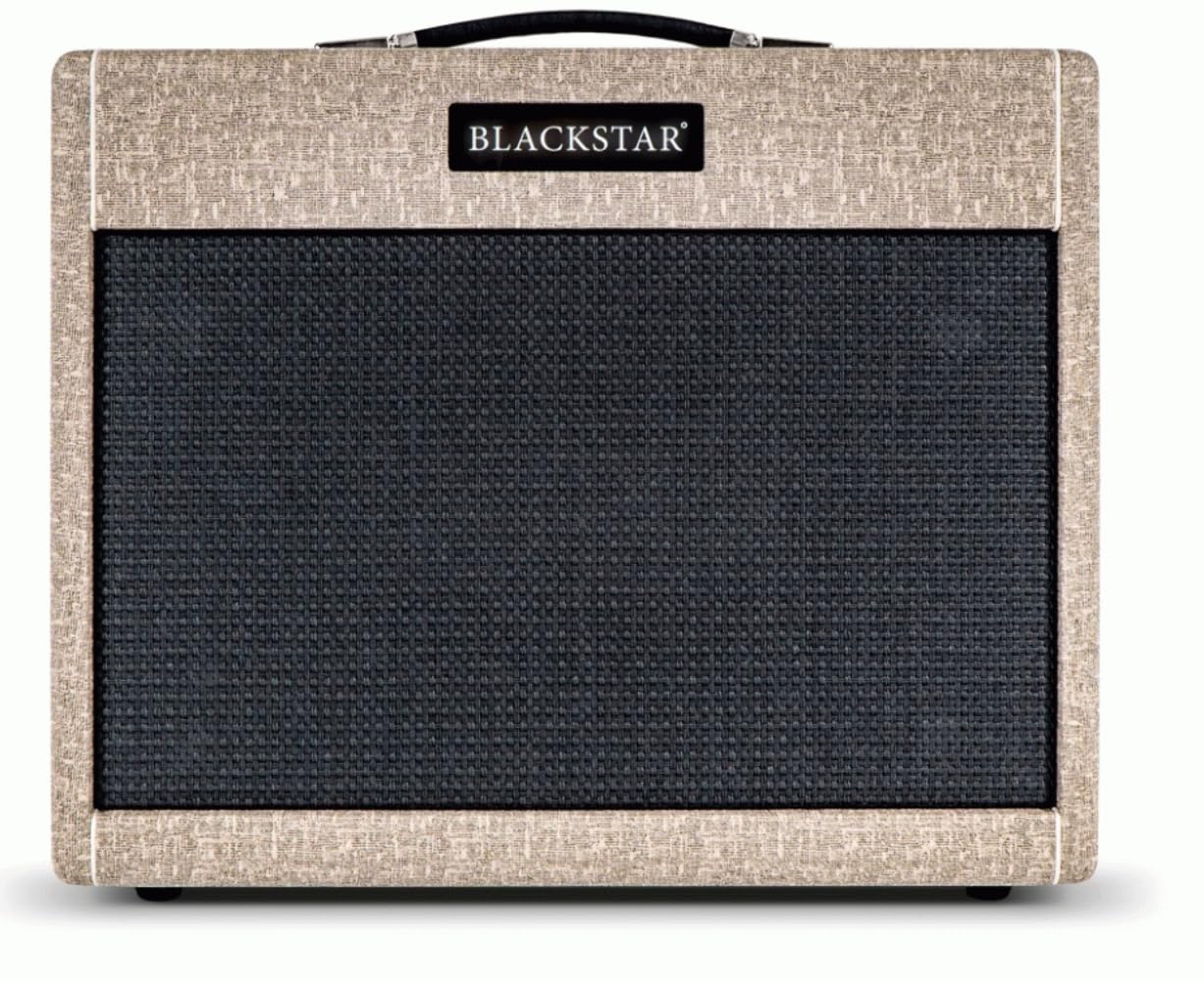
This image shows the Blackstar St. James 50 EL34 Combo Amplifier from the front, highlighting its fawn Tolex covering and black grille cloth. The Blackstar logo is visible above the grille.
| Feature | Detail |
|---|---|
| Model Number | STJ50EL34C |
| Output Wattage | 50 Watts (switchable to 2 Watts) |
| Power Tubes | EL34 |
| Speaker | 1 x 12-inch Celestion Zephyr |
| Channels | 2 (Clean, Overdrive with Boost) |
| Reverb | Studio-quality Digital Reverb |
| Effects Loop | Yes, with Level Control |
| Cab Rig Output | USB Audio, XLR D.I., Line Out |
| Product Dimensions | 24.47 x 20.9 x 13.97 inches |
| Item Weight | 1 pounds (Note: This weight seems incorrect for a tube combo amp and should be verified with manufacturer specifications) |
| Color | Fawn |
9. Warranty and Support
For warranty information and technical support, please refer to the official Blackstar Amplification website or contact your authorized Blackstar dealer. Keep your proof of purchase for warranty claims.


