
Retekess TR629
Retekess TR629 Portable Radio Instruction Manual
Model: TR629
Brand: Retekess
1. Introduction
The Retekess TR629 is a versatile portable radio designed for ease of use and excellent reception across multiple bands. It features FM, AM, and SW tuning, an integrated MP3 player, and a recording function, making it suitable for various listening needs. Its user-friendly design with large controls and a clear LCD display makes it ideal for all users.

Image: Front view of the Retekess TR629 Portable Radio, showcasing its large display, control knobs, and speaker grille.
2. Safety Information
- Read all instructions carefully before operating the device.
- Do not expose the radio to water, rain, or excessive humidity to prevent electric shock or fire.
- Use only the specified power adapter or batteries.
- Do not attempt to disassemble or modify the radio. Refer all servicing to qualified personnel.
- Keep the device away from heat sources such as radiators, heat registers, stoves, or other apparatus (including amplifiers) that produce heat.
- Ensure proper ventilation and do not block any ventilation openings.
- Dispose of used batteries according to local regulations.
3. Package Contents
Please check the package contents upon unboxing:
- 1 x Retekess TR629 Portable Radio
- 1 x AC Power Adapter
- 1 x Quick Start Guide (User Manual)

Image: Contents of the Retekess TR629 package, including the radio, AC power adapter, and user manual.
4. Product Features
- Easy Operation: Features a large tuning knob and clear function keys for intuitive control. The large LCD display provides clear information.
- Digital Tuning: Supports automatic and manual station search. Users can manually store favorite radio stations for quick access.
- Full Band Reception: Capable of receiving FM (76-108 MHz), AM (522-1620 kHz), and SW (2.3-21.19 MHz) bands. Equipped with a powerful DSP chip for wide reception range.
- Audio Output: Features an integrated 3W speaker for powerful and clear sound. A 3.5mm headphone jack is available for private listening (headphones not included).
- Recording Function: Allows recording of favorite radio shows, talk shows, or sports events directly to a USB drive.
- MP3 Player: Supports playback from USB drives (up to 128GB) and TF (Micro SD) cards (up to 128GB) in MP3/WMA formats.
- LCD Display with Backlight: The backlit screen displays essential information such as power status, frequency, 12/24-hour clock, alarm settings, and volume level, making it easy to use in low light conditions.
- Dual Power Source: Can be powered by the included AC power cable for indoor use or by 3 x D batteries (not included) for portable use.
- Portability: Equipped with a convenient handle for easy carrying, making it suitable for travel, camping, and hiking.

Image: Diagram illustrating the FM, MW (AM), and SW radio bands supported by the Retekess TR629, highlighting its long antenna.

Image: The Retekess TR629 radio with musical notes emanating from it, symbolizing its good sound quality.
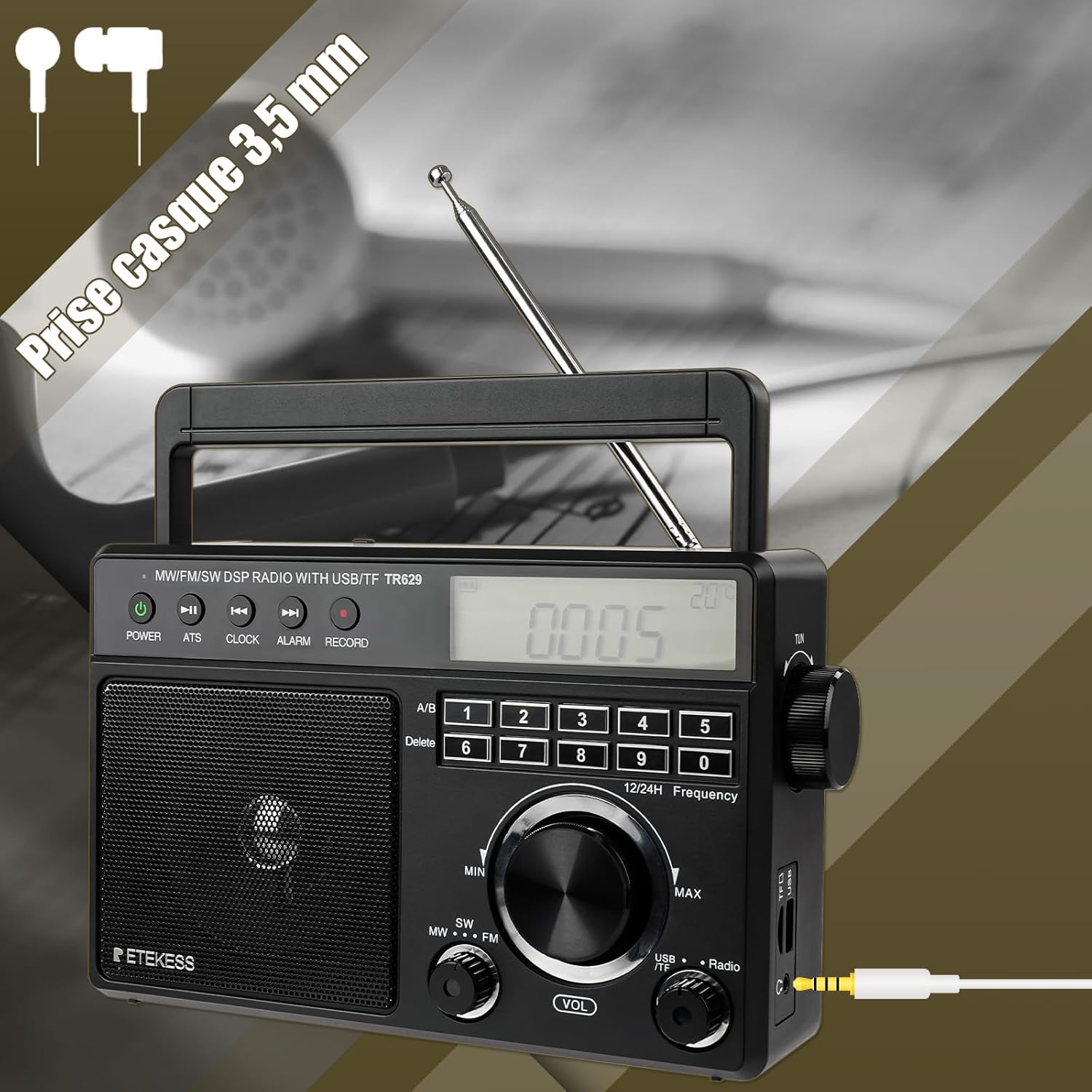
Image: Close-up of the Retekess TR629 showing the 3.5mm headphone jack, indicating support for private listening.

Image: The Retekess TR629 radio with an icon indicating one-touch recording functionality, emphasizing its ease of use.

Image: The side of the Retekess TR629 showing the USB and TF card slots, indicating support for external media playback.

Image: Illustration of the Retekess TR629 being powered by the included AC cable indoors and by 3D batteries for outdoor use.
5. Setup
5.1 Powering the Radio
The Retekess TR629 offers two power options:
- AC Power: Connect the included AC power adapter to the radio's AC input jack and plug the other end into a standard wall outlet.
- Battery Power: Open the battery compartment on the back of the radio and insert 3 x D size batteries (not included), ensuring correct polarity (+/-).
5.2 Antenna Adjustment
For optimal reception, extend the telescopic antenna fully when listening to FM or SW bands. For AM reception, the internal antenna is usually sufficient, but rotating the radio may improve signal strength.
6. Operating Instructions
6.1 Turning On/Off
Press the POWER button to turn the radio on or off.
6.2 Radio Tuning (FM/AM/SW)
- Select the desired band (FM, AM, or SW) using the band selector switch.
- Automatic Search: Press the ATS button to automatically scan and store available stations.
- Manual Search: Use the large tuning knob or the numeric keypad to manually tune to a specific frequency.
- Saving Stations: In radio mode, long-press the RECORD/MEM button to manually save the current station.
6.3 MP3 Playback (USB/TF)
- Insert a USB drive or TF (Micro SD) card containing MP3/WMA audio files into the respective slot.
- The radio will automatically switch to MP3 playback mode. If not, use the mode button to select MP3.
- Use the playback control buttons (Play/Pause, Next, Previous) to navigate your music.
6.4 Recording Function
To record radio broadcasts:
- Ensure a USB drive is inserted into the USB slot.
- Tune to the desired radio station.
- Press the RECORD button to start recording. Press it again to stop recording. Recorded files will be saved to the USB drive.
6.5 Setting Alarm/Clock
Refer to the Quick Start Guide for detailed instructions on setting the 12/24-hour clock and alarm function using the CLOCK and ALARM buttons.
6.6 Volume Control
Adjust the volume using the dedicated VOL knob.
6.7 Headphone Use
Plug 3.5mm headphones into the headphone jack for private listening. The internal speaker will automatically mute.
7. Maintenance
- Cleaning: Wipe the radio with a soft, dry cloth. Do not use abrasive cleaners or solvents.
- Battery Replacement: Replace batteries when the low battery indicator appears on the LCD screen or when performance degrades. Ensure to remove old batteries promptly to prevent leakage.
- Storage: If storing the radio for an extended period, remove the batteries to prevent corrosion. Store in a cool, dry place.
8. Troubleshooting
| Problem | Possible Cause | Solution |
|---|---|---|
| No power | Batteries are dead or incorrectly inserted; AC adapter not connected properly. | Replace batteries or check polarity; ensure AC adapter is securely plugged in. |
| Poor radio reception | Weak signal; antenna not extended; interference. | Extend antenna fully; reposition the radio; try tuning manually. |
| No sound | Volume too low; headphones plugged in. | Increase volume; unplug headphones. |
| MP3 not playing | USB/TF card not inserted correctly; unsupported file format; corrupted files. | Reinsert card; ensure files are MP3/WMA; try different files or card. |
9. Specifications
| Feature | Specification |
|---|---|
| Brand | Retekess |
| Model Number | TR629 |
| Color | Black |
| Radio Bands Supported | FM (76-108 MHz), AM (522-1620 kHz), SW (2.3-21.19 MHz) |
| Tuning Technology | DSP |
| Speaker Output | 3W |
| Connectivity | USB, TF (Micro SD) Card, 3.5mm Headphone Jack |
| Supported Media | USB drives (up to 128GB), TF cards (up to 128GB) |
| Audio Formats | MP3, WMA |
| Power Source | AC Power Adapter (included), 3 x D Batteries (not included) |
| Battery Composition | Alkaline |
| Rechargeable Battery | No |
| Dimensions (L x W x H) | 28.8 x 18 x 11.5 cm (approx. 223 x 139 x 90 mm) |
| Special Features | Portable, LCD Display with Backlight, Alarm Clock, Recording Function |
10. Warranty and Support
Retekess offers a 1-year warranty for the TR629 Portable Radio and a 30-day no-reason return policy from the date of purchase.
Beyond the warranty period, maintenance services are still available. Buyers are responsible for any corresponding costs incurred for such services.
For any inquiries, technical support, or warranty claims, please contact Retekess directly through Amazon. We aim to respond to all queries within 12 hours.