
Elgin M4.1
Elgin Rebel True Wireless Earbuds M4.1 Instruction Manual
Model: M4.1 | Brand: Elgin
Introduction
This manual provides instructions for the proper use and maintenance of your Elgin Rebel True Wireless Earbuds. These earbuds are designed to offer both audio playback and hearing protection in noisy environments.
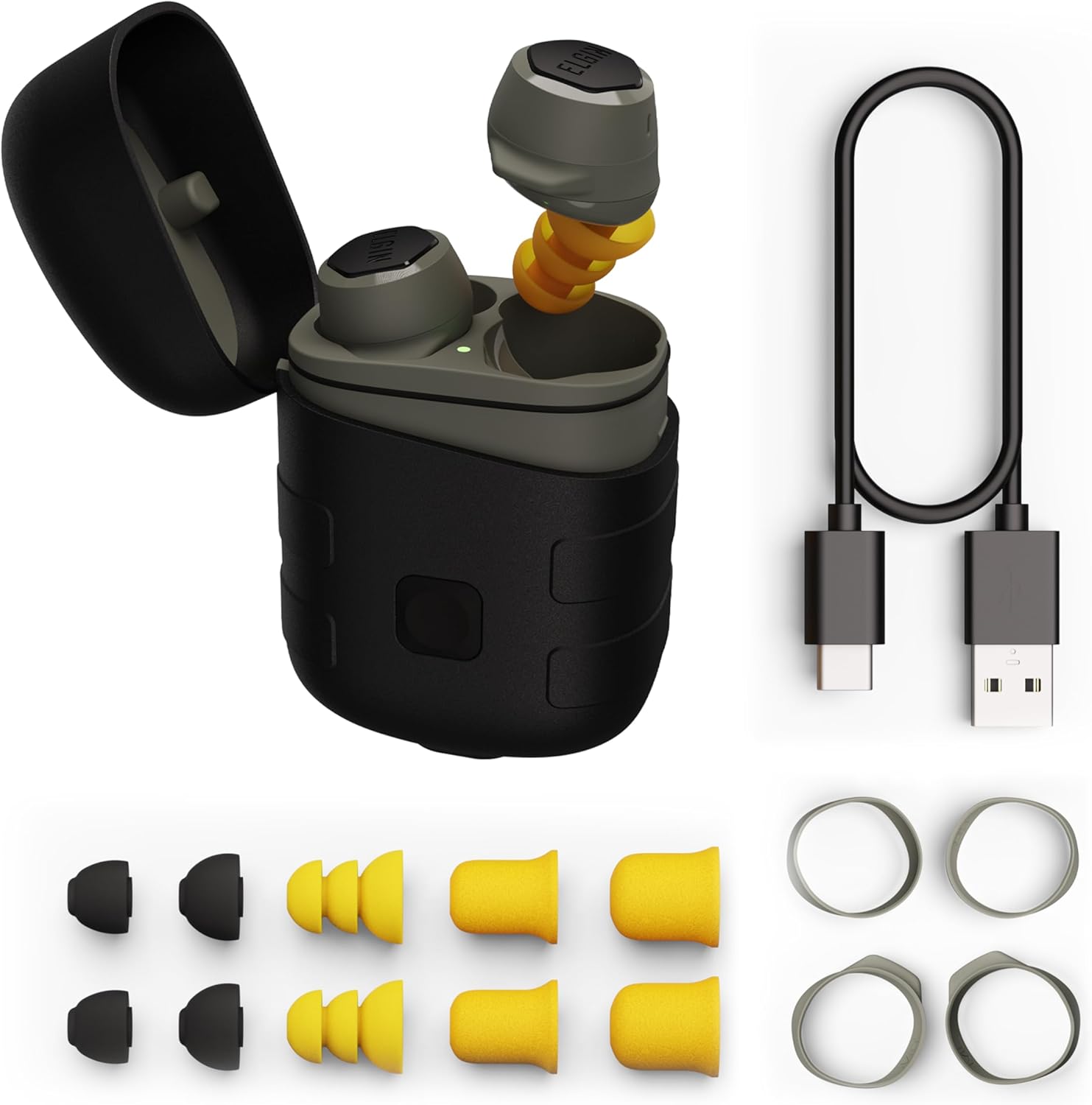
Image: Elgin Rebel True Wireless Earbuds, charging case, ear tips, ear hooks, and charging cable.
Key features include:
- OSHA Compliant Hearing Protection: ANSI-certified Noise Reduction Rating (NRR) of 25 decibels.
- Bluetooth 5.1 Connectivity: For wireless audio and calls.
- Extended Battery Life: Up to 12 hours of continuous playback, with an additional 50 hours from the charging case.
- Integrated LED Flashlight: Built into the charging case with three brightness levels.
- IP65 Water and Dust Resistance: Protection against dust, sweat, and rain.
What's Included
Verify that all items are present in your package:
- Elgin Rebel True Wireless Earbuds (Left and Right)
- Wireless Charging Case with Integrated LED Flashlight
- USB-C Charging Cable
- Multiple Ear Tip Sizes:
- 4 pairs of Noise Isolating Silicone Earplug Ear Tips
- 2 pairs of High-Density Foam Earplug Ear Tips
- 2 pairs of Comfort Ear Tips
- 3 pairs of Earhooks (Small, Medium, Large)
- User Manual (This document)

Image: Contents of the Elgin Rebel Earbuds package.
Getting Started (Setup)
1. Charging the Earbuds and Case
Before first use, fully charge the earbuds and the charging case.
- Place the earbuds into their respective slots in the charging case. Ensure they are seated correctly.
- Connect the USB-C charging cable to the charging port on the case and the other end to a USB power source (e.g., wall adapter, computer USB port).
- The LED indicator on the case will show charging status. A full charge typically takes approximately 2 hours.
The earbuds provide up to 12 hours of audio playback on a single charge. The charging case holds enough power for up to 50 hours of additional playtime.

Image: Earbuds in charging case.
2. Selecting and Installing Ear Tips and Ear Hooks
Proper fit is crucial for both sound quality and effective noise reduction. Experiment with the included ear tips and ear hooks to find the most comfortable and secure fit.
- Ear Tips: Choose from silicone or foam tips. Foam tips generally offer superior noise isolation. Gently compress foam tips before inserting them into your ear canal for a better seal.
- Ear Hooks: Attach the ear hooks to the earbuds for added stability, especially during physical activity. Select the size that best fits your ear's contours.
3. Pairing with Your Device
The earbuds use Bluetooth 5.1 for wireless connection.
- Open the charging case. The earbuds will automatically enter pairing mode, indicated by a flashing LED on the earbuds.
- On your device (smartphone, tablet, etc.), go to the Bluetooth settings.
- Select "Elgin Rebel" from the list of available devices.
- Once connected, the LED on the earbuds will stop flashing.
The earbuds have a wireless range of up to 50 feet.

Image: Bluetooth pairing screen on a smartphone.
Operation
1. Power On/Off
- Power On: Open the charging case, and the earbuds will automatically power on and attempt to connect to the last paired device.
- Power Off: Place the earbuds back into the charging case and close the lid. They will automatically power off and begin charging.
2. Touch Controls
The earbuds feature touch-sensitive controls for various functions. Specific actions may vary slightly depending on your device and operating system.
| Action | Function |
|---|---|
| Single Tap (Left/Right Earbud) | Play/Pause Audio, Answer/End Call |
| Double Tap (Right Earbud) | Next Track |
| Double Tap (Left Earbud) | Previous Track |
| Triple Tap (Left/Right Earbud) | Activate Voice Assistant (Siri, Google Assistant) |
| Press and Hold (Left/Right Earbud) | Reject Call |
Note: Volume control is typically managed directly from your connected device.
3. Using the Integrated LED Flashlight
The charging case includes a built-in LED flashlight.
- To activate the flashlight, locate the button on the charging case.
- Press the button to cycle through three brightness levels.
- Press and hold the button to turn the flashlight off.

Image: Integrated LED flashlight on the charging case.
4. Making and Receiving Calls
The earbuds feature a noise-isolating microphone for clear communication.
- Answer Call: Single tap either earbud.
- End Call: Single tap either earbud.
- Reject Call: Press and hold either earbud.
5. Audio Playback
Once paired, audio from your device will stream to the earbuds. Custom-tuned speaker drivers are designed to provide clear sound for music, podcasts, and audiobooks.
Maintenance
1. Cleaning
Regular cleaning helps maintain performance and hygiene.
- Wipe the earbuds and charging case with a soft, dry, lint-free cloth.
- Remove ear tips and clean them separately with mild soap and water if necessary. Ensure they are completely dry before reattaching.
- Do not use abrasive cleaners or solvents.
2. Storage
When not in use, store the earbuds in their charging case to protect them and keep them charged.
3. Water and Dust Resistance (IP65)
The Elgin Rebel earbuds are rated IP65, meaning they are protected against dust ingress and low-pressure water jets from any direction. This makes them suitable for use in environments with dust, sweat, and light rain.
- Do not submerge the earbuds in water.
- Ensure the charging port cover (if applicable) is securely closed to maintain water resistance.
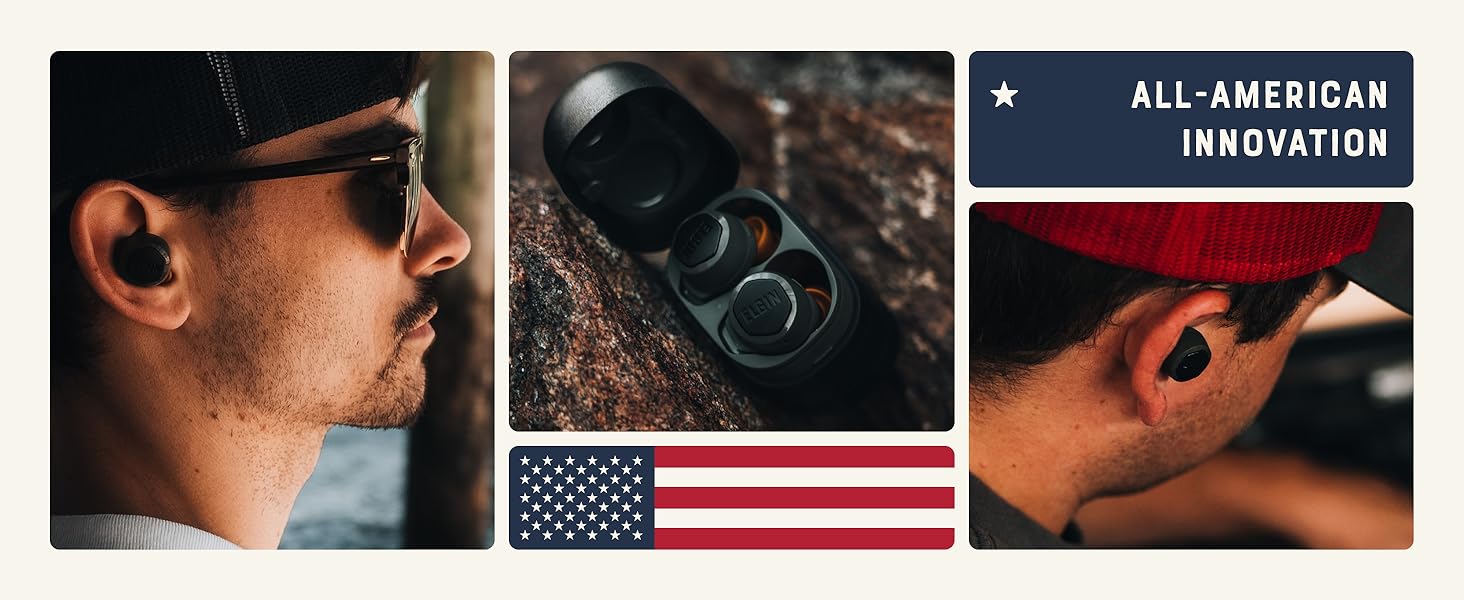
Image: Elgin Rebel charging case demonstrating IP65 water resistance.
Troubleshooting
If you encounter issues with your Elgin Rebel earbuds, refer to the following common problems and solutions:
| Problem | Possible Solution |
|---|---|
| Earbuds not pairing or connecting |
|
| No sound or low volume |
|
| Earbuds not charging |
|
| One earbud has no sound |
|
Specifications
| Feature | Detail |
|---|---|
| Model Name | Rebel (M4.1) |
| Noise Reduction Rating (NRR) | 25 dB |
| Bluetooth Version | 5.1 |
| Bluetooth Range | Up to 50 feet |
| Earbud Battery Life | Up to 12 hours |
| Charging Case Battery Life | Up to 50 hours (additional playtime) |
| Charging Time | Approx. 2 hours |
| Water Resistance Level | IP65 (Dust and Water Resistant) |
| Frequency Response | 20000 Hz |
| Sensitivity | 101 dB |
| Impedance | 32 Ohm |
| Control Type | Touch, Media Control, Voice Control, Call Control |
| Material | Plastic, Silicone |
| Item Weight | 3 Ounces (earbuds) |
| Product Dimensions | 2.75 x 1.88 x 1.25 inches (charging case) |
| UPC | 850032813105 |
Warranty Information
The Elgin Rebel True Wireless Earbuds are backed by a 1-year manufacturer's warranty from the date of purchase. This warranty covers defects in materials and workmanship under normal use.
The warranty does not cover:
- Damage caused by misuse, abuse, accident, or neglect.
- Normal wear and tear.
- Unauthorized repairs or modifications.
Please retain your proof of purchase for warranty claims.
Customer Support
For further assistance, technical support, or warranty inquiries, please contact Elgin customer service. Refer to the contact information provided with your product packaging or visit the official Elgin website.
Related Documents - M4.1
 |
Elgin Ruckus Discord Noise-Isolating Bluetooth Earbuds: Quick Start Guide Get started with your Elgin Ruckus Discord Bluetooth earbuds. This guide covers setup, features, safety, fitting, audio controls, noise reduction, and warranty information. |
 |
Elgin Ruckus Wireless Earbuds User Guide and Features Comprehensive guide to the Elgin Ruckus Wireless earbuds, covering LED indicators, charging, pairing, fitting, audio playback, call functions, virtual assistant, NRR, IP rating, FCC compliance, care, and warranty information. |
 |
Elgin Rumble Quick Start Guide - Wireless Earbuds Quick start guide for the Elgin Rumble wireless earbuds, covering controller functions, Bluetooth pairing, fitting, charging, and safety information. |
 |
Elgin Whirlwind MV Vacuum Street Sweeper Technical Document A detailed technical overview of the Elgin Whirlwind MV vacuum street sweeper, covering its advanced systems, operational capabilities, and specifications for municipal, governmental, and industrial use. Learn about its efficient air conveyance, sweep systems, engine, hydraulics, and maintenance features. |
 |
Guia Completo: Configuração da Balança Elgin SM-100 com Software Labelnet Este guia detalha a configuração e operação da balança Elgin SM-100, incluindo o uso do software Labelnet para gerenciamento de produtos, etiquetas e comunicação. |
 |
Impressora de Etiquetas Elgin L42 PRO FULL - Manual do Usuário Guia completo para a Impressora de Etiquetas Elgin L42 PRO FULL, cobrindo instalação, configuração, operação, manutenção e solução de problemas. Inclui especificações técnicas e detalhes de conectividade. |