
Introduction
This manual provides essential instructions for the setup, operation, and maintenance of your AULCMEET RC-YC1 replacement remote control. This remote is designed to be compatible with various Grundig TV models, offering a straightforward, no-programming-required solution for your television control needs.
Compatible Grundig TV models include, but are not limited to: 22VLE8120BG, 22VLE8120BF, 22VLE811C, 22VLE8103C, 22VLE801DVB-C, 22VLE8003C, 22VLE7180C, 22VLE7181C, 22VLE7151C, 22VLE7150C, 19VLC1105T, 32GLX3001T, 32VLE4401BF, and many others.
Setup
The AULCMEET RC-YC1 remote control requires no programming or pairing. Simply insert the batteries, and it is ready for use with your compatible Grundig TV.
Battery Installation
- Locate the battery compartment on the back of the remote control.
- Slide the battery compartment cover downwards or outwards to open it.
- Insert two (2) AAA alkaline batteries, ensuring the positive (+) and negative (-) terminals match the diagrams inside the compartment.
- Replace the battery compartment cover by sliding it back into place until it clicks securely.
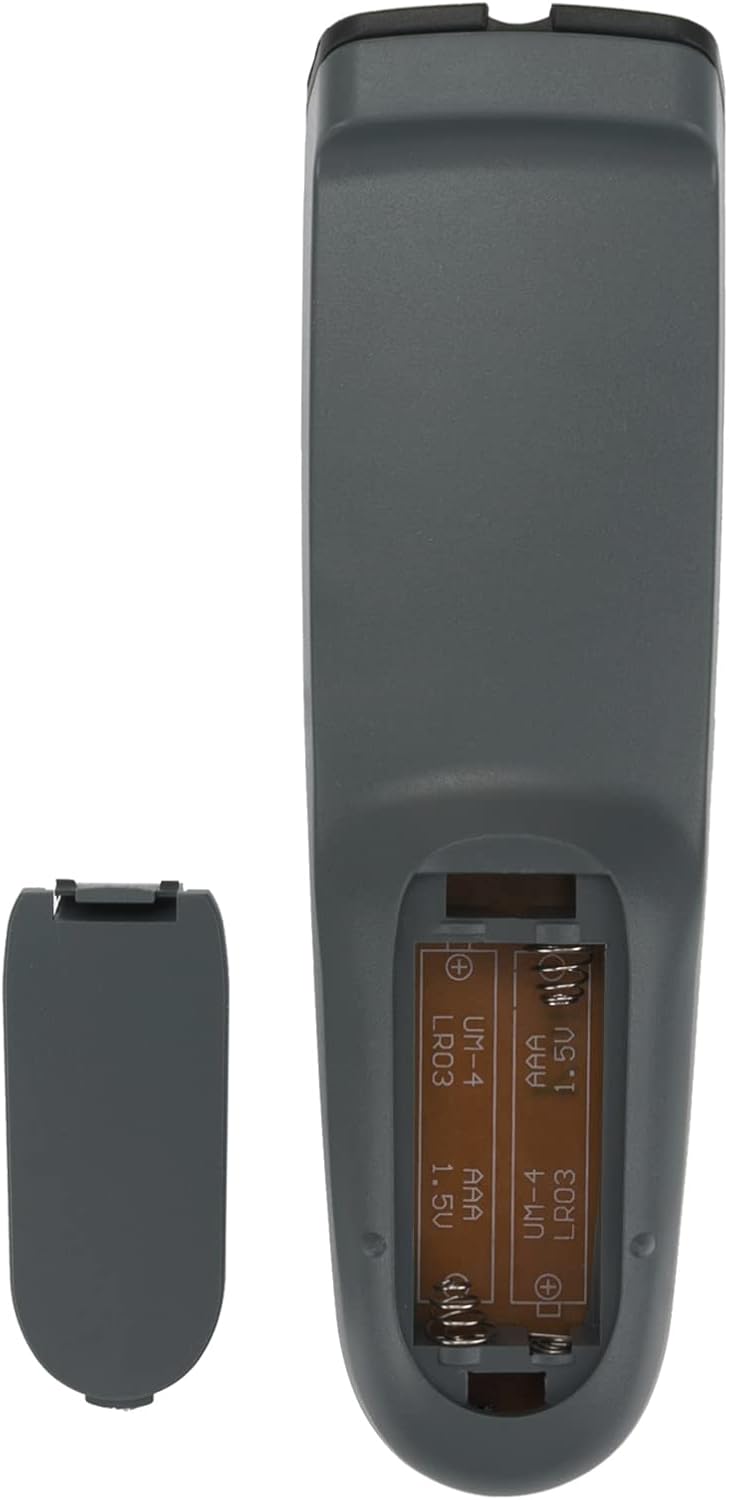
Note: Batteries are not included with the remote control. Always use new alkaline batteries for optimal performance.
Operating Instructions
Once batteries are installed, point the remote control directly at your Grundig TV and press the desired function button. The remote operates using infrared (IR) technology, requiring a clear line of sight to the TV's IR receiver.

Key Functions:
- POWER: Turns the TV on or off.
- MUTE: Mutes or unmutes the TV audio.
- Number Buttons (0-9): Directly select channels.
- V+/V-: Adjusts the volume up or down.
- P+/P-: Changes channels up or down.
- Navigation Pad (Up, Down, Left, Right, OK): Navigates menus and confirms selections.
- 16:9: Adjusts screen aspect ratio.
- FAV: Accesses favorite channels.
- EPG: Displays the Electronic Program Guide.
- Media Control Buttons (Play, Pause, Stop, Rewind, Fast Forward): Controls playback of media content.
- TXT: Accesses Teletext.
Maintenance
Proper care will ensure the longevity and reliable performance of your remote control.
- Cleaning: Wipe the remote control with a soft, dry cloth. Do not use liquid cleaners or abrasive materials.
- Battery Replacement: Replace batteries when the remote's response becomes sluggish or stops working. Always replace both batteries at the same time.
- Storage: Store the remote in a cool, dry place away from direct sunlight, extreme temperatures, and high humidity. If the remote will not be used for an extended period, remove the batteries to prevent leakage.
- Avoid Drops: Protect the remote from physical impact, as drops can damage internal components.
Troubleshooting
If you encounter issues with your AULCMEET RC-YC1 remote control, please refer to the following common solutions:
- Remote Not Responding:
- Ensure the batteries are inserted correctly with the correct polarity.
- Replace old batteries with new AAA alkaline batteries.
- Check for any obstructions between the remote control and the TV's IR receiver.
- Ensure you are within the effective operating range (up to 10 meters) and pointing the remote directly at the TV.
- Specific Buttons Not Working:
- This could indicate low battery power. Try replacing the batteries.
- Inspect the button for any physical damage or debris that might be preventing it from pressing correctly.
If the problem persists after trying these steps, please refer to the Support section for further assistance.
Specifications
| Feature | Detail |
|---|---|
| Brand | AULCMEET |
| Model | RC-YC1 |
| Compatible Devices | Television (Specific Grundig models) |
| Number of Buttons | 20 |
| Controller Type | Button Control |
| Maximum Range | 10 Meters |
| Battery Type | 2 x AAA Alkaline batteries (not included) |
| Item Weight | 0.06 Kilograms |
Support
For any questions, concerns, or issues not covered in this manual, please do not hesitate to contact AULCMEET customer support. We are committed to providing assistance and ensuring your satisfaction with our product.
Please refer to your purchase documentation or the retailer's website for specific contact information.