
DROK 200607
DROK 48V Power Supply Instruction Manual
Model: 200607
Brand: DROK
Introduction
This manual provides comprehensive instructions for the safe and effective operation of your DROK 48V Power Supply. This versatile AC to DC buck converter is designed for a wide range of applications, offering adjustable voltage and current output. Please read this manual thoroughly before use to ensure proper functionality and to prevent damage to the unit or connected devices.
Safety Information
WARNING: Electrical Shock Hazard. Always disconnect power before making any connections or adjustments.
- Before using, ensure the input voltage switch (110V/220V) is set correctly according to your local power supply to avoid damaging the unit. This switch is located on the side of the power supply.
- Ensure proper grounding of the unit.
- Do not operate the power supply in wet or damp conditions.
- Do not exceed the maximum output current of 10A. Overloading can damage the power supply.
- When connecting inductive loads such as motors or fans, be aware of their maximum starting current. This parameter should not exceed the power supply's maximum current. Consider using a soft-start protection circuit for such loads to absorb impact current.
- Keep out of reach of children.
Specifications
| Parameter | Value |
|---|---|
| Input Voltage | AC 110-220V ± 15% |
| Output Voltage | DC 0-48V (Adjustable) |
| Output Current | 0-10A (Adjustable, Max 10A) |
| Rated Power | 480W |
| Product Dimensions | 215x115x50mm / 8.46x4.53x1.97inch |
| Display Type | Dual LED Display (Voltage & Current) |
| Cooling | Intelligent Temperature Control Fan |
| Protection Features | Over Load, Over Voltage, Short Circuit |
Setup
Follow these steps to set up your DROK 48V Power Supply:
1. Verify Input Voltage Setting
Locate the red switch on the side of the power supply. This switch allows you to select between 110V and 220V input. Ensure this switch is set to match your local power grid voltage before connecting the power supply to an AC outlet. The default setting is typically 220V.

Image: A detailed view of the input voltage selector switch, highlighting the 110V and 220V options. It is crucial to set this correctly to prevent damage.
2. Wiring Connections
The power supply features a terminal block for input and output connections. Refer to the diagram below and the product label for correct wiring. Always ensure power is disconnected before making connections.
- Ξ (Ground): Connect to earth ground.
- N (Null wire): Connect to the neutral wire of your AC input.
- L (Live wire): Connect to the live wire of your AC input.
- V+ (DC output +): Connect to the positive terminal of your DC load.
- V- (DC output -): Connect to the negative terminal of your DC load.
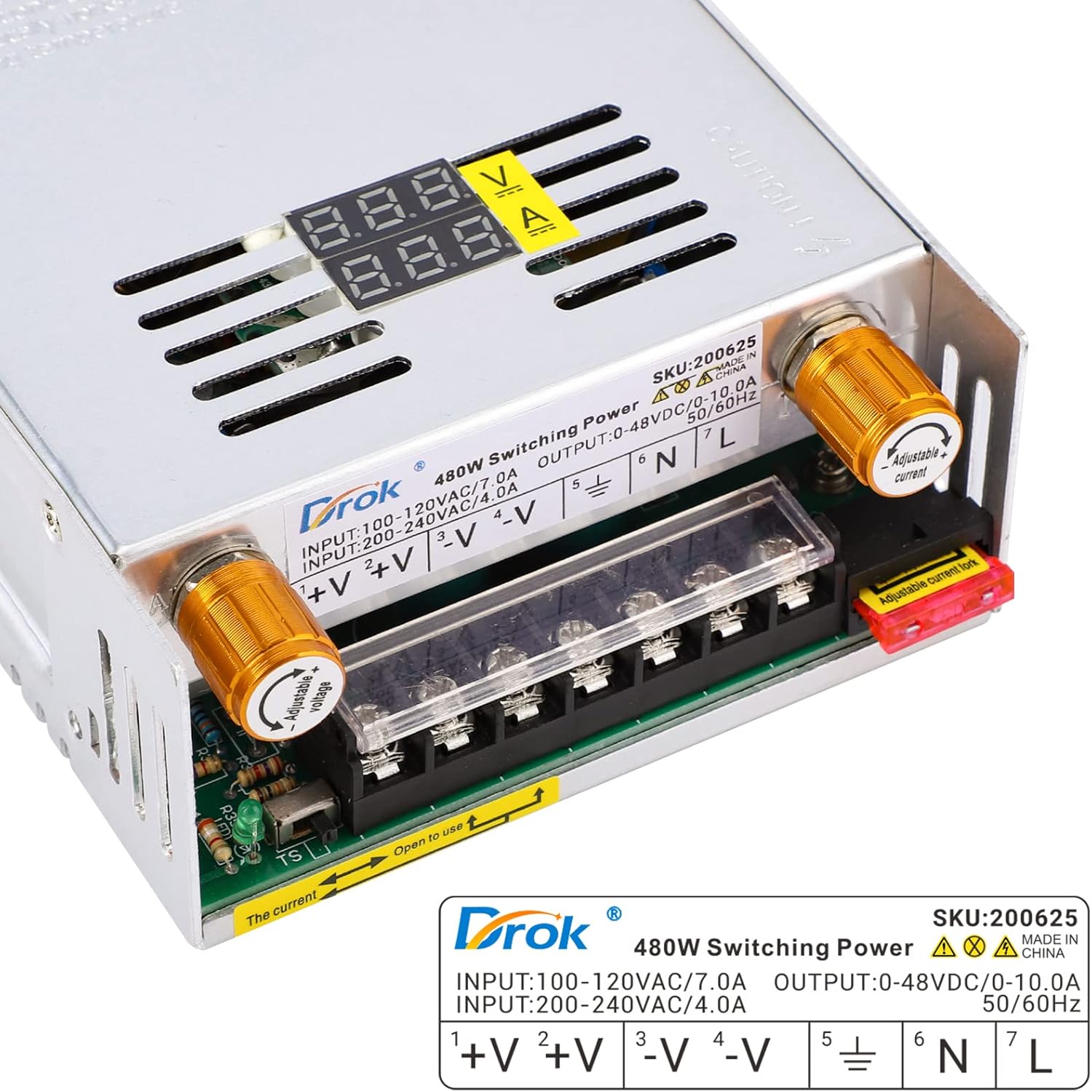
Image: The terminal block with clearly marked connections for AC input (L, N, Ground) and DC output (V+, V-). Ensure secure connections for safe operation.
For a visual guide on wiring and initial setup, please watch the official product video:
Video: This video demonstrates the wiring process and initial setup of the DROK AC 110V 220V Power Converter, including how to connect input and output wires and adjust settings. (Duration: 0:50)
Operating Instructions
1. Power On
After all connections are securely made and the input voltage switch is correctly set, connect the power supply to an AC outlet. The dual LED display will illuminate, showing the current output voltage and current.
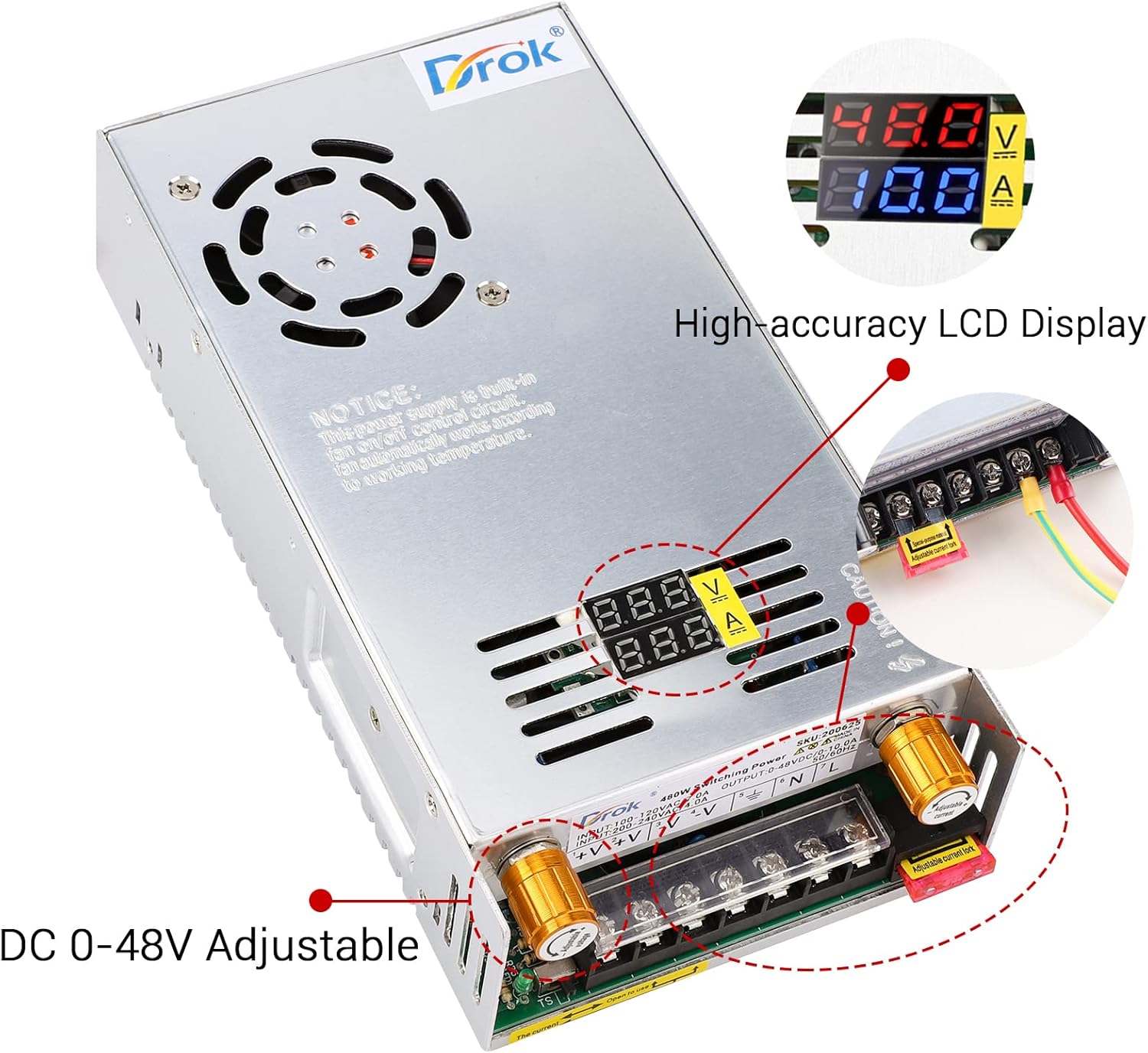
Image: The power supply's dual LED display, which provides real-time readings of output voltage and current, ensuring precise control.
2. Adjusting Voltage and Current
The DROK 48V Power Supply allows for adjustable output voltage and current using the potentiometers located on the front panel.
- Voltage Adjustment: Rotate the potentiometer labeled "Adjustable Voltage" to set the desired output voltage between 0V and 48V. The voltage precision is 0.1V.
- Current Adjustment: Rotate the potentiometer labeled "Adjustable Current" to set the desired output current. The maximum current is 10A. The output current can be adjusted for devices requiring less than 10A (e.g., 2A, 3A, 5A). Note: The maximum current should not be set higher than 10A, regardless of the voltage setting.
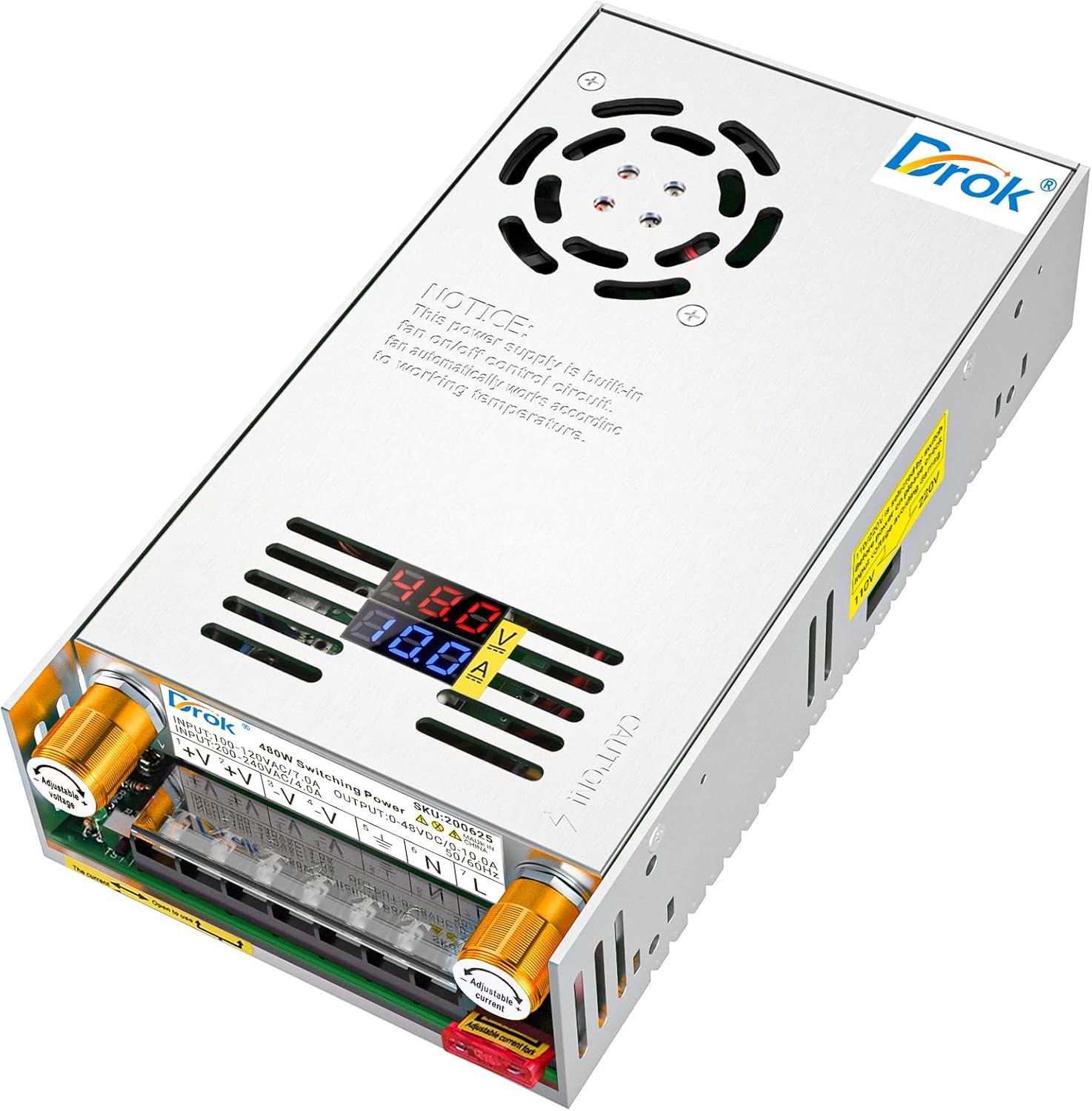
Image: The main view of the power supply, illustrating the location of the adjustable voltage and current knobs, and the integrated digital display for monitoring.
3. Intelligent Cooling Fan
The power supply is equipped with an intelligent temperature control cooling fan. This fan will automatically activate when the unit reaches a certain temperature to dissipate heat and will stop when cooling is no longer needed, ensuring optimal performance and longevity.

Image: A view of the smart cooling fan, which automatically regulates the internal temperature of the power supply.
Maintenance
The DROK 48V Power Supply is designed for low maintenance. To ensure optimal performance and longevity:
- Keep the unit clean and free from dust and debris, especially around the ventilation openings and cooling fan.
- Ensure adequate airflow around the power supply during operation. Do not block the ventilation holes.
- Avoid exposing the unit to extreme temperatures or humidity.
- Periodically check all wiring connections to ensure they remain secure.
Troubleshooting
If you encounter issues with your DROK 48V Power Supply, refer to the table below for common problems and their solutions:
| Problem | Possible Cause | Solution |
|---|---|---|
| No power/display off | No AC input; Incorrect input voltage switch setting; Blown fuse. | Check AC power connection. Verify 110V/220V switch setting. Check and replace fuse if necessary. |
| Output voltage unstable or incorrect | Loose connections; Potentiometer not adjusted correctly; Overload. | Check all wiring connections. Adjust voltage potentiometer. Reduce load to within specifications. |
| Output current too low or fluctuating | Load resistance too high; Current potentiometer not adjusted correctly; Overload protection activated. | Check load requirements. Adjust current potentiometer. Ensure load is below 10A. |
| Unit overheating/fan constantly running | Insufficient ventilation; Excessive load. | Ensure proper airflow around the unit. Reduce load if operating near maximum capacity for extended periods. |
| No output from V+ / V- terminals | Short circuit protection activated; Overload protection activated. | Disconnect load and check for short circuits. Reduce load. Power cycle the unit. |
Warranty and Support
All DROK products come with a 1-year warranty from the date of purchase. This warranty covers defects in materials and workmanship under normal use.
For technical support, warranty claims, or any inquiries, please contact DROK customer service through the Amazon platform or visit the official DROK store:
Ask a question about this manual
Ask about setup, troubleshooting, compatibility, parts, safety, or missing instructions. Manuals+ will review the question and use this page’s manual context to help answer it.