
1. Introduction
This manual provides comprehensive instructions for the PGDLOF L660 Mini Digital Voice Activated Recorder. Please read this manual carefully before using the device to ensure proper operation and to maximize its functionality. Keep this manual for future reference.
2. Product Overview
The PGDLOF L660 is a compact and portable digital voice recorder designed for various recording needs, including lectures, meetings, and interviews. It features 32GB of internal storage, a long-lasting rechargeable battery, and voice-activated recording capabilities.
Key Features:
- 32GB Internal Memory: Stores approximately 600 hours of audio recordings.
- Rechargeable Battery: Built-in 3.7V 3200mAh lithium battery provides up to 600 hours of continuous recording on a full charge.
- One-Key Operation: Simple slide switch for starting, stopping, and saving recordings.
- Voice Activated Recording (VOR): Automatically records when sound is detected and pauses during silence.
- Magnetic Absorption: Allows the device to be securely attached to metallic surfaces.
- Earphone Playback: Listen to recordings directly through connected earphones.
Device Components:

Figure 2.1: PGDLOF L660 Recorder with feature highlights. This image illustrates the device's compact size and its impressive battery life and storage capacity.

Figure 2.2: Side view of the recorder with control switch and earphone connection. The image highlights the main control switch and the earphone jack, along with the inline controls for playback.
The device features a main slide switch on the side for power and recording modes. A 3.5mm headphone jack is located at one end for audio playback. The reset pinhole is also visible on the side.
3. Setup
3.1 Charging the Device
- Connect the supplied USB cable to the recorder's charging port.
- Plug the other end of the USB cable into a computer's USB port or a compatible USB wall adapter.
- The indicator light will show charging status (refer to LED indicator section for details).
- A full charge typically takes a few hours. Ensure the device is fully charged before first use.
3.2 Initial Power On
To power on the device, slide the main switch to the 'ON/REC' position. The device will vibrate briefly, and the indicator light will illuminate.
3.3 Connecting to a Computer
- Ensure the recorder is powered off (switch in 'OFF/SAVE' position).
- Connect the recorder to your computer using the provided USB cable.
- The computer will recognize the device as a removable disk.
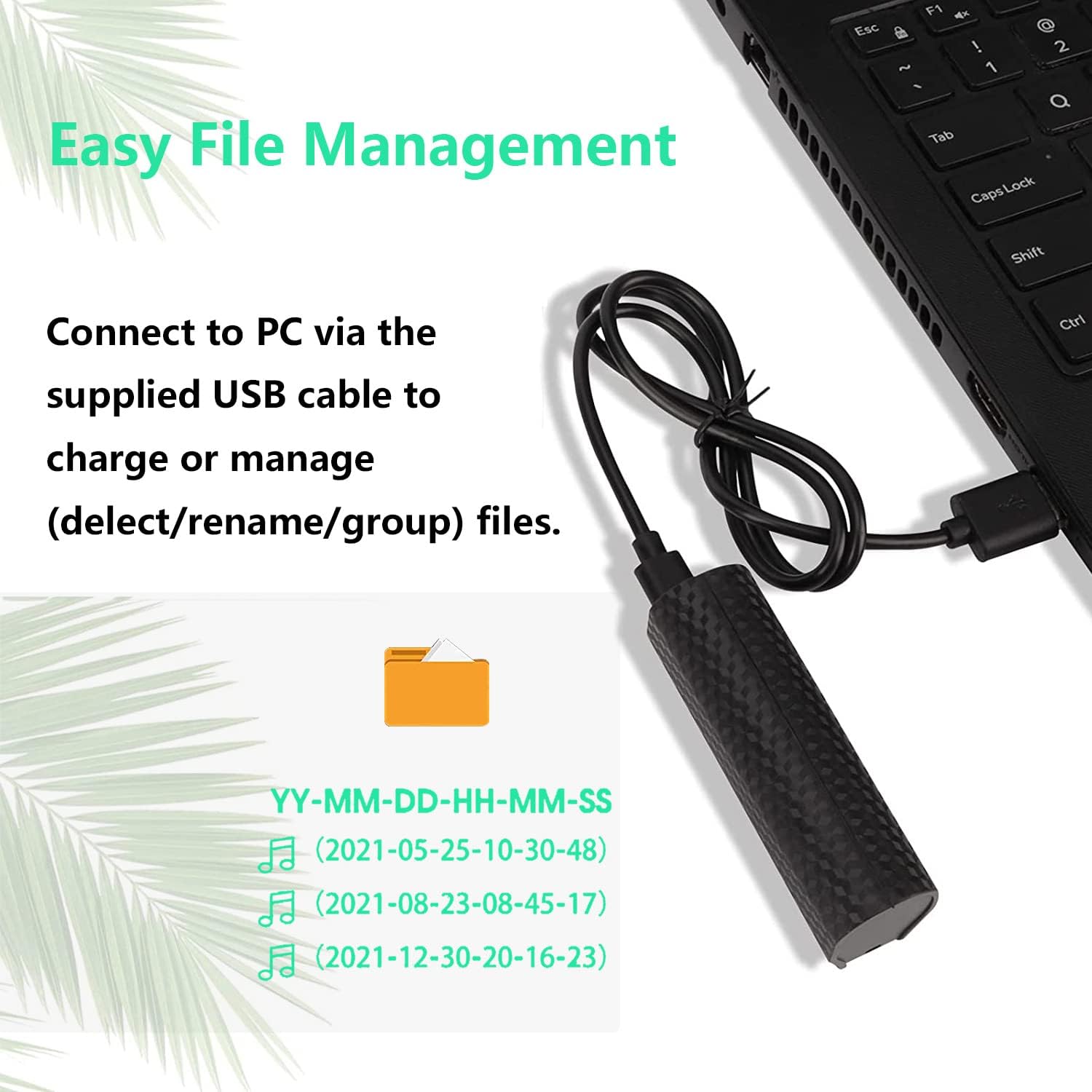
Figure 3.1: Connecting the recorder to a PC for file management. This image demonstrates how to connect the device to a computer to access and manage recorded files.
4. Operating Instructions
4.1 Recording
4.1.1 Normal Recording
- To start recording, slide the main switch to the ON/REC position. The device will vibrate, and recording will begin.
- To stop and save the recording, slide the main switch to the STOP/SAVE/OFF position. The device will vibrate, and the recording file will be saved automatically.
4.1.2 Voice Activated Recording (VOR)
Voice Activated Recording (VOR) mode allows the recorder to automatically start recording when sound is detected and pause when there is silence, conserving memory and listening time.
- To enable VOR mode, slide the main switch to the VOR position. The device will vibrate, and it will enter voice-activated recording mode.
- The recorder will begin recording when sound levels exceed approximately 45 decibels and pause when sound drops below this threshold.
- To stop and save the recording, slide the main switch to the STOP/SAVE/OFF position.
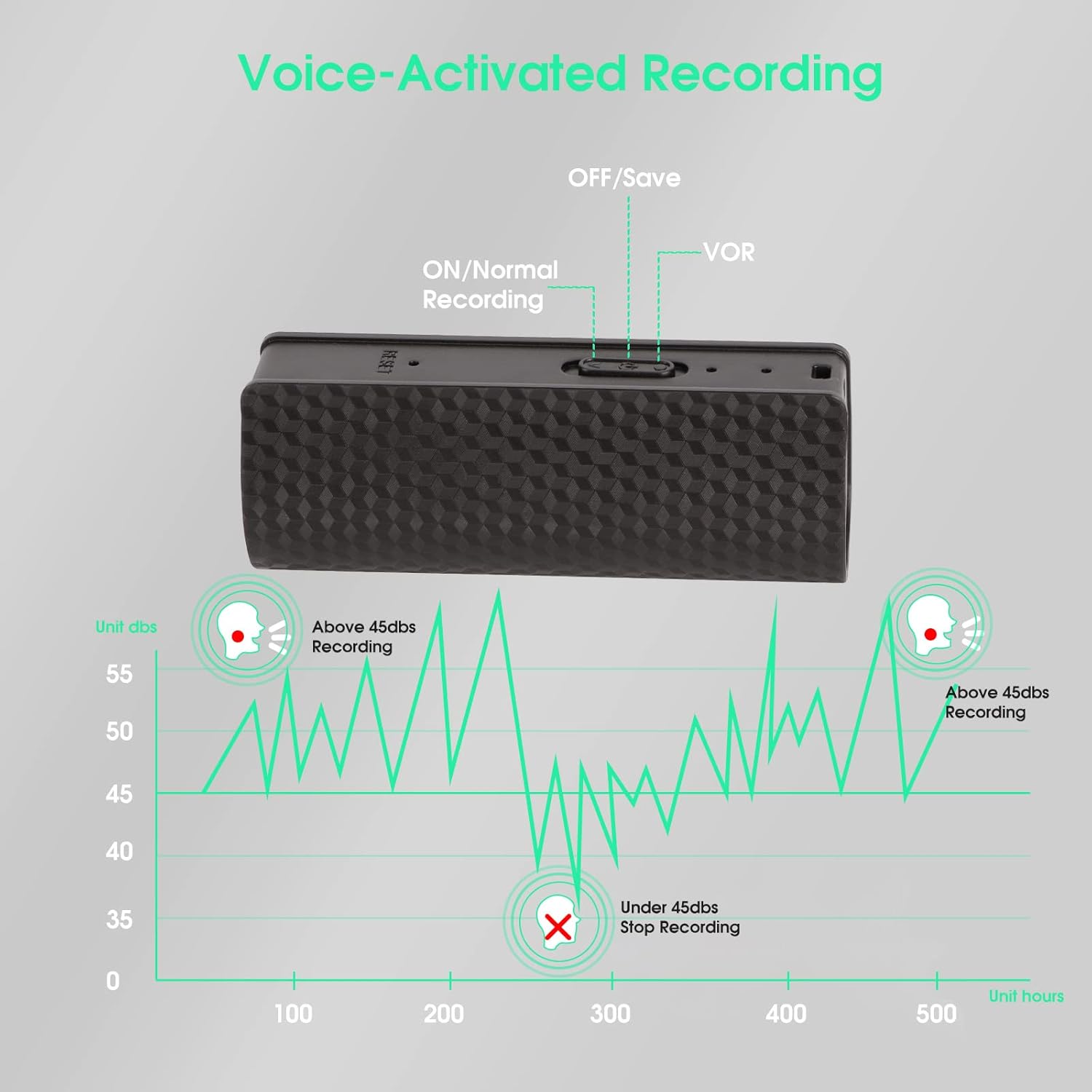
Figure 4.1: Control switch for recording modes. This image clearly shows the three positions of the main slide switch for different recording and power states.

Figure 4.2: Voice Activated Recording (VOR) operation. This diagram visually explains how the VOR function works by detecting sound levels.
4.2 Playback
Playback of recordings requires the use of headphones.
- Connect the supplied earphones to the 3.5mm headphone jack on the recorder.
- Slide the main switch to the 'ON/REC' position to power on the device.
- Use the inline controls on the earphone cable for playback functions:
- '+' Button: Previous track / Volume up
- '►► ||' Button: Pause / Switch mode
- '-' Button: Next track / Volume down
4.3 File Management
To manage your recorded files, connect the recorder to a computer.
- Connect the recorder to your PC using the USB cable (refer to Section 3.3).
- Open the removable disk drive that appears on your computer.
- Recorded files are typically named in the format YY-MM-DD-HH-MM-SS (Year-Month-Day-Hour-Minute-Second).
- You can copy, move, delete, or rename files directly from your computer.
- Note: The delete function for recordings must be performed on a computer.
5. Maintenance
5.1 Cleaning
- Wipe the device with a soft, dry cloth.
- Do not use liquid cleaners or solvents, as they may damage the device.
5.2 Battery Care
- Charge the device regularly, even if not in frequent use, to maintain battery health.
- Avoid exposing the device to extreme temperatures.
5.3 Storage
- Store the recorder in a cool, dry place away from direct sunlight and moisture.
- Keep the device away from strong magnetic fields to prevent data corruption.
6. Troubleshooting
| Problem | Possible Cause | Solution |
|---|---|---|
| Device does not turn on. | Low battery; device frozen. | Charge the device fully. If unresponsive, use a pin to press the reset button. |
| Cannot record. | Insufficient memory; switch in wrong position. | Delete old files to free up space. Ensure switch is in 'ON/REC' or 'VOR' position. |
| No sound during playback. | Earphones not connected; volume too low; corrupted file. | Ensure earphones are securely connected. Increase volume using inline controls. Try playing another file. |
| Device not recognized by PC. | Loose connection; driver issue; device not off. | Ensure USB cable is firmly connected. Try a different USB port or cable. Ensure recorder is in 'OFF/SAVE' position before connecting. |
7. Specifications
| Feature | Detail |
|---|---|
| Brand | PGDLOF |
| Model Number | L660 |
| Memory Storage Capacity | 32 GB |
| Continuous Recording Time | Up to 600 hours |
| Battery | 3.7V 3200mAh Rechargeable Lithium Ion |
| Microphone Form Factor | Built-In, Mini |
| Headphones Jack | 3.5 millimeters |
| Hardware Interface | USB Type C |
| Compatible Devices | Personal Computer |
| UPC | 748899904664 |
8. Warranty and Support
8.1 Product Warranty
The PGDLOF L660 Mini Digital Voice Activated Recorder comes with a 12-month warranty from the date of purchase. This warranty covers manufacturing defects and ensures the product meets its specified performance standards under normal use. Please retain your proof of purchase for warranty claims.
8.2 Customer Support
For any questions, technical assistance, or warranty claims, please contact PGDLOF customer service. Our support team is available 24/7 to assist you.
Contact information can typically be found on the product packaging, the official PGDLOF website, or through your purchase platform.