
1. Introduction
The WETEN Personal Safety Alarm AF-2004 is a compact and rechargeable device designed to enhance personal safety. It features a loud 130dB siren, an integrated LED light with flashlight and strobe modes, and a convenient USB-C charging port. The alarm is equipped with a carabiner clip for easy attachment to bags, keys, or clothing, ensuring it is always within reach for immediate use.
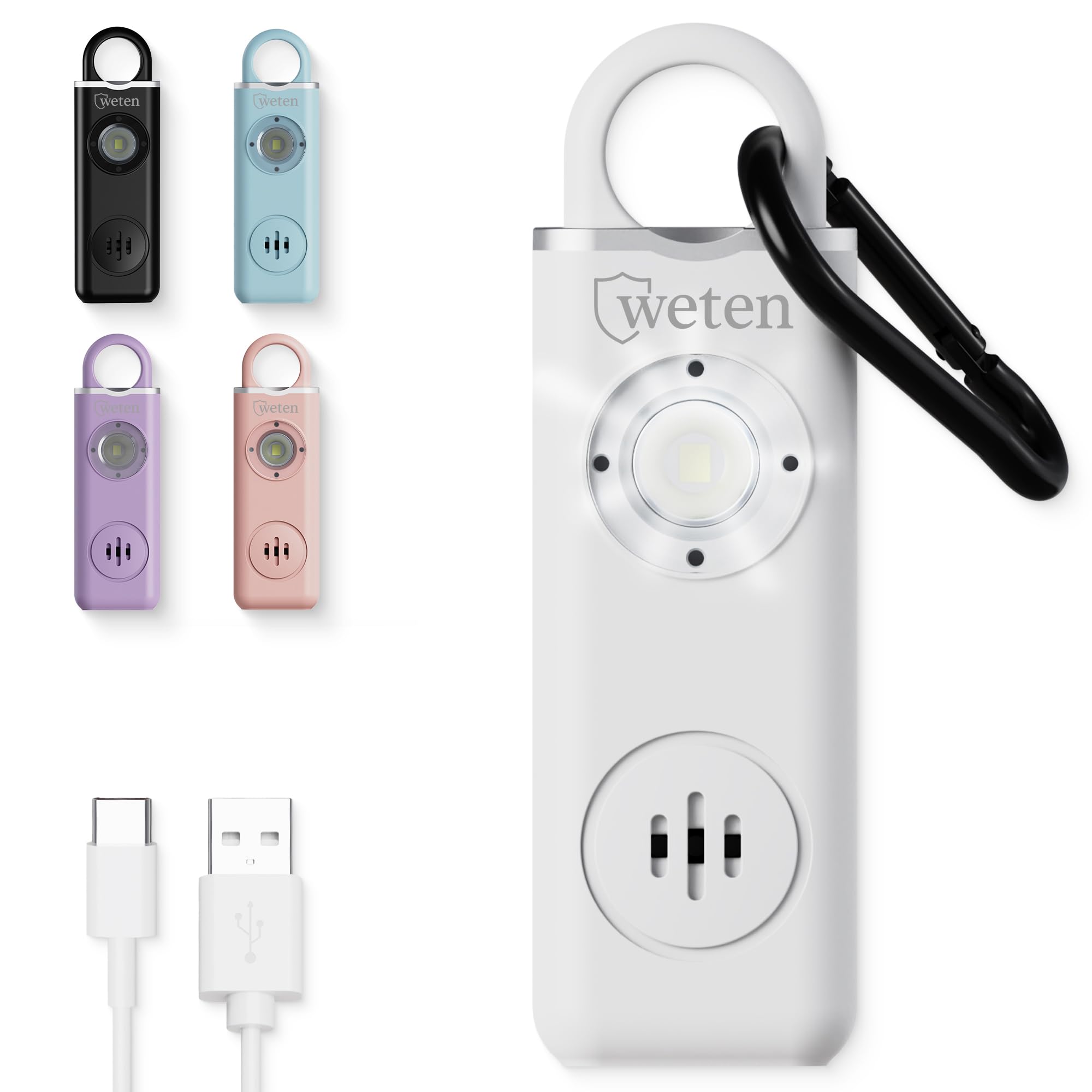
Image: The WETEN Personal Safety Alarm AF-2004 in white, showcasing its compact design and integrated features.
2. Safety Information
- Loud Alarm: The 130dB siren is extremely loud. Avoid activating it near your ears or the ears of others to prevent hearing damage.
- Not a Toy: Keep this device out of reach of children. It is not intended for play.
- Intended Use: This device is designed as a personal safety tool to attract attention in emergency situations. It is not a substitute for proper safety precautions.
- Battery Safety: Do not attempt to disassemble or replace the internal lithium-ion battery. Dispose of the device according to local regulations.
3. Setup
3.1 Initial Charging
Before first use, fully charge your WETEN Personal Safety Alarm.
- Locate the USB-C charging port at the bottom of the device.
- Connect the provided USB-C charging cable to the device and a compatible USB power source (e.g., wall adapter, computer, power bank).
- The charging indicator light will be red while charging. It will turn green when fully charged. A full charge typically takes approximately 90 minutes.

Image: The WETEN Personal Safety Alarm AF-2004 showing its battery indicator light.
3.2 Attaching the Carabiner
The alarm comes with a carabiner clip for convenient attachment.
- Open the carabiner clip by pressing the spring-loaded gate.
- Attach the carabiner to your keys, purse, backpack, belt loop, or any other accessible item.
- Ensure the carabiner is securely closed after attachment.

Image: The WETEN Personal Safety Alarm AF-2004 shown clipped to various items like a belt loop and a handbag.
4. Operating Instructions
4.1 Activating the Alarm
To activate the 130dB siren and flashing LED light:
- Firmly pull the top pin out of the alarm unit. The siren will sound immediately, and the LED light will begin flashing.

Image: A diagram illustrating the pull-pin activation method for the WETEN Personal Safety Alarm AF-2004.
4.2 Deactivating the Alarm
To stop the alarm:
- Reinsert the pulled pin firmly back into the top of the alarm unit until it clicks into place. The siren and flashing light will cease.
4.3 Using the LED Light (Flashlight/Strobe)
The LED light can be used independently of the alarm.
- Flashlight Mode: Press the light button on the side of the device once for a steady flashlight.
- Strobe Light Mode: Press the light button a second time for a flashing strobe light.
- Turn Off Light: Press the light button a third time to turn off the LED light.
Video: A demonstration of the WETEN AF-2004 Personal Alarm, showing the activation of the siren by pulling the pin and the operation of the LED flashlight and strobe modes.
5. Maintenance
- Recharging: Recharge the device when the low battery alert activates (beeps and flashes after alarm activation). The device offers up to 1 year of standby time on a full charge.
- Cleaning: Wipe the device with a soft, dry cloth. Do not use harsh chemicals or abrasive cleaners.
- Storage: Store the alarm in a cool, dry place away from direct sunlight and extreme temperatures.
6. Troubleshooting
| Problem | Possible Cause | Solution |
|---|---|---|
| Alarm does not sound when pin is pulled. | Low battery or pin not fully removed. | Charge the device fully. Ensure the pin is completely pulled out. |
| LED light does not turn on/off. | Low battery or incorrect button presses. | Charge the device fully. Press the light button once for steady light, twice for strobe, and three times to turn off. |
| Device not charging. | Faulty cable or power source. | Try a different USB-C cable and/or a different power adapter. Ensure the cable is securely connected. |
7. Specifications
- Model: AF-2004
- Audible Noise: 130 Decibels
- Power Source: Rechargeable Lithium-Ion Battery
- Charging Time: Approximately 90 minutes (via USB-C)
- Battery Life: Up to 70 minutes (alarm), 5 hours (light), 1 year (standby)
- Weight: 27 Grams
- Included Accessories: Carabiner, USB-C Charging Cable
- Control Method: Pull-pin (alarm), Push-button (light)
8. Warranty and Support
For warranty information, technical support, or any questions regarding your WETEN Personal Safety Alarm AF-2004, please contact the manufacturer or seller directly.
- Manufacturer: WETEN
- Seller: Bcomfmax
- Email Support: support@bcomfmax.com
- Website: www.bcomfmax.com
Video: A short overview of the WETEN AF-2004 Personal Alarm, highlighting its features and ease of use, including charging.