
Introduction
Thank you for choosing the HOOBRO Narrow Console Table, Model BF75XG01. This versatile and stylish piece of furniture is designed to enhance various spaces in your home, including hallways, entryways, living rooms, and bedrooms. Its compact design makes it an ideal solution for smaller areas, offering both functionality and a modern industrial aesthetic.
This manual provides detailed instructions for the assembly, proper usage, maintenance, and troubleshooting of your new console table. Please read through this manual carefully before assembly and use to ensure safe and optimal performance.
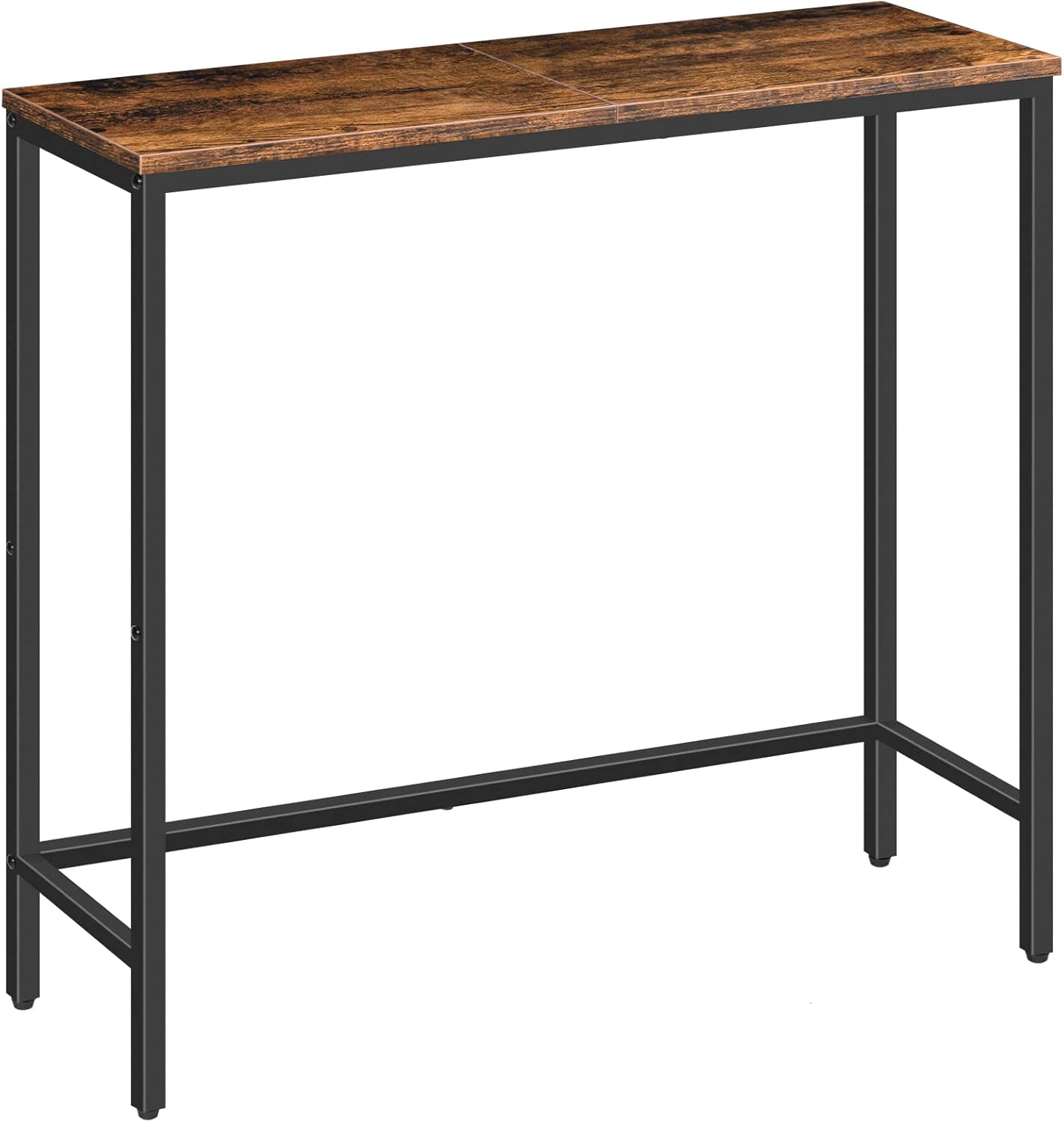
Figure 1: HOOBRO Narrow Console Table (BF75XG01)
Safety Information
Please observe the following safety guidelines to prevent injury or damage to the product:
- Do not exceed the recommended weight capacity limit. The maximum weight recommendation for this table is 44 pounds (20 kg). Overloading can cause the table to collapse, leading to injury or damage.
- Ensure all screws and fasteners are securely tightened before use. Periodically check and re-tighten as necessary.
- Keep small parts and packaging materials away from children to prevent choking hazards.
- Assemble the table on a soft, clean surface to avoid scratching the components.
- If any parts are missing or damaged, do not proceed with assembly. Contact customer support immediately.
Package Contents
Before beginning assembly, verify that all components are present and undamaged. The package should contain:
- Tabletop Panels (2 pieces)
- Metal Frame Components (Legs, Crossbars)
- Adjustable Feet (4 pieces)
- Assembly Hardware (Screws, Allen Wrench)
- Assembly Guide (This manual)
Note: The exact number and type of fasteners may vary slightly. Refer to the included assembly guide for a precise list of parts.
Setup (Assembly Instructions)
The HOOBRO Narrow Console Table is designed for quick and straightforward assembly. Each part is clearly labeled to simplify the process. Follow these steps for successful setup:
- Unpack and Identify Parts: Carefully remove all components from the packaging. Lay them out on a clean, soft surface to prevent scratches. Identify each part using the labels and the parts list in the included assembly guide.
- Assemble the Metal Frame: Connect the metal legs to the crossbars using the provided screws and Allen wrench. Ensure all connections are snug but do not fully tighten the screws until the frame is completely assembled. This allows for minor adjustments.
- Attach Tabletop Panels: Place the tabletop panels onto the assembled metal frame. Align the pre-drilled holes on the panels with the holes on the frame. Secure the panels using the appropriate screws.
- Install Adjustable Feet: Screw the four adjustable feet into the bottom of the table legs. These feet help ensure stability on uneven surfaces.
- Final Tightening: Once all components are in place, systematically tighten all screws. Ensure the table is stable and level.

Figure 2: Key components of the HOOBRO Console Table, showing the particleboard top, metal frame, and adjustable feet.
For detailed visual instructions, refer to the step-by-step diagrams in the separate assembly guide included in your package.
Operating (Usage)
The HOOBRO Narrow Console Table is a versatile piece of furniture suitable for various applications:
- Entryway Table: Ideal for placing keys, mail, decorative items, or a small lamp in your hallway or foyer.
- Sofa Table: Position it behind your sofa to hold drinks, books, or remote controls, creating a convenient surface in your living room.
- Display Table: Use it to showcase plants, photo frames, art pieces, or other decorative accents in any room.
- Side Table: Its narrow design makes it perfect for tight spaces next to a chair or bed where a larger table might not fit.

Figure 3: Table used in an entryway setting.

Figure 4: Multiple tables used together behind a sofa.

Figure 5: Table serving as a plant display.
Always ensure the table is placed on a stable, level surface. Use the adjustable feet to compensate for any unevenness in your flooring.
Maintenance
To keep your HOOBRO Narrow Console Table in excellent condition, follow these simple maintenance tips:
- Cleaning: Wipe the table surfaces with a damp cloth. For stubborn marks, a mild soap solution can be used, followed by wiping with a clean, dry cloth. Avoid harsh chemicals or abrasive cleaners, as these can damage the finish.
- Dusting: Regularly dust the table with a soft, dry cloth to prevent dust buildup.
- Liquid Spills: Promptly wipe up any liquid spills to prevent staining or damage to the particleboard.
- Stability Check: Periodically check all screws and connections to ensure they remain tight. Re-tighten if necessary to maintain the table's stability.
- Avoid Direct Sunlight/Heat: Prolonged exposure to direct sunlight or excessive heat sources can cause fading or warping of the tabletop material.
Troubleshooting
If you encounter any issues with your HOOBRO Narrow Console Table, refer to the following common troubleshooting solutions:
| Problem | Possible Cause | Solution |
|---|---|---|
| Table is wobbly or uneven. | Uneven floor surface or loose connections. | Adjust the four adjustable feet at the bottom of the legs until the table is stable. Ensure all assembly screws are fully tightened. |
| Parts do not align during assembly. | Screws tightened too early or incorrect orientation of parts. | Loosen all screws slightly, realign the parts, and then gradually tighten all screws. Double-check the assembly guide for correct part orientation. |
| Missing or damaged parts. | Packaging error or transit damage. | Do not attempt to assemble. Contact HOOBRO customer support with your purchase details for replacement parts. |
Specifications
Key specifications for the HOOBRO Narrow Console Table (Model BF75XG01):
| Feature | Detail |
|---|---|
| Brand | HOOBRO |
| Model Number | BF75XG01 |
| Product Dimensions (D x W x H) | 9.4"D x 29.5"W x 29.5"H (24cm D x 75cm W x 75cm H) |
| Maximum Weight Recommendation | 44 Pounds (20 kg) |
| Color | Rustic Brown + Black |
| Material Type | Engineered Wood (Tabletop), Metal (Frame) |
| Item Weight | 4 Kilograms |
| Included Components | Assembly Guide, Installation Tool |
| Product Care Instructions | Wipe with Damp Cloth |
| Is Stain Resistant | Yes |
| Indoor Outdoor Usage | Indoor |

Figure 6: Product dimensions and weight capacity.
Warranty and Support
Return Policy: This product is subject to a 30-day return policy for refund or replacement, as per the retailer's terms of sale.
Protection Plans: Extended protection plans may be available for purchase separately. Please refer to your retailer for details on available plans.
Customer Support: For any questions, concerns, or assistance with your HOOBRO Narrow Console Table, please contact HOOBRO customer support. Have your model number (BF75XG01) and purchase details ready when contacting support.
You can visit the official HOOBRO store for more information and contact options: HOOBRO Store on Amazon
Official Product Videos
Based on the available product data, there are no official seller-created videos specifically for this product that meet the criteria for embedding in this manual. For general product overviews or assembly tips, please check the product page on the retailer's website or the HOOBRO official brand store.